Solved

hide create shipment button for sales user in sales order screen without customization

  • Oct 15, 2025 5:53 AM UTC
  • 17 replies
  • 207 views
  • Translate All

Forum|alt.badge.img

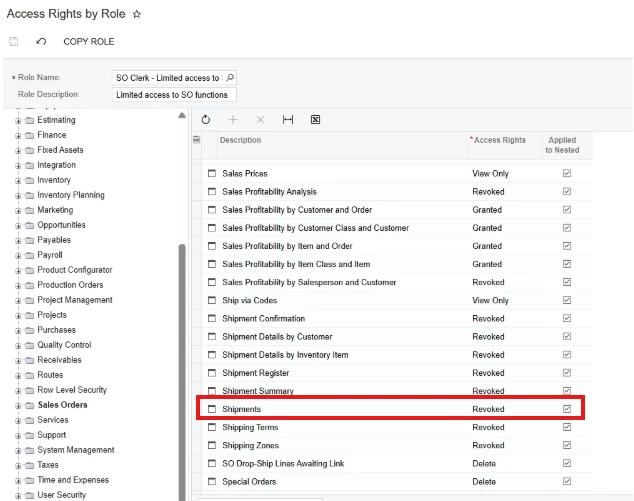
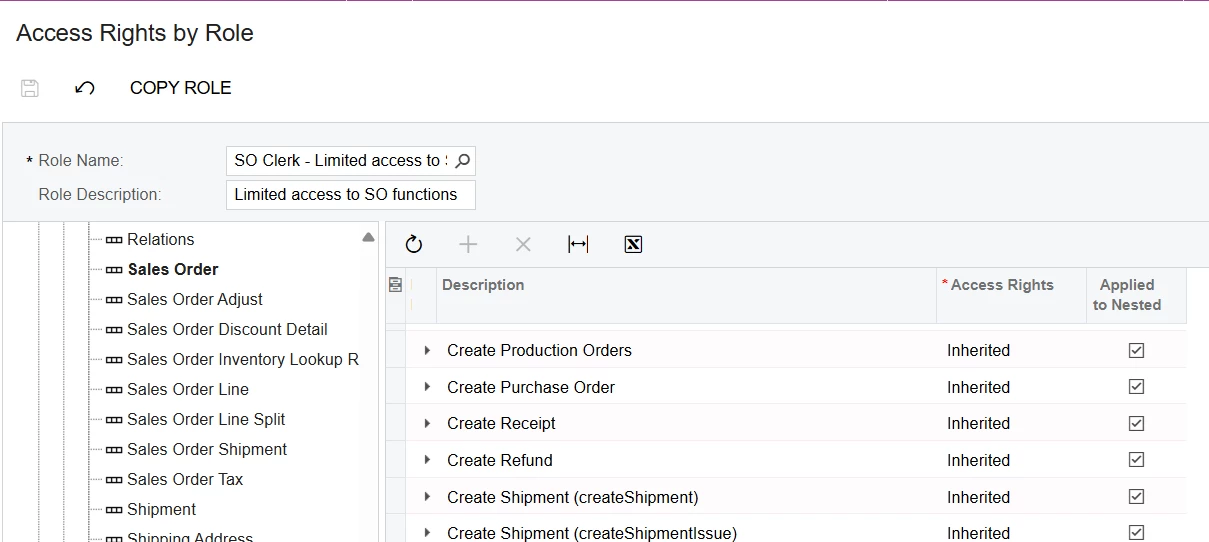
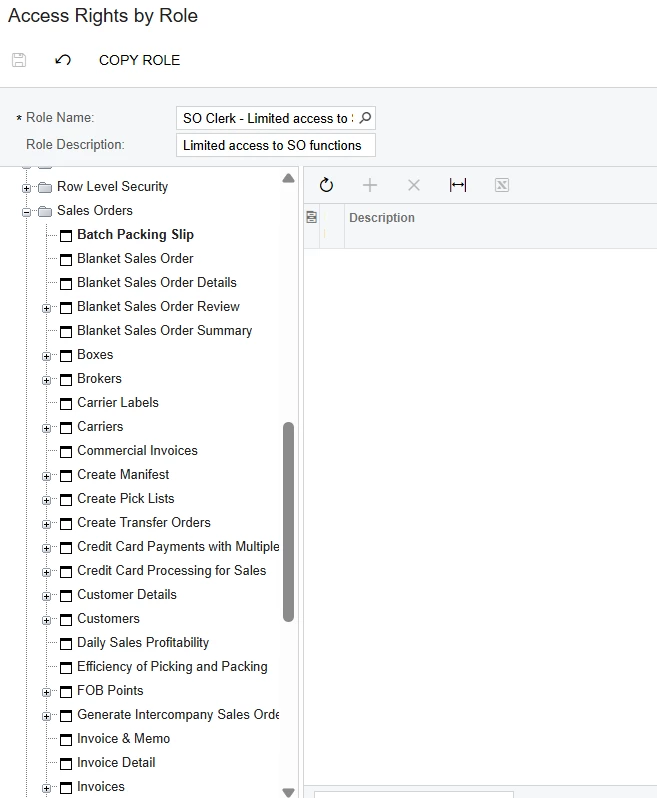
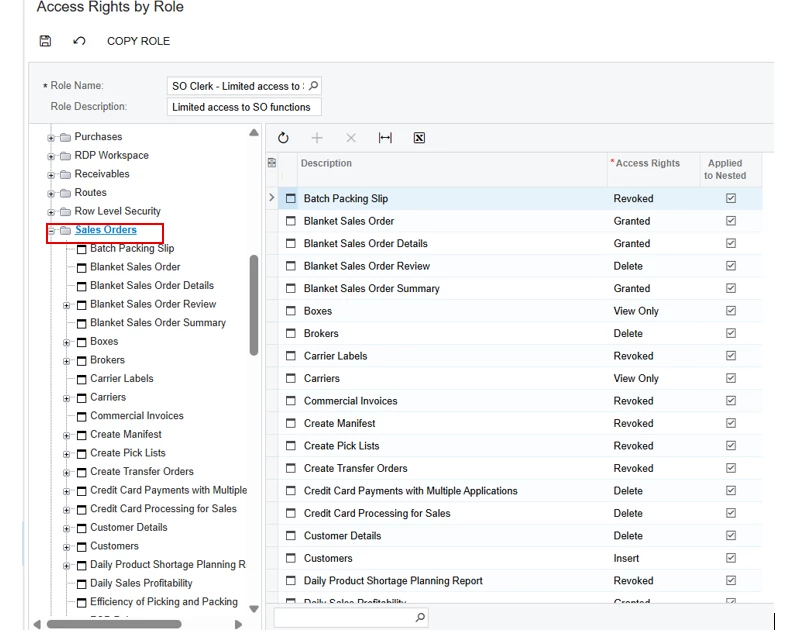
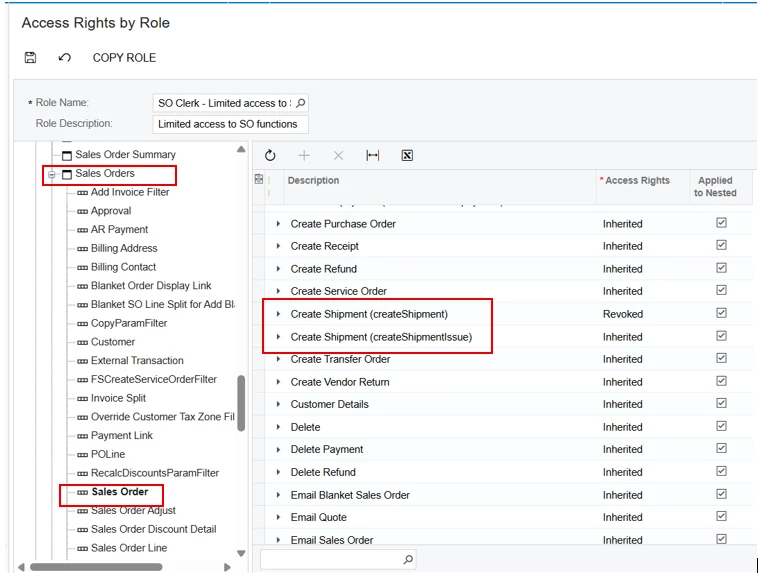
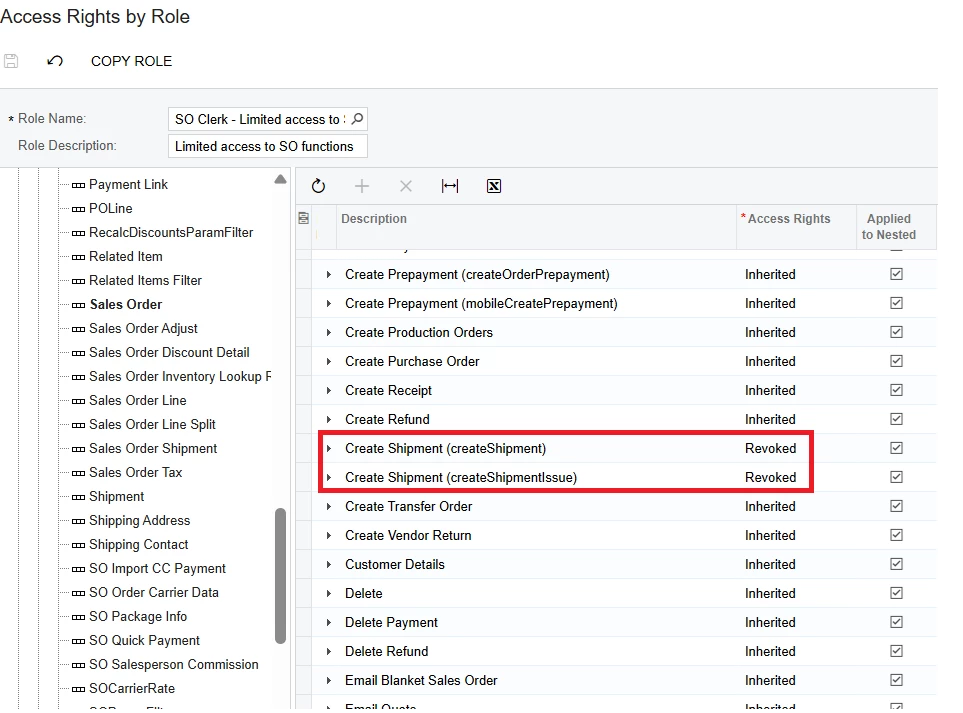
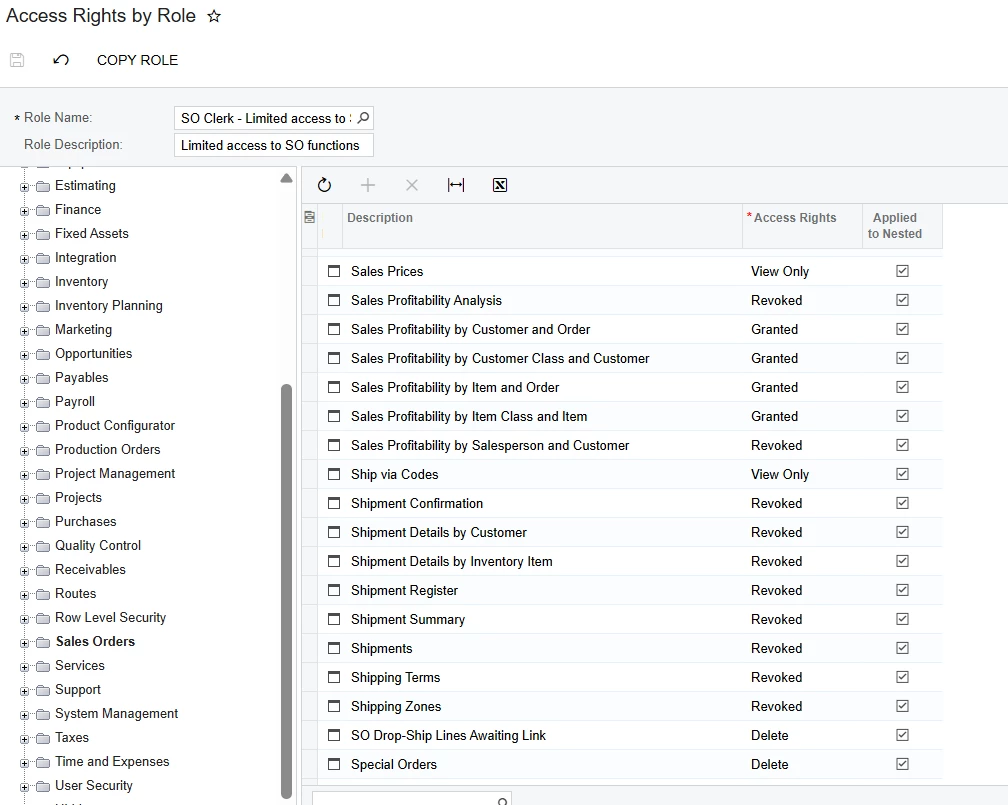
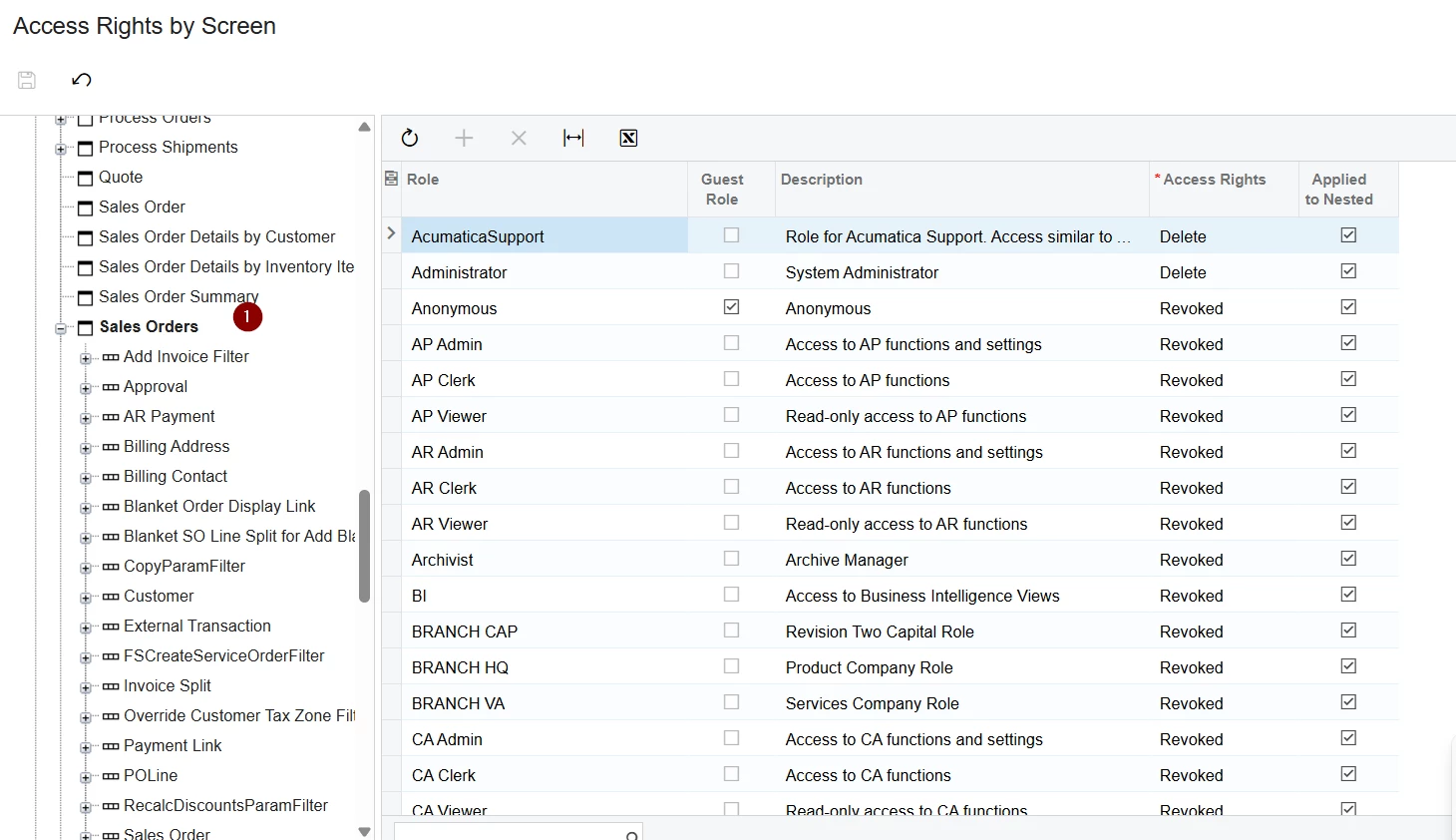
Hello experts, i have created access right by role for sales user and have restricted user to create shipment but when i am creating sales order create shipment button gets enables and allow to create shipment. please check the screen shot for access right by role and please let me know what am i missing.
 

Best answer by Manikanta Dhulipudi

​@vishalsharma49 

Please find the below steps

Check if any other role is allowing you to create shipment

View original

17 replies

Forum|alt.badge.img+11
  • Captain II
  • Oct 15, 2025 6:31 AM UTC

​@vishalsharma49 


You need to give access rights for ‘Shipments’


Translate

Forum|alt.badge.img

​@vishalsharma49 


You need to give access rights for ‘Shipments’


But that will allow to create shipment


Translate

Forum|alt.badge.img+11
  • Captain II
  • Oct 15, 2025 9:27 AM UTC

Sorry! I read your question wrong.


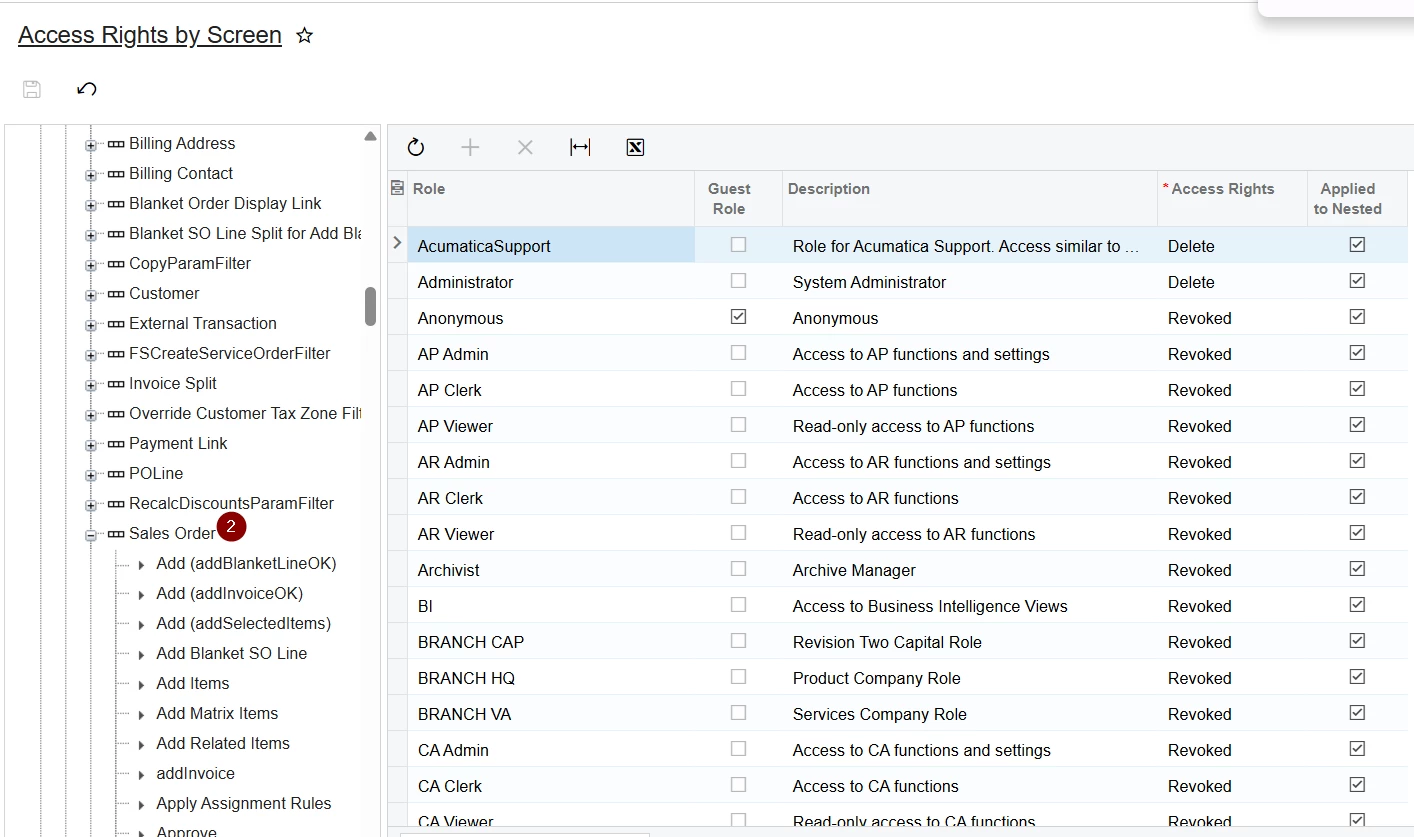
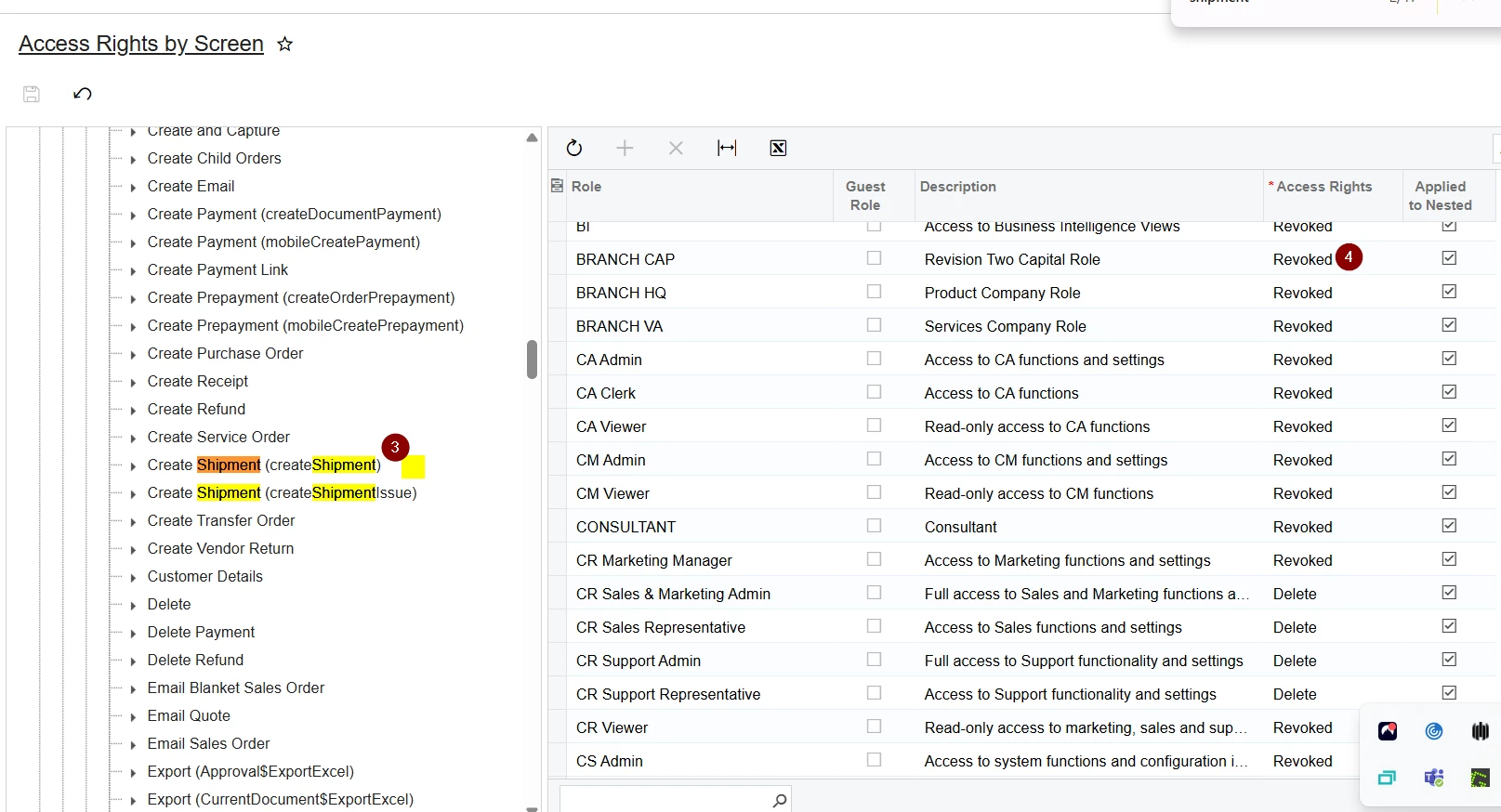
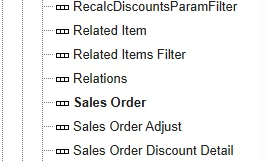
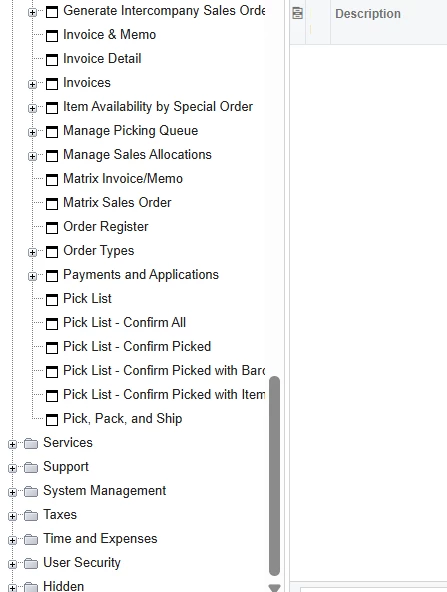
You need to go into the ‘Sales Order’ folder, then find ‘Sales Order’, then ‘Sales Order’, then find the ‘Create Shipment’ actions below: These will be the ones to control visibility, enabling via access rights.


Translate

Forum|alt.badge.img

Sorry! I read your question wrong.


You need to go into the ‘Sales Order’ folder, then find ‘Sales Order’, then ‘Sales Order’, then find the ‘Create Shipment’ actions below: These will be the ones to control visibility, enabling via access rights.


I am unable to find sales order from sales order folder .

Translate

Forum|alt.badge.img+11
  • Captain II
  • Oct 15, 2025 11:54 AM UTC

Hope this helps:


Expand Workspace Level
Expand Screen Level
Find View Level


Translate

Forum|alt.badge.img

Hope this helps:


Expand Workspace Level
Expand Screen Level
Find View Level


for me its not showing

Translate

Forum|alt.badge.img+11
  • Captain II
  • Oct 15, 2025 12:08 PM UTC

Have you moved the screen to another workspace?


Maybe try under Opportunities if you have that module.

Translate

Forum|alt.badge.img+5

Sorry! I read your question wrong.


You need to go into the ‘Sales Order’ folder, then find ‘Sales Order’, then ‘Sales Order’, then find the ‘Create Shipment’ actions below: These will be the ones to control visibility, enabling via access rights.


I am unable to find sales order from sales order folder .

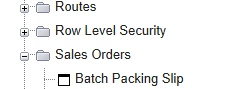
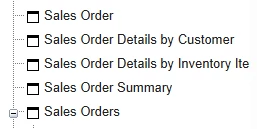
Hello ​@vishalsharma49 1st Navigate to Sales Order (Main Option)

Then Scroll down & find Sales Order (Sub Tree) like below :

if you confuse between  ​​​​​Sales Order name just hover on it you able see screen ID’s. (in this case SO301000).


I hope it helps!

Translate

Forum|alt.badge.img

Have you moved the screen to another workspace?


Maybe try under Opportunities if you have that module.

no i have not moved it, in opportunities i am getting sales order but still create shipment is showing in so screen

Translate

Forum|alt.badge.img+11
  • Captain II
  • Oct 15, 2025 12:15 PM UTC

May be a stupid quesiton but did you revoke access for SO Clerk?


Can you show me please?

Translate

Forum|alt.badge.img

May be a stupid quesiton but did you revoke access for SO Clerk?


Can you show me please?


Translate

Forum|alt.badge.img+11
  • Captain II
  • Oct 15, 2025 12:21 PM UTC

Can you first refresh your screen, then, if not on production environment, restart application.


Let me know if that makes a change.


Also, if you have more rights than just SO Clerk, judging by accessing access rights screens you do, you will still be able to see it, to navigate this you can make a user with just SO Clerk role and see if you can see it there.

Translate

Forum|alt.badge.img

Can you first refresh your screen, then, if not on production environment, restart application.


Let me know if that makes a change.


Also, if you have more rights than just SO Clerk, judging by accessing access rights screens you do, you will still be able to see it, to navigate this you can make a user with just SO Clerk role and see if you can see it there.

I tried to refresh and restart my application but that still showing , and also tried with access right by screen but then also it does not work

Translate

Forum|alt.badge.img+11
  • Captain II
  • Oct 15, 2025 12:26 PM UTC

Have you tried with an account which has only the SO Clerk role?

Translate

Manikanta Dhulipudi
Captain II
Forum|alt.badge.img+16

​@vishalsharma49 

Please find the below steps

Check if any other role is allowing you to create shipment

Translate

Forum|alt.badge.img

​@vishalsharma49 

Please find the below steps

Check if any other role is allowing you to create shipment

This also not works

Translate

hi ​@vishalsharma49 

have you find any solution with this case? I also experience this and have not find any solution 

Translate