Solved

Create a Shipment prior to the Sales Order Line Ship-On Date

  • January 14, 2026
  • 3 replies
  • 34 views

Forum|alt.badge.img

Hello! Is there a way to create a shipment for a Sales Order line prior to the ship-on date associated with that line?


We are trying to track our on time delivery when it comes to shipments and we don’t only want to study what causes delays but also want to study what are some root causes that allows certain jobs to ship ahead of time. However, currently Acumatica prevents creating a shipment before the ship-on date. (Ex. I won’t be able to create a shipment today for a Sales Order line that has a Ship-On Date one week from now without changing that date.)


Also, is there a direct way to allow for this to happen without going through workarounds that leads to extra keystrokes?

I.e.

  1. Creating a shipment through the Sales Order → Changing the Shipment Date in the Pop-Up window to match the lines being shipped → Backdating the shipment date in the shipment once it is created. 
  2. Creating a shipment manually → Selecting the Add Order button → Selecting the lines and changing the Scheduled Ship Date column to match today’s date → Clicking on Add & Close


Was wondering if there was a customization out there or if someone has found a more efficient way out there or if you define the Requested/Ship-On/Actual Shipment dates differently to power an On-Time delivery GI.


Thank you!
Best answer by bwhite49

Hi John,

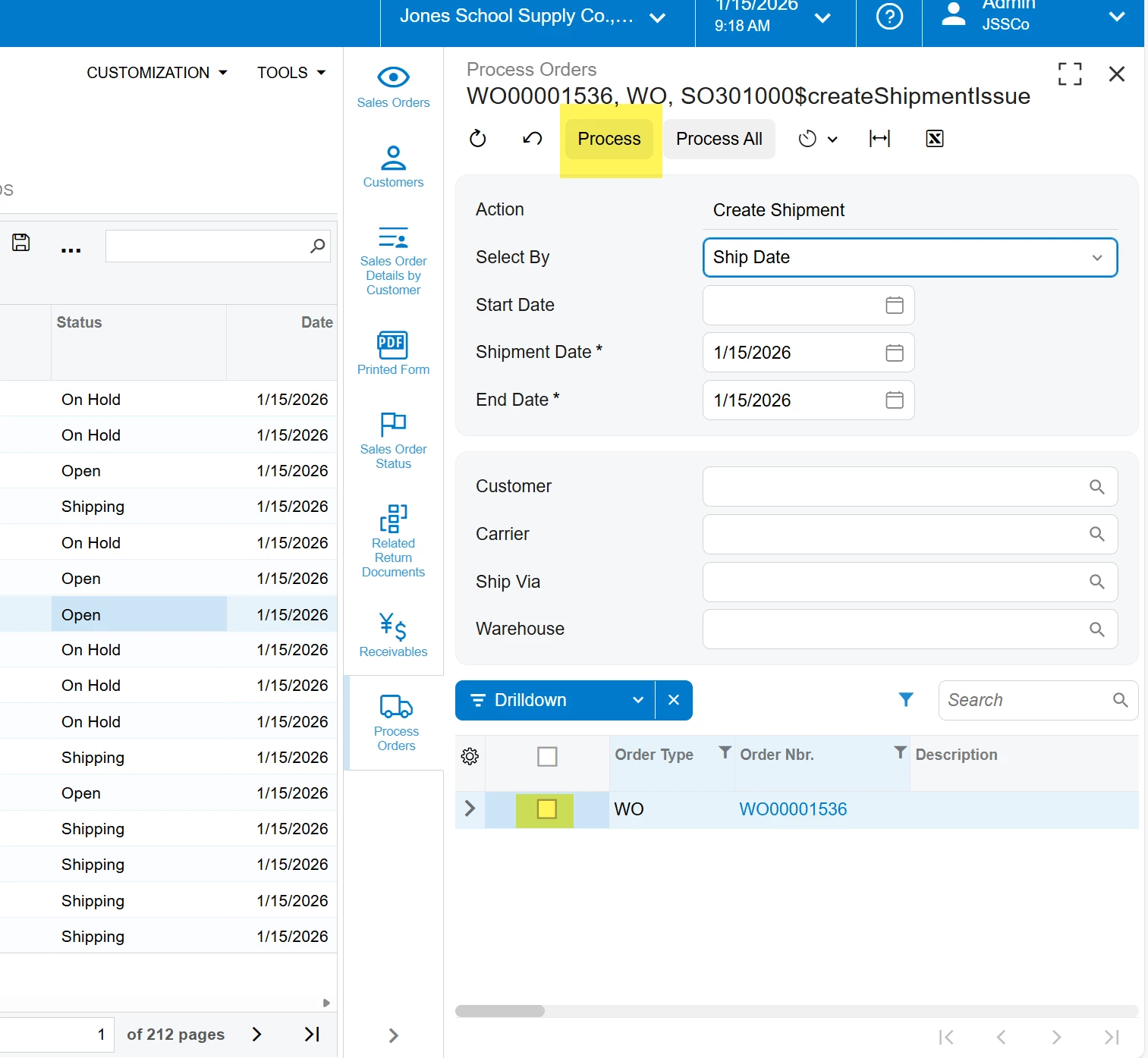
You should be able to create the shipment through the “process orders” screen. That screen seems to ignore the date requirements. 

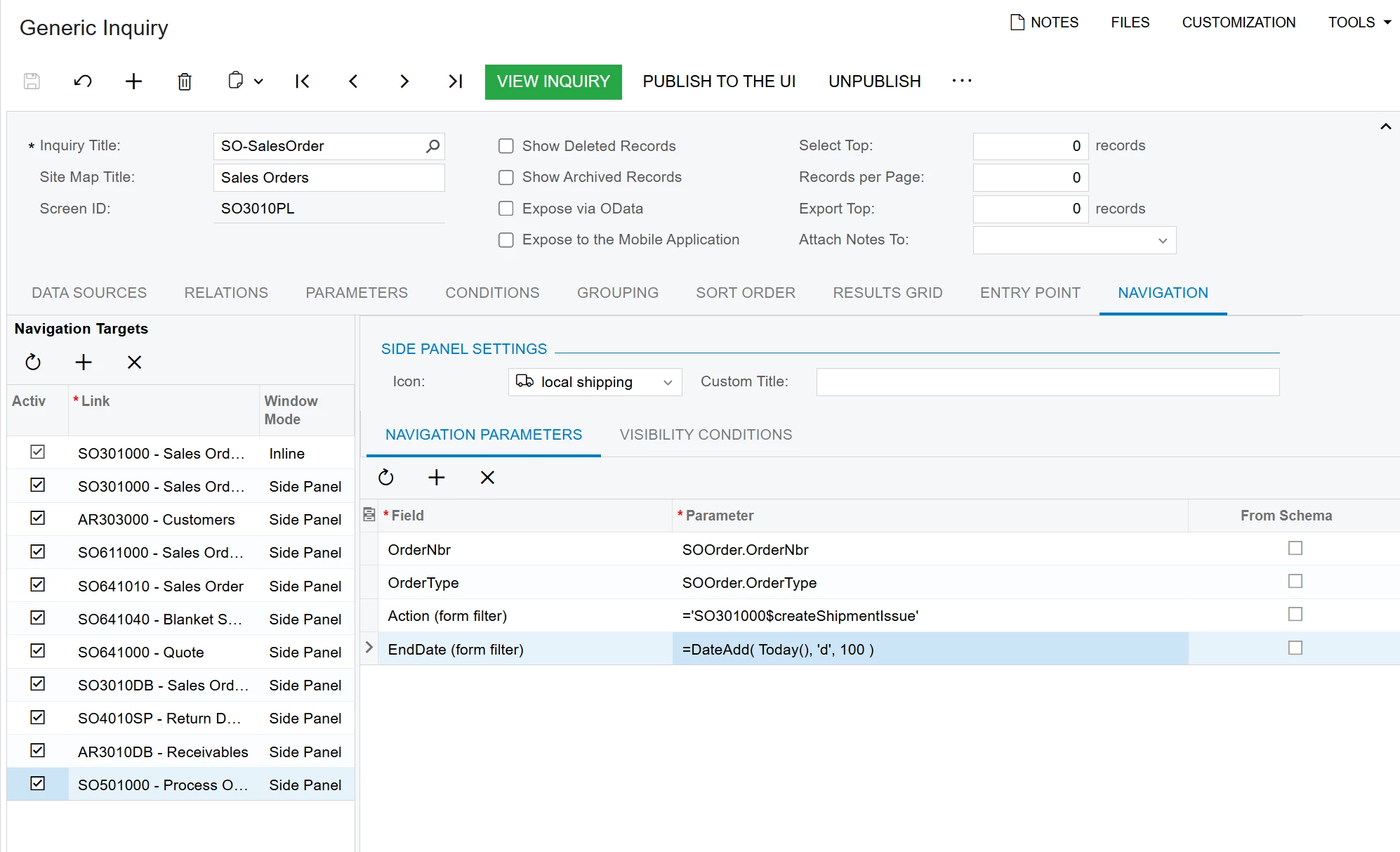
You could make it more efficient by adding as a side panel to filter down to the correct order either through the sales order PL or maybe the sales order screen


3 replies

DipakNilkanth
Pro III
Forum|alt.badge.img+14

Hi ​@jdunmire, If I understand your question correctly, This links will helps you to resolve your issue.


Forum|alt.badge.img
  • Author
  • Jr Varsity III
  • January 15, 2026

Hi ​@jdunmire, If I understand your question correctly, This links will helps you to resolve your issue.

@DipakNilkanth Thanks for your suggestion!

Seems that the only way to handle this is by using one of the workarounds that I listed above...voted on the idea that was within that link though. Would be great if there was an option to allow for early delivery on the customer profile level


bwhite49
Captain II
Forum|alt.badge.img+12
  • Captain II
  • Answer
  • January 15, 2026

Hi John,

You should be able to create the shipment through the “process orders” screen. That screen seems to ignore the date requirements. 

You could make it more efficient by adding as a side panel to filter down to the correct order either through the sales order PL or maybe the sales order screen