Solved

adding custom screen to mobile app

  • April 22, 2026
  • 6 replies
  • 52 views

Forum|alt.badge.img

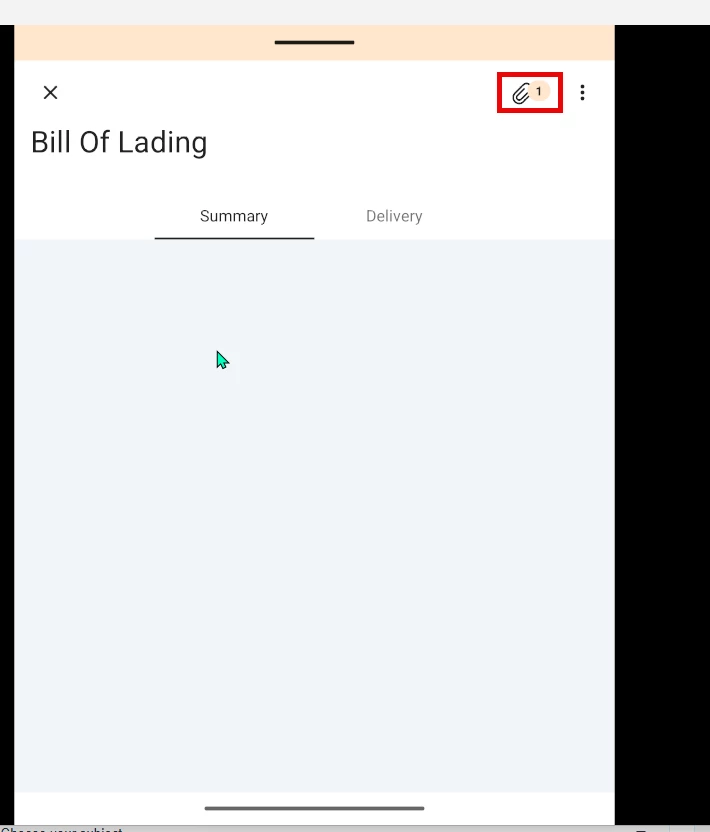
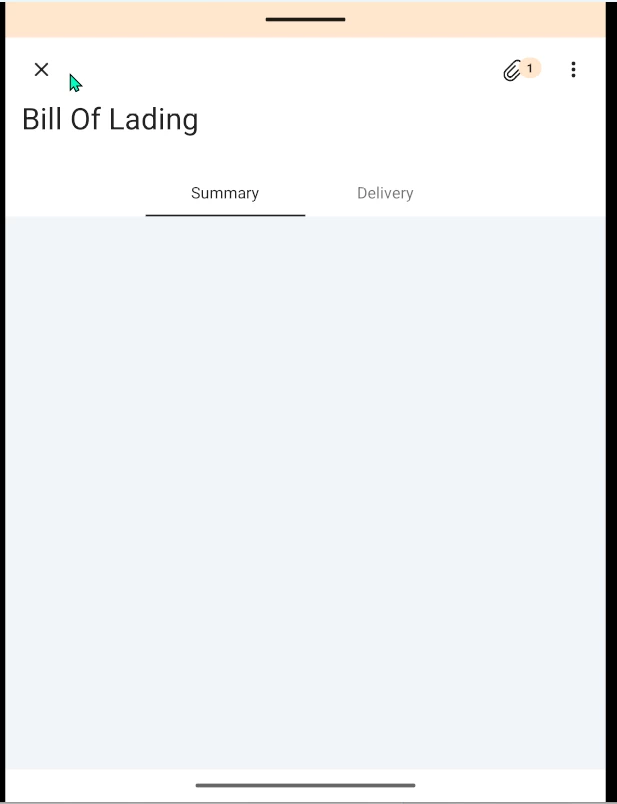
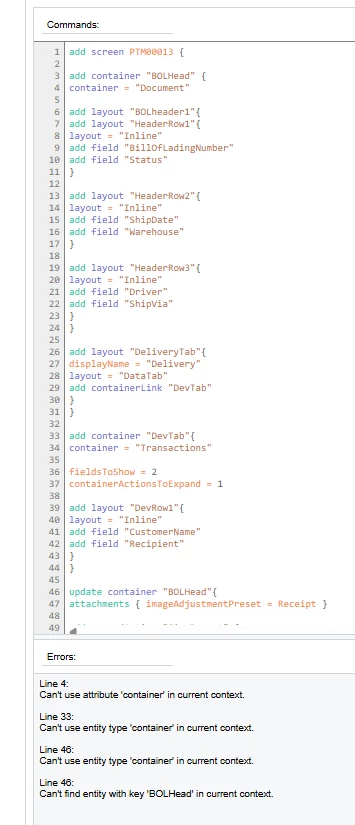
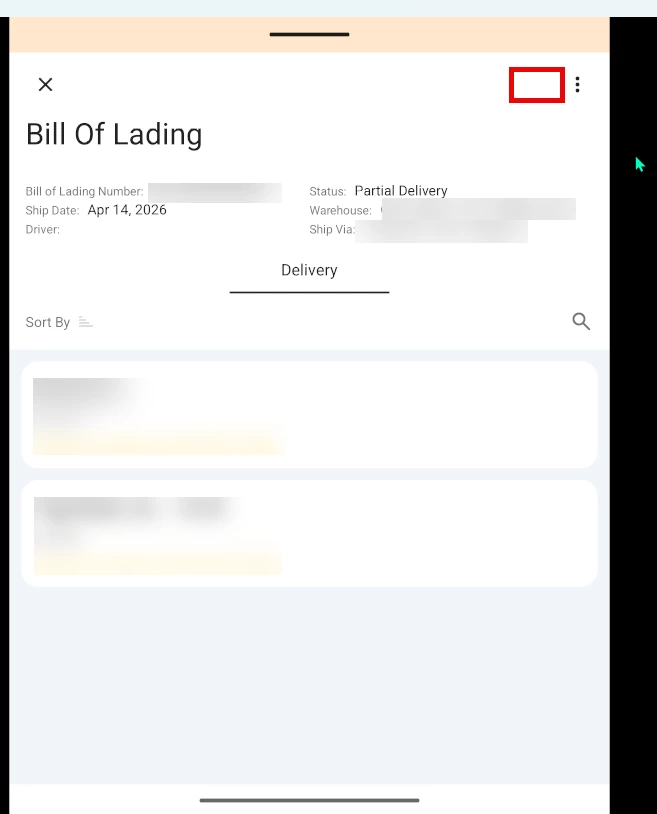
I am having issues with adding a custom screen to the mobile app. The screen is a form tab with grid in the detail section. I want to have a few fields from the header show up and then a couple of fields from the grid to show up. The layout that I want it to look like is the first screen shot. I have the “Sign” action added in but it doesnt work for some reason and the “Paper clip” for attachments isnt showing up. If I remove the “layout = “HeaderSimple” from my code, the attachment paper clip shows up and the action works, but the fields in the header no longer show up (second screen shot). Any ideas on what I did wrong? This is my first time adding to the mobile app. I was looking at the documentation when I made it, but I can’t seem to get it right.
add screen PTM00013 {
add container "BOLHead" {
add layout "BOLheader1"{
layout = "HeaderSimple"
add layout "HeaderRow1"{
layout = "Inline"
add field "BillOfLadingNumber"
add field "Status"
}
add layout "HeaderRow2"{
layout = "Inline"
add field "ShipDate"
add field "Warehouse"
}
add layout "HeaderRow3"{
layout = "Inline"
add field "Driver"
add field "ShipVia"
}
}
add layout "DeliveryTab"{
displayName = "Delivery"
layout = "DataTab"
add containerLink "DevTab"
}
}

add container "DevTab"{
fieldsToShow = 2
containerActionsToExpand = 1
add layout "DevRow1"{
layout = "Inline"
add field "CustomerName"
add field "Recipient"
}
}
update container "BOLHead"{
attachments{imageAdjustmentPreset = Receipt}
add recordAction "SignReport" {
behavior = SignReport
displayName = "Sign"
}

}
}
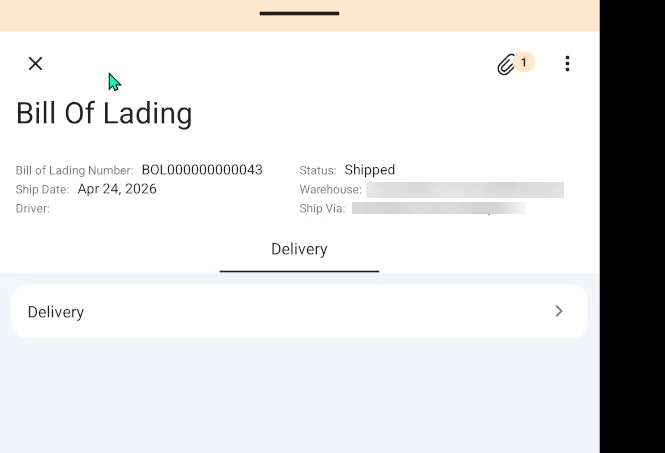
 

Best answer by justen0351

@FarhanaM60 that had an error on imageadjustments. I talked to my boss and he decided that he is ok with the format below. Thank you for the help though. I appreciate it.


6 replies

Forum|alt.badge.img+1
  • Varsity II
  • April 23, 2026

Can you please try this 


add screen PTM00013 {

  add container "BOLHead" {

    add layout "BOLheader1"{
      add layout "HeaderRow1"{
        layout = "Inline"
        add field "BillOfLadingNumber"
        add field "Status"
      }

      add layout "HeaderRow2"{
        layout = "Inline"
        add field "ShipDate"
        add field "Warehouse"
      }

      add layout "HeaderRow3"{
        layout = "Inline"
        add field "Driver"
        add field "ShipVia"
      }
    }

    add layout "DeliveryTab"{
      displayName = "Delivery"
      layout = "DataTab"
      add containerLink "DevTab"
    }  
  }

  add container "DevTab"{
    fieldsToShow = 2
    containerActionsToExpand = 1

    add layout "DevRow1"{
      layout = "Inline"
      add field "CustomerName"
      add field "Recipient"
    }
  }

  update container "BOLHead"{
    attachments { imageAdjustmentPreset = Receipt }

    add recordAction "SignReport" {
      behavior = SignReport
      displayName = "Sign"
    }
  }
}


Forum|alt.badge.img
  • Author
  • Semi-Pro I
  • April 23, 2026

@FarhanaM60 thanks for the reply. I put that code in and the action sign works, but all the fields for my header disappear and they dont show up in the tab that it adds for summary either.


Forum|alt.badge.img+1
  • Varsity II
  • April 24, 2026

You need to bind the container to the header view
container = "Document"

add screen PTM00013 {

add container "BOLHead" {
container = "Document" //  (THIS IS MISSING)

add layout "BOLheader1"{
add layout "HeaderRow1"{
layout = "Inline"
add field "BillOfLadingNumber"
add field "Status"
}

add layout "HeaderRow2"{
layout = "Inline"
add field "ShipDate"
add field "Warehouse"
}

add layout "HeaderRow3"{
layout = "Inline"
add field "Driver"
add field "ShipVia"
}
}

add layout "DeliveryTab"{
displayName = "Delivery"
layout = "DataTab"
add containerLink "DevTab"
}
}

add container "DevTab"{
container = "Transactions" // 🔴 bind to detail view

fieldsToShow = 2
containerActionsToExpand = 1

add layout "DevRow1"{
layout = "Inline"
add field "CustomerName"
add field "Recipient"
}
}

update container "BOLHead"{
attachments { imageAdjustmentPreset = Receipt }

add recordAction "SignReport" {
behavior = SignReport
displayName = "Sign"
}
}
}


Forum|alt.badge.img
  • Author
  • Semi-Pro I
  • April 24, 2026

@FarhanaM60 adding “Container” gives me errors in the cusotmization project.


Forum|alt.badge.img+1
  • Varsity II
  • April 24, 2026

add screen PTM00013 {


update container "form" {


add layout "BOLheader1" {


add layout "HeaderRow1" {

layout = "Inline"

add field "BillOfLadingNumber"

add field "Status"

}


add layout "HeaderRow2" {

layout = "Inline"

add field "ShipDate"

add field "Warehouse"

}


add layout "HeaderRow3" {

layout = "Inline"

add field "Driver"

add field "ShipVia"

}

}

}


update container "Transactions" {


add layout "DeliveryTab" {

displayName = "Delivery"

layout = "DataTab"


add layout "DevRow1" {

layout = "Inline"

add field "CustomerName"

add field "Recipient"

}

}

}


update container "form" {

attachments {

imageAdjustments { imagePreset = Receipt }

}

}

}

Removed all add container
Replaced with Update


Forum|alt.badge.img
  • Author
  • Semi-Pro I
  • Answer
  • April 24, 2026

@FarhanaM60 that had an error on imageadjustments. I talked to my boss and he decided that he is ok with the format below. Thank you for the help though. I appreciate it.