Solved

Wrtie Off Import Scenario Issue WO Document not Produced

  • Mar 11, 2026 11:57 PM UTC
  • 3 replies
  • 82 views
  • Translate All

Good day,

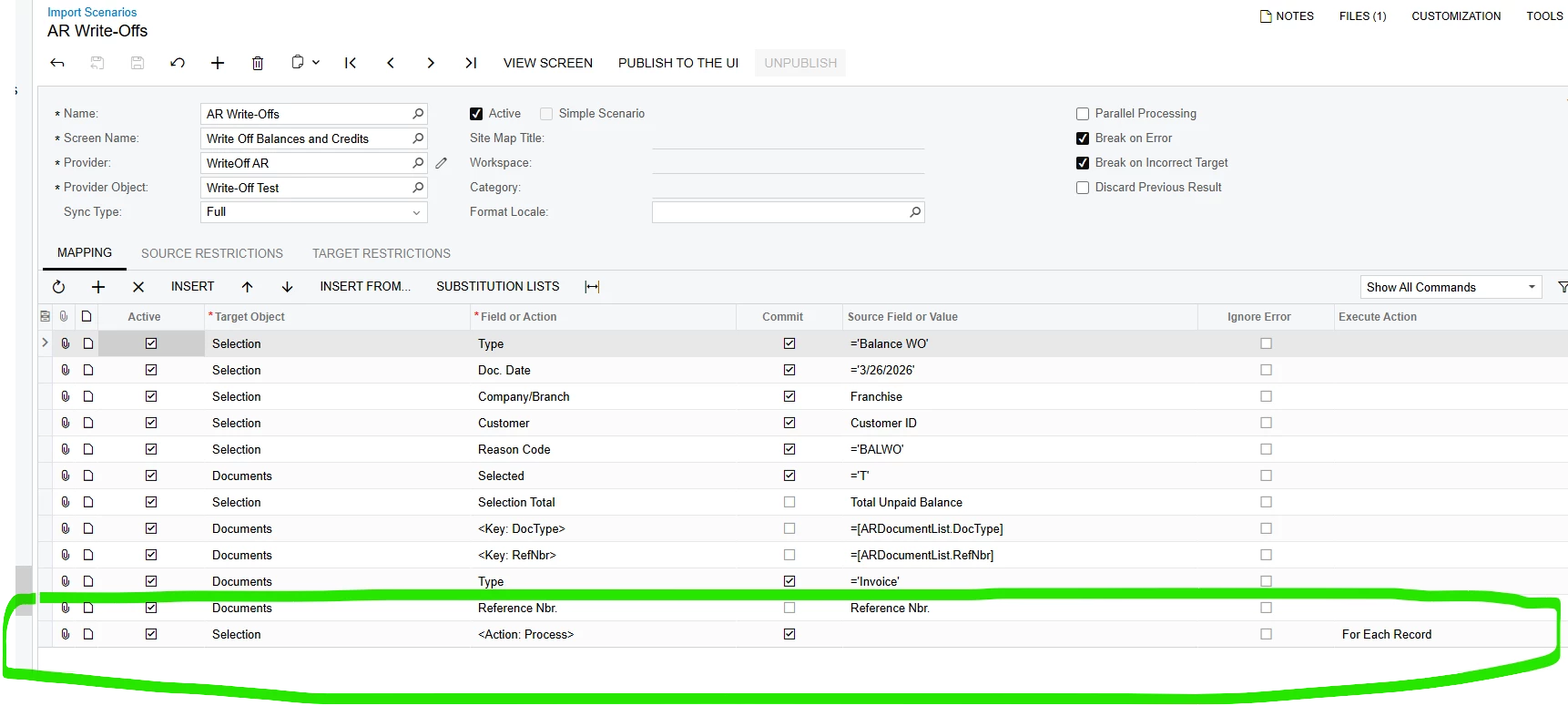
I wrote the attached WO Import Scenario.  It is said it processed without issue.  However, it not producing the write off document from the scenario.  I think it has to do with the selection/process action not working.

Any assistance would be greatly appreciated.

Thank you.

Evan
Best answer by bjeter78

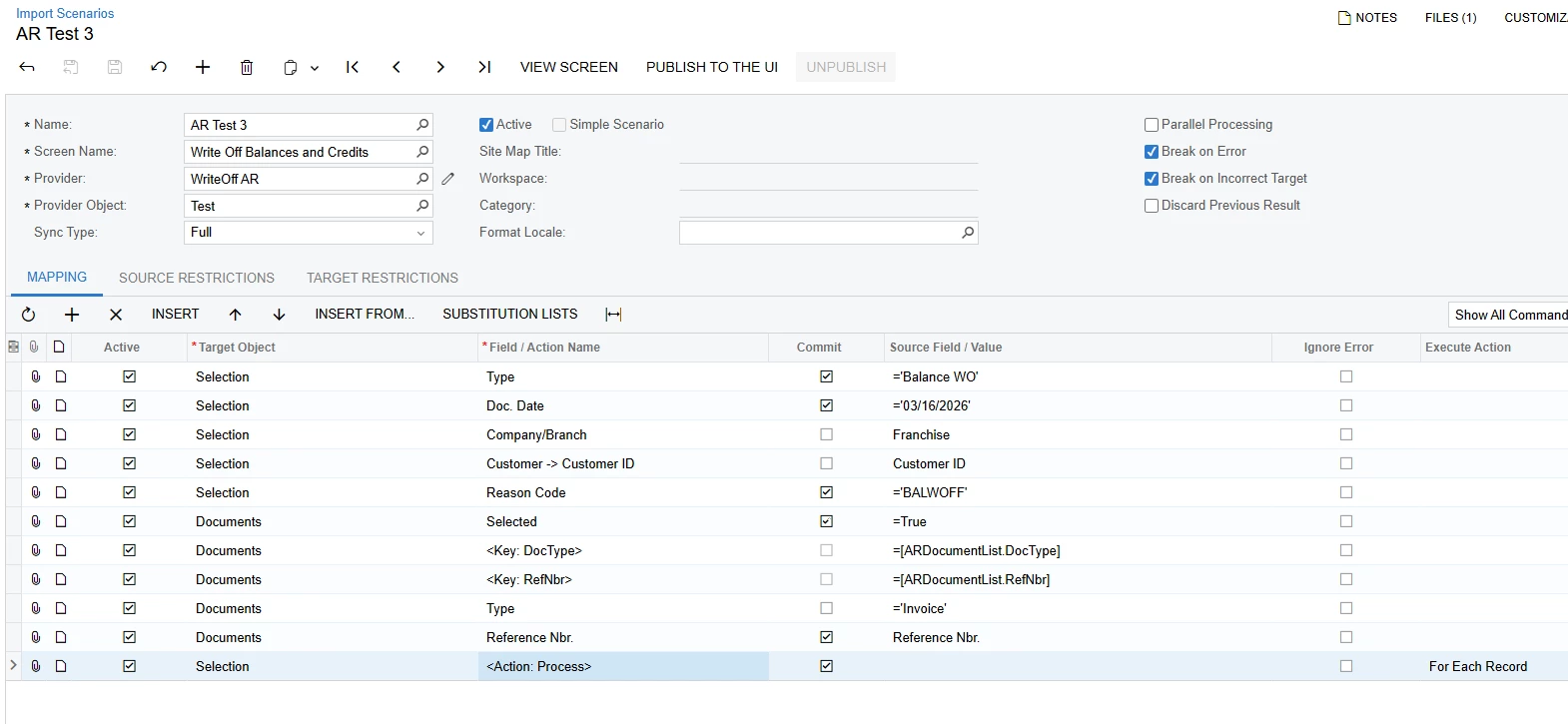
I finally got it to work. Please try this. Make sure the write-off is enabled on the customer and a limit over the amount you are writing off is listed.


View original

3 replies

bjeter78
Jr Varsity III
Forum|alt.badge.img
  • Jr Varsity III
  • Answer
  • Mar 16, 2026 8:29 PM UTC

I finally got it to work. Please try this. Make sure the write-off is enabled on the customer and a limit over the amount you are writing off is listed.


Translate

  • Author
  • Freshman I
  • Mar 17, 2026 12:07 AM UTC

​@bjeter78 Thank you.

Translate

  • Author
  • Freshman I
  • Mar 26, 2026 10:52 PM UTC

​@bjeter78 

I made the adjustments you suggested.  However, it still behaves the same way. The import scenario process successfully until it the action buttons Process or Process All. The Actions don’t work?  Or maybe the disabled for import scenarios.  Not sure what the next move is on this one.  

One of the users want to multiple customers and invoices on the import.

Thank you

Evan


Translate