Answer

Value cannot be null. Parameter name: key how do I resolve this?

  • June 24, 2024
  • 11 replies
  • 2556 views

Forum|alt.badge.img

Attempting to import item classes and I am getting a “Value cannot be null. Parameter name: Key” error. Any idea what may be causing this error?

Best answer by SBaldwin

So I got it to work! But noticed that I’m not sure how my item class field needs to be formatted in my excel sheet.

In my excel sheet I had the item class formatted

OGS-AMENDME-BIOCHAR

Acumatica imported it as

OGS-AME-NDME-BI-OCHAR__-

So do I need to make sure anything not 7 characters has enough spaces to make it 7?

Class:  OGS

SubClass1: AMENDME

SubClass2: BIOCHAR

11 replies

Manikanta Dhulipudi
Captain II
Forum|alt.badge.img+15

Hi @SBaldwin 

Could you please share the Import scenario?


Forum|alt.badge.img
  • Author
  • Varsity I
  • June 24, 2024

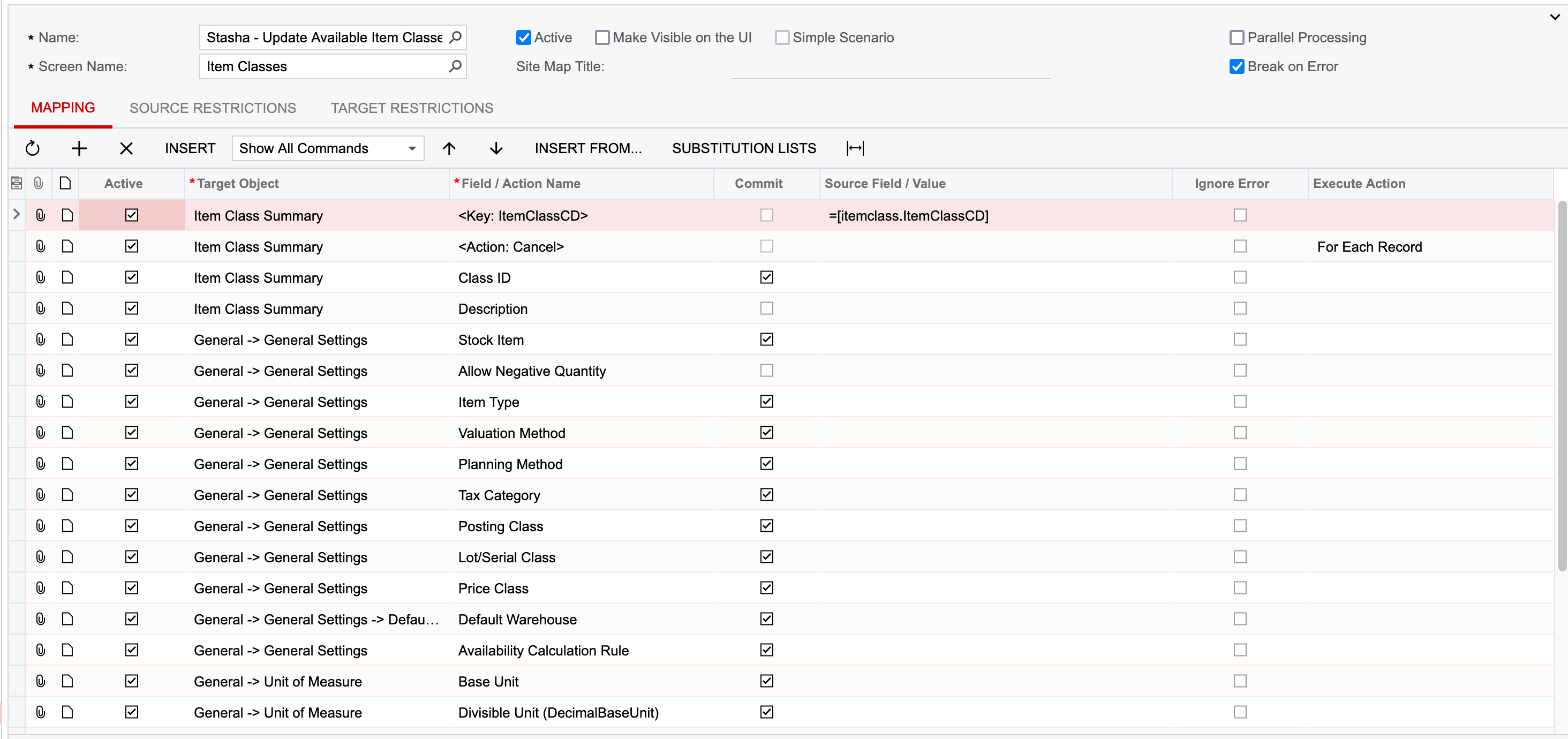
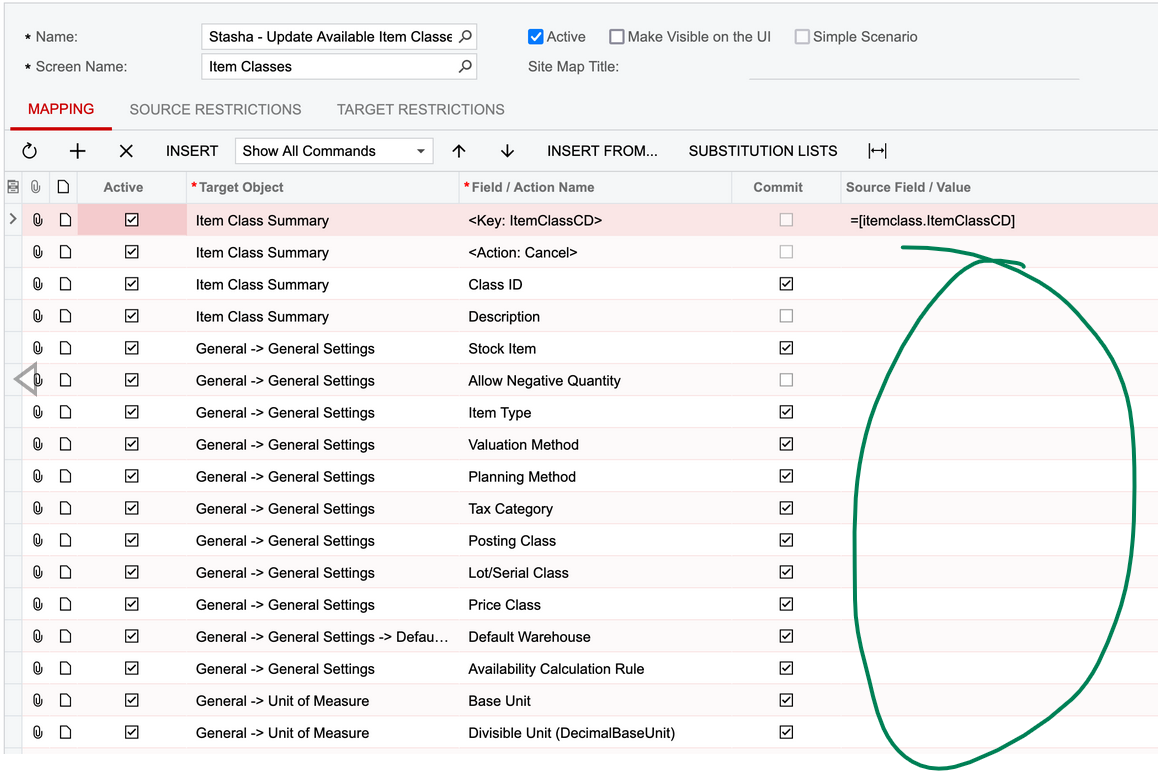
@Manikanta Dhulipudi very new to import scenarios so this was my best first attempt at this particular one. The last two lines of the first image and the first two lines of the second image are the same lines.


Manikanta Dhulipudi
Captain II
Forum|alt.badge.img+15

Hi @SBaldwin 

Can you share the xml file ?


Attached ref file for your reference


Laura03
Captain II
Forum|alt.badge.img+19
  • Captain II
  • June 24, 2024

Hello,

It looks like the Source Fields are missing. Have you connected your Data Provider (Top of screen is hidden)?

The Data provider contains the values that you need to select in the Source/Value column.

Laura


Forum|alt.badge.img
  • Author
  • Varsity I
  • June 29, 2024

@Laura02 Yes! I did end up fixing that issue and I am still getting the same error.

@Manikanta Dhulipudi i’m not sure how to give you that information and when I open your file I’m not sure what I’m supposed to be taking away from it :)


Forum|alt.badge.img
  • Author
  • Varsity I
  • Answer
  • June 29, 2024

So I got it to work! But noticed that I’m not sure how my item class field needs to be formatted in my excel sheet.

In my excel sheet I had the item class formatted

OGS-AMENDME-BIOCHAR

Acumatica imported it as

OGS-AME-NDME-BI-OCHAR__-

So do I need to make sure anything not 7 characters has enough spaces to make it 7?

Class:  OGS

SubClass1: AMENDME

SubClass2: BIOCHAR


Chris Hackett
Community Manager
Forum|alt.badge.img
  • Acumatica Community Manager
  • August 6, 2024

Hi @SBaldwin were you able to find a solution? Thank you!


Forum|alt.badge.img

I just used this post to fix my own issue. I also forgot to put the target on one of my import/export lines


Forum|alt.badge.img
  • Freshman I
  • June 4, 2025

Im am getting that same error with this import scenario.  Can anyone help please?


Forum|alt.badge.img

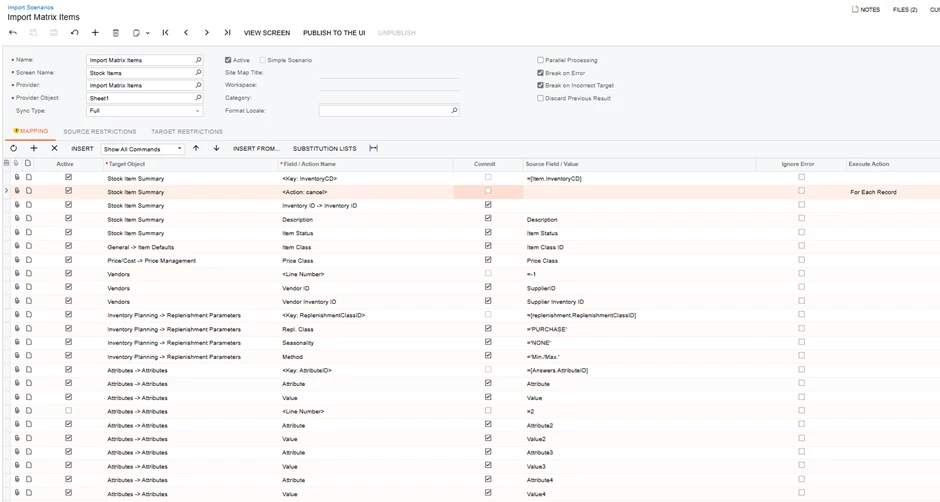
@RoslynRule Your third line appears to be missing a source/value. Does that fix it? 


Forum|alt.badge.img
  • Freshman I
  • June 4, 2025

Thank you so much, I must have been looking at it too long.

I now have another error.  “The value of the NA Attribute must be specified.”

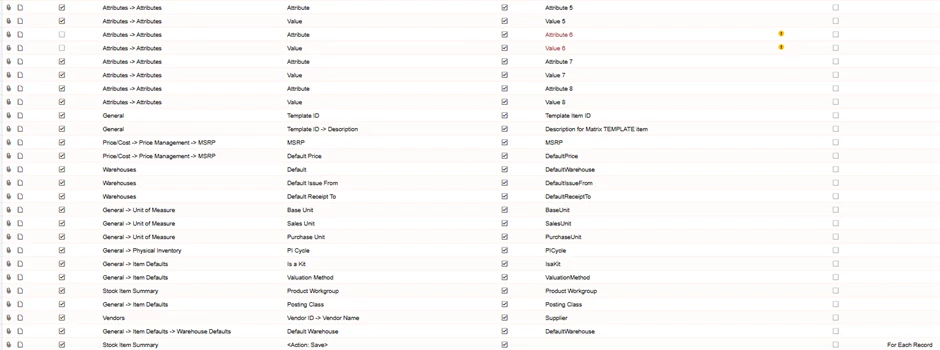
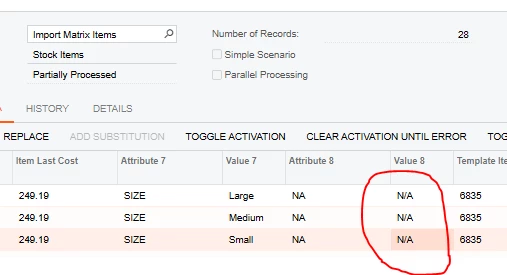
Here is the Import by Scenario screen showing Attribute 8 = NA and Value 8 = N/A

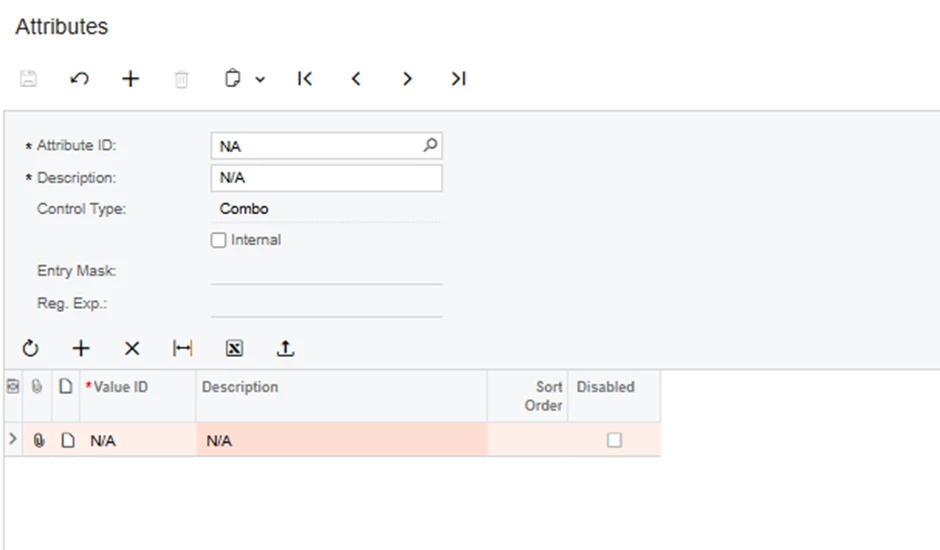
Here is the attribute set up:

If anyone can help please!!