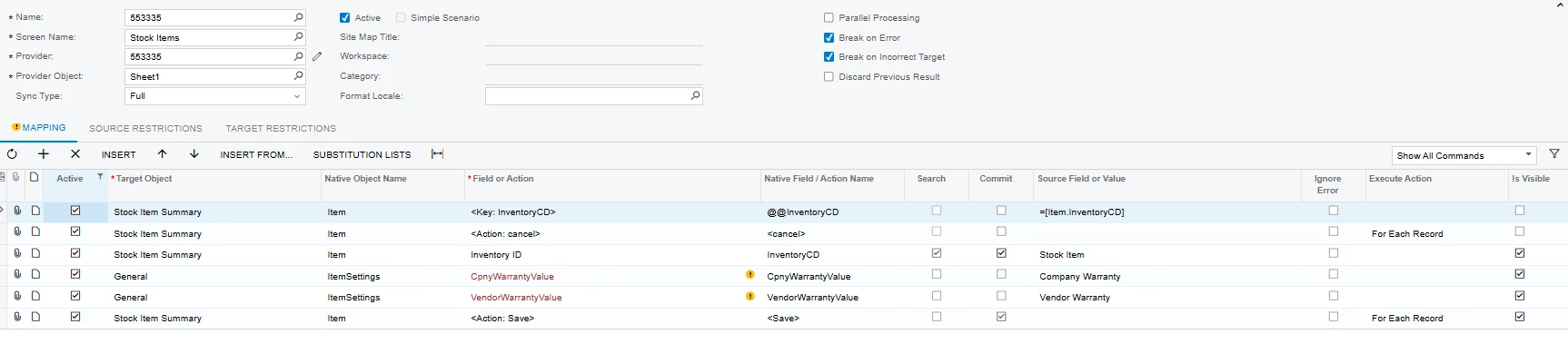
In our 26R2 instance, I need to add the company warranty and company warranty type. My import scenario works for > 99% of my items when I don’t include equipment information. Our equipment that we sell and service typically is finished goods and typically is Model Equipment without components.
I am trying to add these 4 columns:
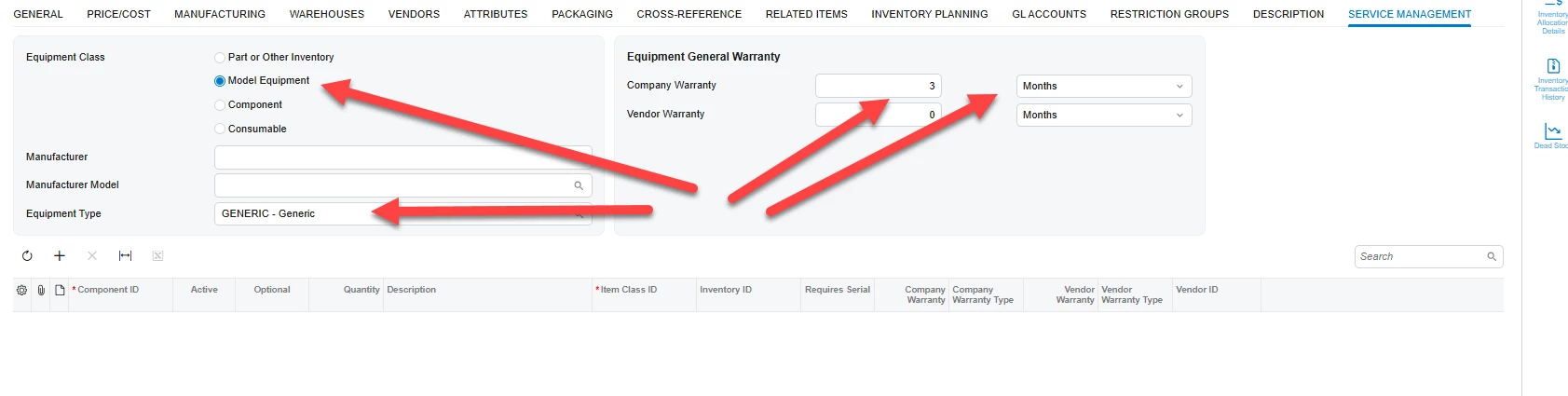
I can add Equipment Class and Equipment Type without Company Warranty and Company Warranty Type without error, but when I add the warranty information; I receive this error:
Error: 'Component ID' cannot be empty. Error: 'Item Class ID' cannot be empty.
We do manufacture this item, but none of the components are warrantied. If the equipment fails in the field, we would typically RMA the part in its entirety (not individual components).
I can save this item using Acumatica’s screen, IN202500, without trouble.
Copilot told me this….and I tried the suggestions.