Answer

Reopen Opportunity from Import Scenario

  • August 7, 2024
  • 6 replies
  • 84 views

Forum|alt.badge.img

 Hi~

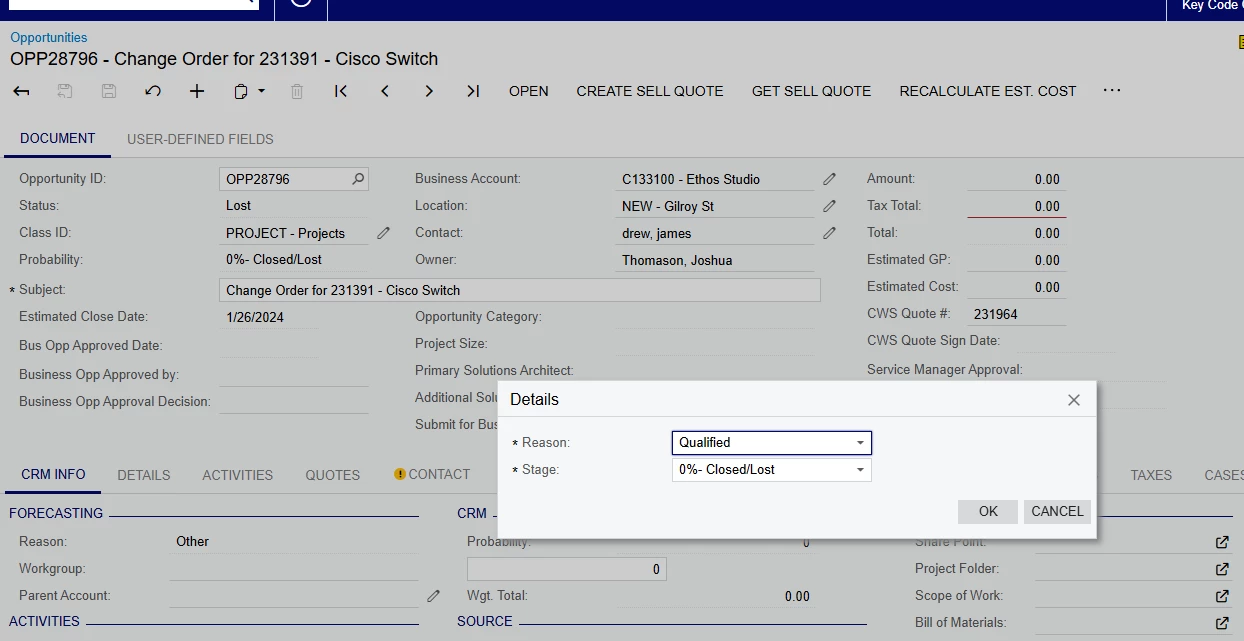
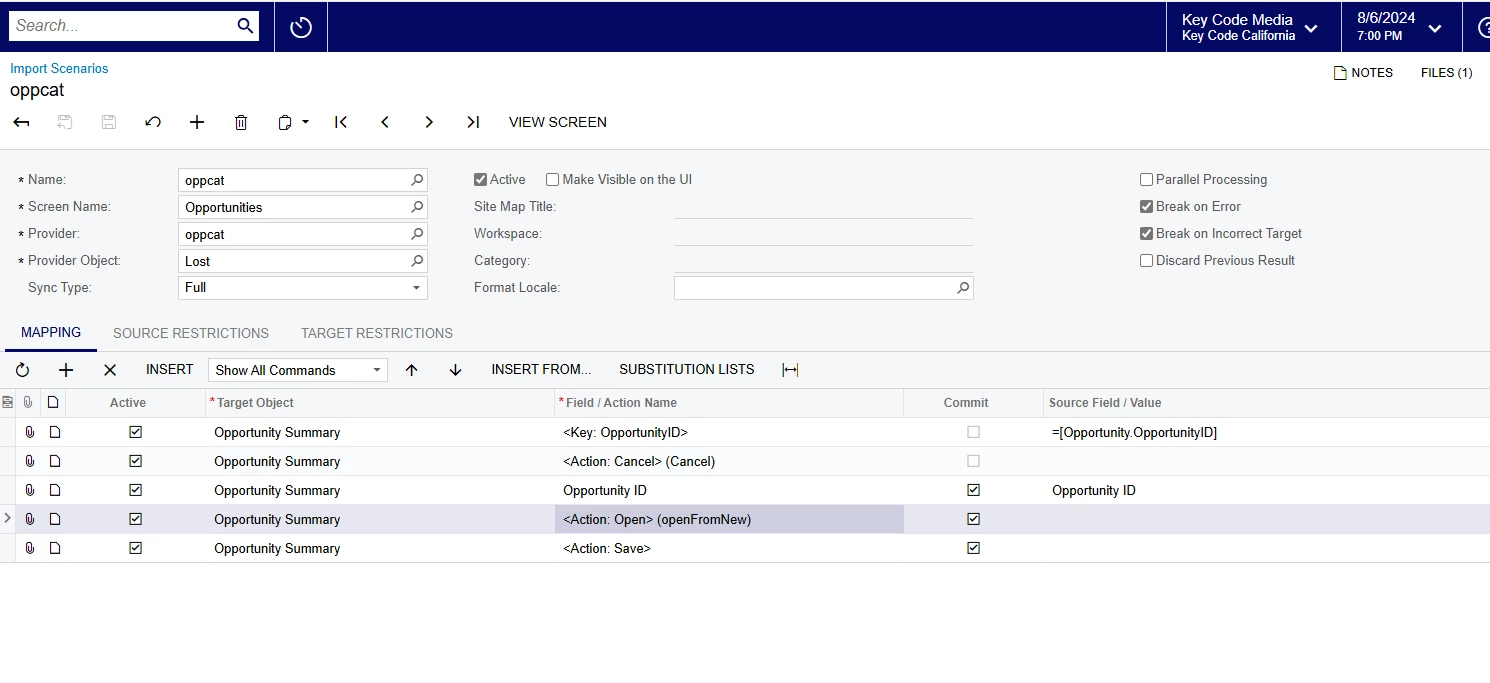
I was trying to reopen the lost Opportunity from Import Scenario, But I faced the error below.

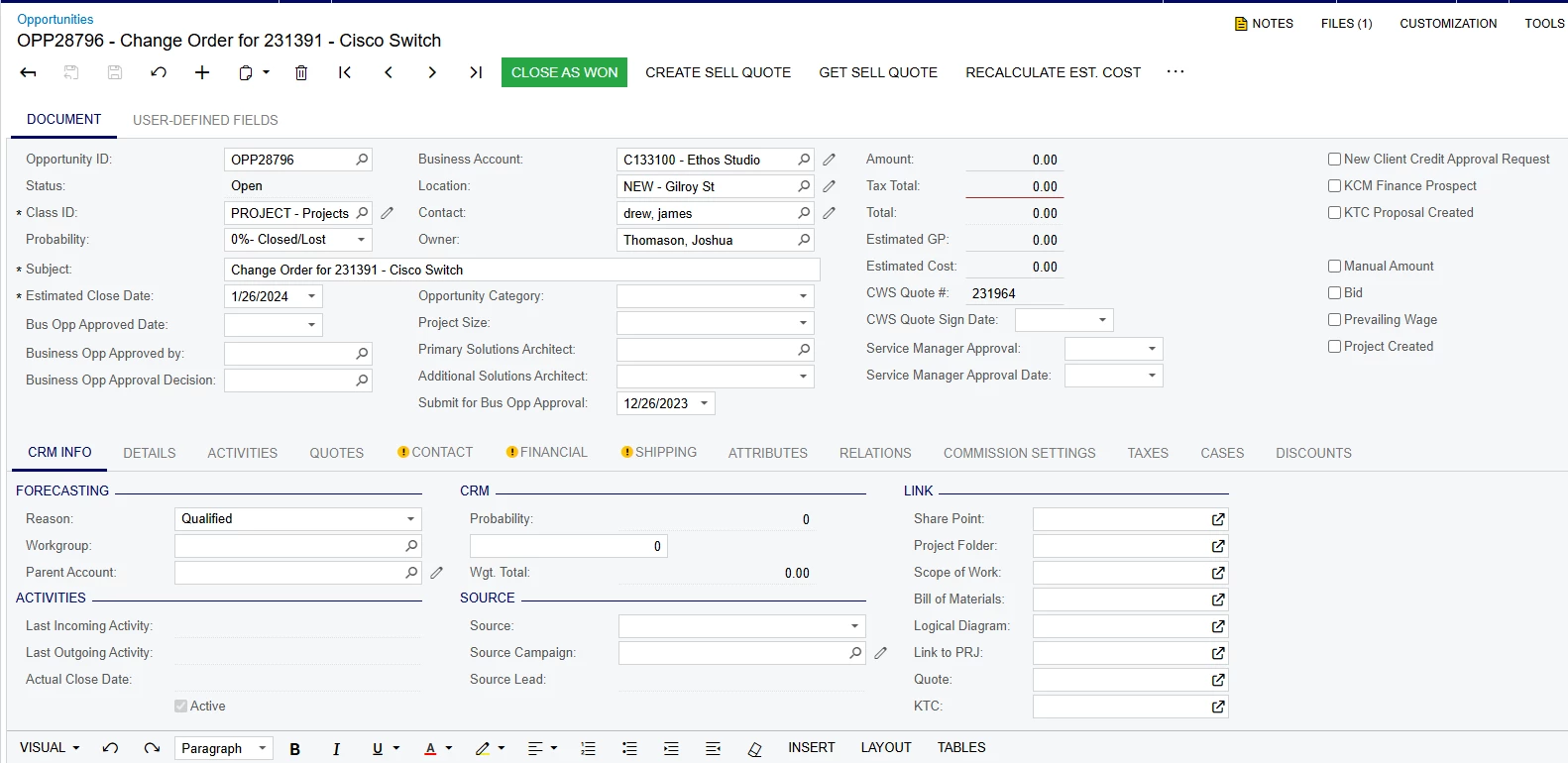
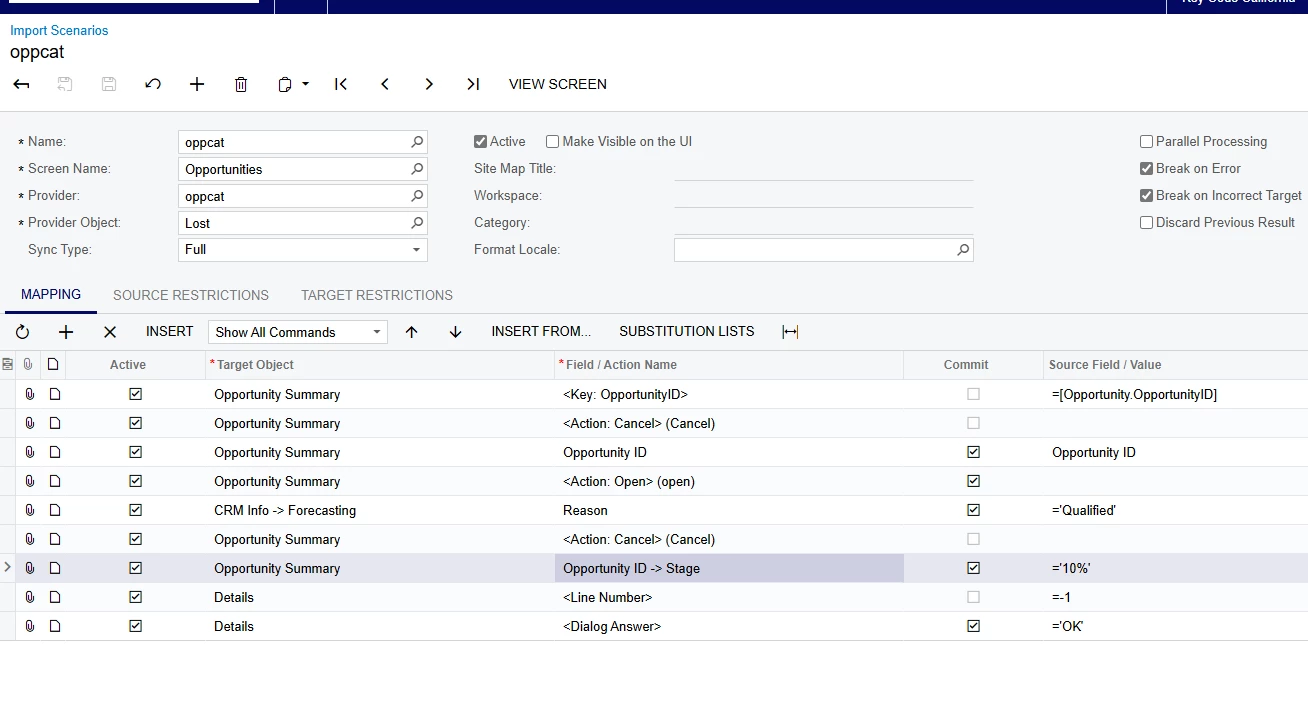
I tried to manually reopen it, and it succeeded. I also tried to add Detail Dialog, but it failed.

Shall I try to add Transition Parameters for ‘Reasons’ and ‘Stage” to figure it out? or what should I do?
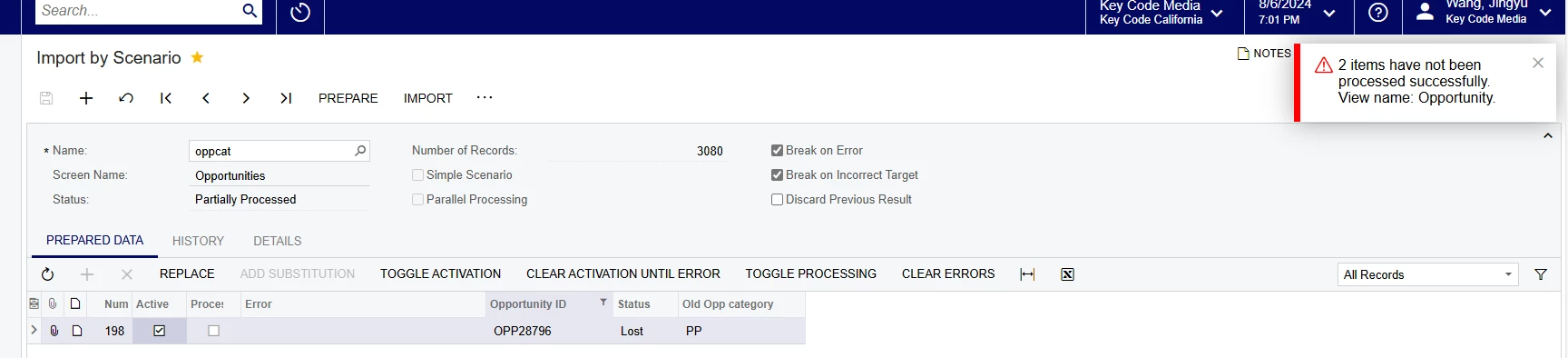


here is the error shown on the trace.

Best answer by nhatnghetinh

Hi @jwang1 

I tested successfully.

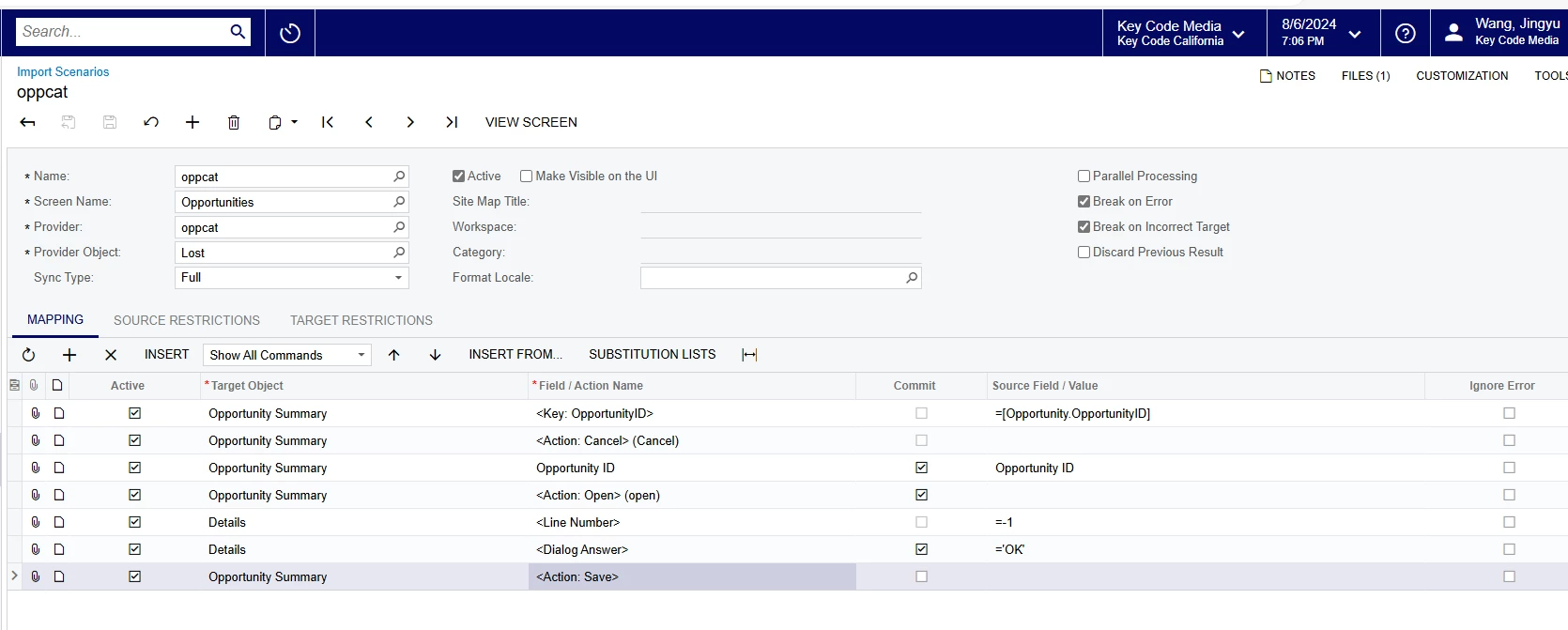
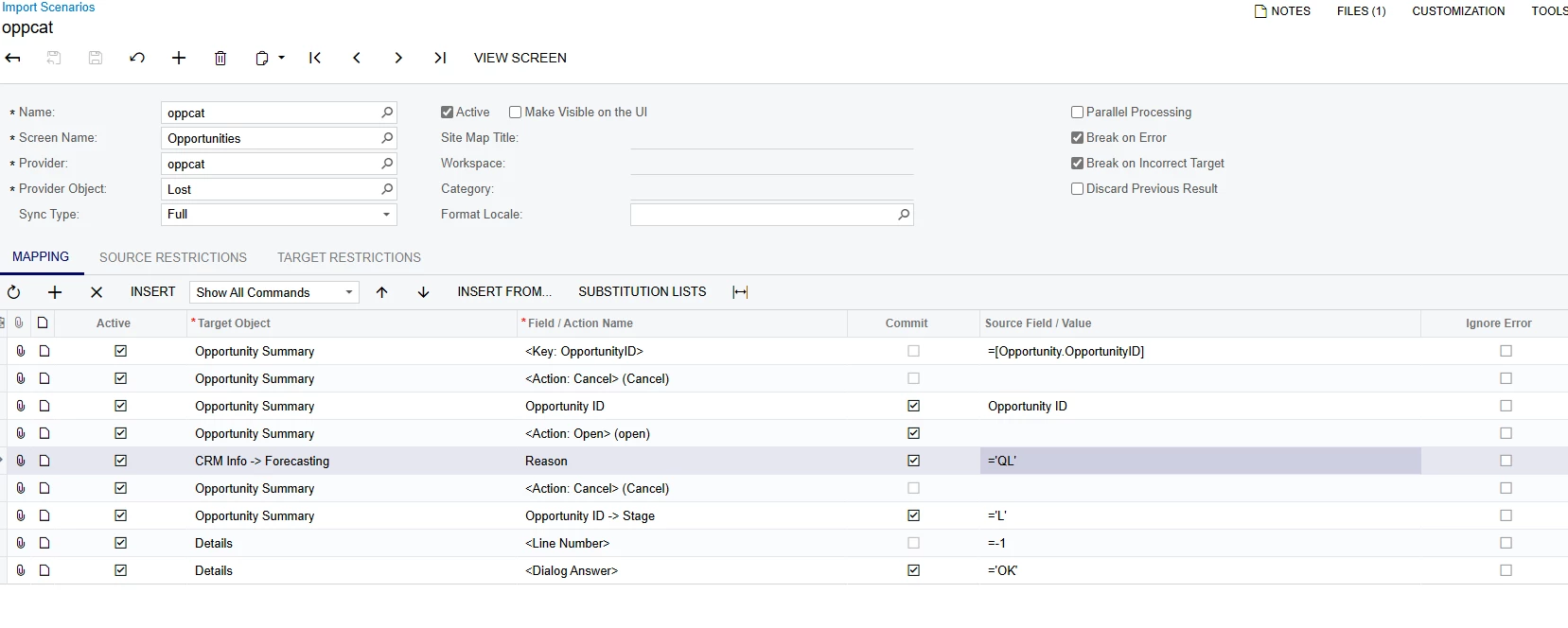
Please refer to the XML file (Import Scenarios) and Excel template file.


Best Regards,

NNT

6 replies

Forum|alt.badge.img
  • Author
  • Freshman I
  • August 7, 2024

@manikantad18 Hi, I found your solution to use “Open from new” instead of “open,” but it still doesn’t work. Could you please take a look?


Forum|alt.badge.img
  • Author
  • Freshman I
  • August 7, 2024


@tsmith19. I noticed that you encountered the same issue before. How did you figure it out?


nhatnghetinh
Captain II
Forum|alt.badge.img+11
  • Captain II
  • August 7, 2024

Hi @jwang1 

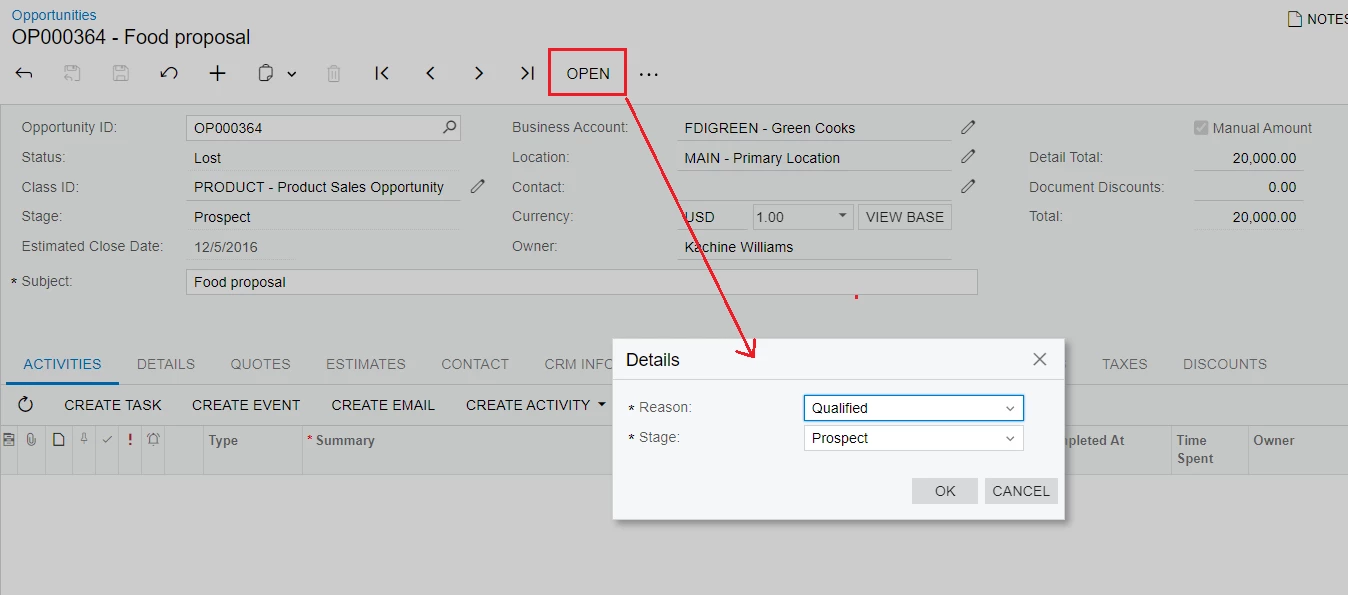
When you do it manually by clicking "OPEN" you will see the Details screen pop up to select Reason & Stage


So you try adding "Reason & Stage" to Import Scenario and Excel file as shown in the screenshot below.


Best Regards,

NNT


Forum|alt.badge.img
  • Author
  • Freshman I
  • August 7, 2024

@nhatnghetinh 
Hi, thanks for reply~

I still faced the same error after I added these.


Forum|alt.badge.img
  • Author
  • Freshman I
  • August 7, 2024


I changed the description to attribute value for reason and stage, but it still does not work.
@nhatnghetinh


nhatnghetinh
Captain II
Forum|alt.badge.img+11
  • Captain II
  • Answer
  • August 8, 2024

Hi @jwang1 

I tested successfully.

Please refer to the XML file (Import Scenarios) and Excel template file.


Best Regards,

NNT