Solved

Phone type

  • Jan 27, 2026 5:08 PM UTC
  • 4 replies
  • 102 views
  • Translate All

dales60
Jr Varsity II
Forum|alt.badge.img

sorry if this was answered, I could not find

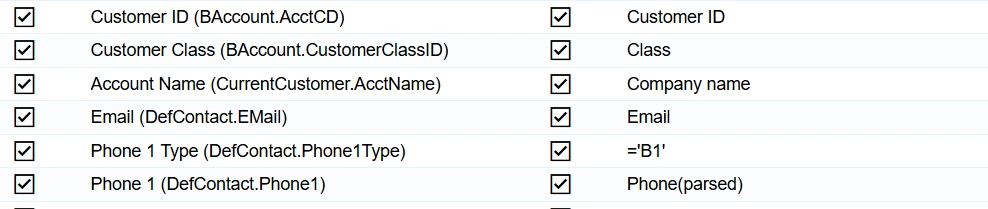
How do I import a “Phone Type” for the modern UI

I tried below and it did not work (nothing shows)

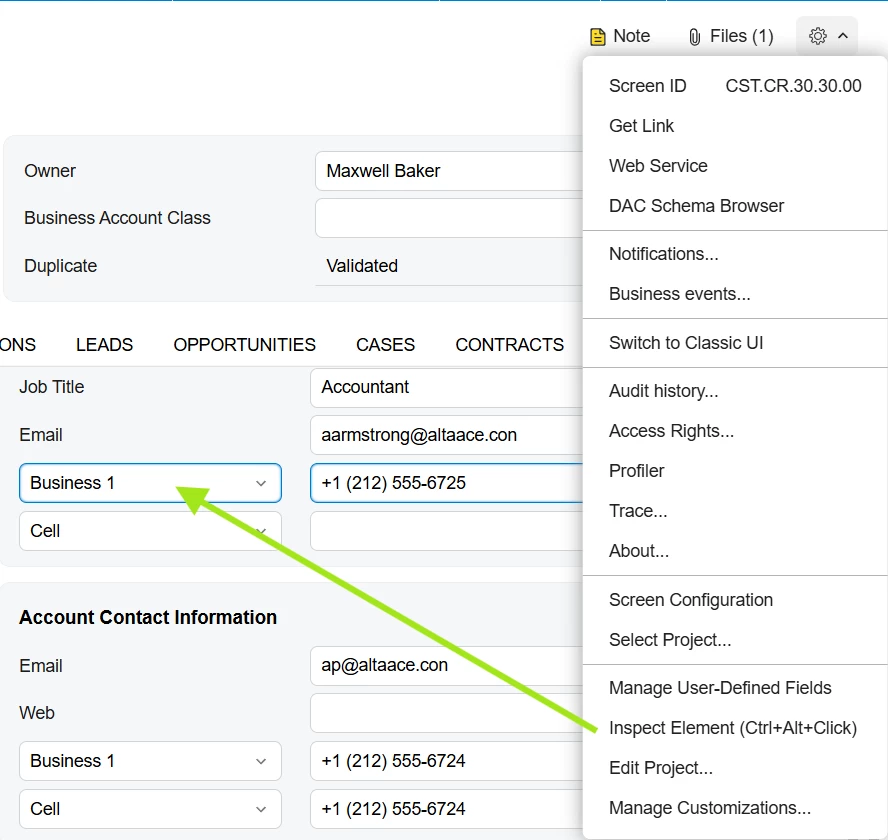
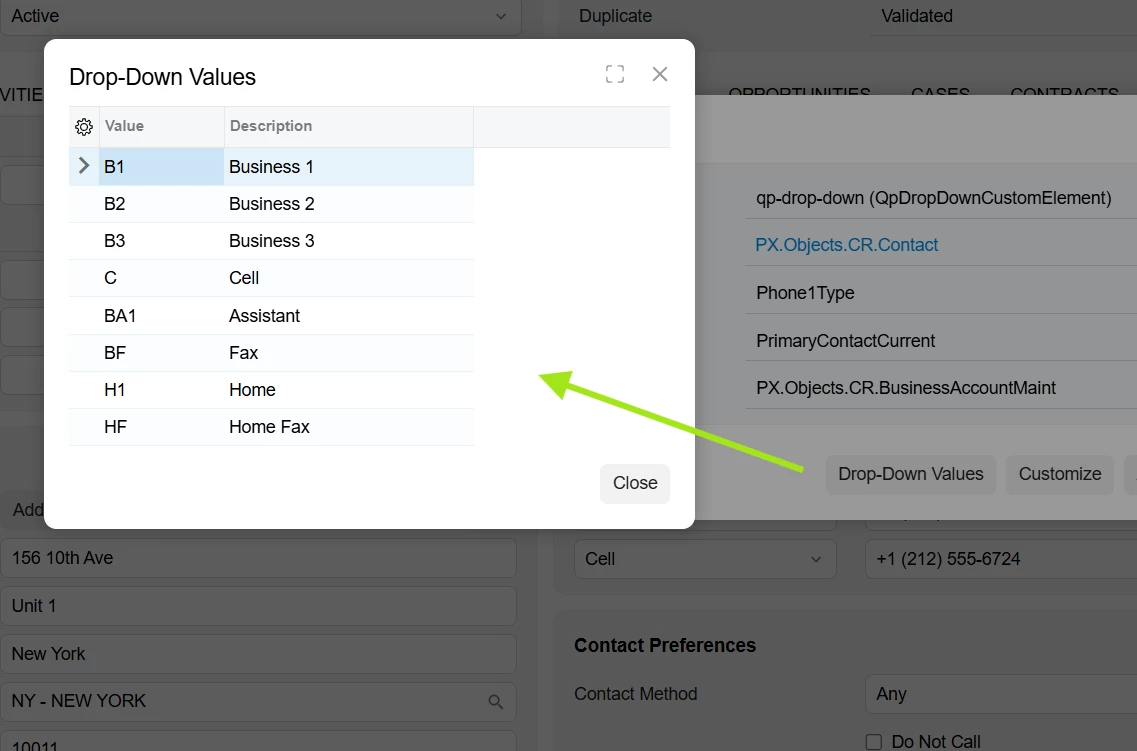
  • related to this how can you see fields codes in modern UI?


Best answer by Vard03

creating new records 


Take a look at this. Everything is explained here in detail.
If it still doesn’t work on your side, could you provide an example Excel file and the complete import scenario mapping so we can help you?


View original

4 replies

Forum|alt.badge.img+1
  • Semi-Pro II
  • Jan 28, 2026 11:32 AM UTC

Hello ​@dales60 

Could you please clarify whether you are trying to create a new customer account, or if you just want to update the phone type for an existing customer?
Also, do you save the record at the end?

<Action: Save> (Save)


This part of the mapping creates and updates the phone type, phone number...

Translate

dales60
Jr Varsity II
Forum|alt.badge.img
  • Author
  • Jr Varsity II
  • Jan 28, 2026 1:19 PM UTC

creating new records 


Translate

Forum|alt.badge.img+1
  • Semi-Pro II
  • Answer
  • Jan 29, 2026 7:43 AM UTC

creating new records 


Take a look at this. Everything is explained here in detail.
If it still doesn’t work on your side, could you provide an example Excel file and the complete import scenario mapping so we can help you?


Translate

darylbowman
Captain II
Forum|alt.badge.img+17
  • related to this how can you see fields codes in modern UI?

 

Translate