Solved

Mark Invoice as Emailed or Mark as Printed?

  • April 24, 2023
  • 8 replies
  • 327 views
  • Translate All

fosterjeff01
Freshman II
Forum|alt.badge.img+1

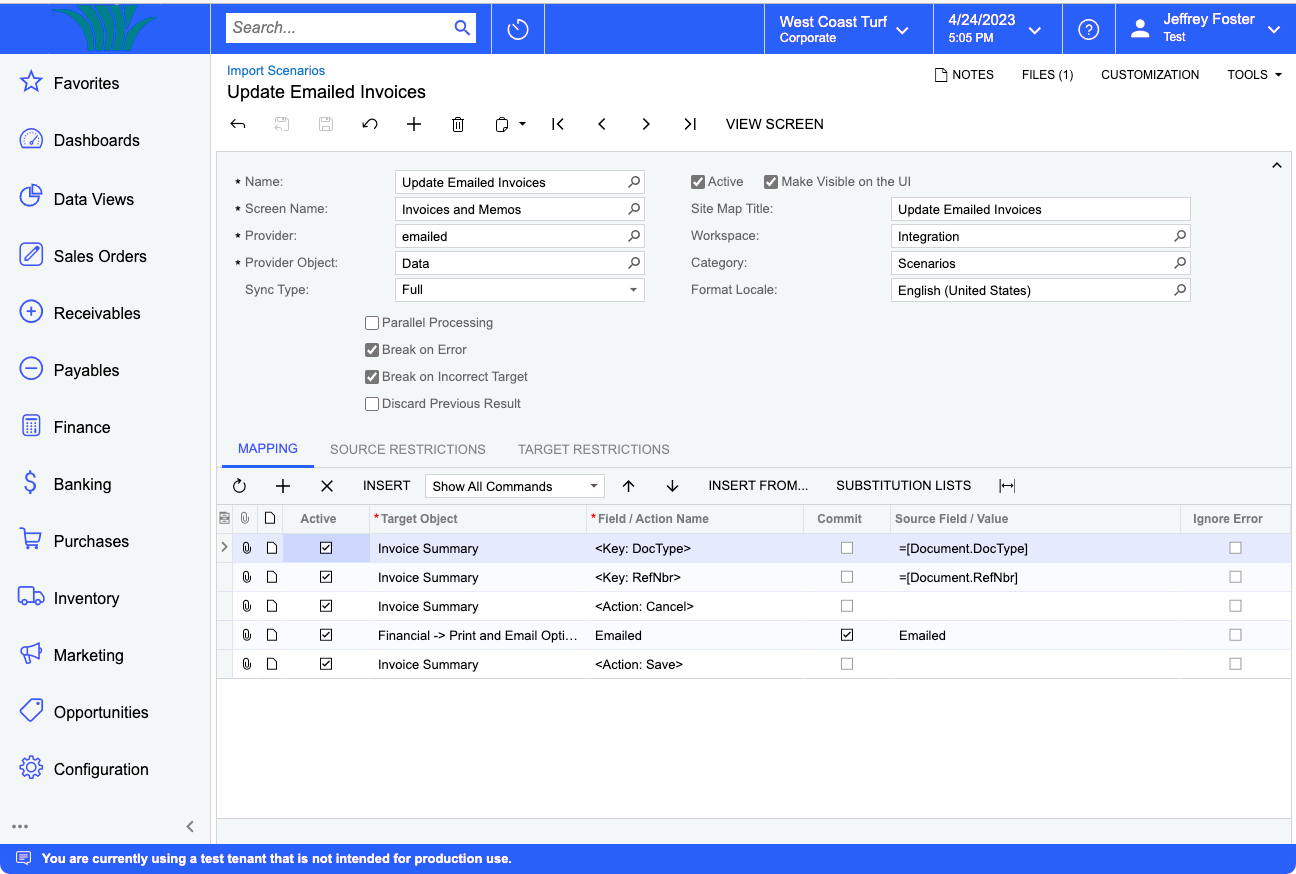
Is there any process to checkmark old invoices as emailed or printed so we can clean up the list of Not Yet Printed and Not Yes Emailed?  Or is an integration scenario the only way to do this?  And if the integration is the only option (aside from actually printing and emailing them all), does anyone have a scenario written for this?

Best answer by Laura03

Hi,

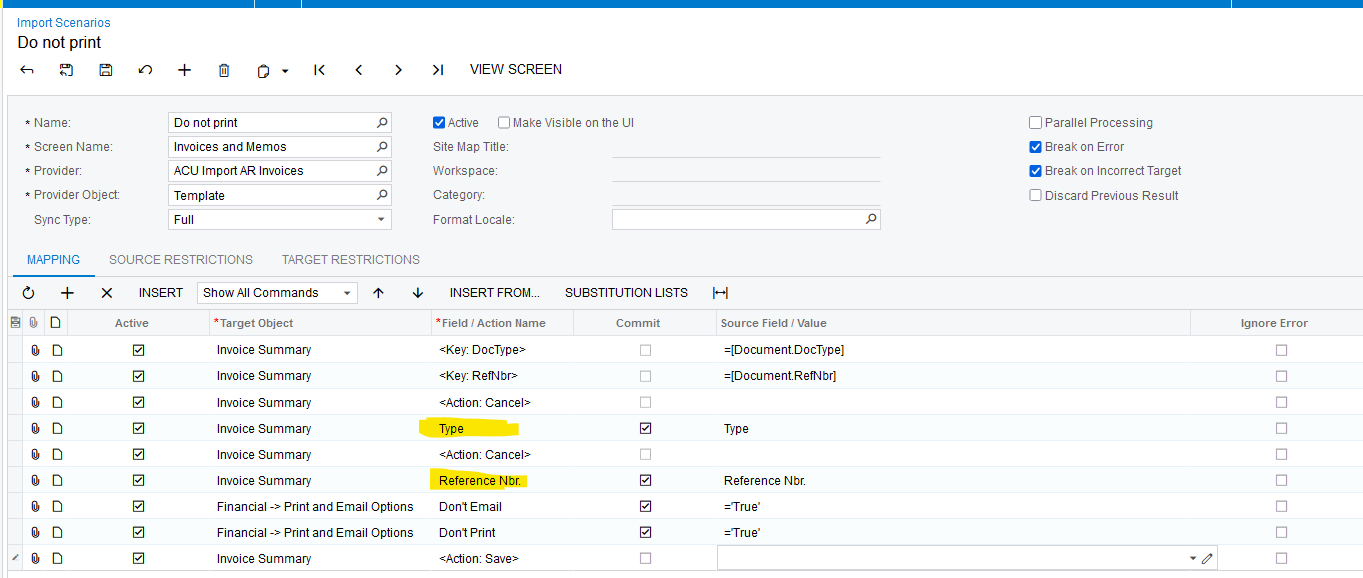
The import scenario needs the key fields Document Type and Reference number.
 

View original

8 replies

aaghaei
Captain II
Forum|alt.badge.img+11
  • Captain II
  • April 24, 2023

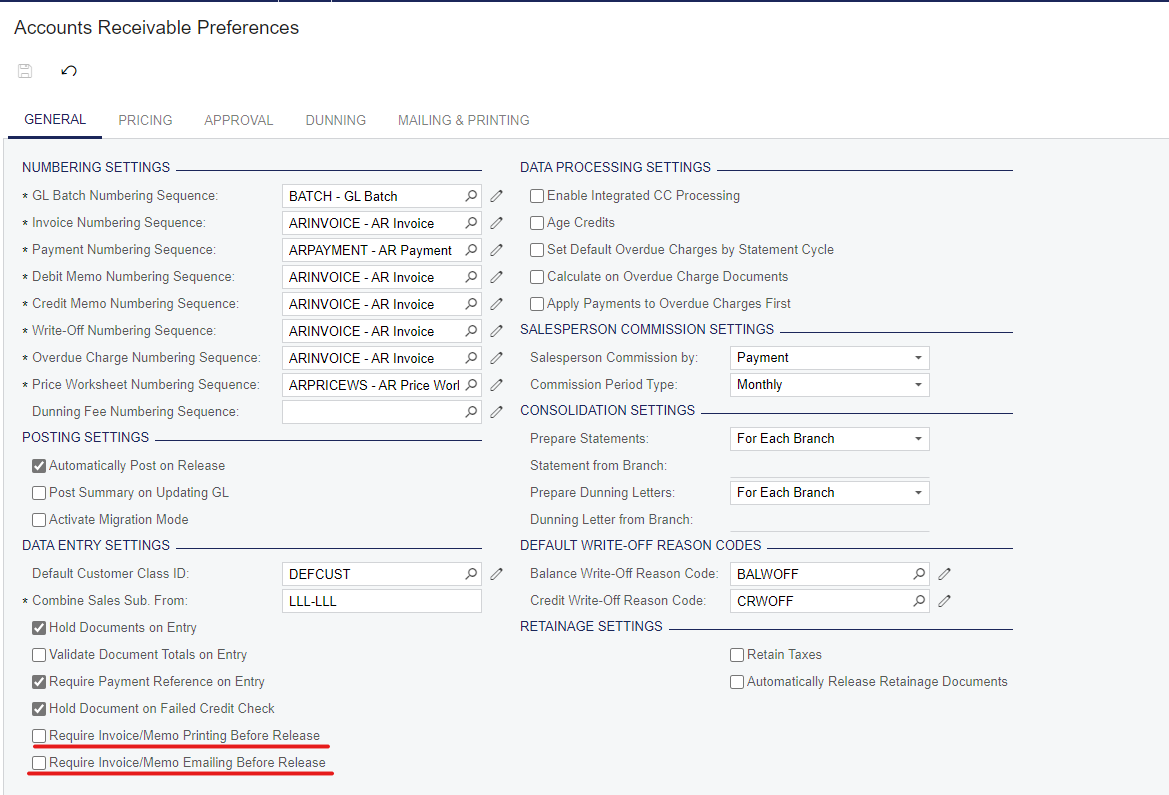
if you disable “Printing/Emailing Before Release” in AR Preferences It will not hit that State at all I believe.


Translate

fosterjeff01
Freshman II
Forum|alt.badge.img+1

No, we don’t have those enabled in AR Prefs, so that’s not related. It’s not that we’re unable to Release them--I just want to clean up the list to old documents aren’t displayed unnecessarily in the list of unprinted/unemailed invoices.

Translate

aaghaei
Captain II
Forum|alt.badge.img+11
  • Captain II
  • April 24, 2023

I believe these checkboxes were enabled a the time those invoices are created. An option to get rid of these invoices will be to export the list of the invoices with this situation, create an import scenario that presses the email/print buttons, and import the list to update the status of the document.

Translate

fosterjeff01
Freshman II
Forum|alt.badge.img+1

Thanks, I figured that was the only option, but thought I’d check.

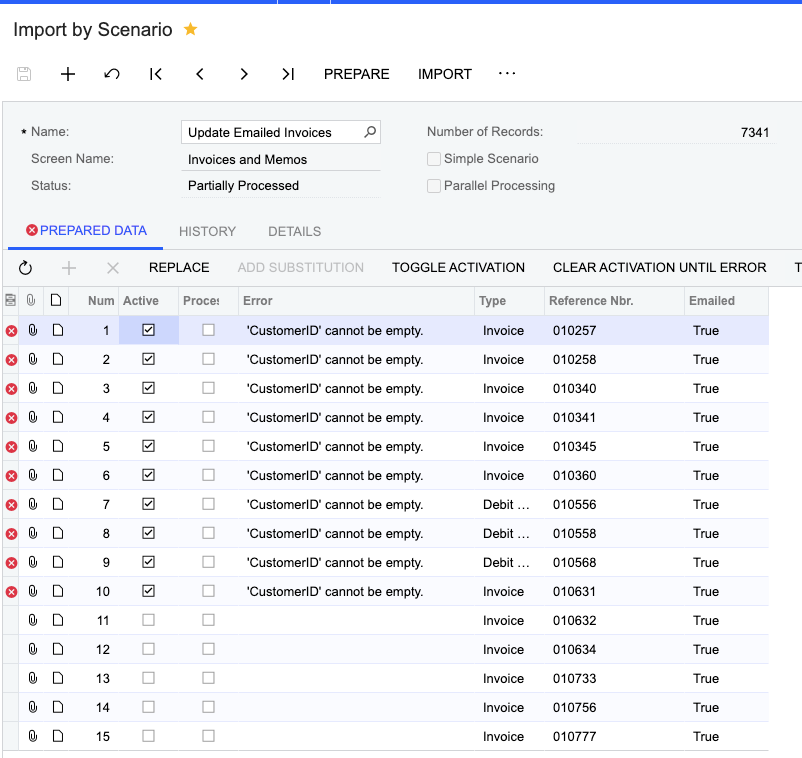
Any tips on what is wrong with my scenario to do that?  It’s asking erroring out saying it needs CustomerID, but I don’t see what role that plays in updating the invoices.


Translate

aaghaei
Captain II
Forum|alt.badge.img+11
  • Captain II
  • April 25, 2023

You will need to select “<Action: Mark as Do not Email> (Mark as Do not Email)” from the Invoice Summary entity as your Action I believe

Translate

Laura03
Captain II
Forum|alt.badge.img+20
  • Captain II
  • Answer
  • April 25, 2023

Hi,

The import scenario needs the key fields Document Type and Reference number.

 

Translate

darylbowman
Captain II
Forum|alt.badge.img+17

Also a possibility would be to enable Mass Actions on the Invoices and Memos screen and set the previously mentioned actions as options. I haven’t tried it.

Translate

fosterjeff01
Freshman II
Forum|alt.badge.img+1

Hi,

The import scenario needs the key fields Document Type and Reference number.


Thanks...that’s what I was missing!  Appreciate the help!

Translate