

Solved

Issue with Row Set Import Scenario for the Data Source column

  • Mar 19, 2025 8:48 PM UTC
  • 3 replies
  • 200 views
  • Translate All

Forum|alt.badge.img

Hello Community, 

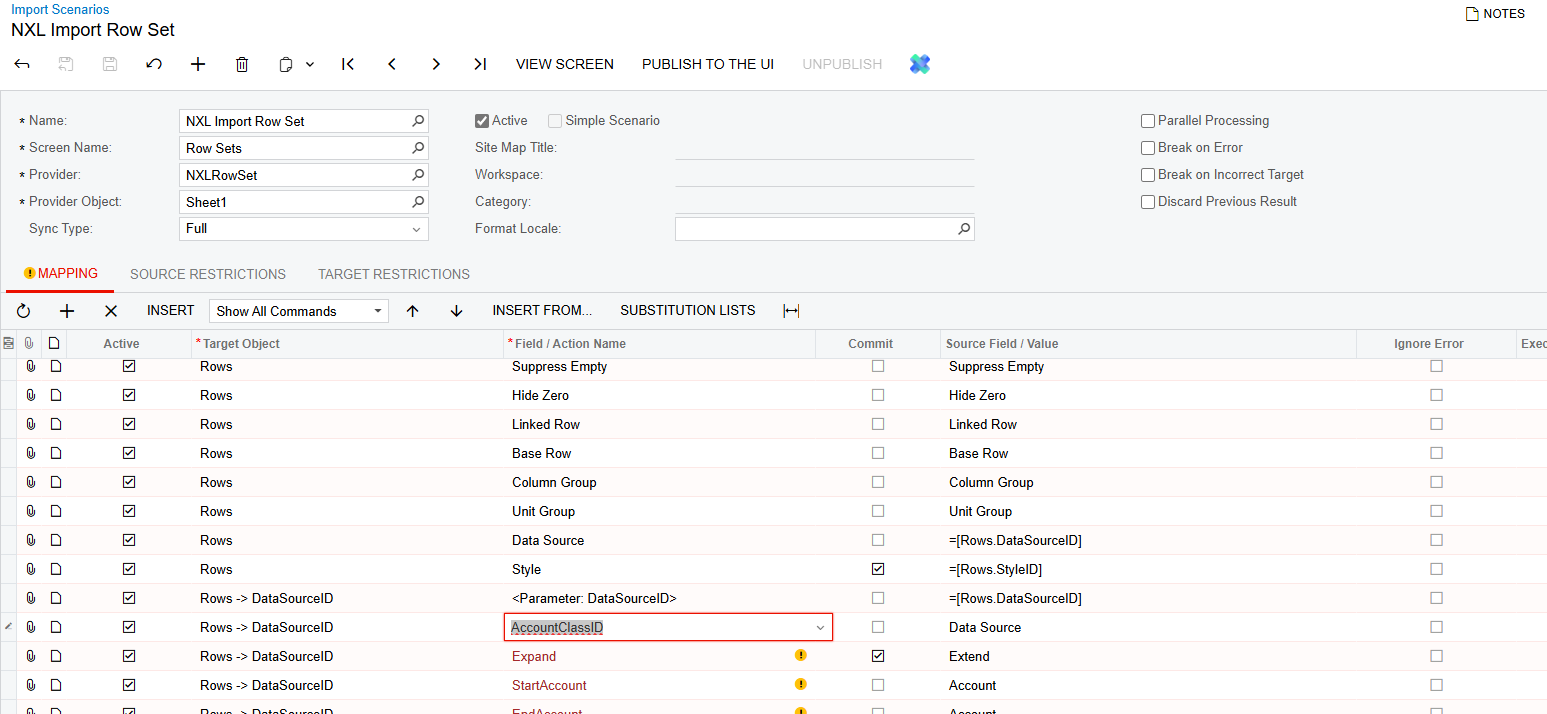
I had an import scenario created for the row set form previously that worked fine but there looks to have been updates sometime in 2024 R2 that changed the import scenarios target object fields and actions. Specifically, in regard to the data source column. It does fully import but not setting the fields inside the data source where I am attempting to update the “Account Class”. 

Before version that did work:
New version attempt:
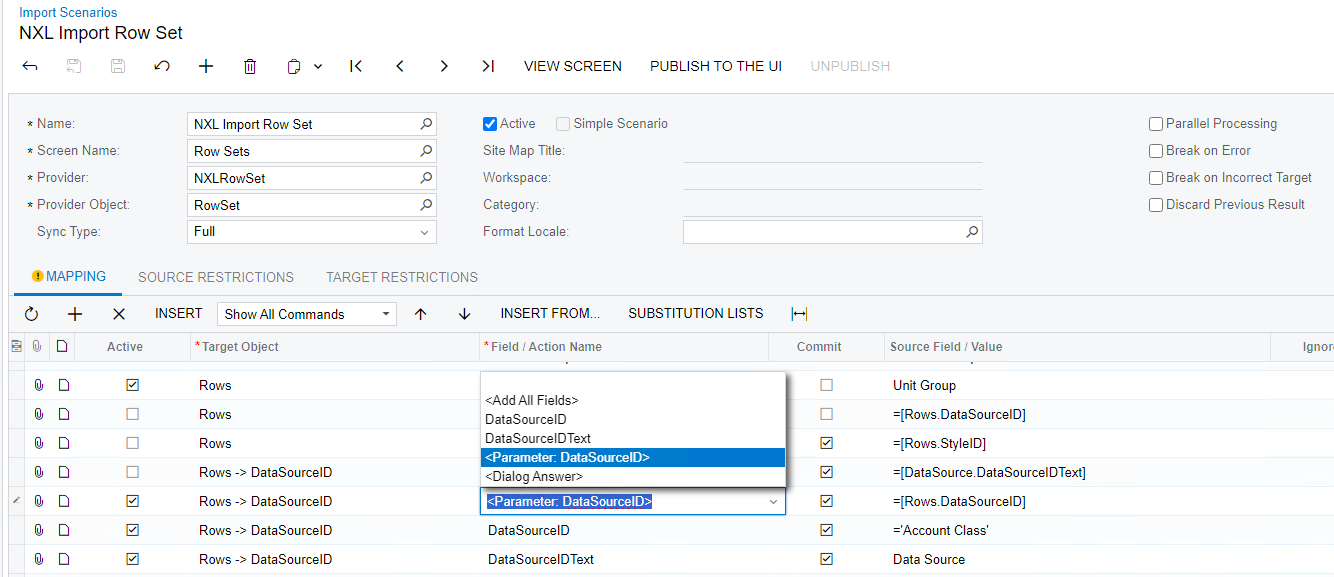
Again, both versions import, but only the first one sets the account class appropriately. Any help would be appreciated! Attached is the one from version 2024 R2 24.206.0014 I am attempting to get to work.

Thanks,

Adam
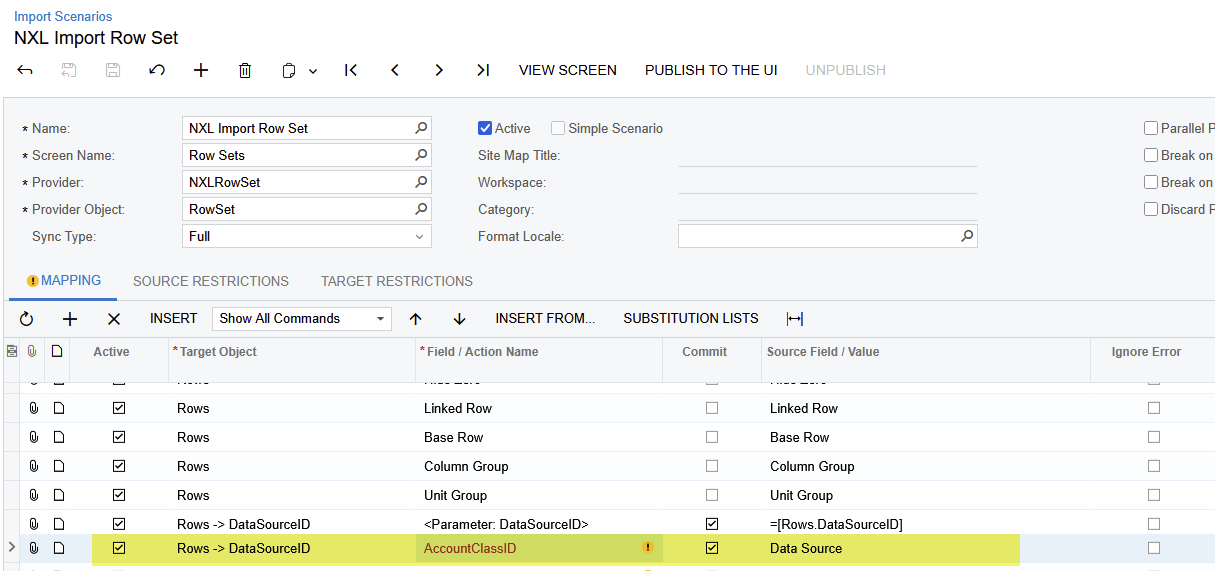
Best answer by hkabiri

​@AJohnson Try something like this even though it gives you the warning/error that field or action does not exists but it works as the name of the parameter with Data Source Selector is AccountClassID

I tested on my side and 2024R2 and it worked.

View original

3 replies

hkabiri
Acumatica Moderator
Forum|alt.badge.img+8
  • Acumatica Support Team
  • Answer
  • Mar 21, 2025 4:55 PM UTC

​@AJohnson Try something like this even though it gives you the warning/error that field or action does not exists but it works as the name of the parameter with Data Source Selector is AccountClassID

I tested on my side and 2024R2 and it worked.

Translate

Manikanta Dhulipudi
Captain II
Forum|alt.badge.img+16

Hi ​@AJohnson 

Please find the xml import scenario.

Translate

Forum|alt.badge.img
  • Author
  • Jr Varsity III
  • Mar 24, 2025 3:38 PM UTC

Thank you ​@hkabiri and ​@Manikanta Dhulipudi! 

Translate



