

Answer

Importing Assets - Object Reference not set to an instance of an object

  • November 18, 2025
  • 3 replies
  • 36 views

I am trying to import assets into a new system, I am running 25.1 Build 25.101.0153.4 

My import scenario looks like:
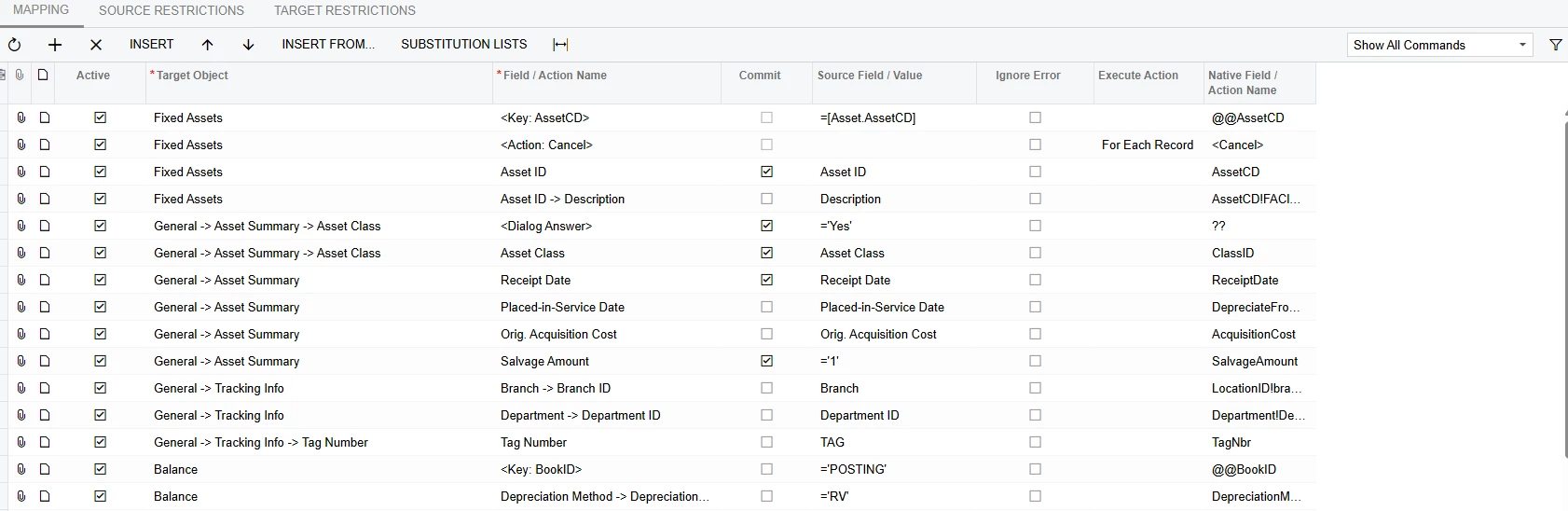
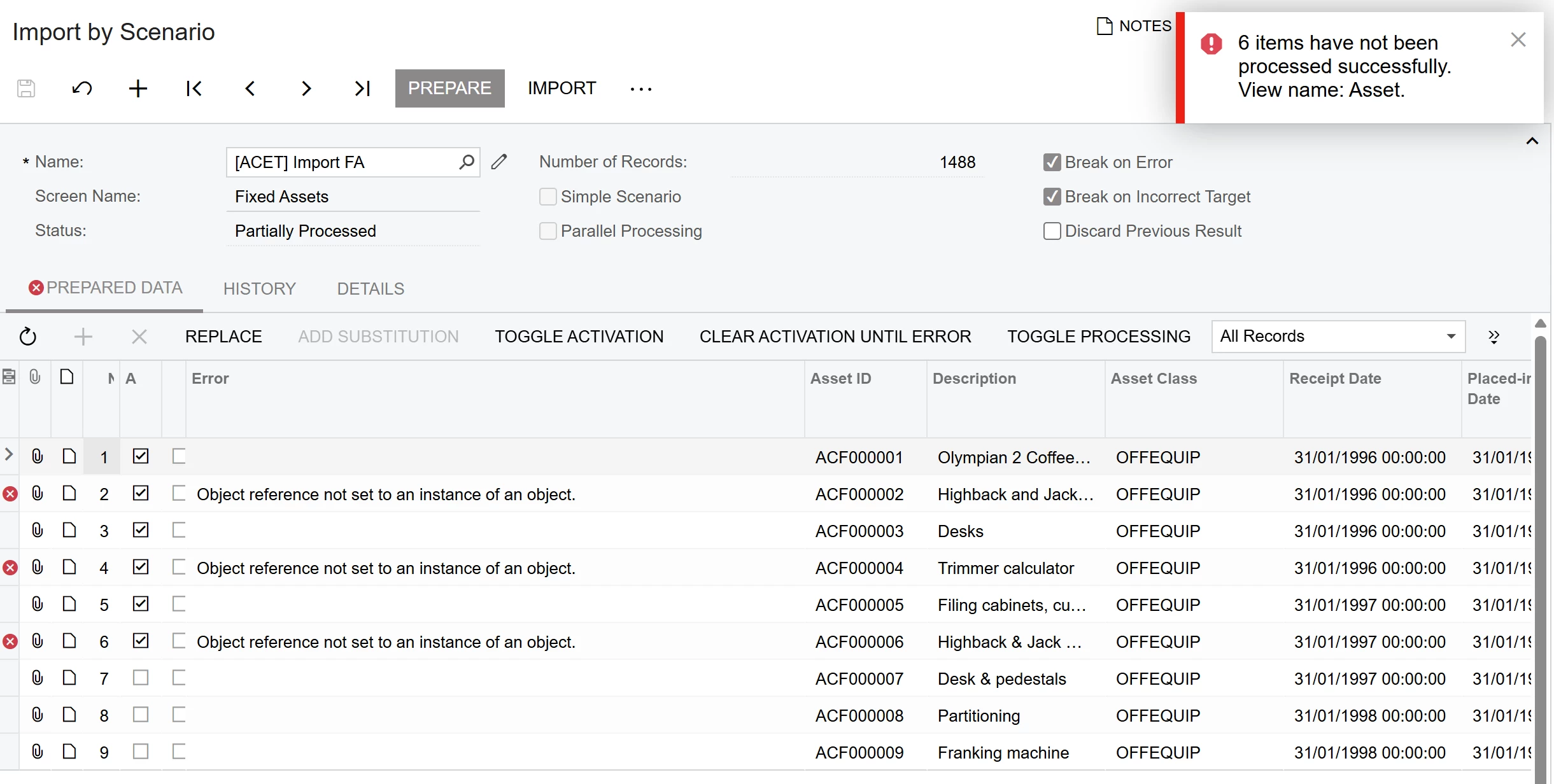
When testing the import on 6 transactions,  With ‘Break on’ options cleared.  I get the following results:
 

If I make the first transaction in active, the error moves down.
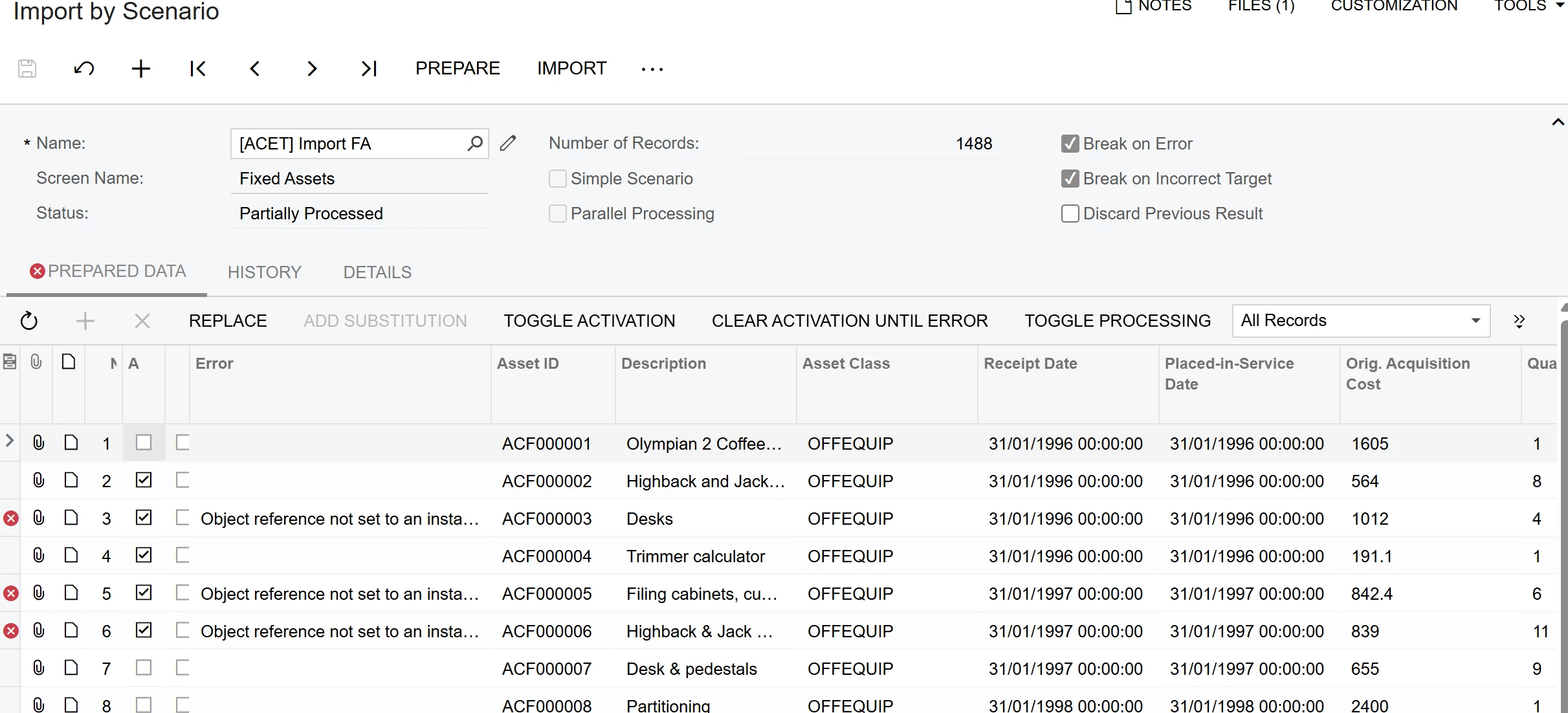
 

I have am not specifiying correctly with the Save function.  What is very curious is I have used this same scenario to import the same data into the Test system.

Any ideas?

Best answer by carolinehern40

To fix this, I went back to the start.  I created a new import spreadsheet and copied each column across and made sure all the data was in the right columns and format.  I then created a new data Provider and Import Scenario.  For some reason even though it was setup like the previous one, the import ran through without any issues.

Sometimes going back to basics works. 😊

3 replies

  • Author
  • Freshman II
  • November 18, 2025

This has been sorted.


Chris Hackett
Community Manager
Forum|alt.badge.img
  • Acumatica Community Manager
  • November 18, 2025

Hi ​@carolinehern40  - Can you share with the community the solution you found? Thank you!


  • Author
  • Freshman II
  • Answer
  • November 19, 2025

To fix this, I went back to the start.  I created a new import spreadsheet and copied each column across and made sure all the data was in the right columns and format.  I then created a new data Provider and Import Scenario.  For some reason even though it was setup like the previous one, the import ran through without any issues.

Sometimes going back to basics works. 😊