Answer

Import Scenario Error - Project Tasks updates

  • May 11, 2023
  • 12 replies
  • 422 views

ketiller
Jr Varsity III
Forum|alt.badge.img

Hi, 

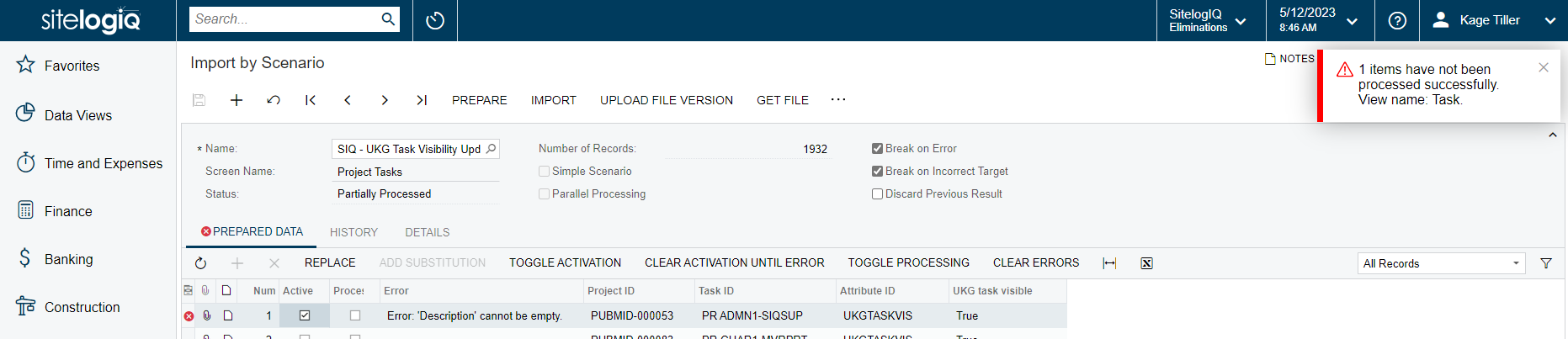
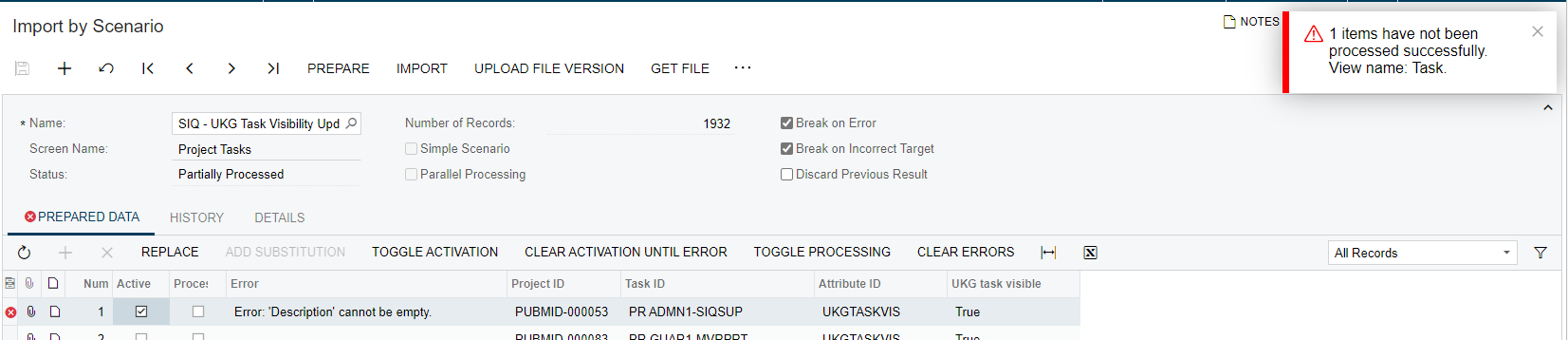
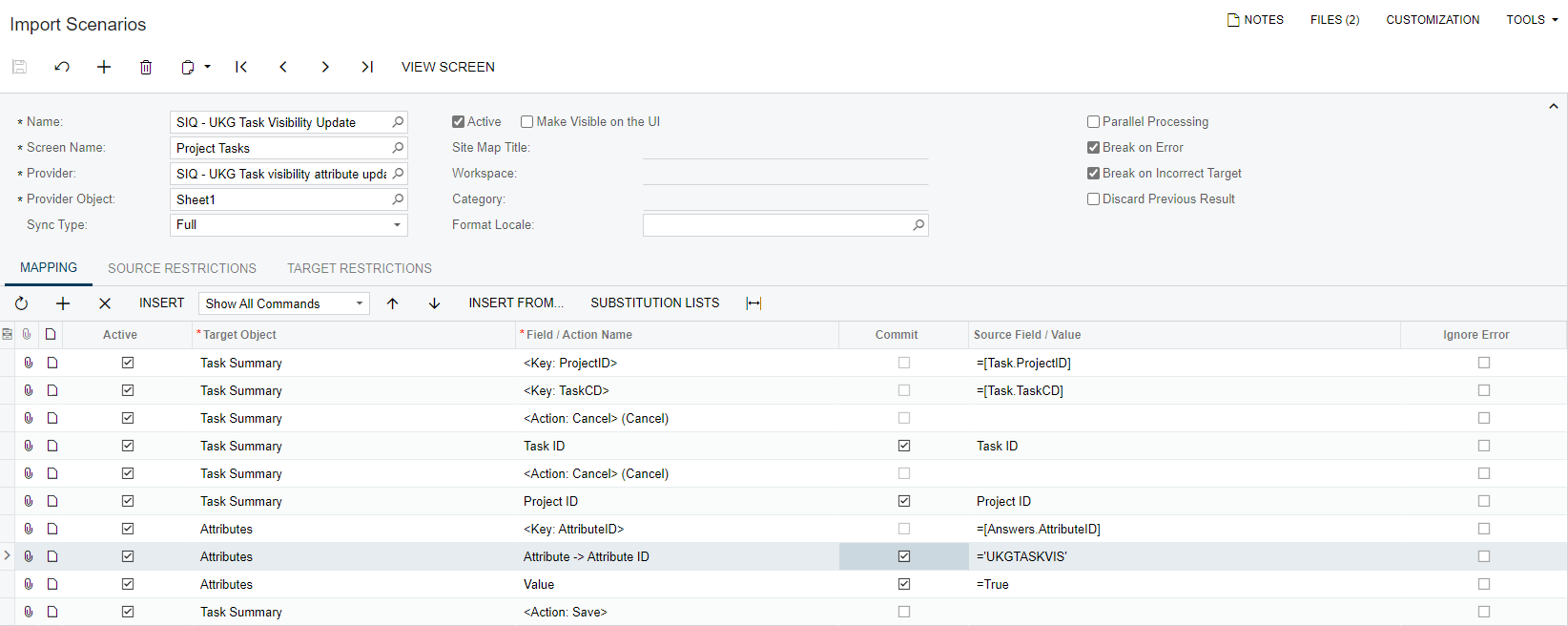
I am currently trying to mass update an attribute on our project tasks, I ran a file of about 5,000 tasks, and half of them worked. Below is a screenshot of the error and the import scenario. 

Error:
 

Import Scenario:
 

Thank you,

KT

Best answer by ivannathan67

Please refer to the below link that has information to import attributes:
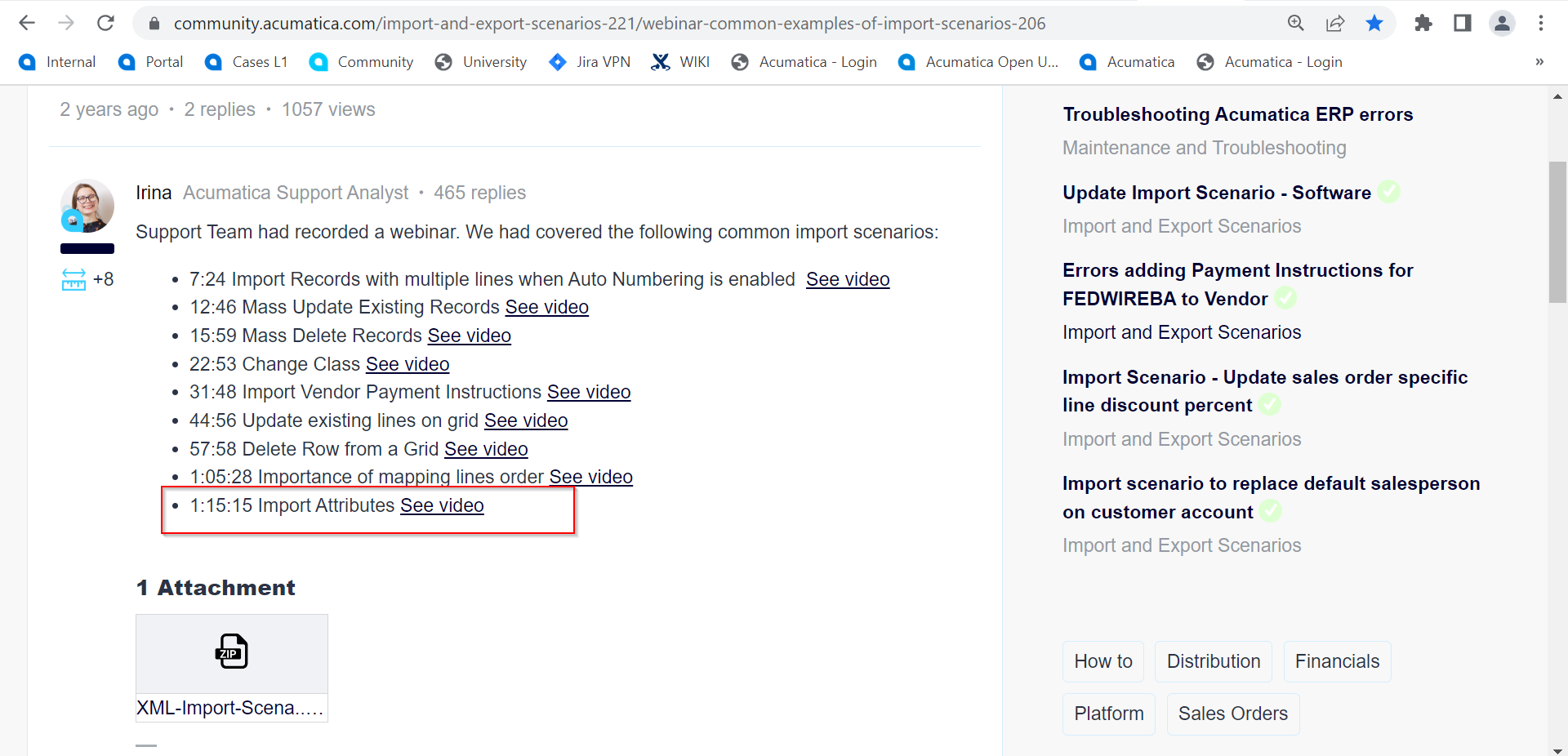


https://community.acumatica.com/import-and-export-scenarios-221/webinar-common-examples-of-import-scenarios-206


12 replies

Kandy Beatty
Captain II
Forum|alt.badge.img+17

@iqraharrison48  Is this something you can help with? I thought you recently ran one. 


iqraharrison
Captain II
Forum|alt.badge.img+8

@ketiller is this attribute on the project task level or the project level?


ketiller
Jr Varsity III
Forum|alt.badge.img
  • Author
  • Jr Varsity III
  • May 11, 2023

Hi @iqraharrison48 

This is a project task level attribute. 
 

Thank you,

KT


iqraharrison
Captain II
Forum|alt.badge.img+8

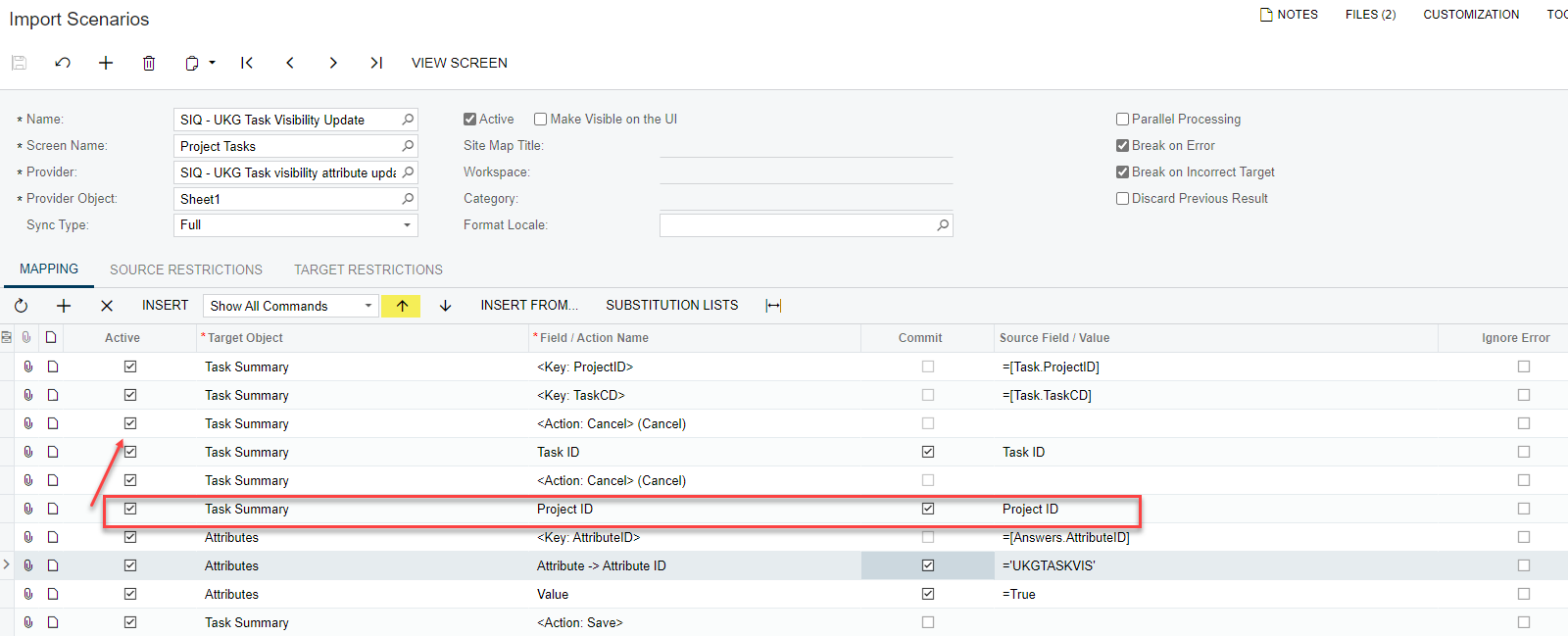
@ketiller try moving the Project ID line above the task ID line as shown below:

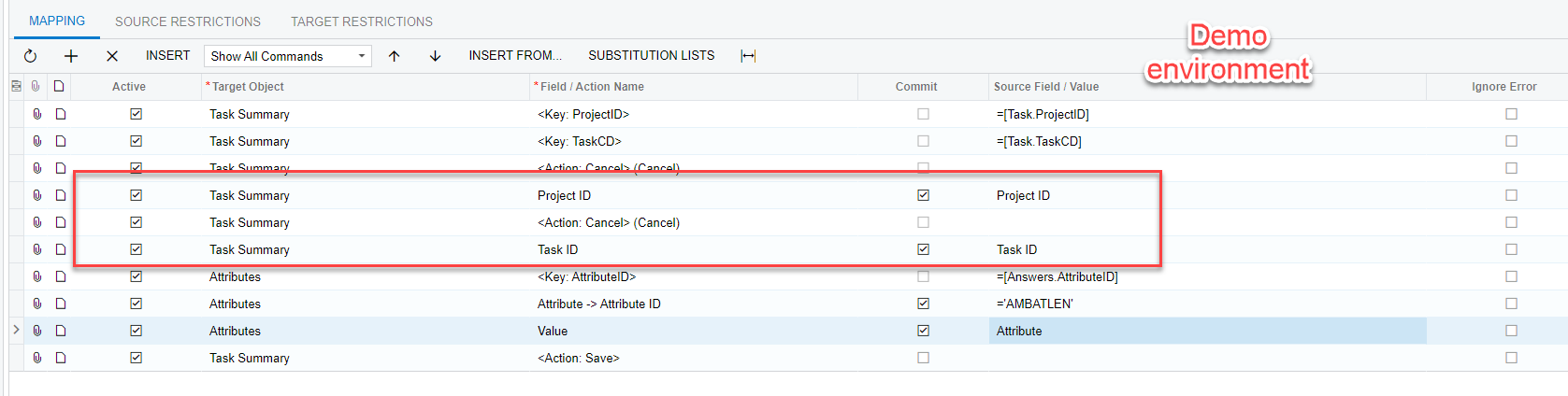
here’s what it looks like in my demo environment:

i found out through the order of the lines for import scenarios is extremely important because it can override info that was previously there. 

please let us know if that works!


ketiller
Jr Varsity III
Forum|alt.badge.img
  • Author
  • Jr Varsity III
  • May 12, 2023

Hi @iqraharrison48.

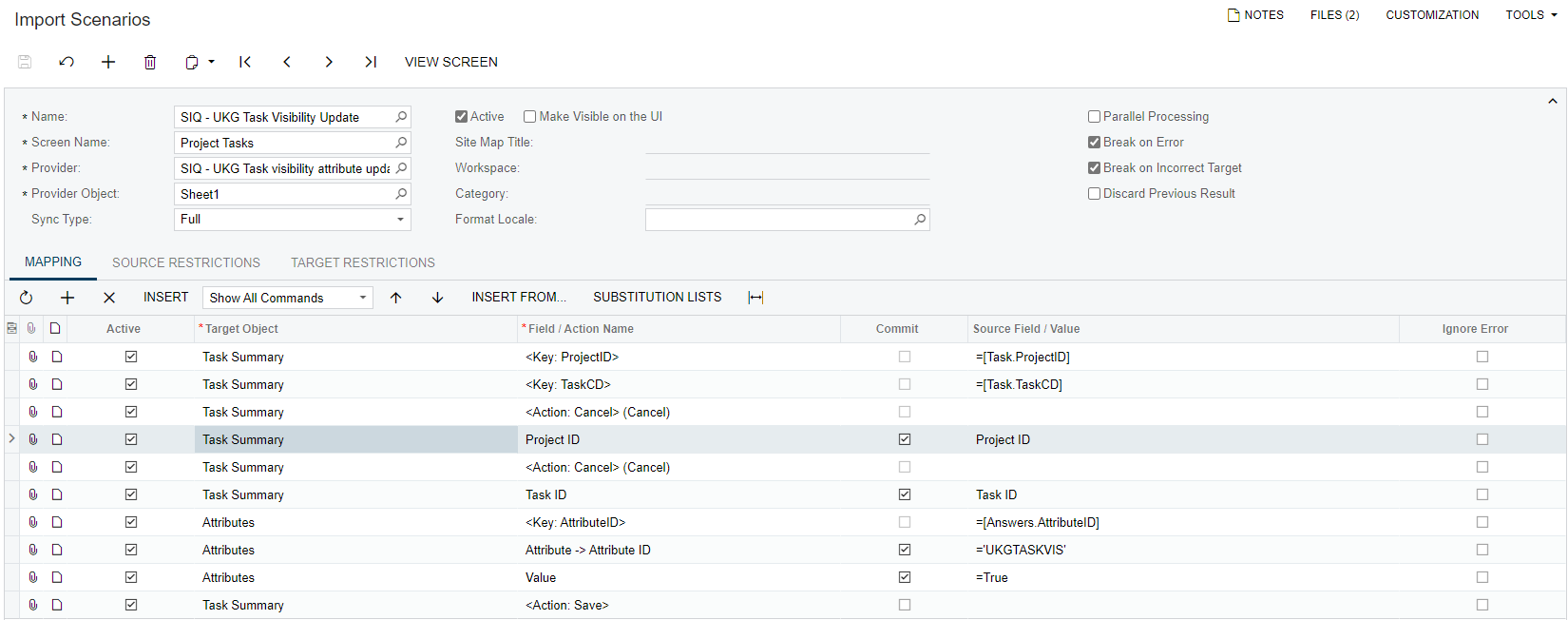
Appreciate the screenshots, I switched around the Project ID and got similar results. 

Screenshot 1 Import Scenario:

Screenshot 2 Import by Scenario:


Any other suggestions? thank you!


iqraharrison
Captain II
Forum|alt.badge.img+8

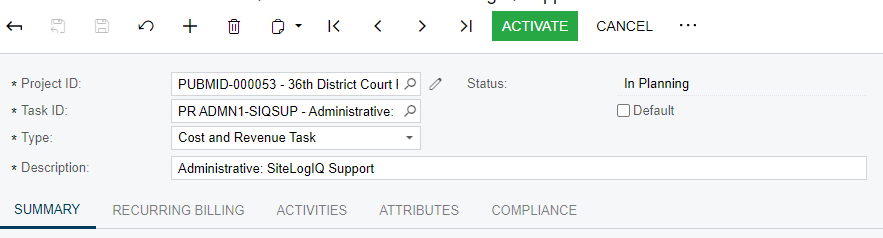
@ketiller can you go to the Project Task Profile and enter the project that’s giving you the error with the correct task and see if the description pulls up.

also, is the attribute a check box you are trying to check?


in the meantime, you can turn off “break on error and break on incorrect target” options on both the import scenario and import by scenario to at least process the ones that do work.  you will need to re-prepare the import, save, and then click import.  hopefully that will clear at least some/show you all the errors

please share your results! thank you :)


ketiller
Jr Varsity III
Forum|alt.badge.img
  • Author
  • Jr Varsity III
  • May 12, 2023

Hi @iqraharrison48 


Please see the below screenshot of the project task profile. so, this is actually the error list, the original file was 5,063 records and 3,131 were processed correctly and 1,932 provided this error.

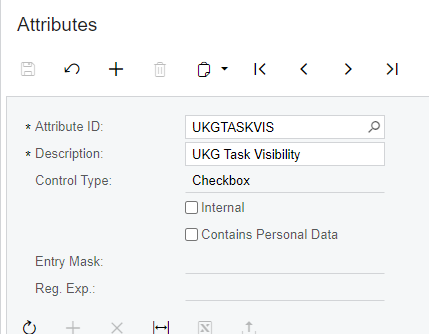
The attribute is a checkbox, below is a screenshot of the attribute details. 

Screenshot 1 - Project Task Profile

Screenshot 2 - UKG Task Visible Attribute


Thank you


iqraharrison
Captain II
Forum|alt.badge.img+8

@ketiller can you try to add the value to the data provider? create a new column and just write TRUE for all of them and then reupload it (update the data provider with the new column) and then update the import scenario to reference the data provider field for value vs. =TRUE

i am not able to replicate the same issue you are having but i was able to successfully update the attribute checkbox on my end.  if that doesn’t work, i would recommend putting a ticket in with acumatica, they will be able to log into your system and troubleshoot with your data!


ketiller
Jr Varsity III
Forum|alt.badge.img
  • Author
  • Jr Varsity III
  • May 15, 2023

HI @iqraharrison48

Thank you for the suggestions, still receiving the same error so I will put in a case with Acumatica for resolution. 

Best Regards,


di93
Varsity I
Forum|alt.badge.img
  • Varsity I
  • May 15, 2023

@ketiller,

Try using the “Field/Action” of “Attribute” instead of “Attribute → Attribute ID”


Chris Hackett
Community Manager
Forum|alt.badge.img
  • Acumatica Community Manager
  • June 21, 2023

Hi @ketiller were you able to find a solution? Thank you!


  • Freshman III
  • Answer
  • June 27, 2023

Please refer to the below link that has information to import attributes:


https://community.acumatica.com/import-and-export-scenarios-221/webinar-common-examples-of-import-scenarios-206