Question

Import scenario - Customer Portal Users

  • April 21, 2026
  • 9 replies
  • 54 views

Forum|alt.badge.img

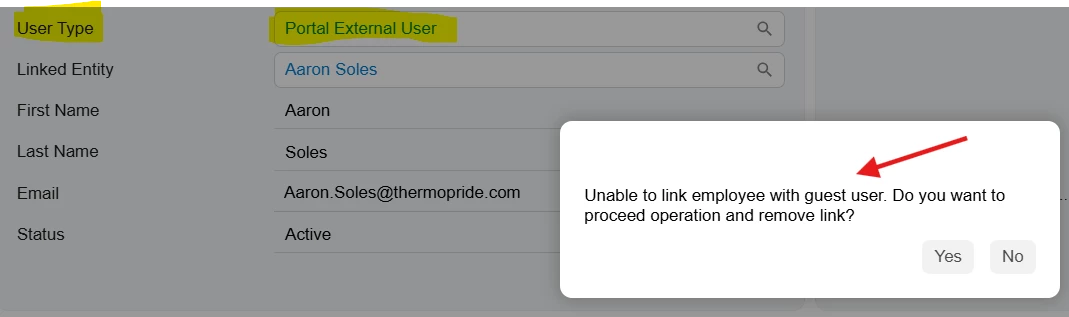
While trying to import “users’ with the user type of “Portal External User” I encounter an error: “Unable to link employee with guest user. Do you want to proceed operation and remove link?” I have tried adding the dialog box with the answer of yes and it still doesn’t work.

Import Scenario
 

9 replies

Forum|alt.badge.img
  • Jr Varsity I
  • April 21, 2026

@jdabney37 

In Acumatica: A Portal External User is treated as a Guest User

Guest users cannot be linked to an Employee record

  • Your import scenario is currently attempting to ,Create a Portal External User (Guest) ,While also linking the user to a Contact/Employee record

This combination is not allowed, which results in the error.


Create Portal External Users 

If your intention is to create external/portal users:

  1. Open your Import Scenario
  2. Locate the field:
    • Linked Entity (ContactID)
  3. Remove this mapping
  4. Ensure the following fields are set correctly:
    • User Type = Portal External User
    • Guest Account = True
  5. Verify that no employee-related fields are included (e.g., Employee ID)
  6. Run the import again

Forum|alt.badge.img
  • Author
  • Freshman I
  • April 21, 2026

How do I link the customer contact? Is it needed?


Forum|alt.badge.img
  • Author
  • Freshman I
  • April 21, 2026

Thank you! How do I go about linking customer contacts to the users on this import? I appreciate any help you can offer.


KrunalDoshi
Varsity III
Forum|alt.badge.img+1
  • Varsity III
  • April 22, 2026

Hi ​@jdabney37,

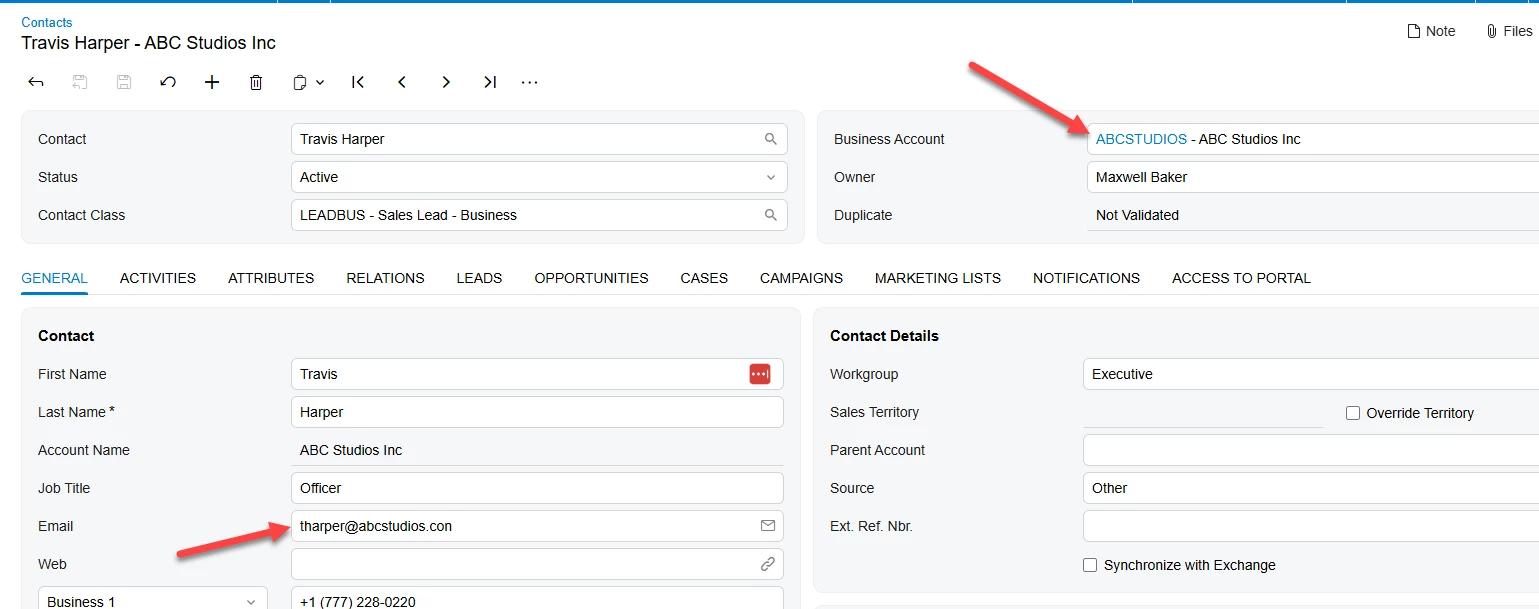
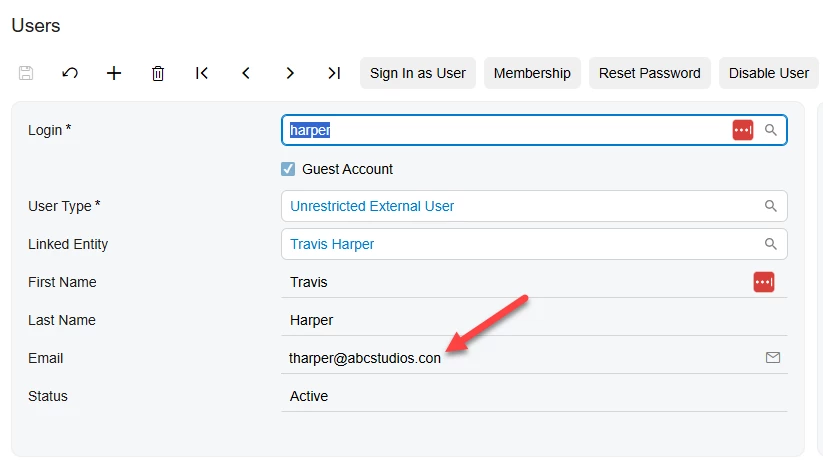
Once all users are imported as a guest user, you will have to create another import scenario for Contacts screen (CR302000), map the contact with email and set Business Account accordingly. 

Hope this helps!


Forum|alt.badge.img
  • Author
  • Freshman I
  • April 22, 2026

Thank you. The issue I’m running into with the import scenario occurs when I select External User to represent a guest user. When I do this, I receive the popup shown below. I’ve tried configuring the dialog box to automatically answer Yes, but the import still fails.

The error message I receive is:
“Unable to link employee with guest user. Do you want to proceed operation and remove link?”

My import does not include an employee record; however, Acumatica defaults to expecting one. When selecting the External Portal, the system attempts to remove the employee link, but the import process does not accept the Yes response, causing the import to fail.


Forum|alt.badge.img
  • Author
  • Freshman I
  • April 22, 2026

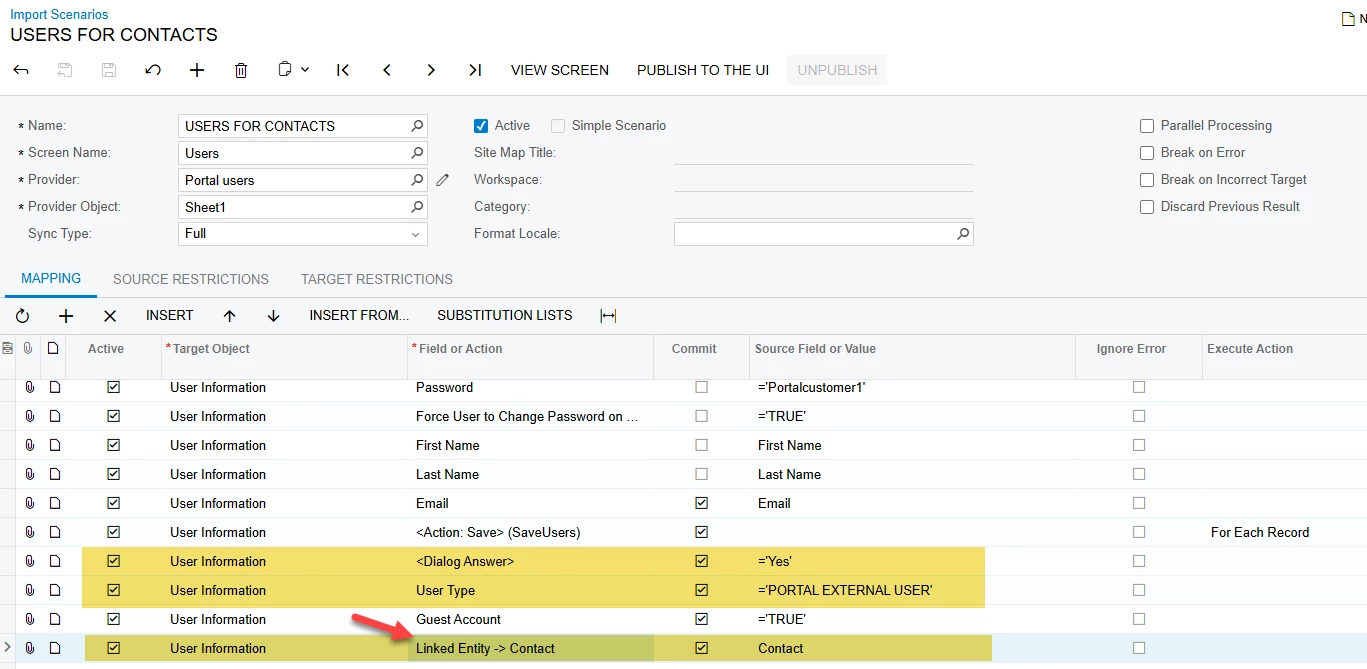
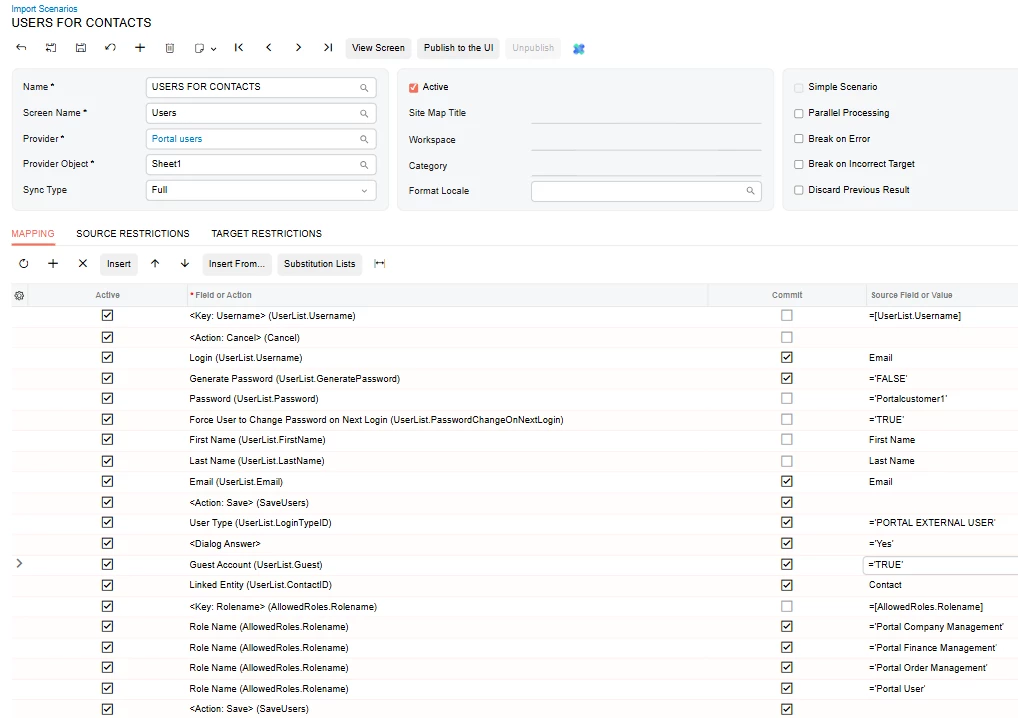
I added my import for reference.


KrunalDoshi
Varsity III
Forum|alt.badge.img+1
  • Varsity III
  • April 22, 2026

Hi ​@jdabney37,

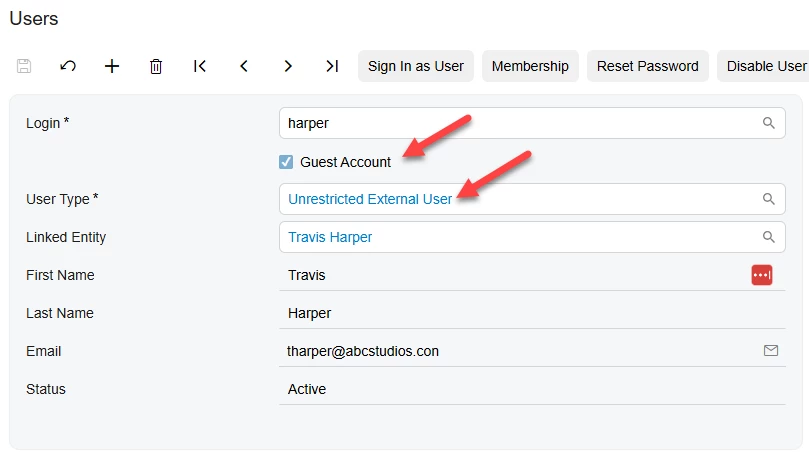
You need to import the uses as a guest user and Unrestricted External User.


Forum|alt.badge.img
  • Author
  • Freshman I
  • April 22, 2026

I tried but that pop up box stops me. Did you see my import? I appreciate your help.


KrunalDoshi
Varsity III
Forum|alt.badge.img+1
  • Varsity III
  • April 22, 2026

Hi ​@jdabney37,

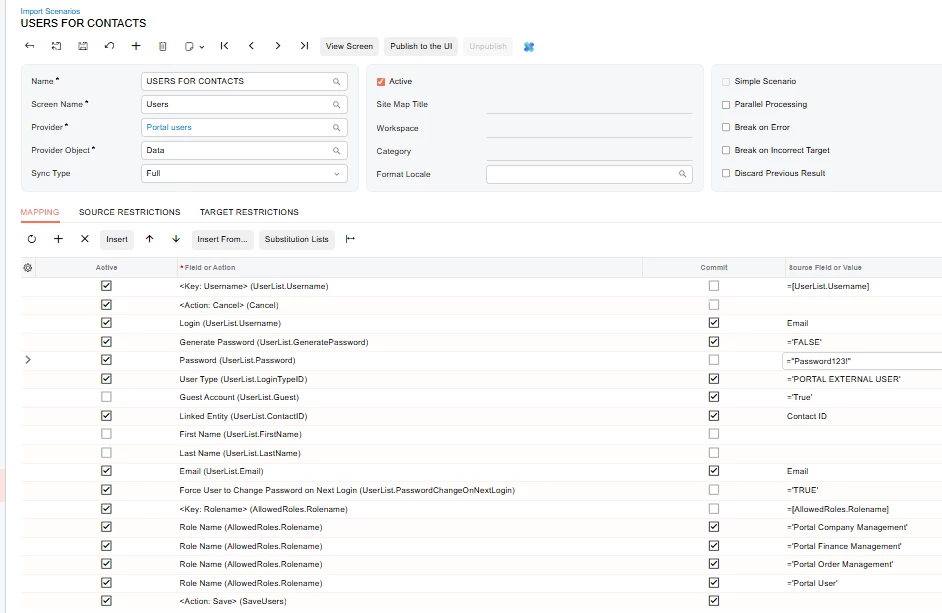
Thanks for sharing the Import Scenario. You should set the Dialog Answer before setting the User Type. I have also change how you map the Linked Entity for Contact. Please see below screenshot.

However, please note that creating the User does not create a Contact unless it already exists, so your Linked Entity part may not work, for which you should create a separate import scenario to create Contact and then run this import scenario.