Question

Import scenario - Customer Portal Users

  • April 21, 2026
  • 1 reply
  • 9 views

Forum|alt.badge.img

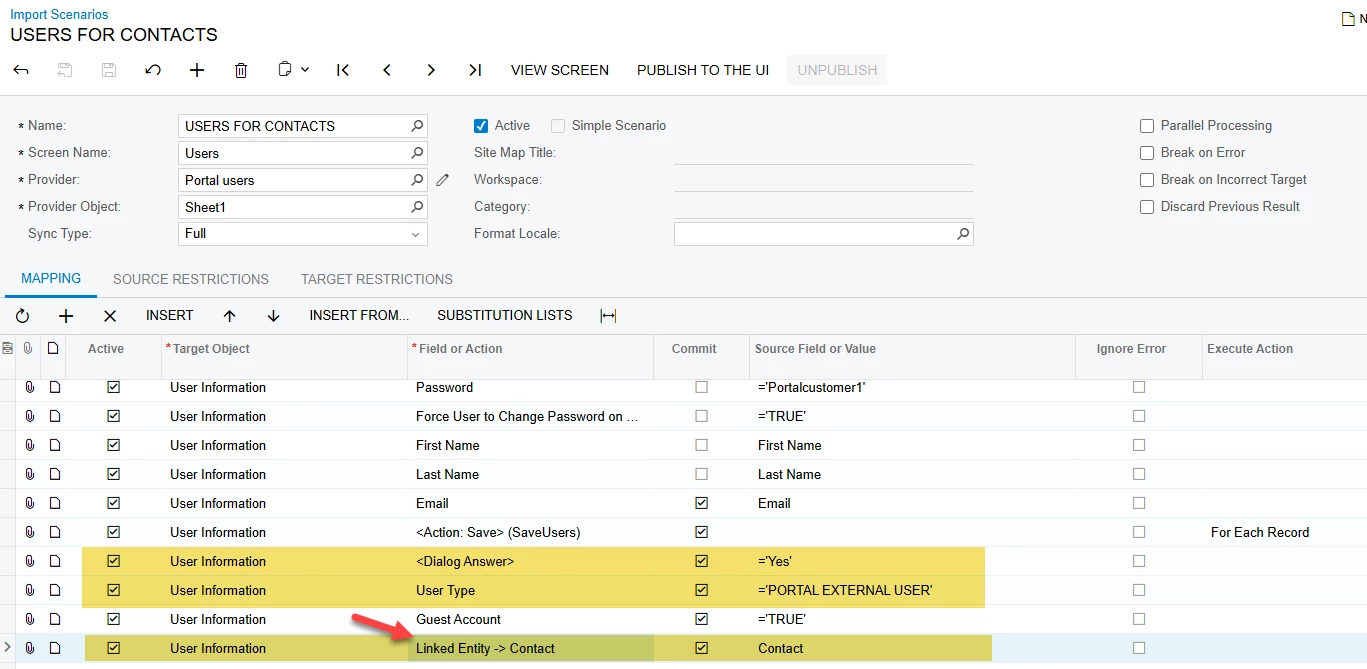
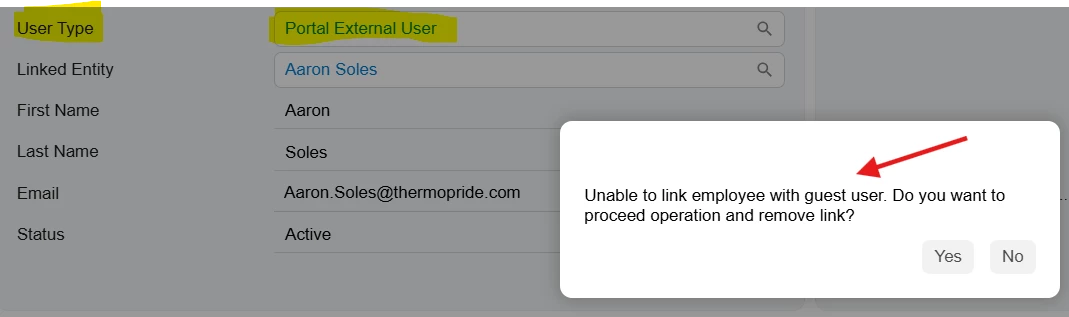
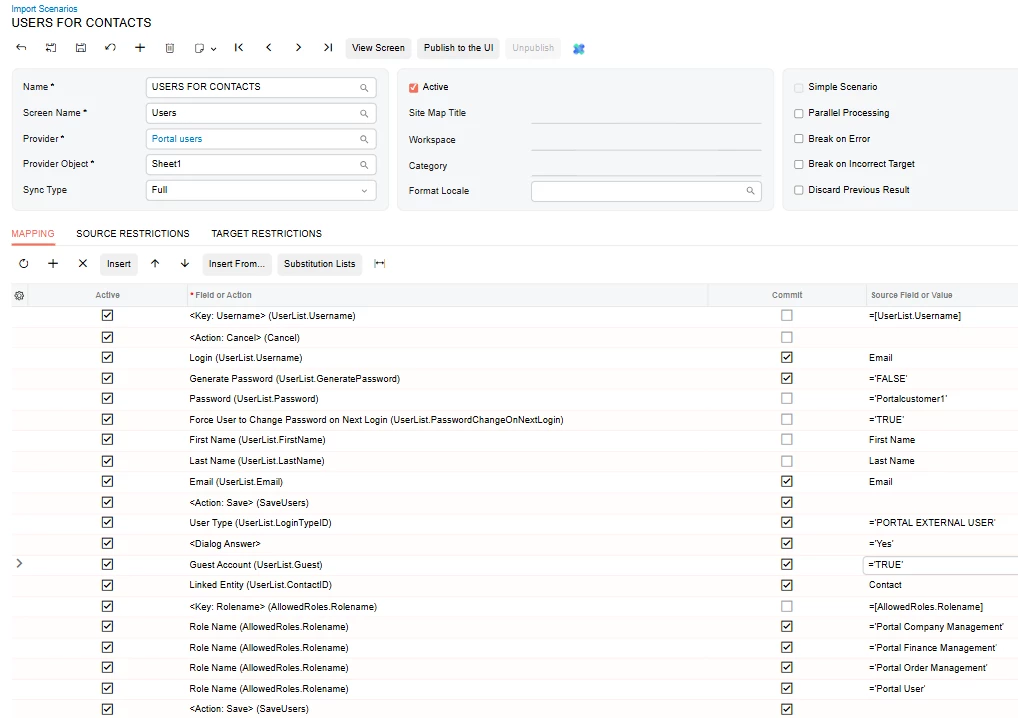
While trying to import “users’ with the user type of “Portal External User” I encounter an error: “Unable to link employee with guest user. Do you want to proceed operation and remove link?” I have tried adding the dialog box with the answer of yes and it still doesn’t work.

Import Scenario
 

1 reply

Forum|alt.badge.img
  • Jr Varsity I
  • April 21, 2026

@jdabney37 

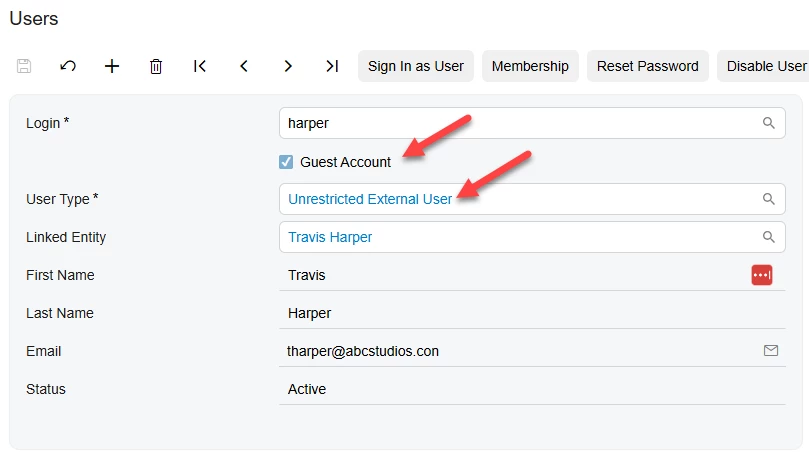
In Acumatica: A Portal External User is treated as a Guest User

Guest users cannot be linked to an Employee record

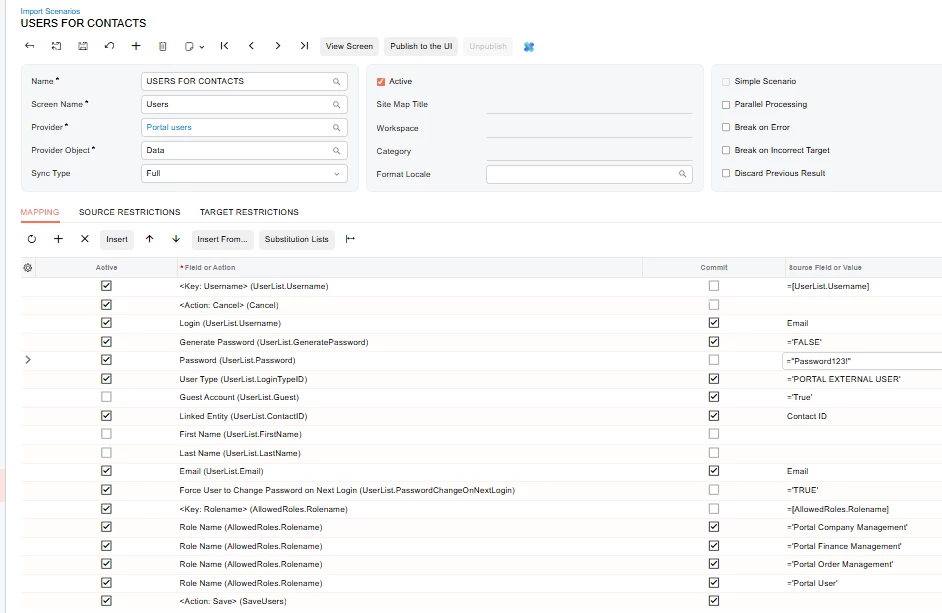
  • Your import scenario is currently attempting to ,Create a Portal External User (Guest) ,While also linking the user to a Contact/Employee record

This combination is not allowed, which results in the error.


Create Portal External Users 

If your intention is to create external/portal users:

  1. Open your Import Scenario
  2. Locate the field:
    • Linked Entity (ContactID)
  3. Remove this mapping
  4. Ensure the following fields are set correctly:
    • User Type = Portal External User
    • Guest Account = True
  5. Verify that no employee-related fields are included (e.g., Employee ID)
  6. Run the import again