Solved

Import Scenario - Create Bank Deposit and Add Payments

  • Apr 30, 2026 5:24 PM UTC
  • 3 replies
  • 137 views
  • Translate All

Forum|alt.badge.img+1

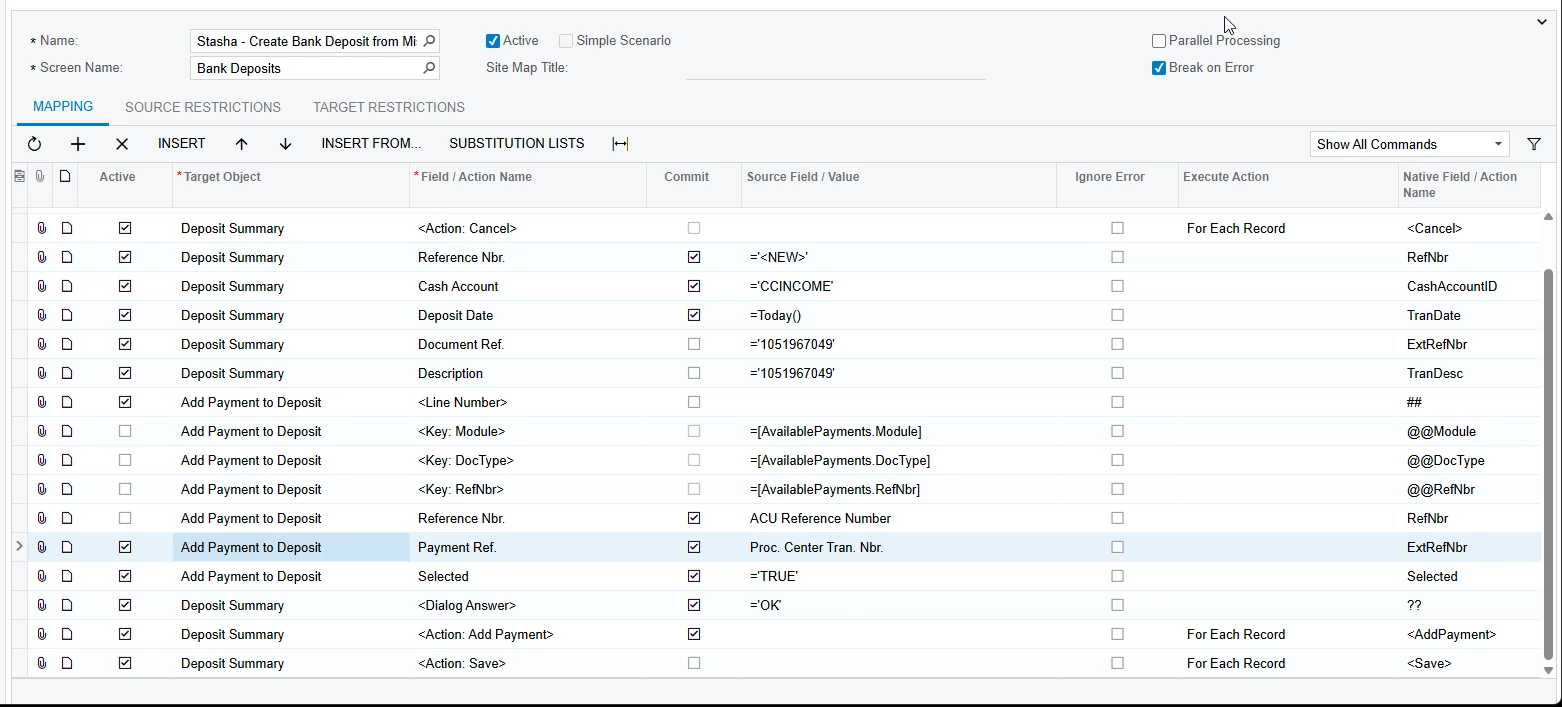
I have an excel file that has our external payment reference numbers and our acumatica payment reference numbers but I’ve been unable to successfully import these onto a bank deposit. I’ve been using a mash of 2 older import scenarios with varied success. I can create the bank deposit no problem but adding the payment lines is where I fall short. Here is my latest import scenario version. The Action Save line is on the bottom and not showed in the screen shot. XML attached.


Best answer by SBaldwin

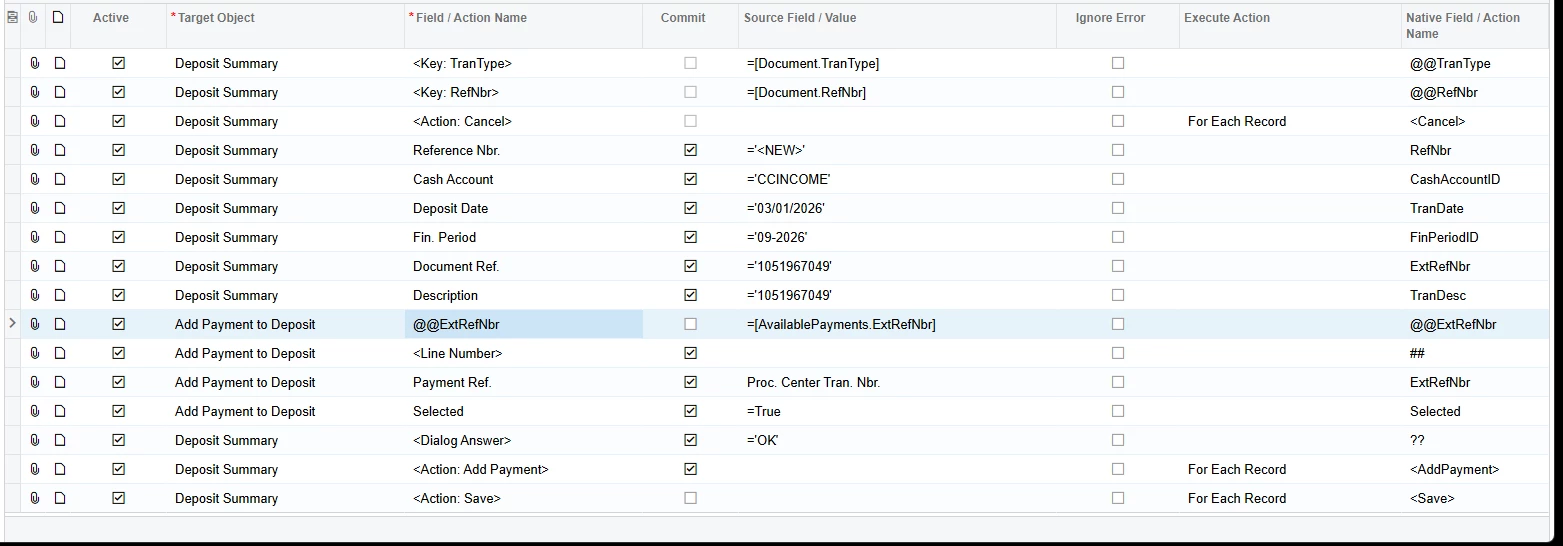
Hey there! I got the import scenario to work. For this import you need to edit the summary details, or you could include them in your data provider.

XML Attached


View original

3 replies

Forum|alt.badge.img+1
  • Author
  • Semi-Pro I
  • Apr 30, 2026 5:32 PM UTC

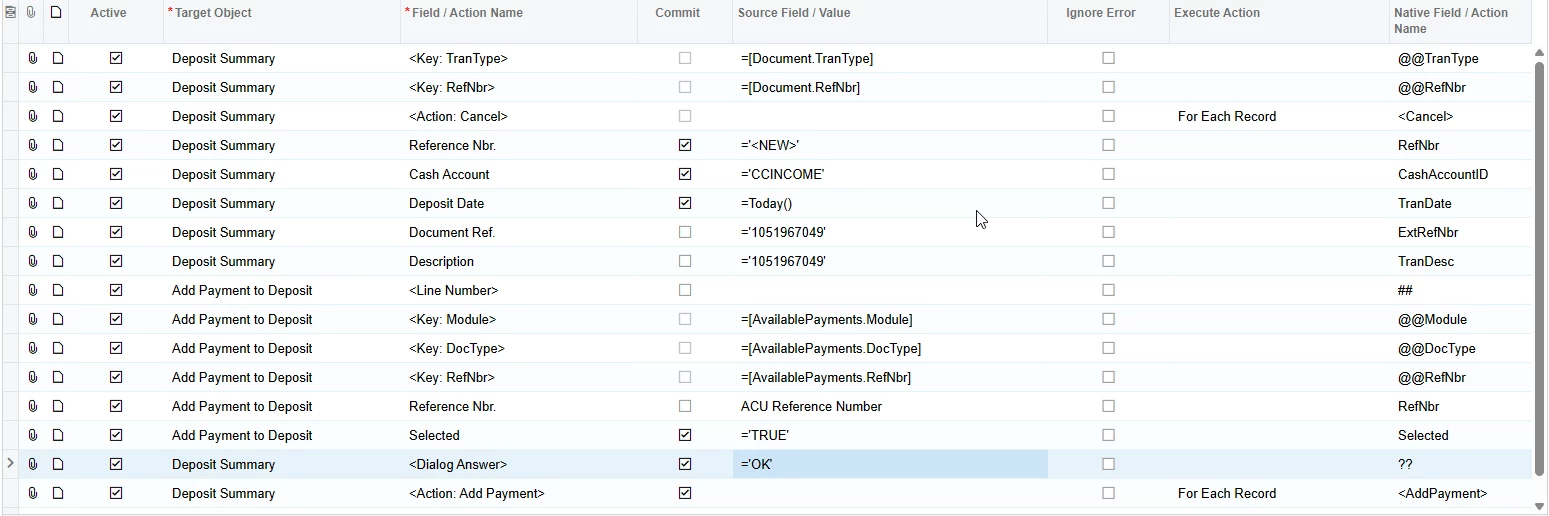
Utilizing the Payment Ref instead of the Reference Nbr will at least bring lines in, but not the correct payment lines. Highlighted blue


Translate

Forum|alt.badge.img+1
  • Author
  • Semi-Pro I
  • Answer
  • May 1, 2026 11:37 AM UTC

Hey there! I got the import scenario to work. For this import you need to edit the summary details, or you could include them in your data provider.

XML Attached


Translate

Chris Hackett
Community Manager
Forum|alt.badge.img
  • Acumatica Community Manager
  • May 1, 2026 9:45 PM UTC

Thank you for sharing your solution with the community ​@SBaldwin!

Translate