

Answer

Import Scenario: Businesss/Customer Accounts add new contact not linking

  • September 15, 2022
  • 5 replies
  • 484 views

Forum|alt.badge.img

Good day.

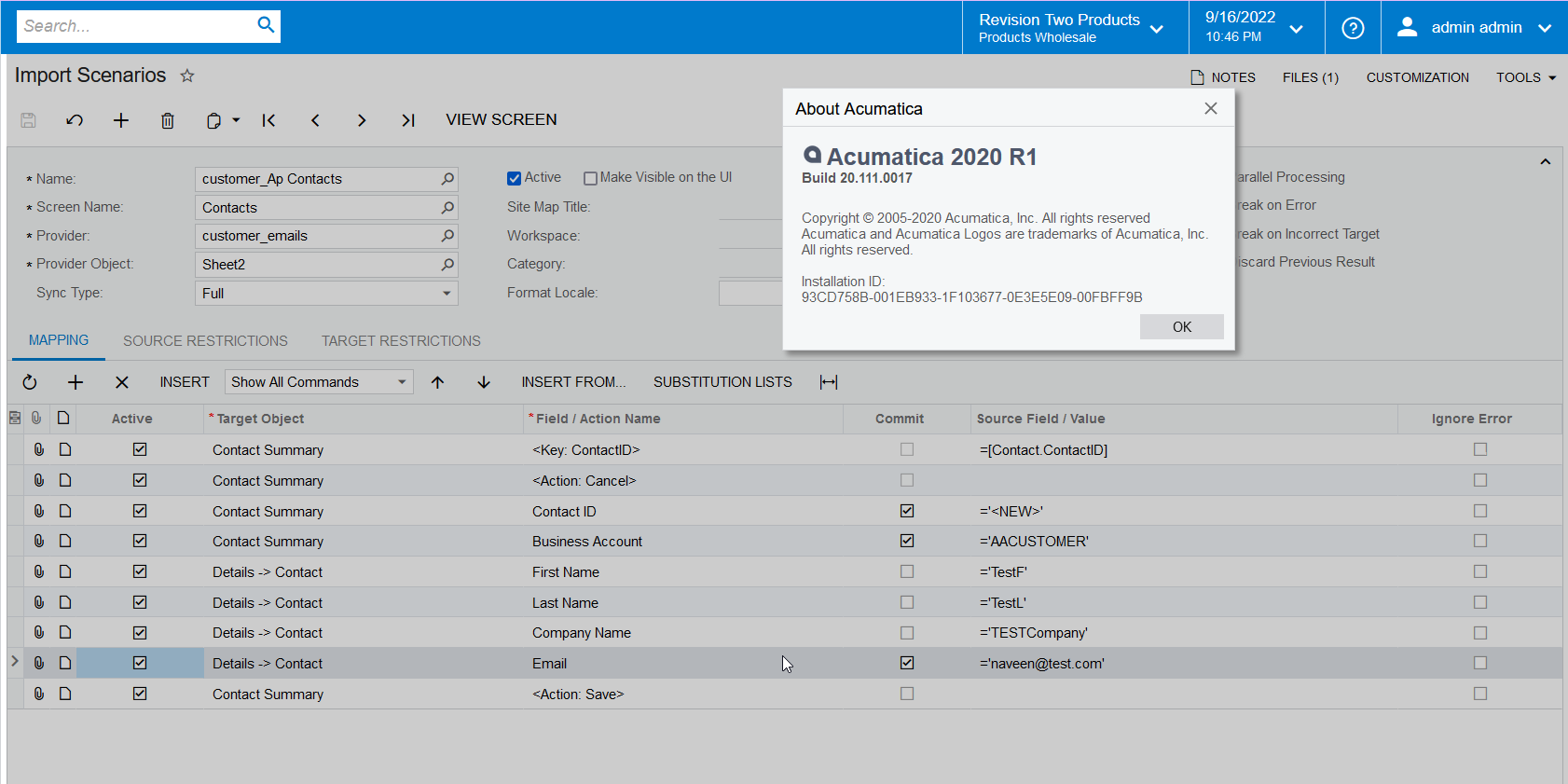
Another import scenario issue.  See the attached.  The scenario creates the contact with no issue; which is pretty good.  However, the contact created does not link to the Business Account/Customer ID.  I tried a number fixes but nothing seems to work.

Any suggestions or changes you can recommend.  i would not like to assign them manually.

I appreciate this group’s assistance very much.
 

@Evan G 

Best answer by Naveen Boga

Hi @EvanG  I have modified your import scenario mappings in 20 R1 and verified it and, it is working great.  Please find the updated scenario for reference. 


5 replies

Manikanta Dhulipudi
Captain II
Forum|alt.badge.img+15

Hi @EvanG I have made some modification to your import scenario and verified,

Please use and let me know if it works.( Verify with one record or in sandbox before moving to production)


Forum|alt.badge.img
  • Author
  • Varsity I
  • September 16, 2022

HI @manikantad18 

Thank you for your reply.  it didn’t work.  I think might of miss understood.  I think you update is in a later version.  I am working in 2020 R1.  Also, I can create the contact.  I want to link the contact to the correct business account on might worksheet.  I am not creating new business accounts and contacts.  Also, the field “status” does not exist in 2020 R1.  I appreciate your assistance.

@EvanG 


Manikanta Dhulipudi
Captain II
Forum|alt.badge.img+15

HI @manikantad18 

Thank you for your reply.  it didn’t work.  I think might of miss understood.  I think you update is in a later version.  I am working in 2020 R1.  Also, I can create the contact.  I want to link the contact to the correct business account on might worksheet.  I am not creating new business accounts and contacts.  Also, the field “status” does not exist in 2020 R1.  I appreciate your assistance.

@EvanG

Thank you for the update, 

I will check in 20R1 if I have and let you know.

Thanks


Naveen Boga
Captain II
Forum|alt.badge.img+19
  • Captain II
  • Answer
  • September 17, 2022

Hi @EvanG  I have modified your import scenario mappings in 20 R1 and verified it and, it is working great.  Please find the updated scenario for reference. 


Forum|alt.badge.img
  • Author
  • Varsity I
  • October 4, 2022

@Naveen Boga 

It is did not work as I though it should.  No error is noted.  I even added a Contact ID to see if that worked.

Any advice would be helpful.

Thank you

Evan


