Solved

Import From SQL to the Labor Screen AM301000

  • February 24, 2022
  • 6 replies
  • 192 views
  • Translate All

cmoreland
Semi-Pro III
Forum|alt.badge.img

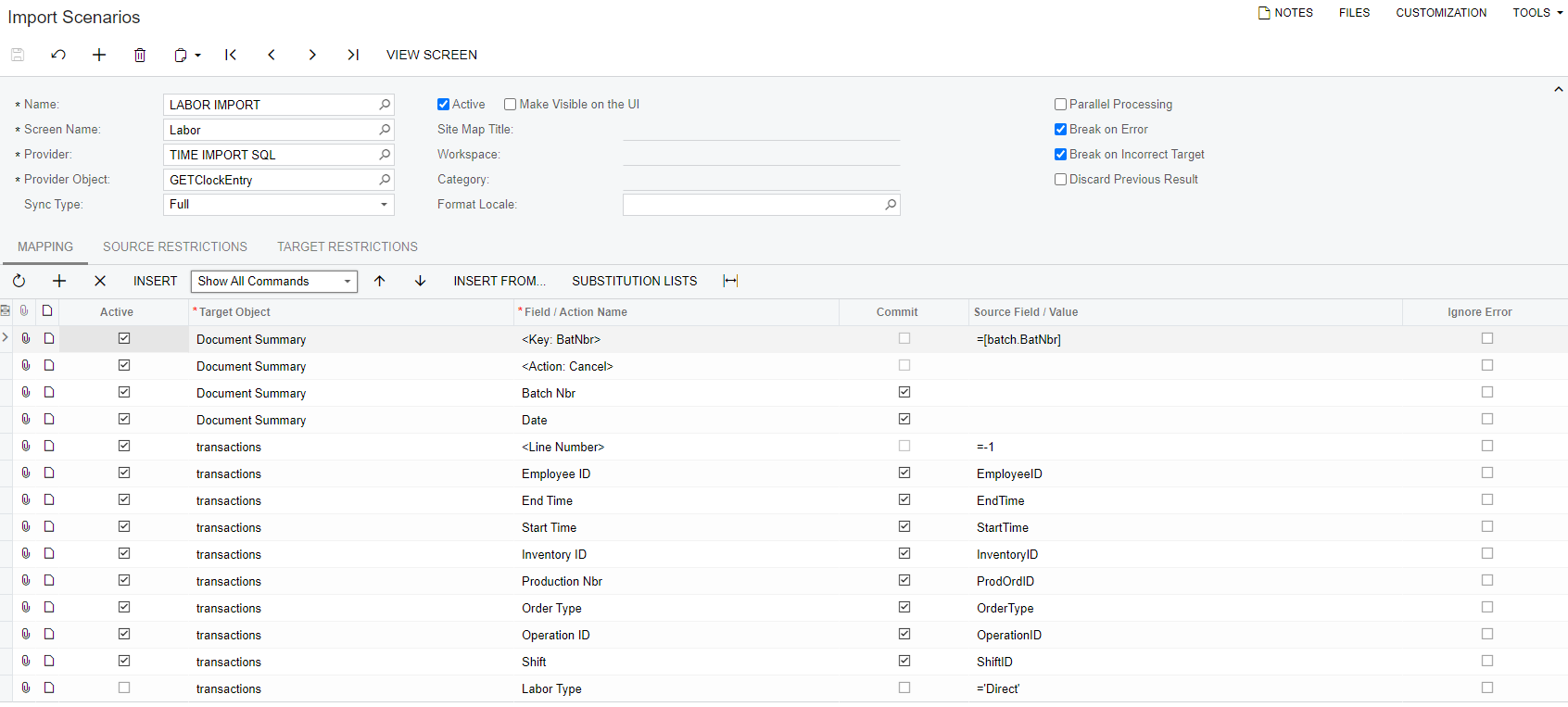
All - I have an Import Scenario created the goal is to import time from a SQL table to the Labor Screen and create the labor batch. 

See Scenario


The data comes in with out issue when I prepare it however the import is giving me the following error.  


Any help is greatly appreciated. 

Best answer by Naveen Boga

Hi @cmoreland  I was updated in another post. Just posting the same here.


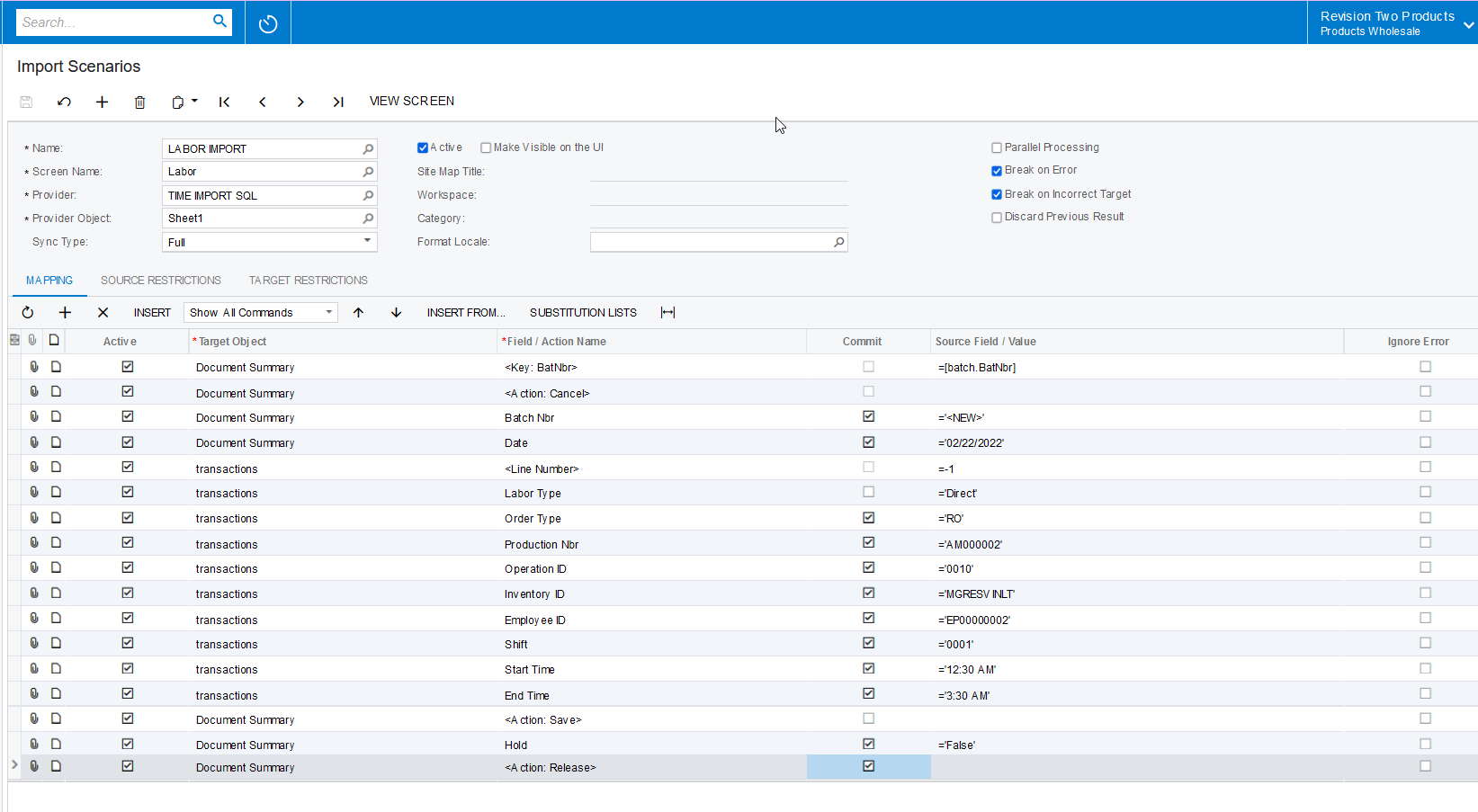
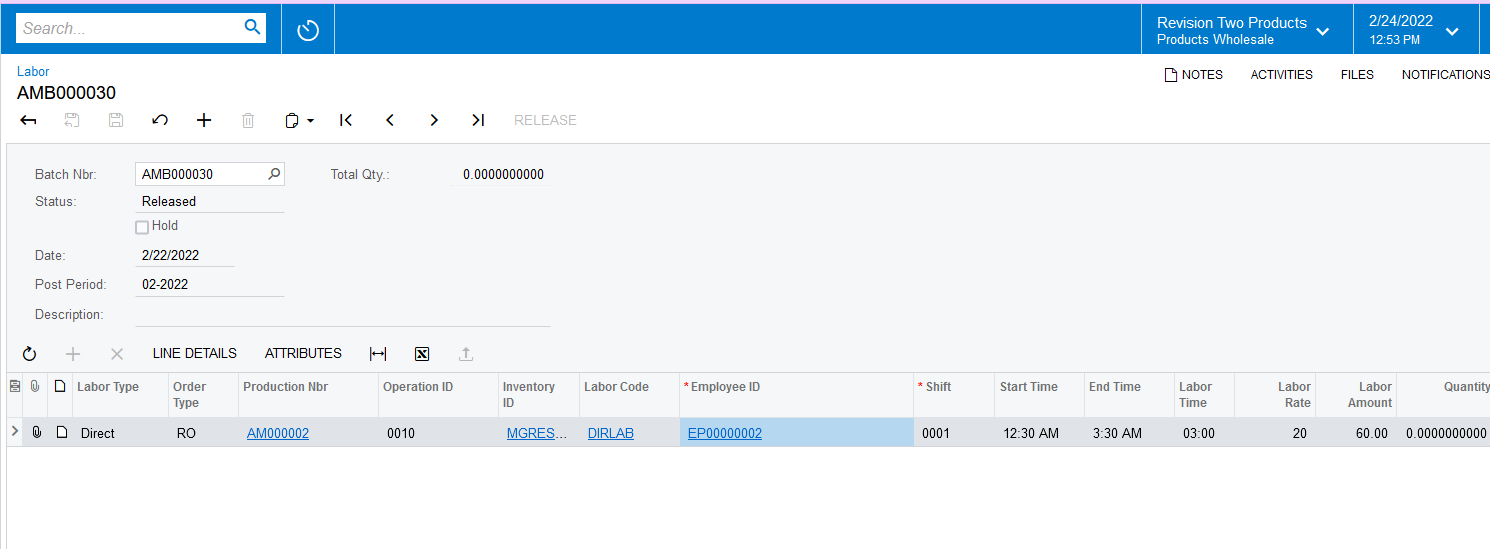
I have tried with the Excel Data Provider and modified your mappings and it is working for me. You can check the same for the SQL provider for the same mapping.


 

Hope this helps!

View original

6 replies

Naveen Boga
Captain II
Forum|alt.badge.img+20

@cmoreland  Please share the XML format of the import scenario file.

Translate

cmoreland
Semi-Pro III
Forum|alt.badge.img
  • Author
  • Semi-Pro III
  • February 24, 2022

@Naveen B  - here you go and thanks in advance for your help. 

Translate

cmoreland
Semi-Pro III
Forum|alt.badge.img
  • Author
  • Semi-Pro III
  • February 24, 2022

I did try recreating this as a csv import with the same error. 

Translate

Naveen Boga
Captain II
Forum|alt.badge.img+20
  • Captain II
  • Answer
  • February 25, 2022

Hi @cmoreland  I was updated in another post. Just posting the same here.


I have tried with the Excel Data Provider and modified your mappings and it is working for me. You can check the same for the SQL provider for the same mapping.

 

Hope this helps!

Translate

cmoreland
Semi-Pro III
Forum|alt.badge.img
  • Author
  • Semi-Pro III
  • February 26, 2022

@Naveen B thanks so much for your help

Translate

Naveen Boga
Captain II
Forum|alt.badge.img+20

Most Welcome @cmoreland  I'm glad I was able to help you on this

Translate