Solved

Import by scenario Item Class

  • Nov 15, 2021 6:23 PM UTC
  • 8 replies
  • 1102 views
  • Translate All

Hi, I'm trying to import stock items and I'm getting an error 

Error: 'Item Class' cannot be empty

even though its not empty.

Best answer by Naveen Boga

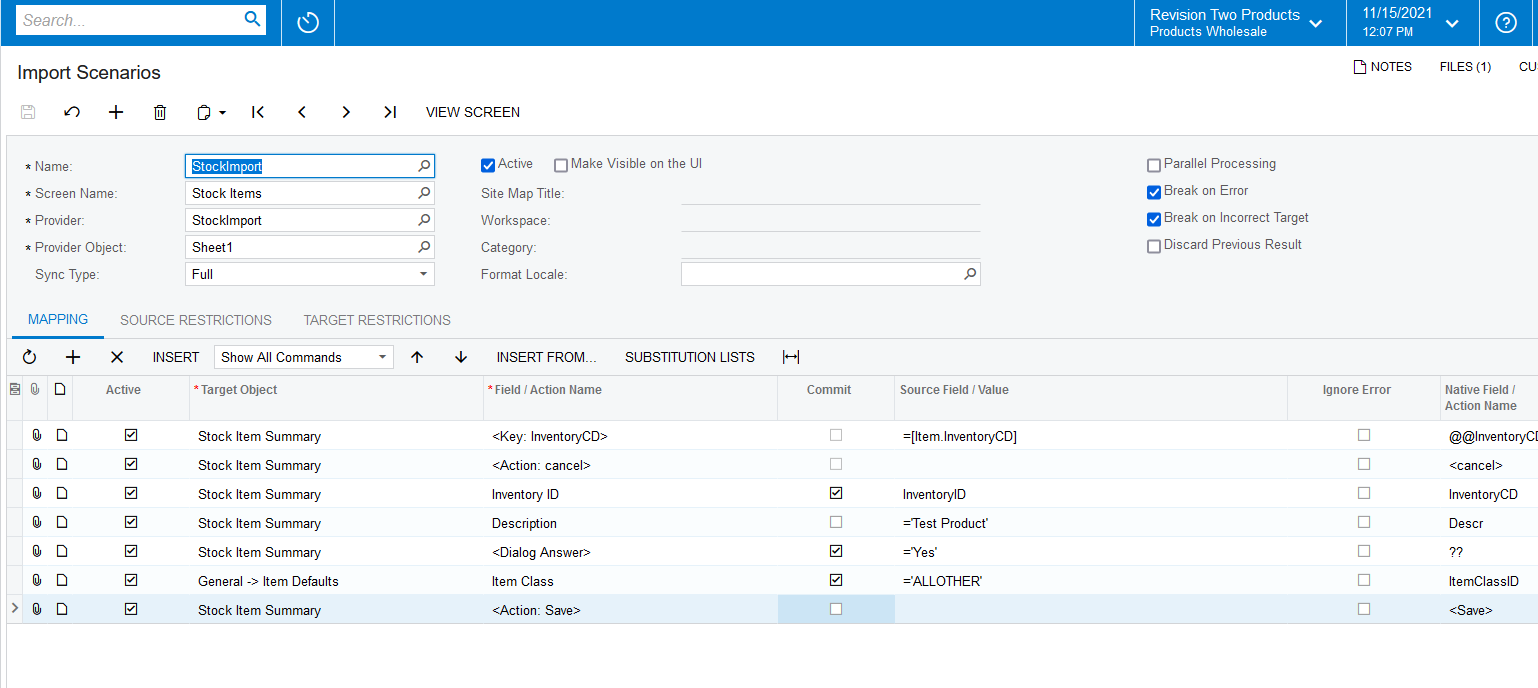
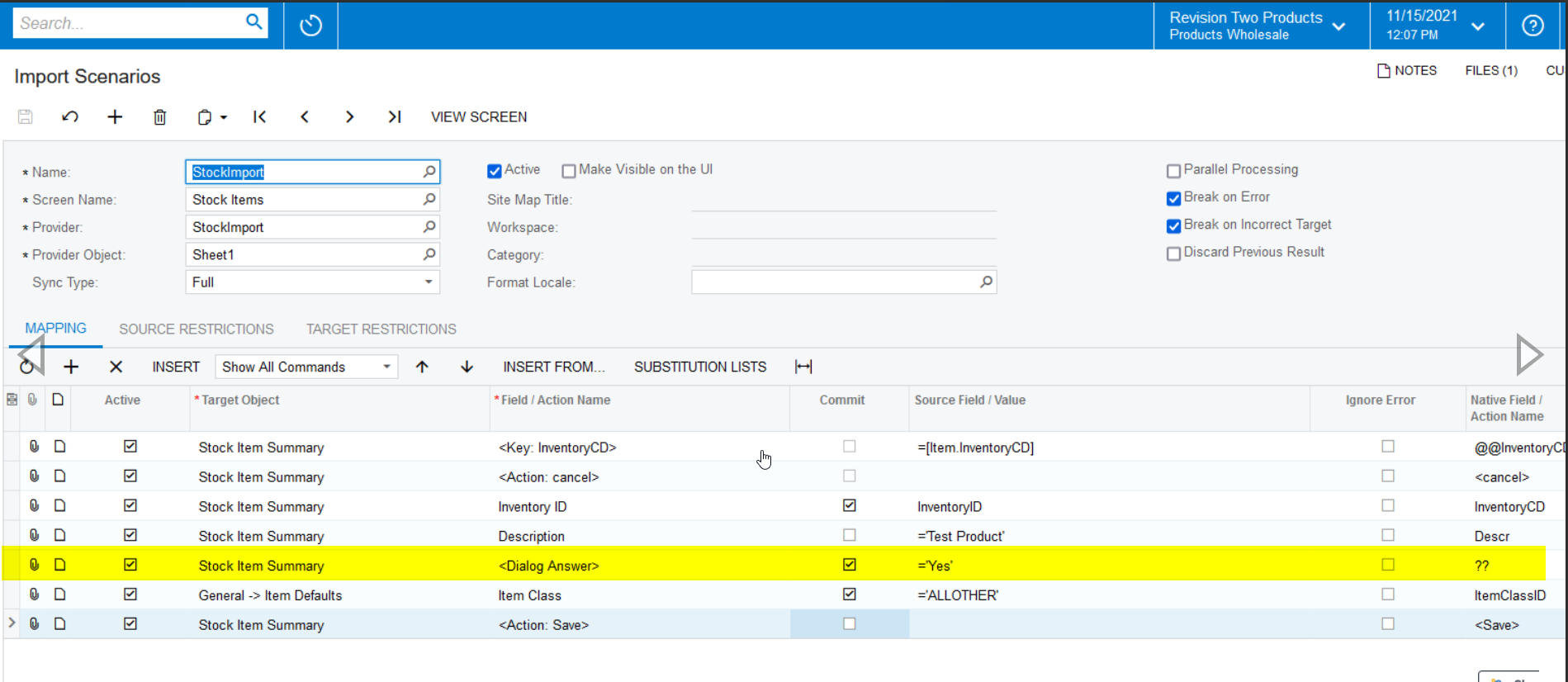
Hi @sburger  Hoping you NOT have given below highlighted <DialogueAnswer>, can you please provide and confirm?


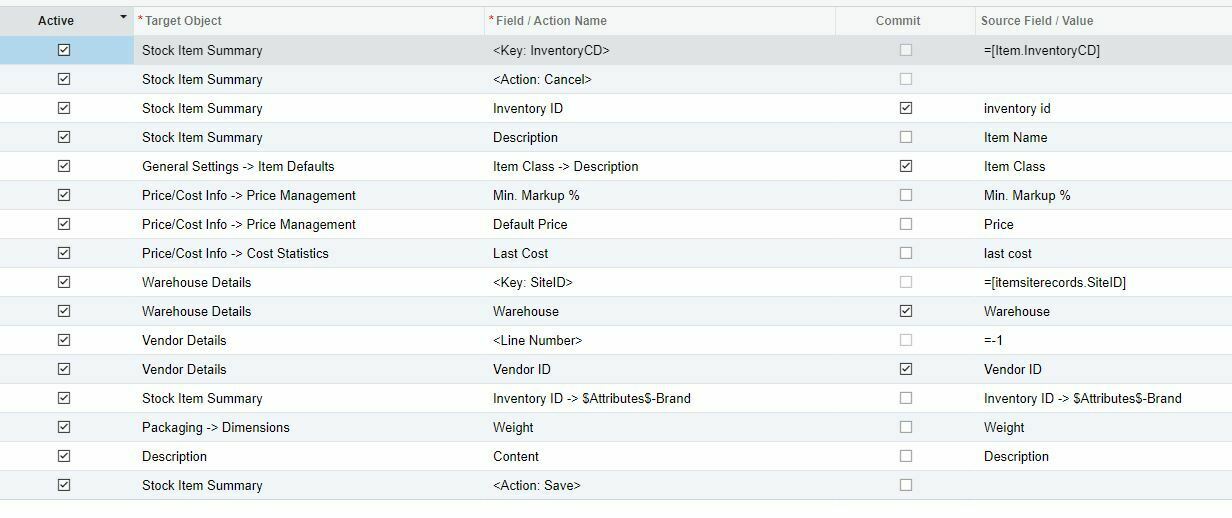
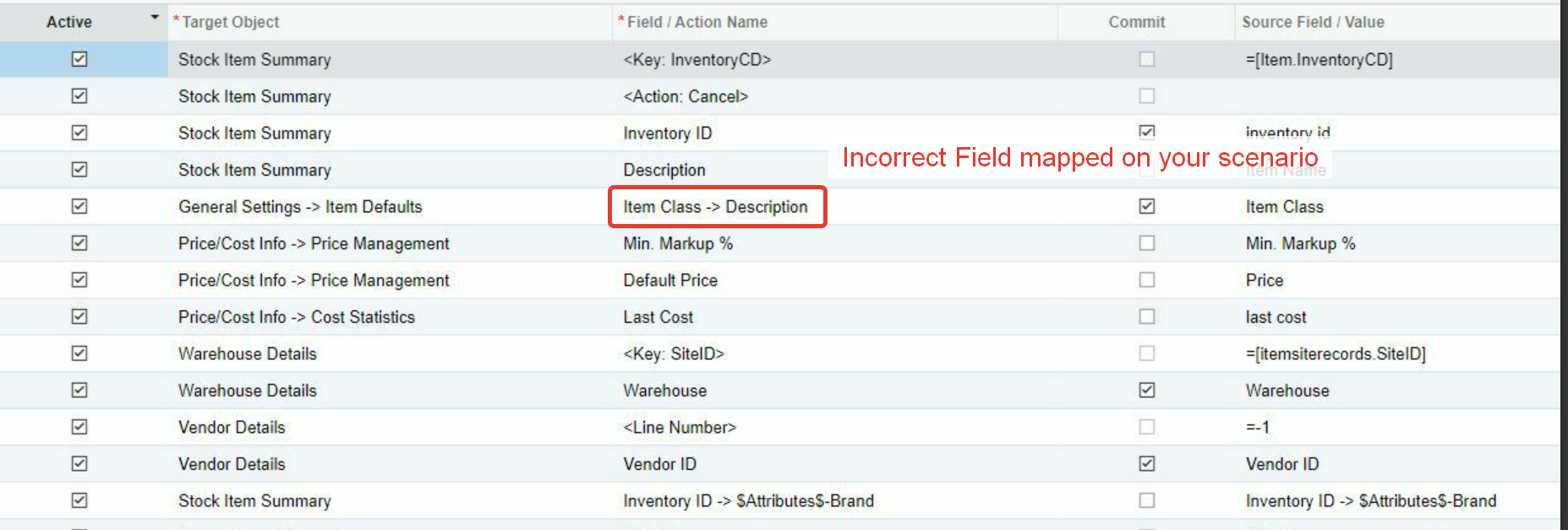
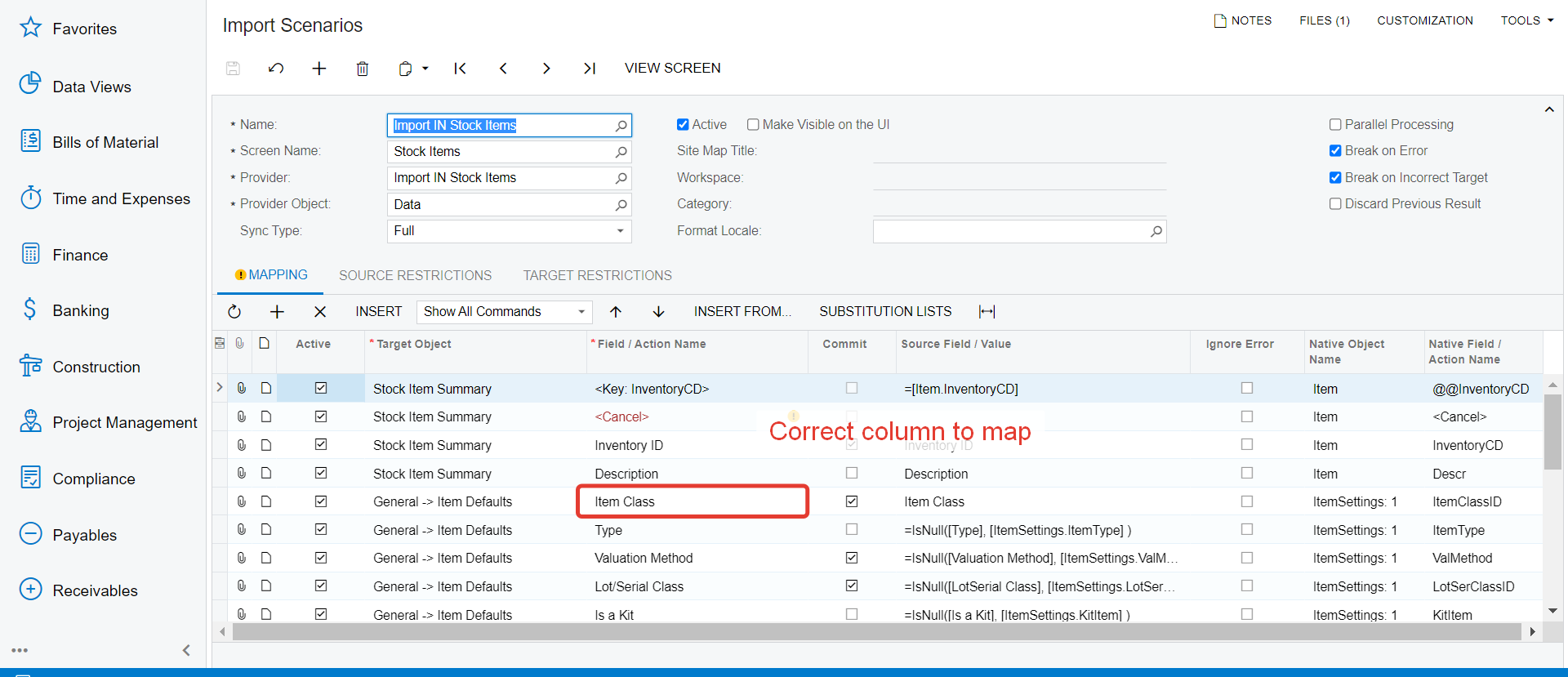
Also, in your first screenshot, you have given ItemClass → Description , which is wrong. Please map the Item Class properly just like below.


View original

8 replies

Naveen Boga
Captain II
Forum|alt.badge.img+20
  • Captain II
  • Nov 15, 2021 7:51 PM UTC

Hi @sburger  Can you please share your import scenario here.

Translate

  • Author
  • Freshman I
  • Nov 15, 2021 7:54 PM UTC


Translate

Naveen Boga
Captain II
Forum|alt.badge.img+20
  • Captain II
  • Nov 15, 2021 8:08 PM UTC

Hi @sburger  Here is the import scenario to create the stock item with Item Class. Please find the Import scenario Mapping here.


Translate

  • Author
  • Freshman I
  • Nov 15, 2021 10:21 PM UTC

@Naveen B item class isn't empty but it still shows the error


Translate

Naveen Boga
Captain II
Forum|alt.badge.img+20
  • Captain II
  • Answer
  • Nov 16, 2021 3:23 AM UTC

Hi @sburger  Hoping you NOT have given below highlighted <DialogueAnswer>, can you please provide and confirm?


Also, in your first screenshot, you have given ItemClass → Description , which is wrong. Please map the Item Class properly just like below.


Translate

Forum|alt.badge.img+12
  • Acumatica Support Team
  • Nov 17, 2021 5:58 AM UTC

Hi @sburger 

You can find a working Stock item import scenario on our Demo tenant. I have attached the xml file. Two things I want to add to what Naveen mentioned :

  • <Dialog Answer> is NOT required, to import new Item with Item class ( refer to sample scenario xml attached ).
  • <Dialog Answer> is required if you are trying to update the Item class on an existing Item
  • The Item class mapped on your scenario is incorrect ( mentioned by Naveen ), refer to the screenshot below 

Hope this helps,

Regards,

Translate

Forum|alt.badge.img+3
  • Captain II
  • Aug 5, 2022 12:03 PM UTC

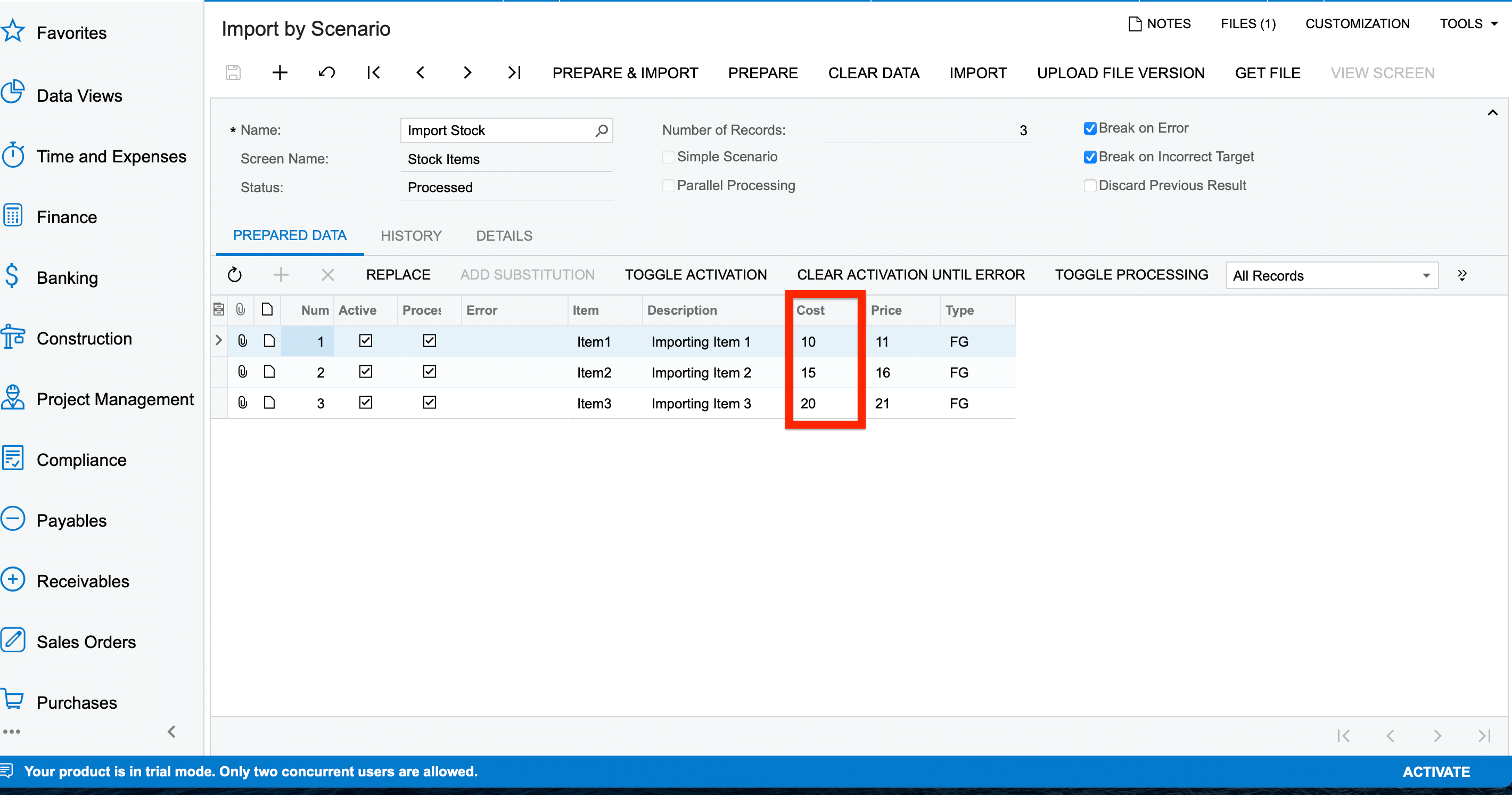
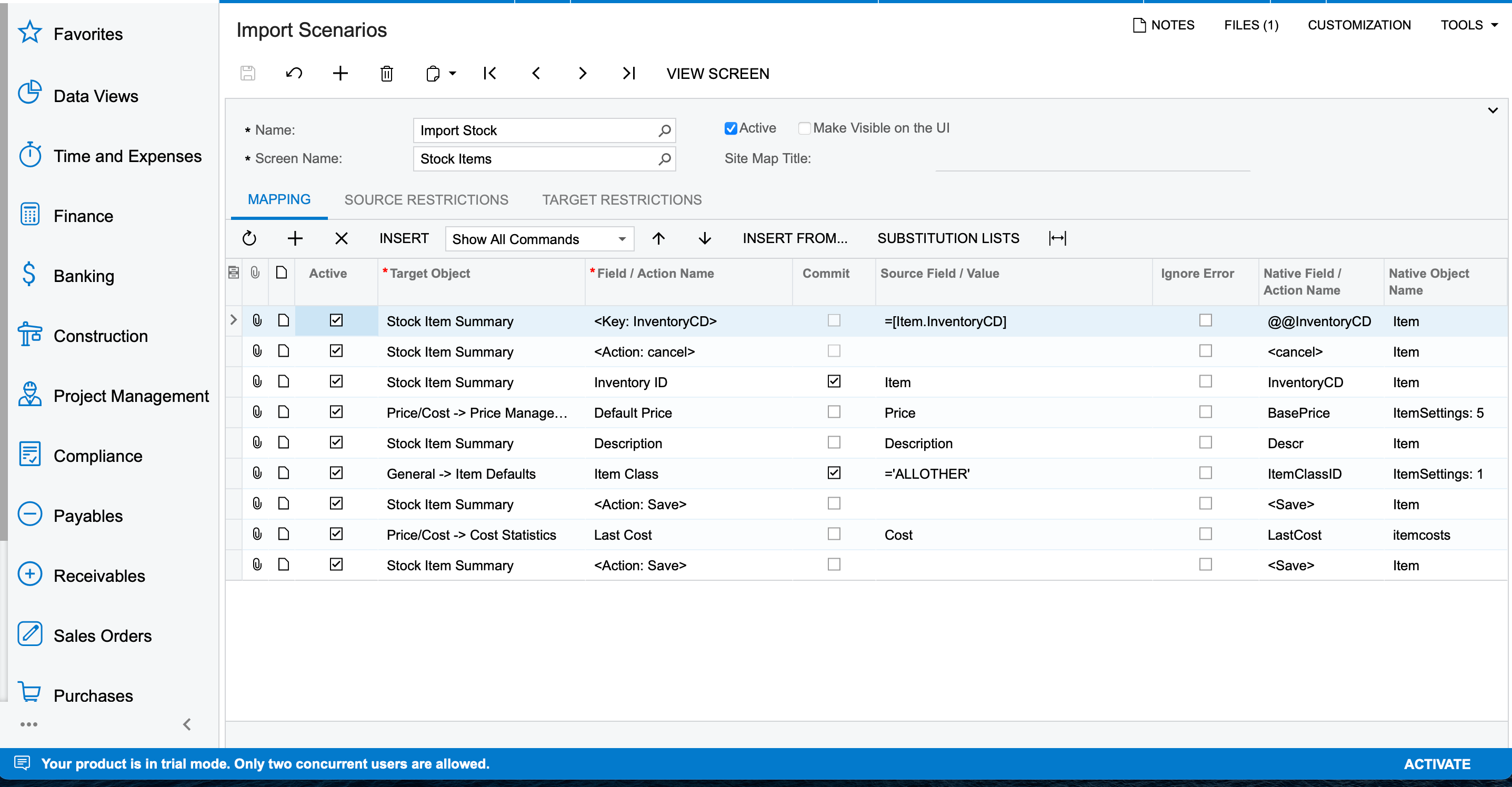
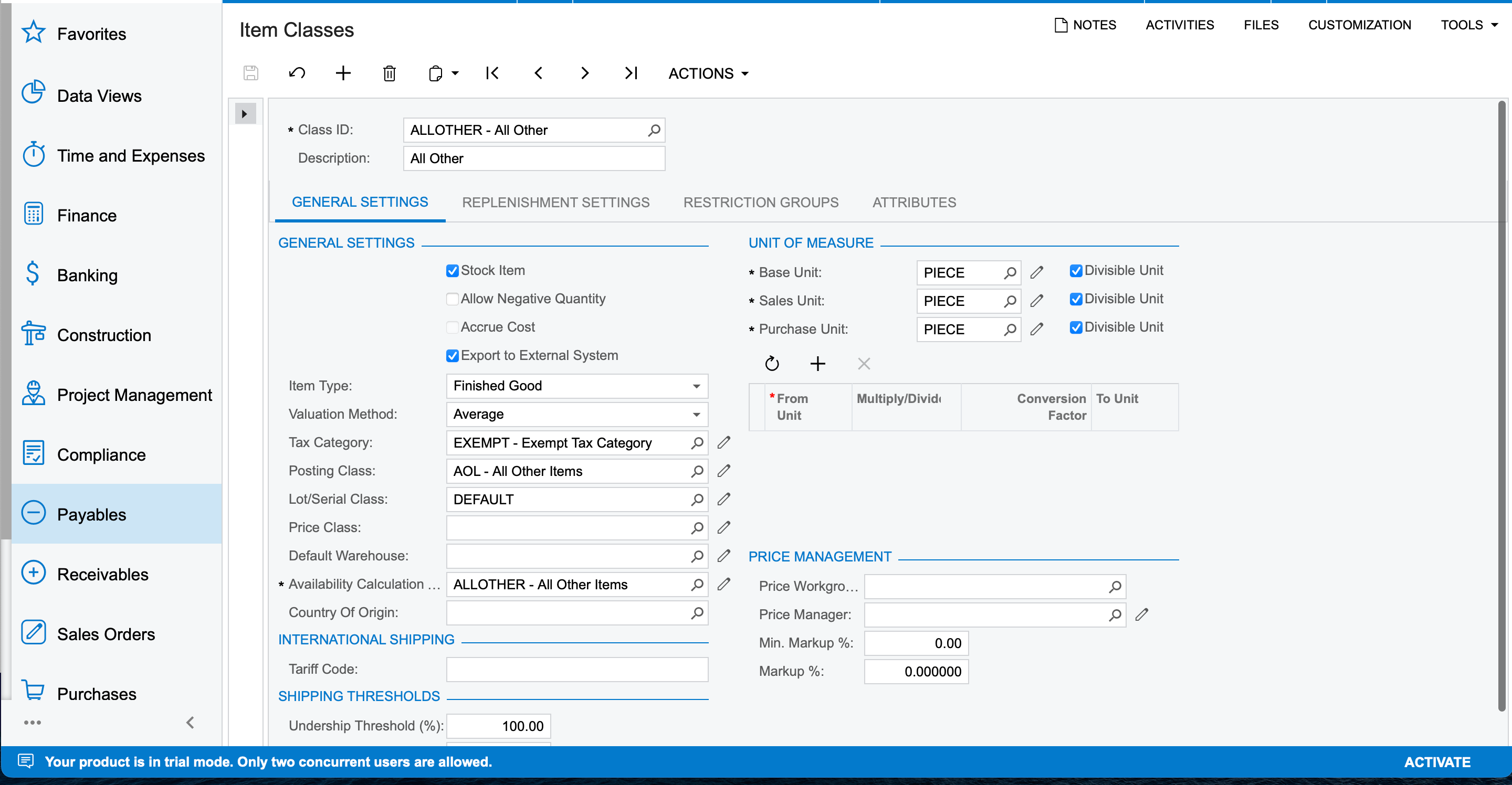
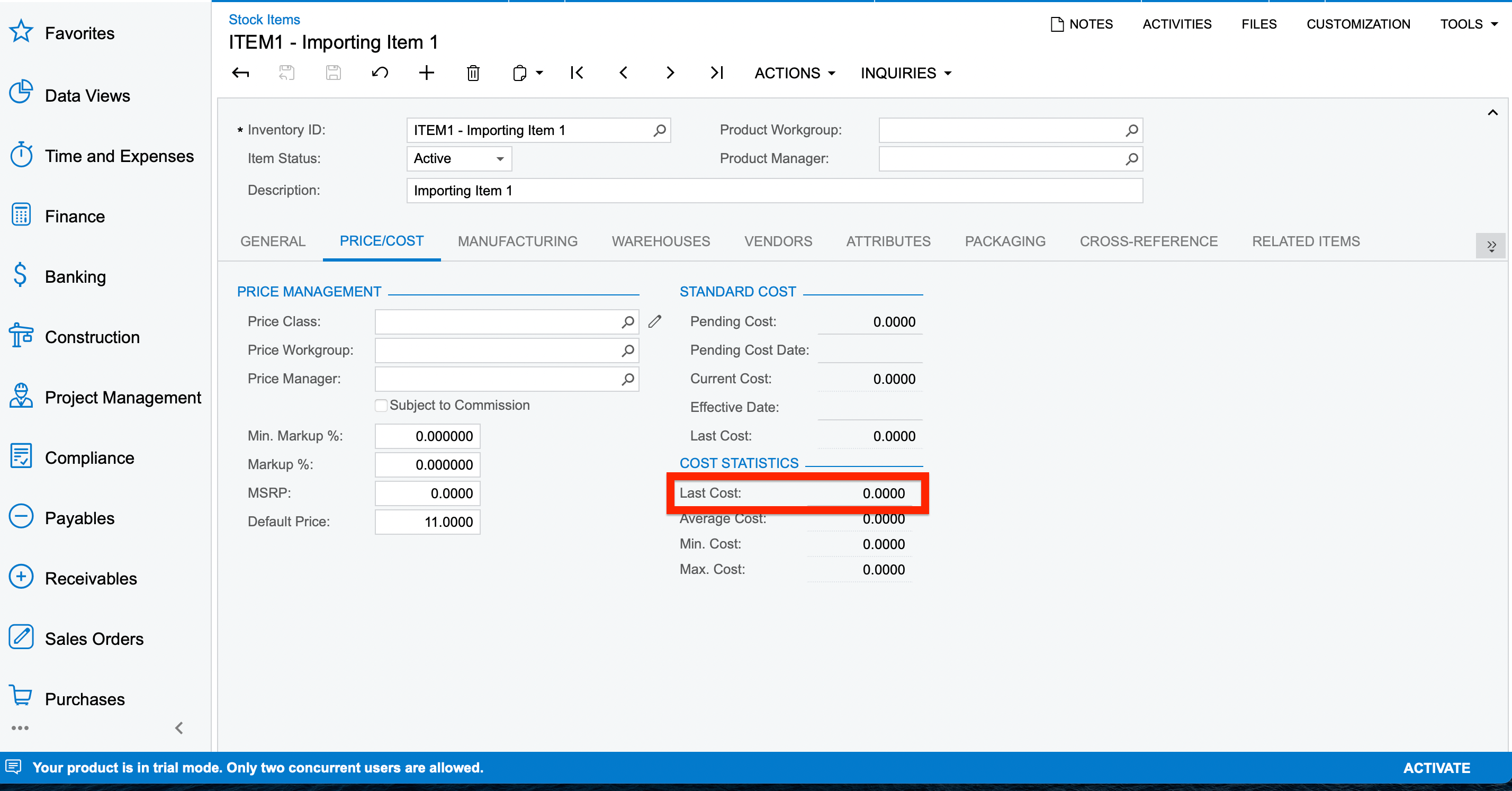
Hello, I have successfully imported the stock items in my instance but the Last Cost isn’t getting updated. Below are the screenshots on the same.


Kindly let me know what mistake is being done here.
Thanks.

Translate

Forum|alt.badge.img
  • Jr Varsity III
  • May 1, 2024 4:13 PM UTC

This is an old thread but I’m using it to debug an issue I’m having with changing the status of stock items.


Saw the hanging question at the end so i figured i’d answer it for closure - the last cost is populated directly from the purchase price from the most recent purchase order. You cannot change that manually, it is always based on the value from the most recent PO. If there isn’t one, the last cost is 0 because you don’t have any purchases yet

Translate