

Answer

How to create an automation schedule for an import scenario used for a command on More menu?

  • November 4, 2024
  • 1 reply
  • 89 views

Forum|alt.badge.img

Hello! I am looking to use import scenario to restart the Full-Text search feature daily during non-production hours. 

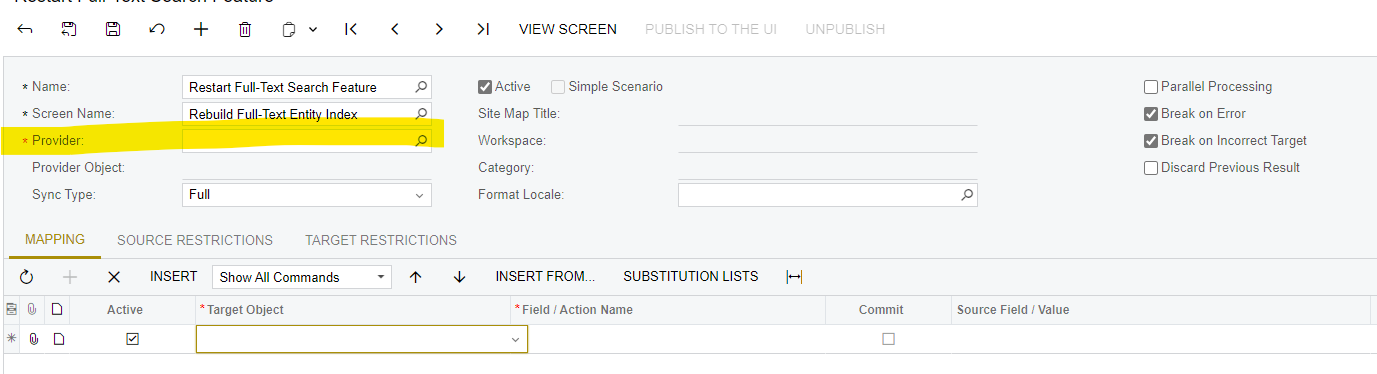
I believe I can create an import scenario for the ‘Restart’ button in More menu in the Rebuild Full Text Seach index screen. What would my data provider be in this case since I’m not importing from excel and I don’t have a GI to use? Do I need to create GI for this? 
 

Best answer by jzhu

This is solved.

You can use an excel file as your data provider. In the excel, you can put the restart function name. In the mapping, you will select “item” for target object, and the action name would be the “restart” function in more menu. Then in automation schedules, you put “process import scenario” screen in the screen ID. In the Condition tab, you will make sure name = the name of your import scenario that you want processed. 

1 reply

Forum|alt.badge.img
  • Author
  • Semi-Pro III
  • Answer
  • November 15, 2024

This is solved.

You can use an excel file as your data provider. In the excel, you can put the restart function name. In the mapping, you will select “item” for target object, and the action name would be the “restart” function in more menu. Then in automation schedules, you put “process import scenario” screen in the screen ID. In the Condition tab, you will make sure name = the name of your import scenario that you want processed.