

Answer

How can I add a task under the Activities tab in the Projects screen (PM301000)

  • May 25, 2024
  • 1 reply
  • 211 views

Forum|alt.badge.img+1

How can I add a task under the Activities tab in the Projects screen (PM301000)?

I successfully created a project using below import scenario, but I'm confused about how to add a task under the Activities tab after project creation. Could you provide a help on this?
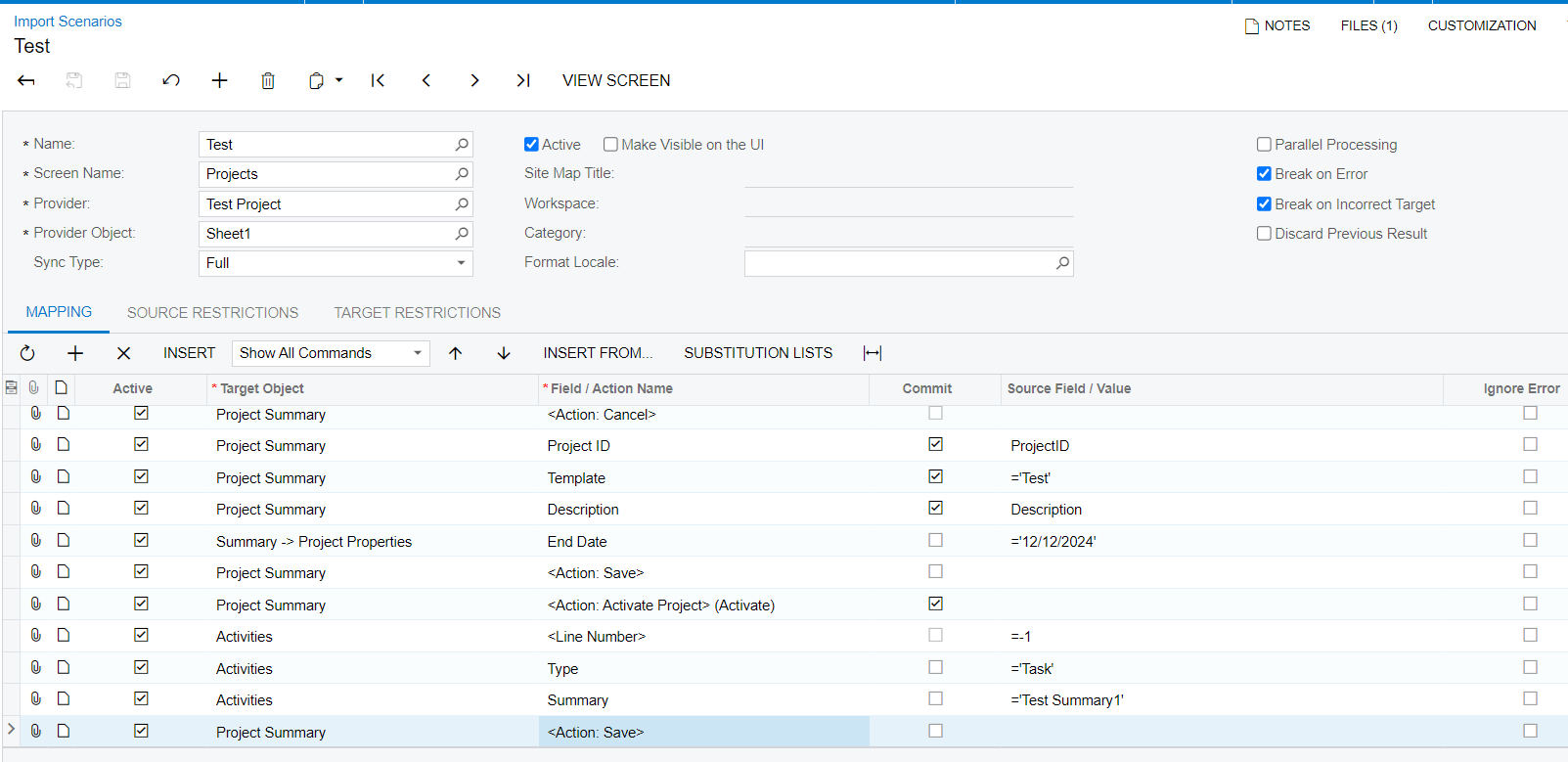
 

Thanks
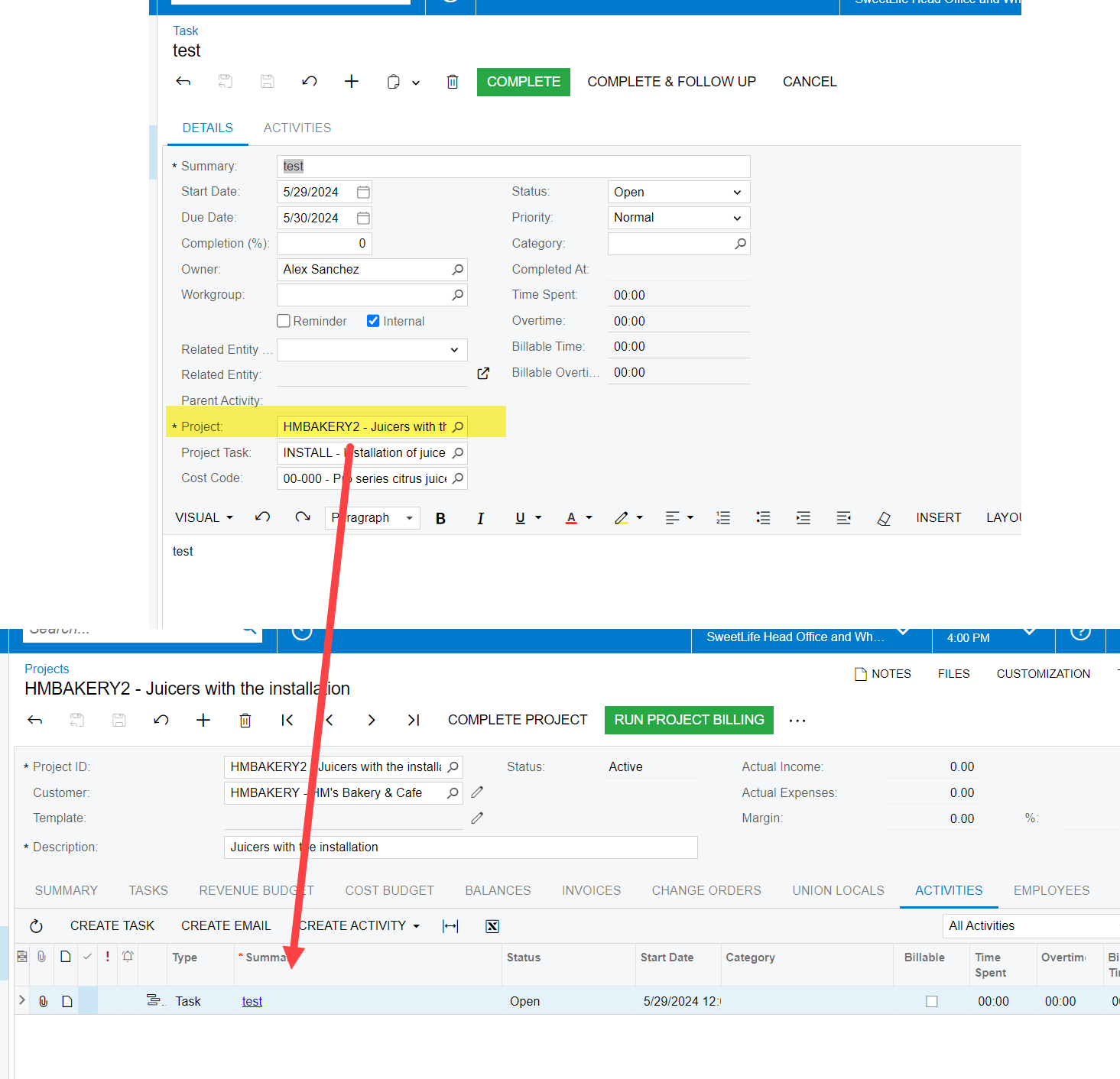
Best answer by mchaturvedi57

In import scenario you can only add or change info to one screen using one import profile. In your current import profile, you are on Project screen, and creation of task requires you to make change on a new screen ( in this scenario it Tasks -ScreenId=CR306020), you need to created another import scenario to create the task and map the project number in the Task.

Hope it helps.  


1 reply

  • Freshman II
  • Answer
  • May 29, 2024

In import scenario you can only add or change info to one screen using one import profile. In your current import profile, you are on Project screen, and creation of task requires you to make change on a new screen ( in this scenario it Tasks -ScreenId=CR306020), you need to created another import scenario to create the task and map the project number in the Task.

Hope it helps.