Solved

Employee ID not found error in Import scneario

  • Sep 18, 2024 5:50 AM UTC
  • 10 replies
  • 162 views
  • Translate All

Forum|alt.badge.img

Hello all,

I have been trying to import Time Activities but it triggers the following error:
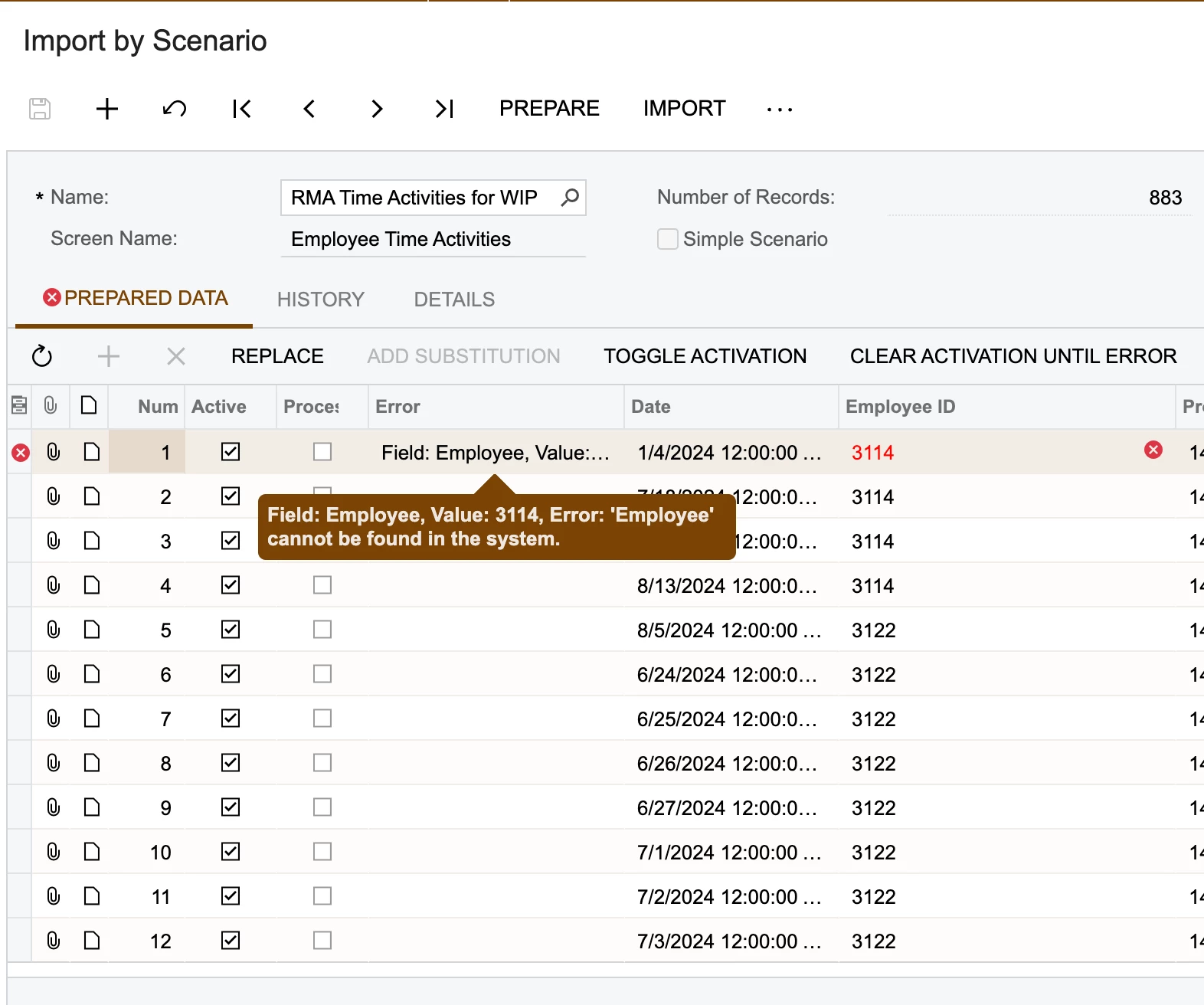
 

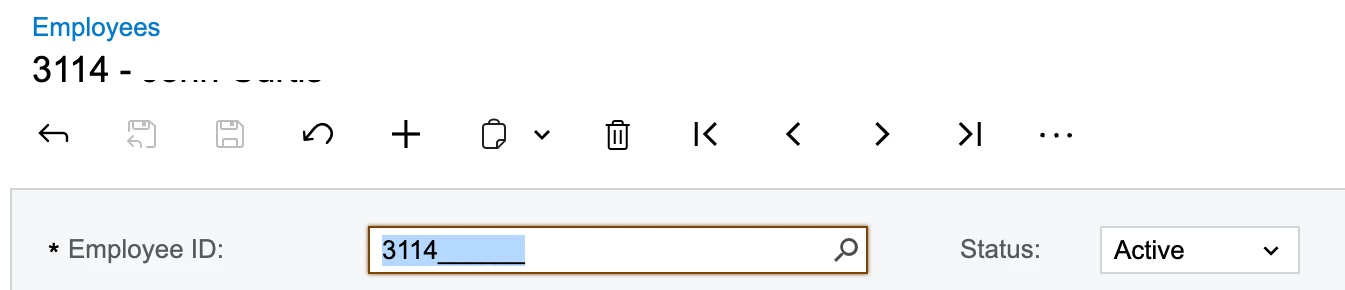
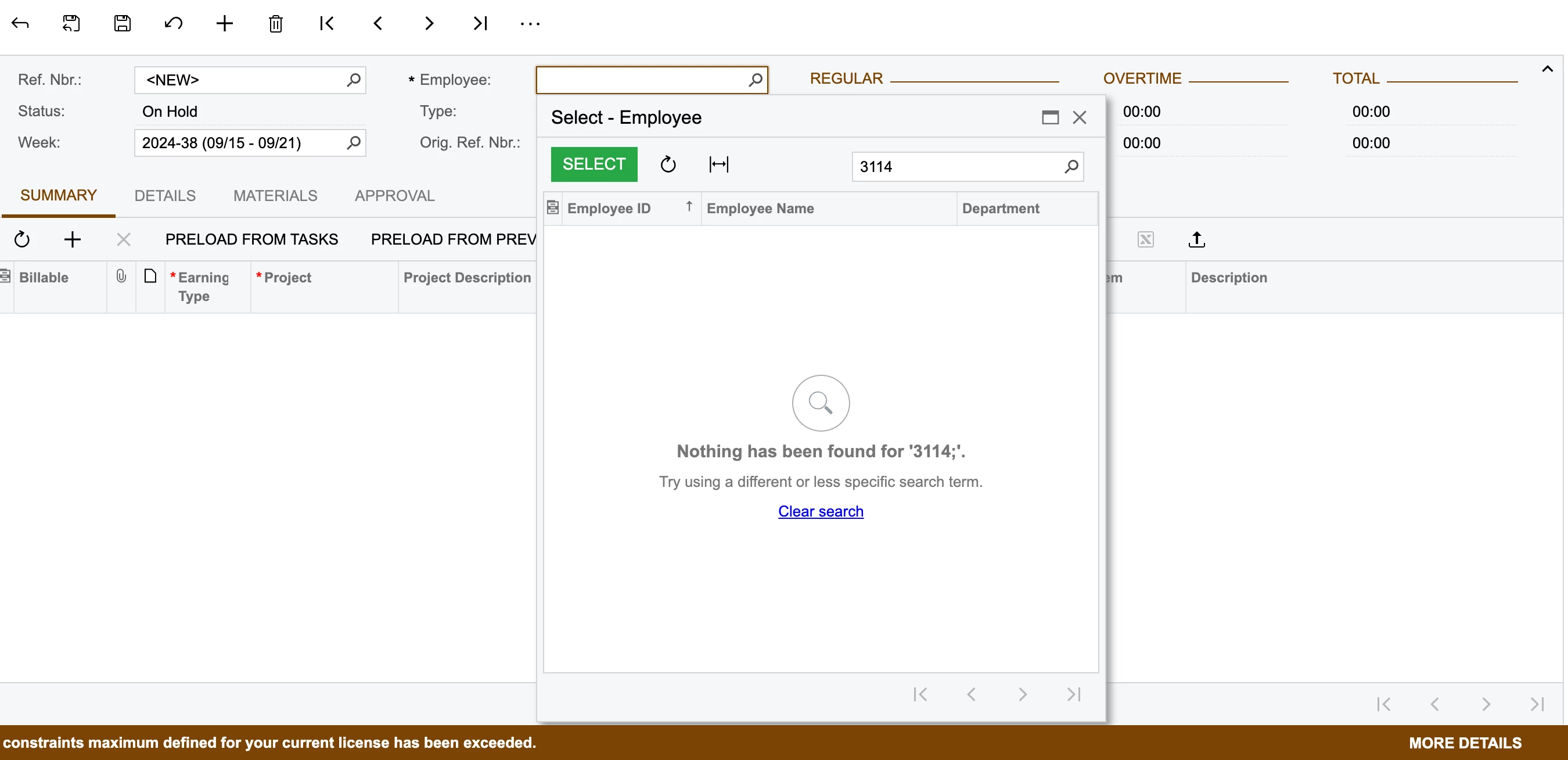
We have the employee record created. But when I try to manually enter a time activity or time card, the employee record doesnt show up


Best answer by haarshita51

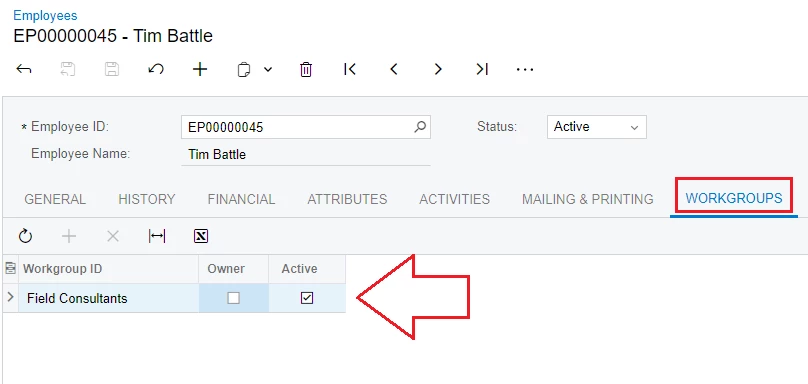
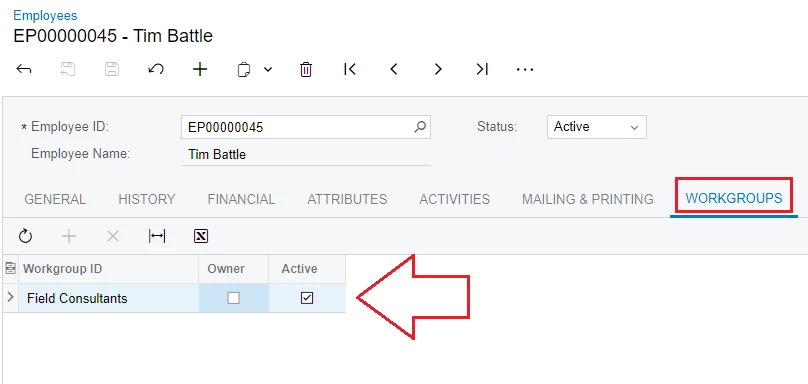
Hey @Harry , please make sure there arent any workgroups applied on the remaining employees. If there are any then please add the missing employees into those workgroups and try to import. I faced a similar issue in the past & the issue was with the company trees.

View original

10 replies

Manikanta Dhulipudi
Captain II
Forum|alt.badge.img+16

Hi @Harry 

can you share the xml file of Import scenarios.

Translate

Forum|alt.badge.img
  • Author
  • Semi-Pro III
  • Sep 18, 2024 6:16 AM UTC

Hi @Harry 

can you share the xml file of Import scenarios.

hey @Manikanta Dhulipudi , please find attached the compressed file of the same.

previously when I tried to import the same into sandbox i was able to import. But now after refreshing the sandbox with the live data, it is even not allowing to enter a time card for the particular employee. What am I missing here? And now it is triggering the error for all the employees listed in the import file.

Translate

Manikanta Dhulipudi
Captain II
Forum|alt.badge.img+16

Hi @Harry 

I am unable to download the file.

Translate

Forum|alt.badge.img
  • Author
  • Semi-Pro III
  • Sep 18, 2024 6:25 AM UTC

Hi @Harry 

I am unable to download the file.

Hey @Manikanta Dhulipudi , here’s the link from where u can download the compressed file:

https://we.tl/t-00Fx29qwa5

Translate

Forum|alt.badge.img
  • Author
  • Semi-Pro III
  • Sep 18, 2024 6:30 AM UTC

Hi @Harry 

I am unable to download the file.

What I also found out that any user with which I am trying to import the file is getting the same error. Whereas, if I login to this employee’s account and then try to manually enter a time card, I am able to do so.

Translate

nhatnghetinh
Captain II
Forum|alt.badge.img+15

Hi @Harry 

Go to "Employees" screen > "WORKGROUPS" Tab > Update Workgroup ID for your Employee ID "3114"


Then you will see Employee ID "3114" in the “Employee Time Cards” screen => please import again.


Best Regards,

NNT

Translate

nhatnghetinh
Captain II
Forum|alt.badge.img+15

Hi @Harry 

Go to "Employees" screen > "WORKGROUPS" Tab > Update Workgroup ID for your Employee ID "3114"


Then you will see Employee ID "3114" in the “Employee Time Cards” screen => please import again.


Best Regards,

NNT

Translate

Forum|alt.badge.img+5
  • Varsity III
  • Answer
  • Sep 18, 2024 6:55 AM UTC

Hey @Harry , please make sure there arent any workgroups applied on the remaining employees. If there are any then please add the missing employees into those workgroups and try to import. I faced a similar issue in the past & the issue was with the company trees.

Translate

Dipak Nilkanth
Pro III
Forum|alt.badge.img+14

Hi @Harry,

To have employees available in the employee selector, you need to ensure they are from the same department as the user who is currently logged in.

Only employees from the same department as the logged-in user will appear in the employee selector when creating a timesheet. Please verify that the employee you're trying to create a timesheet for belongs to the same department as the logged-in user.

Hope, it helps

Translate

Laura03
Captain II
Forum|alt.badge.img+20
  • Captain II
  • Sep 18, 2024 9:47 AM UTC

Hello,

In order to enter time for a different employee other than yourself, your login needs to be higher than the employees in the Company Tree, or you can add yourself as a Delegate to the Employee in Employees screen.


Laura

Translate