Solved

Cash Purchase Import Scenario

  • Jun 12, 2024 1:46 PM UTC
  • 14 replies
  • 345 views
  • Translate All

Forum|alt.badge.img

Hi!

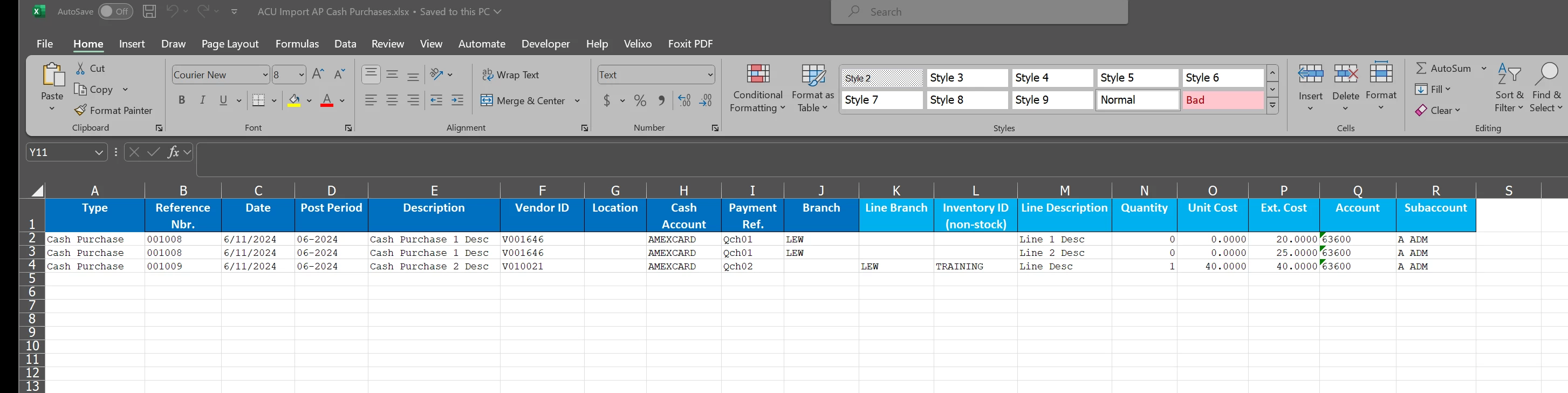
I am trying to import transactions into Cash purchases using the ACU Import AP Cash Purchases Template. 

It’s going good other than it is importing all line items into one transaction. I thought it would make a separate transaction for each line.. Any suggestions on how to do that?

 

Thanks!

AC

Best answer by Laura03

Hi,

Try making the reference numbers in the spreadsheet higher than all existing auto-numbered Cash Purchase reference numbers that are already in your Acumatica tenant.

Maybe, 001008 and 001009 already exist in Cash purchases screen. If they do, they’re likely older and already released/not editable. Acumatica may be trying to edit existing records versus adding new.

Try reference numbers A001008, A001009 in the spreadsheet and see if that works better.


Laura

View original

14 replies

Manikanta Dhulipudi
Captain II
Forum|alt.badge.img+16

Hi @acraft87 

Could you please share the Import scenario xml file?

Also confirm you are looking for a import scenario to import each line as one transaction?

Thanks


Translate

Forum|alt.badge.img
  • Author
  • Freshman I
  • Jun 12, 2024 1:51 PM UTC

Here you go!

Thanks!!!!

Translate

Laura03
Captain II
Forum|alt.badge.img+20
  • Captain II
  • Jun 12, 2024 2:14 PM UTC

Hello,

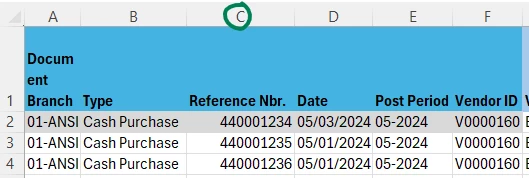
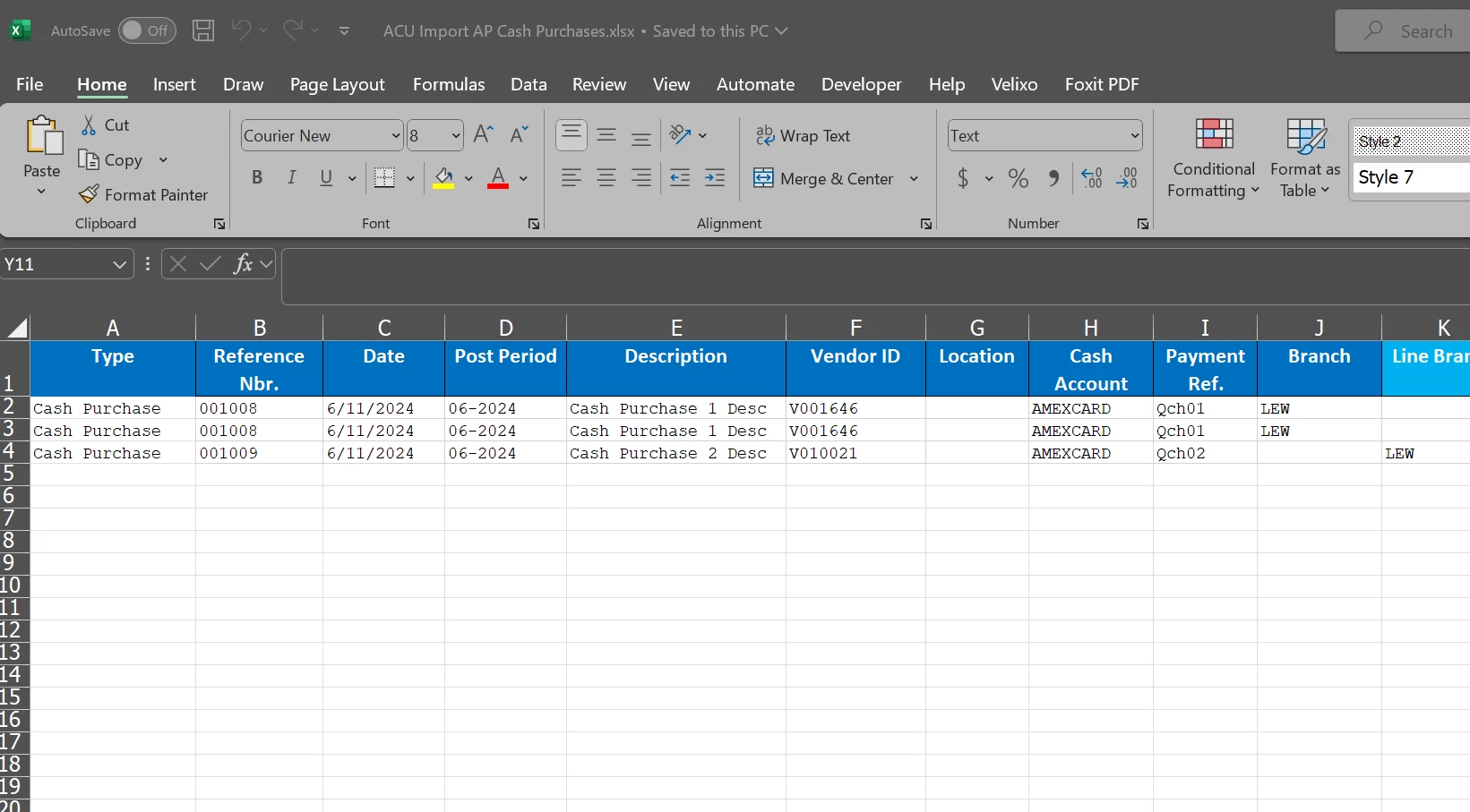
To have each Cash Purchase imported on a separate document, use different reference numbers (column c) for each separate Cash Purchase, like this example:

The import will use Reference number in C to trigger a new document.


Translate

Manikanta Dhulipudi
Captain II
Forum|alt.badge.img+16

Attached import scenario.


Please check 

Translate

Forum|alt.badge.img
  • Author
  • Freshman I
  • Jun 12, 2024 4:21 PM UTC

@Laura02 - Thats what I thought it would do, but it didn’t do that. I wonder if I have an old import scenario or template. The one I have has the ref number in column B…


Translate

Laura03
Captain II
Forum|alt.badge.img+20
  • Captain II
  • Jun 12, 2024 4:32 PM UTC

Hello,

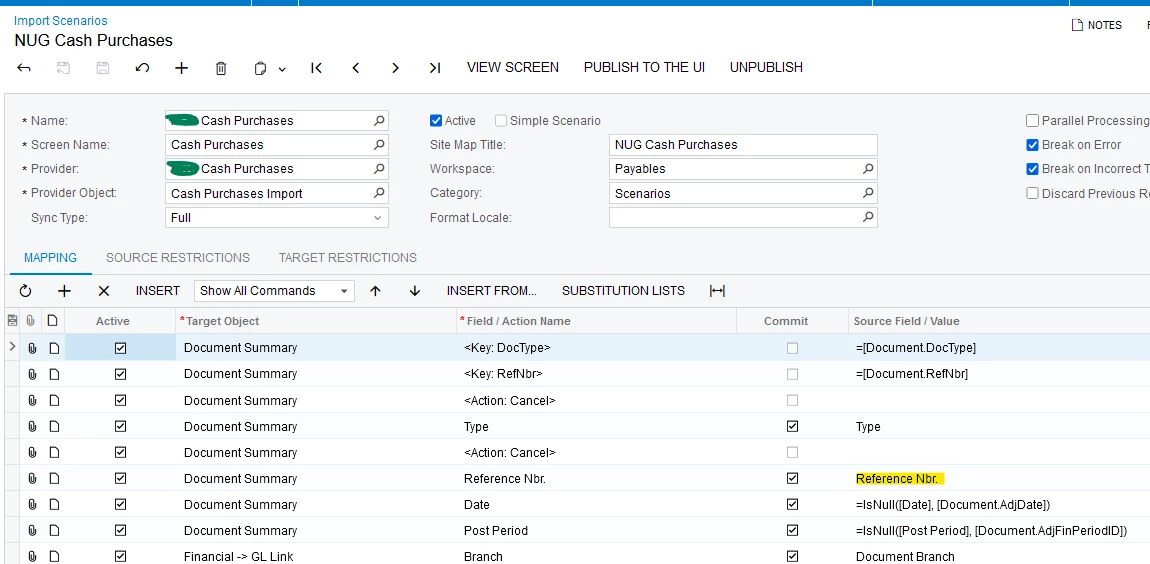
The column letter doesn’t matter - Acumatica uses the column name in your Excel, as matched to the Source/Field name in the right-column shown in Import Scenarios screen.


Laura

Translate

Forum|alt.badge.img
  • Author
  • Freshman I
  • Jun 12, 2024 4:32 PM UTC

@Manikanta Dhulipudi - Correct either each line as a seperate transaction, or as @Laura02 said grouped by the reference number….

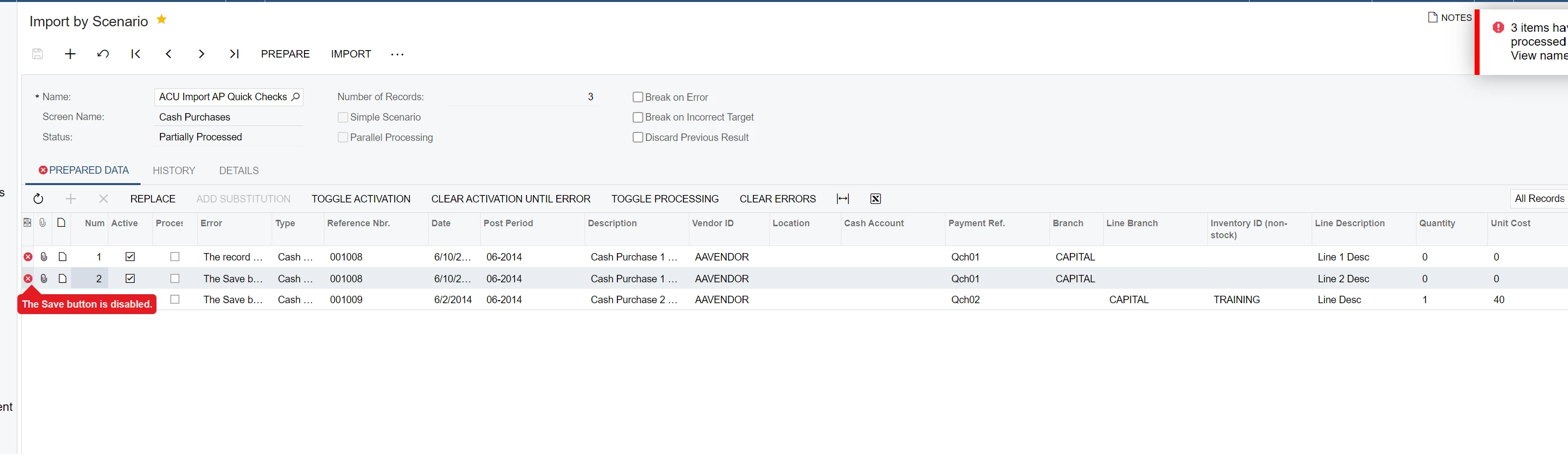
It gave me this error. Save button is disabled...

Thank you so much!

AC

Translate

Manikanta Dhulipudi
Captain II
Forum|alt.badge.img+16

Hi @acraft87 

I have tested the import scenario attached above to import line basis.,


Did you verified?

Translate

Forum|alt.badge.img
  • Author
  • Freshman I
  • Jun 12, 2024 4:37 PM UTC

@Laura02 - Makes sense! Any thoughts on why mine is not doing that?

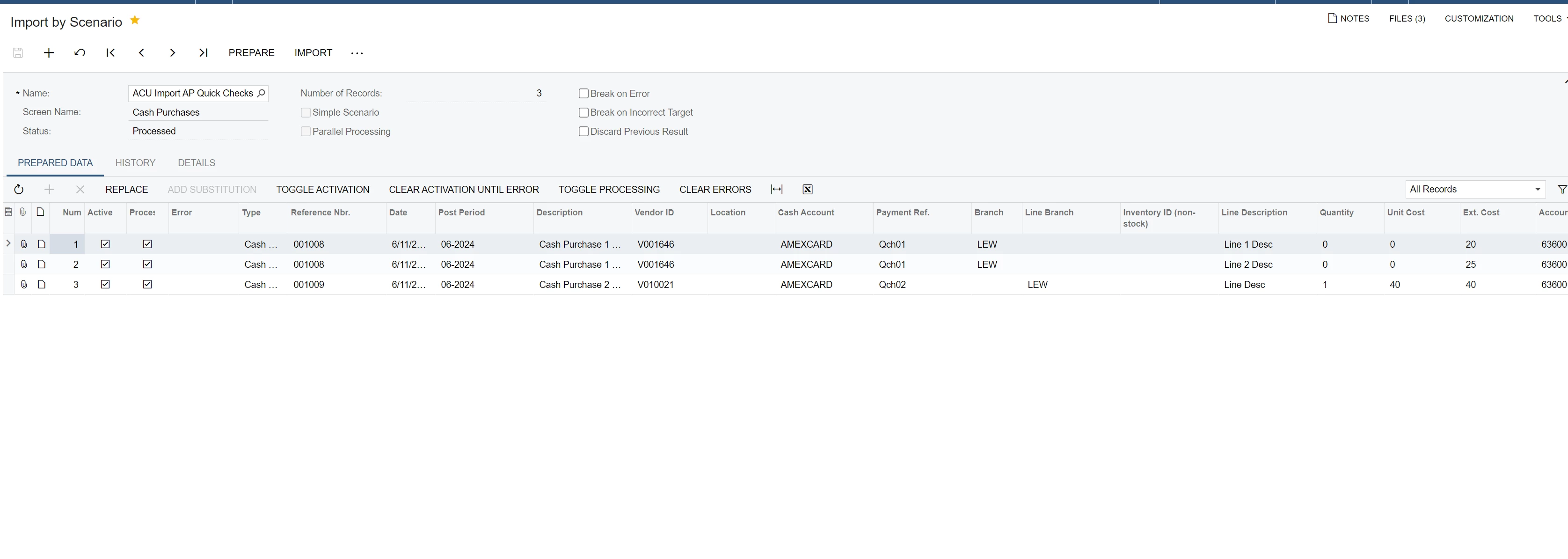
I have different ref numbers

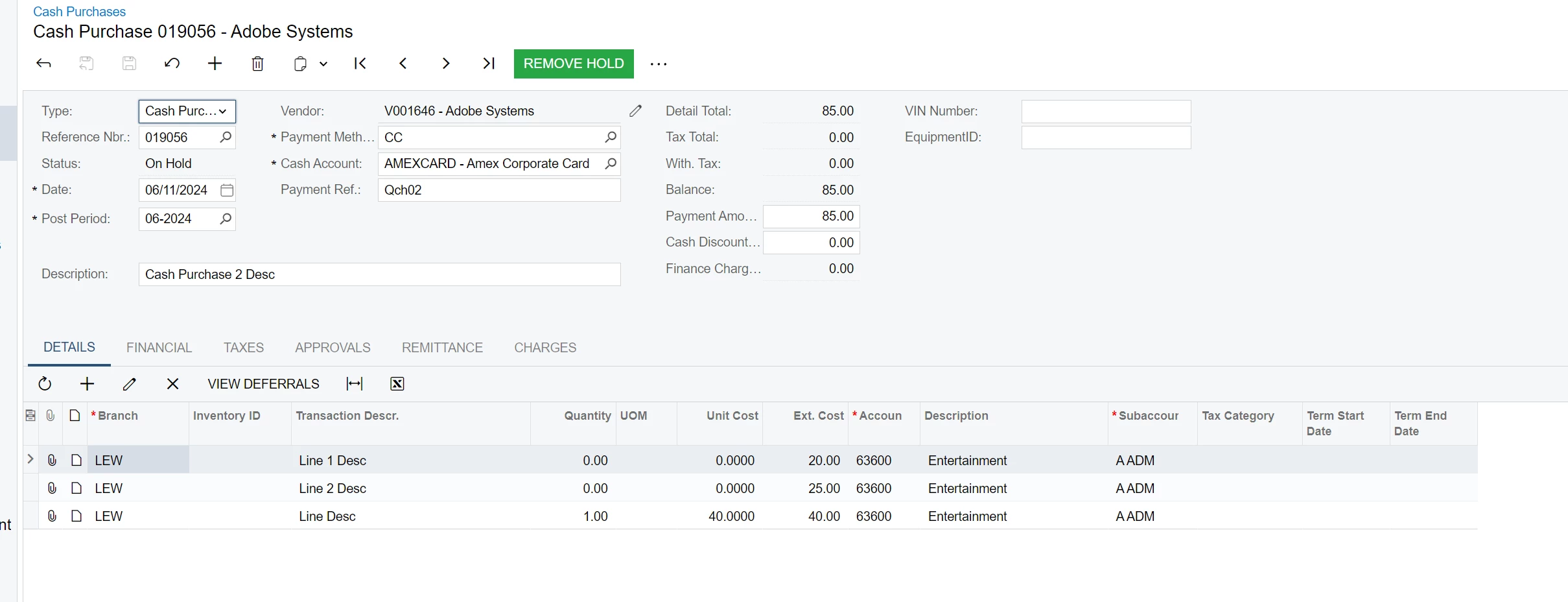
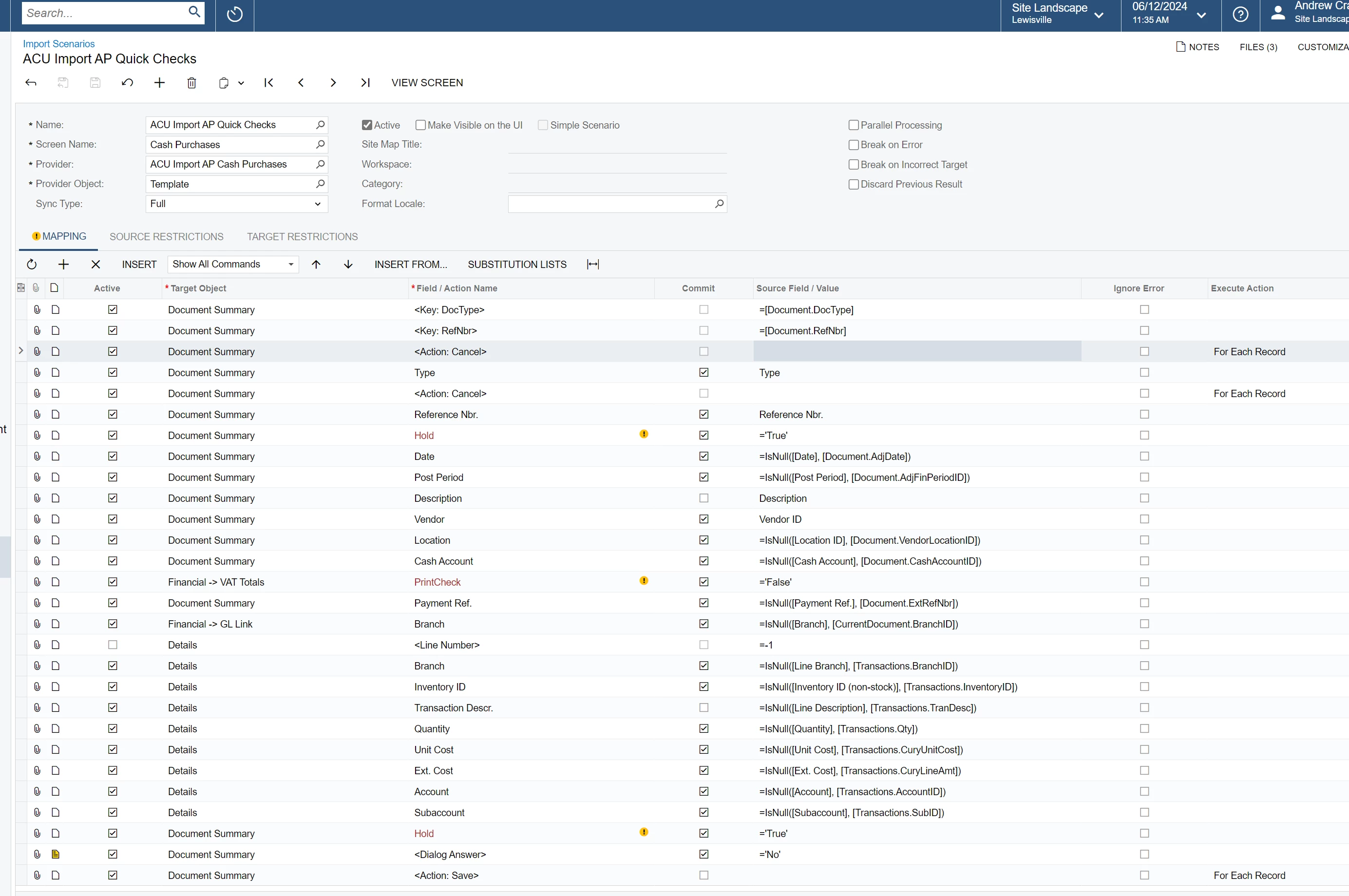
..and my import scenario has the Reference Nbr. field here:

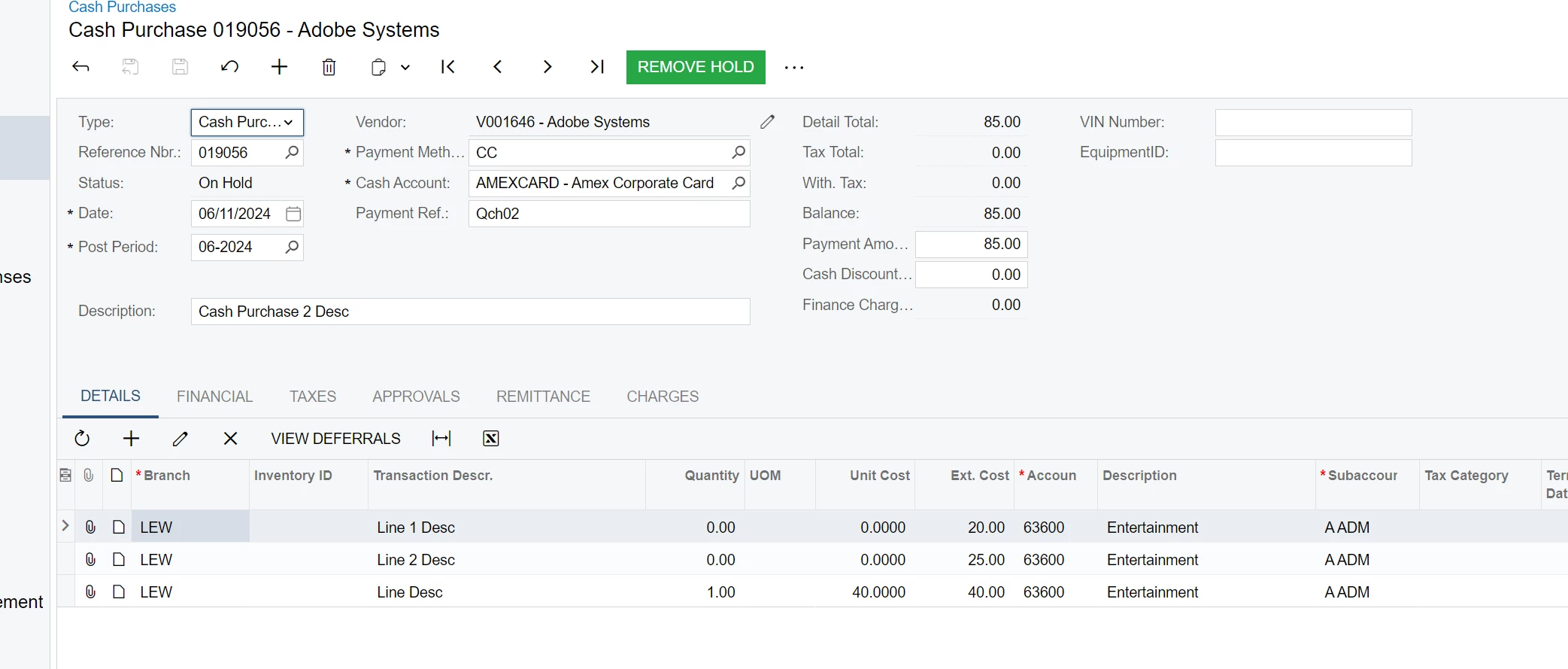
..but I still get this

Instead of 2 separate transaction…..

Translate

Forum|alt.badge.img
  • Author
  • Freshman I
  • Jun 12, 2024 4:38 PM UTC

@Manikanta Dhulipudi - I did, but it gave me a “Save Button is Disabled” error...

Translate

Laura03
Captain II
Forum|alt.badge.img+20
  • Captain II
  • Jun 12, 2024 6:06 PM UTC

Hello,

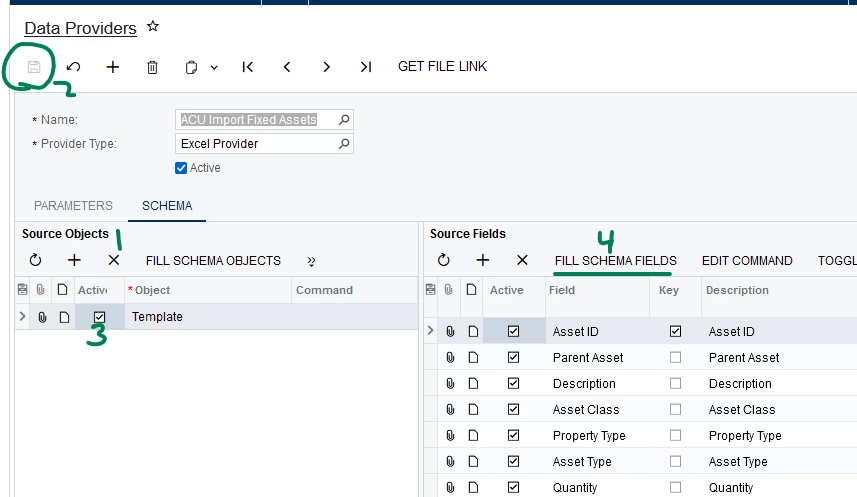
In your Data provider, please remove all attachments except the most recent, and update the Schema tab as follows:

  1. Delete all Objects on the left side using X.
  2. Save
  3. Activate the one tab with multiple reference numbers.
  4. Click Fill schema fields.  Now the file is completely refreshed - has been read into Acumatica anew.

In Import Scenario, de-activate the lines showing yellow Exclamation, (!) and any other fields you are not using, not populating. 

In Import by Scenario, click Prepare and Import.


Thank you.

Laura


Translate

Forum|alt.badge.img
  • Author
  • Freshman I
  • Jun 12, 2024 7:16 PM UTC

Hey @Laura02 It’s still giving me a “Save button is Disabled” error….

Translate

Laura03
Captain II
Forum|alt.badge.img+20
  • Captain II
  • Answer
  • Jun 12, 2024 8:23 PM UTC

Hi,

Try making the reference numbers in the spreadsheet higher than all existing auto-numbered Cash Purchase reference numbers that are already in your Acumatica tenant.

Maybe, 001008 and 001009 already exist in Cash purchases screen. If they do, they’re likely older and already released/not editable. Acumatica may be trying to edit existing records versus adding new.

Try reference numbers A001008, A001009 in the spreadsheet and see if that works better.


Laura

Translate

Forum|alt.badge.img
  • Author
  • Freshman I
  • Jun 13, 2024 12:38 AM UTC

That worked!!!! Actually, I left the Reference Nbr. field blank and it autoincremented!

@Laura02 & @Manikanta Dhulipudi Thank you so much!


AC

Translate