Solved

ACH export with excel type export

  • April 2, 2024
  • 7 replies
  • 280 views
  • Translate All

I am looking to see if it is possible to create an excel export for ACH batch payments and get it to export an excel file instead an txt file.


Thank you. 


Best answer by DavidEichner

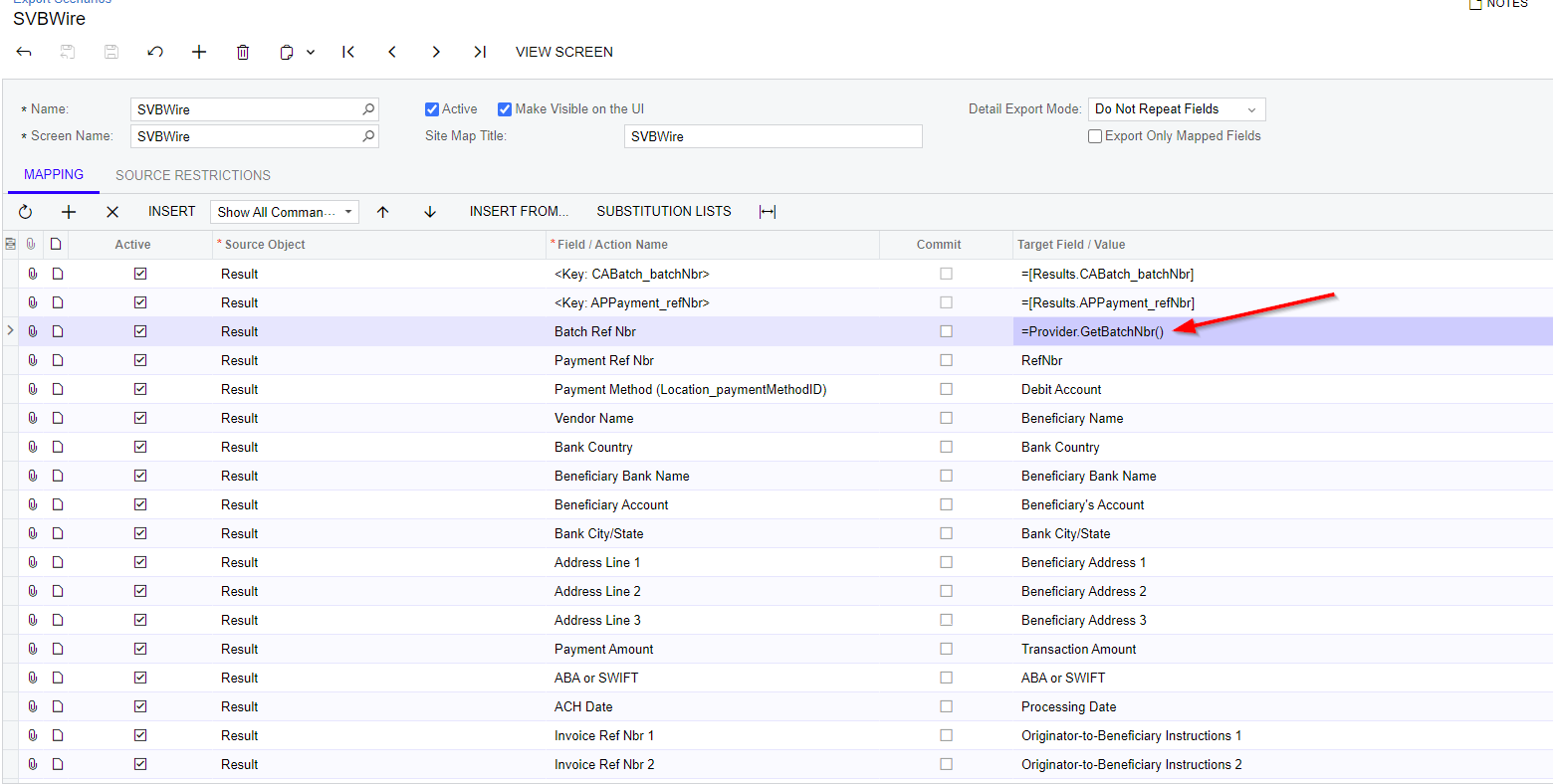
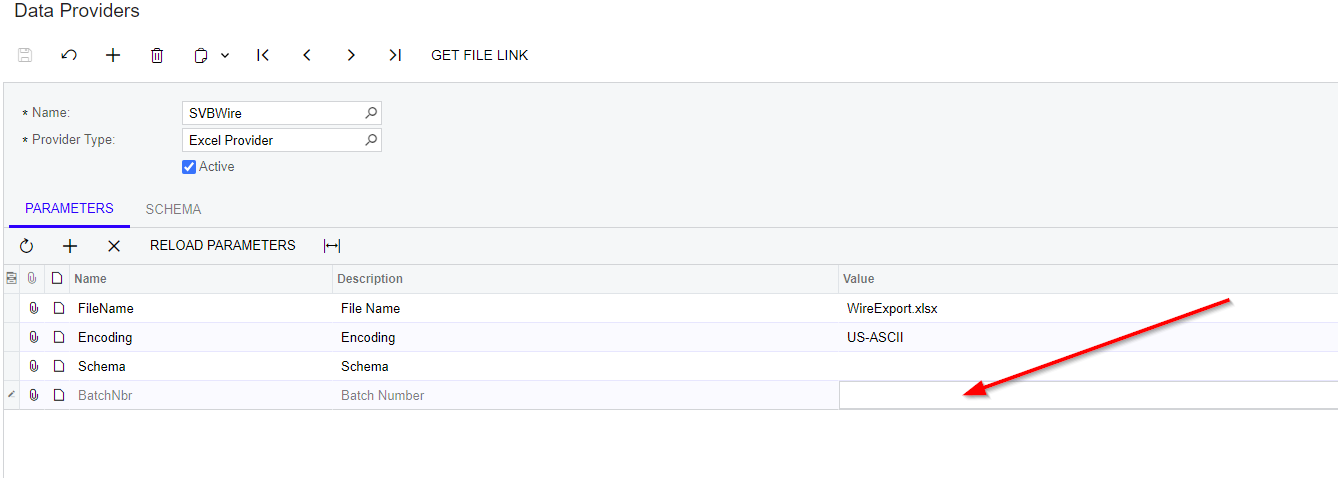
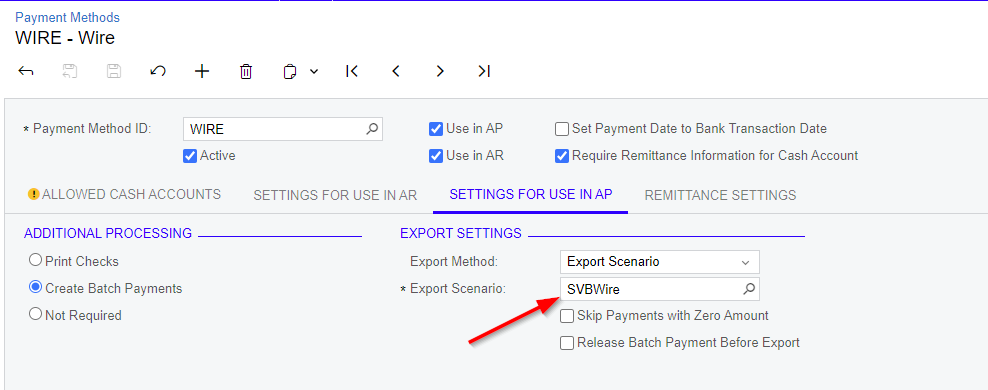
Try using   =Provider.GetBatchNbr() like in this example:


View original

7 replies

DavidEichner
Captain II
Forum|alt.badge.img+14

Hi @aliciacalvillo36 

Have you set up the export scenario yet?  If so, can you share a print screen of that?

BesT,


David

Translate

@DavidEichner 

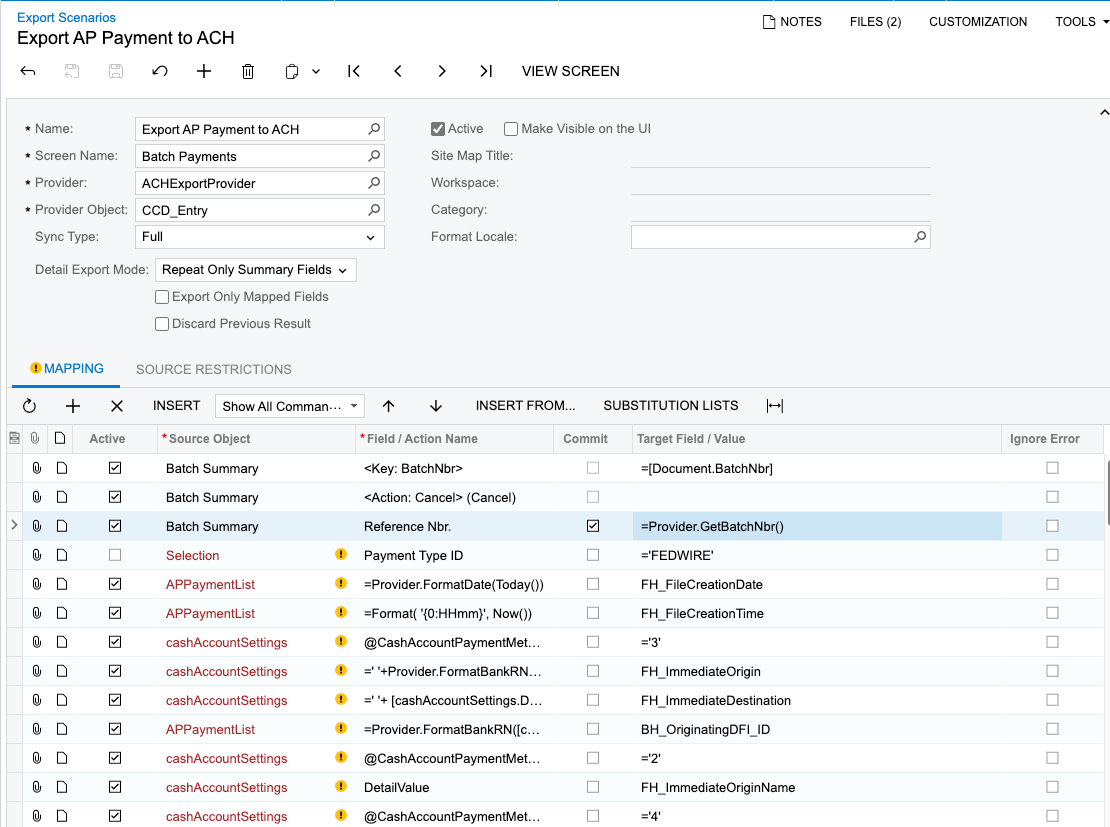
Here is my export…. i believe the issue may be with getting the batch number


Translate

DavidEichner
Captain II
Forum|alt.badge.img+14

What build are you using?

Translate

@DavidEichner 


 23.115.0031 

Translate

DavidEichner
Captain II
Forum|alt.badge.img+14

Try using   =Provider.GetBatchNbr() like in this example:


Translate

I am looking to see if it is possible to create an excel export for ACH batch payments and get it to export an excel file instead an txt file.


Thank you. 
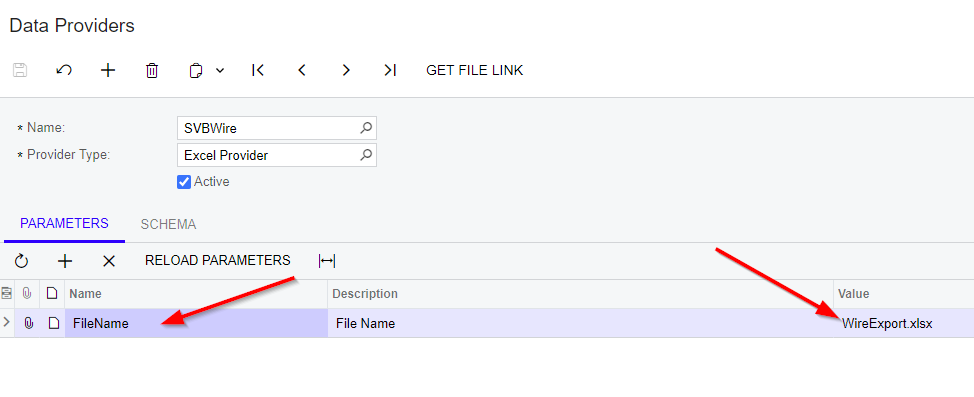


Hi @aliciacalvillo36, the forum has been tick as solved. Can you share with me XML for the data provider & export scenario? I want to explore this same method..

Translate

Hi @mohdeizzuddin77 

I was unable to create an excel export from the ACH scenario.  I ended up just creating an export from a GI. 

Translate