



Good Morning,
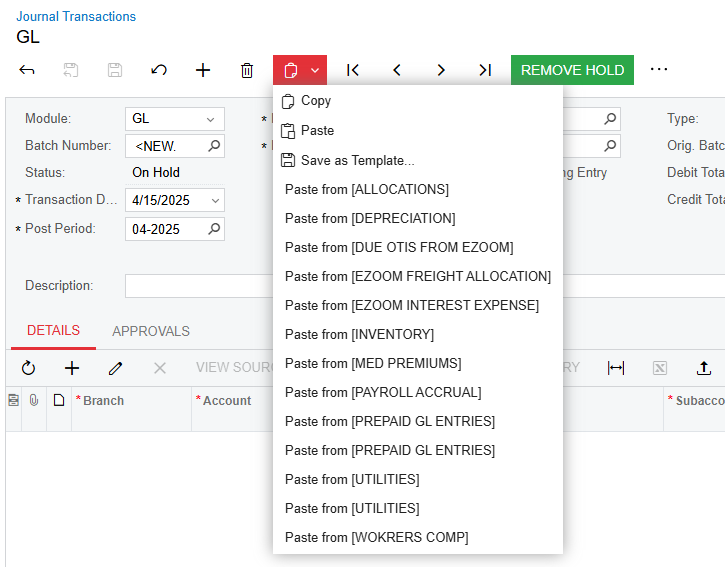
Does anyone know how to remove these saved templates on journal transactions?
Good Morning,
Does anyone know how to remove these saved templates on journal transactions?
Best answer by nhatnghetinh
Hi
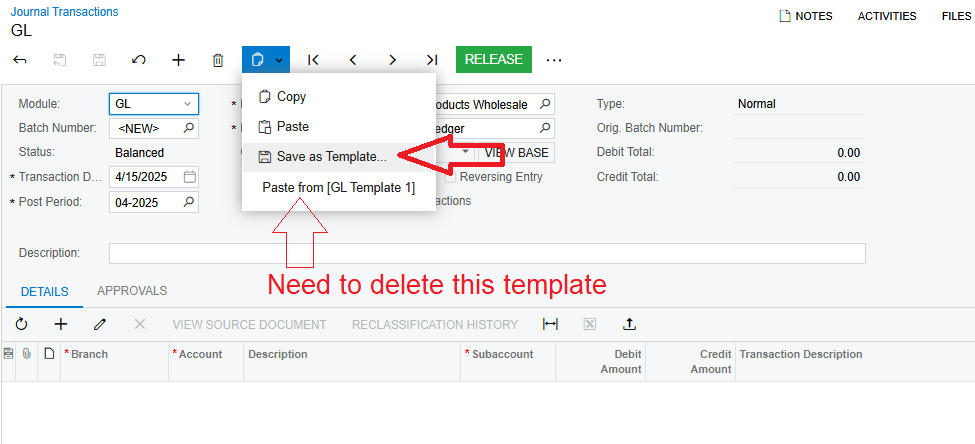
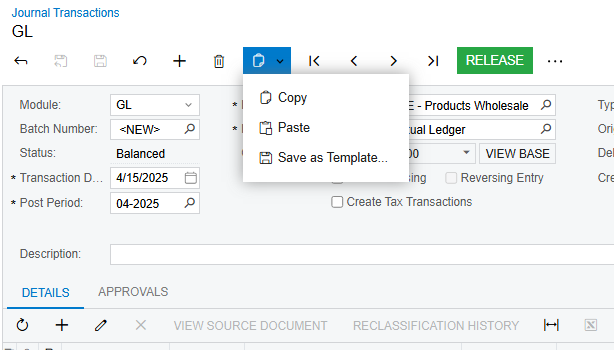
At the Journal Transactions screen > Click "Save as Template" as shown below.
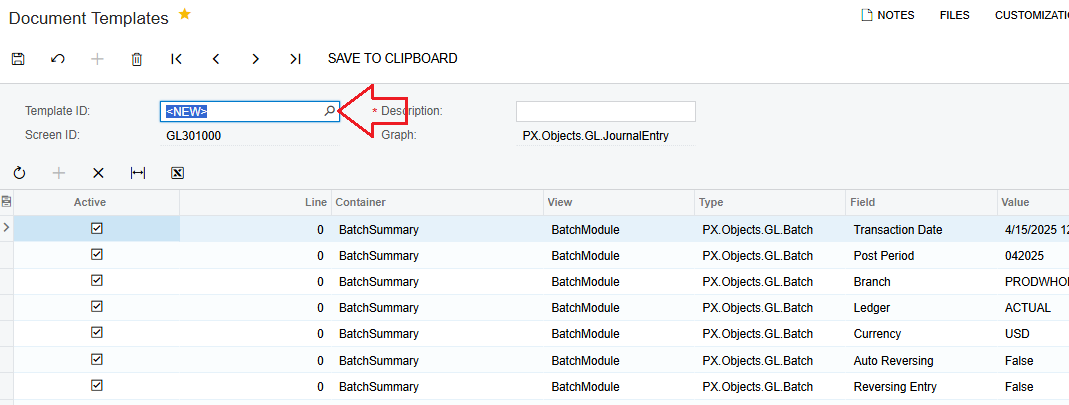
At the Document Templates screen > Click on the Selector of "Template ID" > Select the template you want to delete.
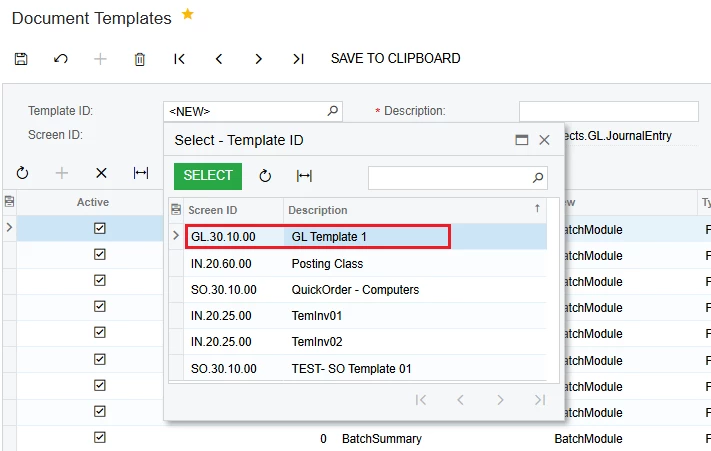
Click Delete
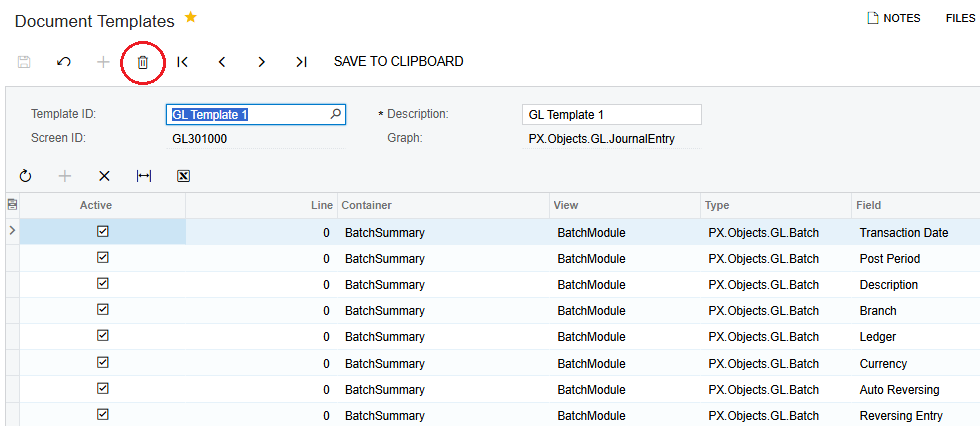
Then go back to the Journal Transactions screen to check > Template has been deleted.
Best Regards,
NNT
Enter your E-mail address. We'll send you an e-mail with instructions to reset your password.



