Solved

Restrict Visibility of GL Account and Subaccount by Company/Branch

  • August 23, 2022
  • 8 replies
  • 1296 views
  • Translate All

Forum|alt.badge.img

Hi All, 

How can I restrict a GL Account and Subaccount to specific company/branch?

Any help will be highly appreciated. 

Thanks, 

Anne Samson

Best answer by Kandy Beatty

HI @ASamson21 

I would suggest going to the Open University and reviewing the S200 training. 


https://openuni.acumatica.com/courses/system-admin/s200-system-administration-advanced/

View original

8 replies

Kandy Beatty
Captain II
Forum|alt.badge.img+18

HI @ASamson21 

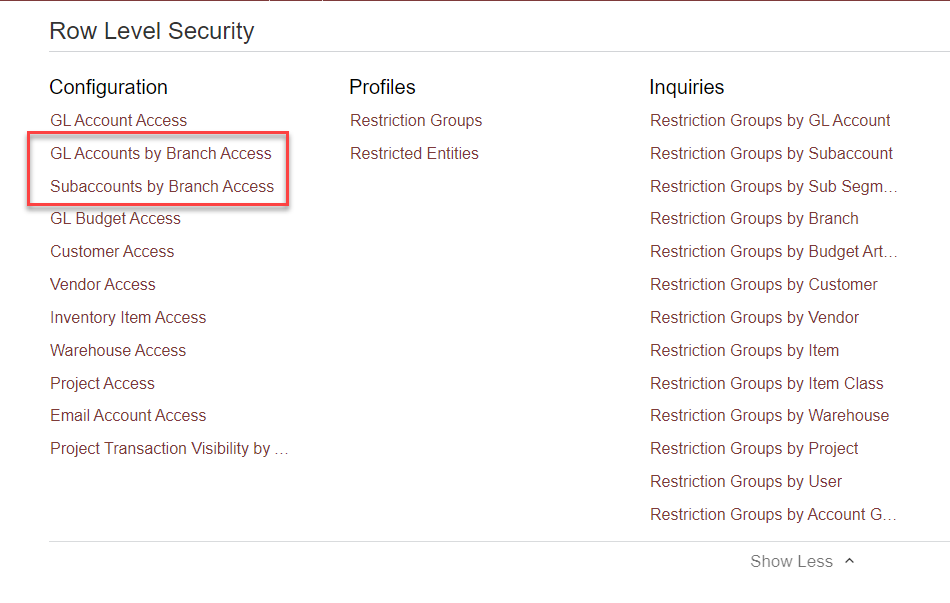
You can achieve this with Row-Level Security:

Here is the help documentation that you can start with to configure this:

https://help-2022r1.acumatica.com/Help?ScreenId=ShowWiki&pageid=749f774f-720d-4fcb-9c48-4df263bc1bd6

Translate

Forum|alt.badge.img
  • Author
  • Freshman I
  • August 23, 2022

Hi @kbeatty21 , 

Thank you for this. I have tried this already but unfortunately I am still able to see the restricted account and subaccount on the Journal Transactions [ScreenId=GL301000] screen. 

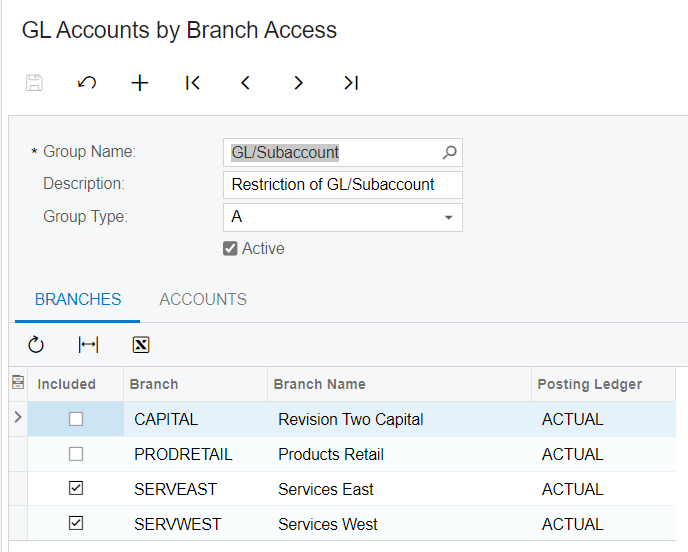
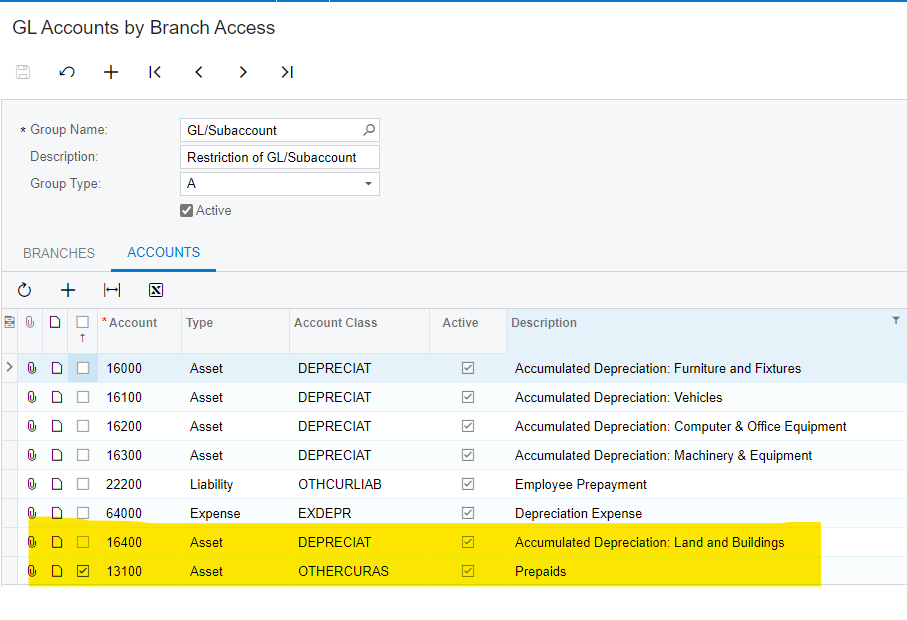
Below are my configurations that I have made. 

When I access the Journal Transactions screen, I expected to see the 13100-Prepaids account based on the configuration that I have made. Unfortunately, I still see all other accounts in the transaction screen.

Is there any configuration that I am missing to configure?

Thanks, 

Anne Samson

Translate

DConcannon
Varsity II
Forum|alt.badge.img+2

@ASamson21 With only 1 screen shot, I would say yes, you are missing configuration. Configuring restriction groups is quite flexible and therefore can end up being complex. It is important to fully understand the options and the full business needs of the organization before embarking on implementing the restriction design.

Translate

Forum|alt.badge.img
  • Author
  • Freshman I
  • August 23, 2022

Hi ​​​​​ @DConcannon , 

Below are the full configuration that I have made. 

Based on this I should be able to see the 13100-Prepaids account alone. But unfortunately, on the Journal Transactions screen other accounts still showing. 

Thanks, Anne

Translate

Kandy Beatty
Captain II
Forum|alt.badge.img+18

HI @ASamson21 

I would suggest going to the Open University and reviewing the S200 training. 


https://openuni.acumatica.com/courses/system-admin/s200-system-administration-advanced/

Translate

Forum|alt.badge.img
  • Author
  • Freshman I
  • August 24, 2022

Hi @kbeatty21 @DConcannon , 


This was resolved already thank you very much for your help. 

Translate

  • Freshman I
  • September 15, 2022

@ASamson21 I am glad you got this resolved.  What step where you missing?  I am having the exact same issue and despite going through all of the referenced training guides and help files I am still unable to resolve this.


TIA

Translate

Forum|alt.badge.img
  • Author
  • Freshman I
  • September 15, 2022

Hi @lrains , 

You have to make sure that all the account and subaccount are assigned to a particular company/branches. Once there is one or multiple account or subaccount that has not been assigned to any group in a restriction group, it will still show those account to all the company/branches, meaning it is not restricted and can be seen to all the company/branches until you include that to a restriction group. 

Hope it helps. 

Thanks,

Anne Samson

Translate