Solved

Report sorting

  • December 7, 2020
  • 8 replies
  • 1631 views
  • Translate All

shmaryarichler
Freshman II
Forum|alt.badge.img

When running reports, for example, the Customer Summary Report I cannot get it to sort by name. It always sorts by the customer ID. I change the sort in the Additional Sort and Filters and  I’ve tried to change the sort in the report designer but it still won’t sort it the way I want.


Any help will be appreciated.


Thanks,
Best answer by Vinay Koppula

@shmaryarichler 

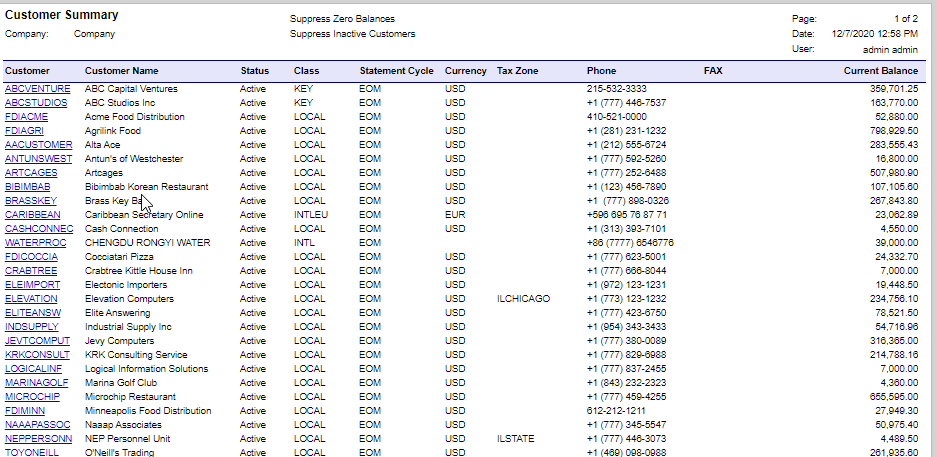
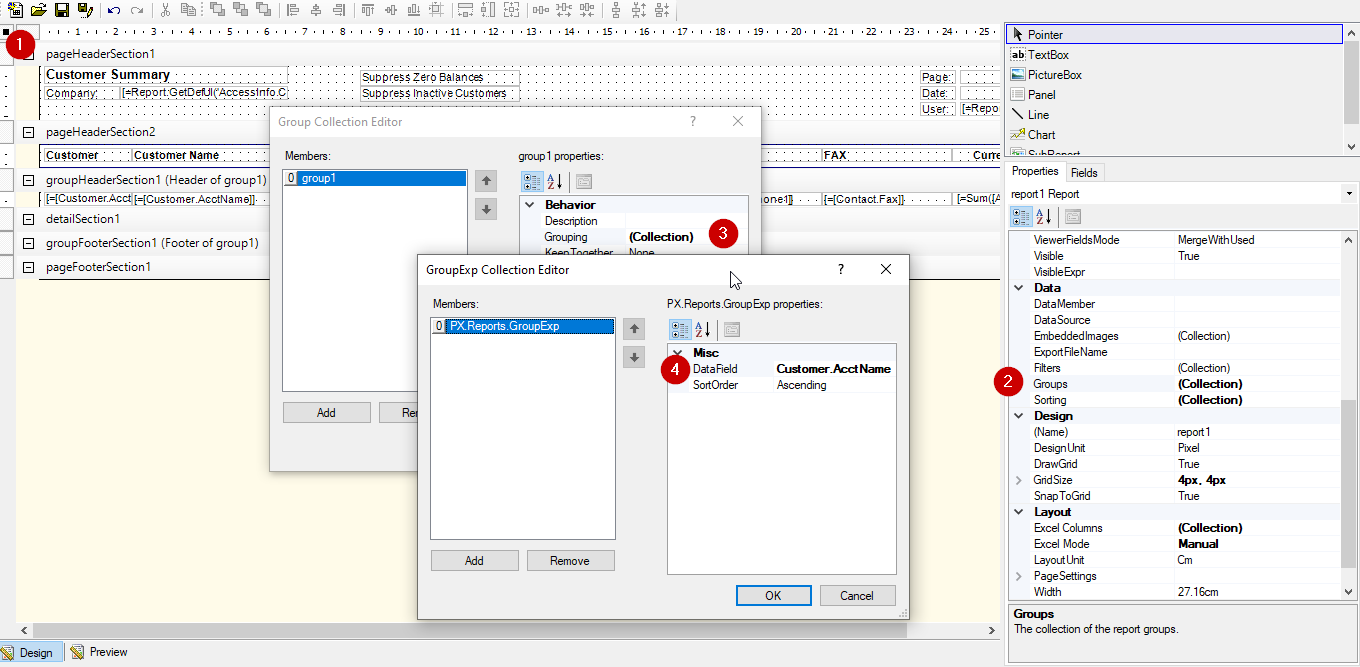
Change the grouping in the report designer from Customer.AcctID to Customer.AcctName will sort the report by name. 

  Result: 


View original

8 replies

Vinay Koppula
Semi-Pro II
Forum|alt.badge.img+1

@shmaryarichler 

Change the grouping in the report designer from Customer.AcctID to Customer.AcctName will sort the report by name. 

  Result: 


Translate

shmaryarichler
Freshman II
Forum|alt.badge.img

Thanks. I tried that and it works now!

Follow up question. Why doesn’t the report allow me to change the sort option? Anytime I change it it still prints in customer name sequence. For example I want to print the AR sorted by amount. The report does not allow me to remove the default sort by customer name and add a sort by amount. Do I have to remove all sorting in the report designer?

Translate

Vinay Koppula
Semi-Pro II
Forum|alt.badge.img+1


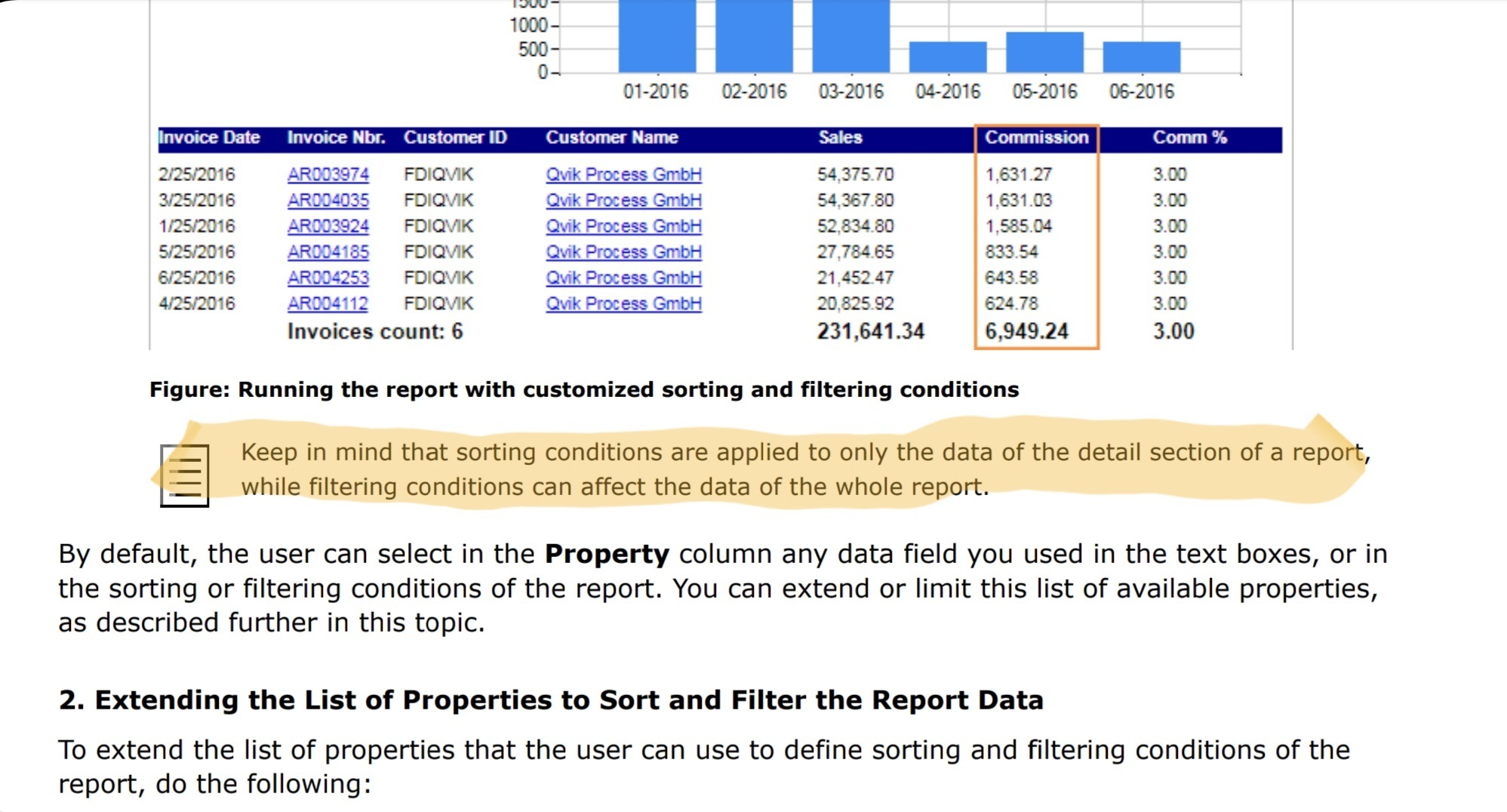
Sorting applies only for the details section of a report, but in customer summary report all the fields are defined in the group header which is why unable to sort the report in the UI.

Translate

Vinay Koppula
Semi-Pro II
Forum|alt.badge.img+1

@shmaryarichler 


For more understanding follow the below ticket. 

Why sorting in report designer does not work? Is it only effect for detail sections? | Community (acumatica.com)

Translate

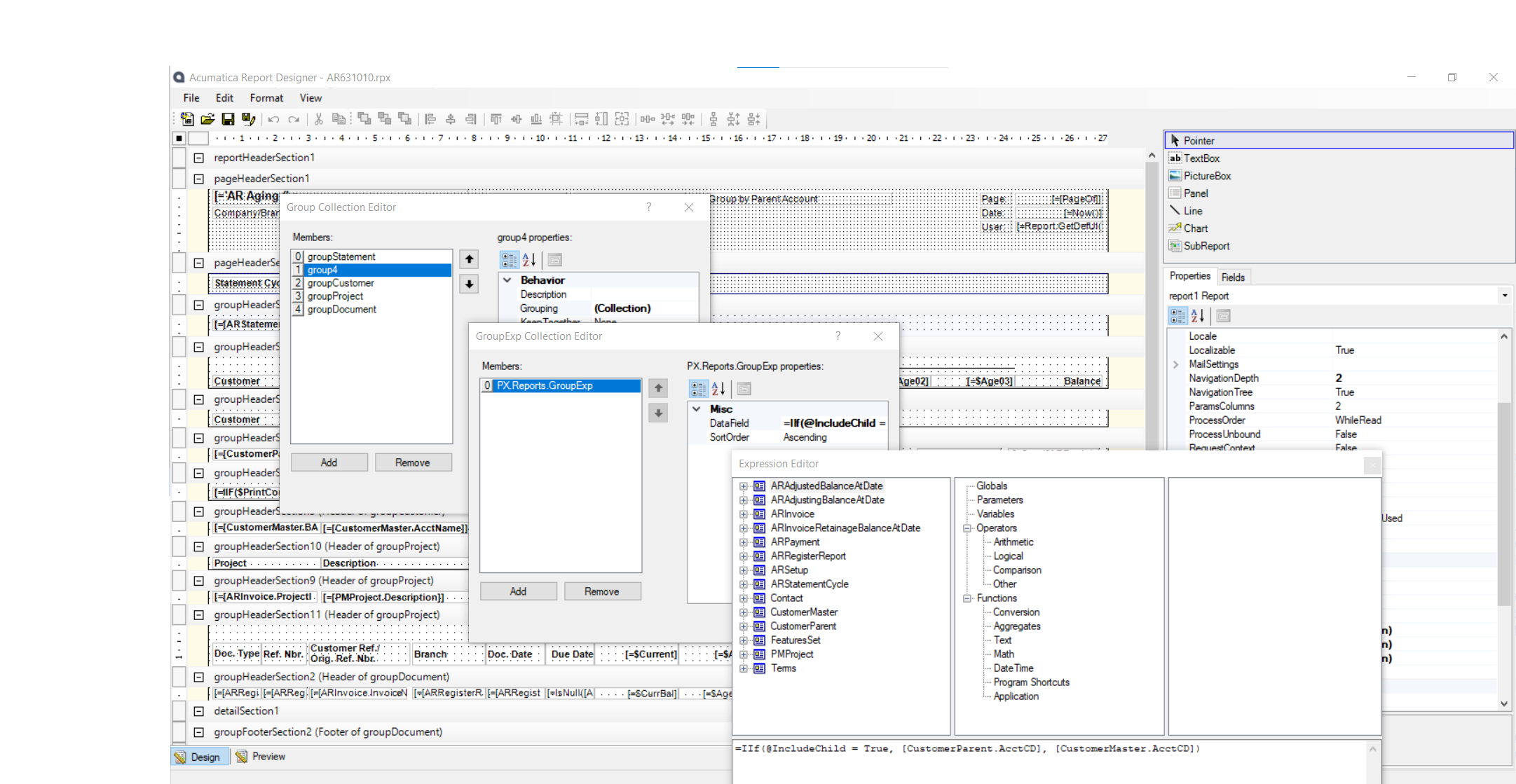
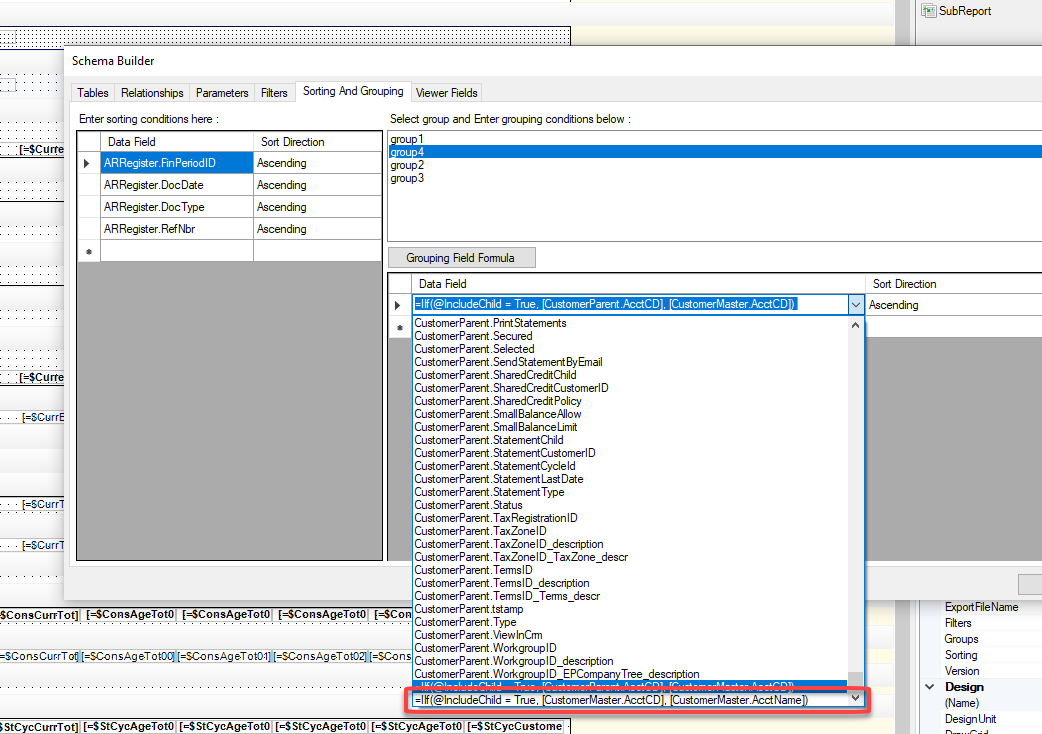
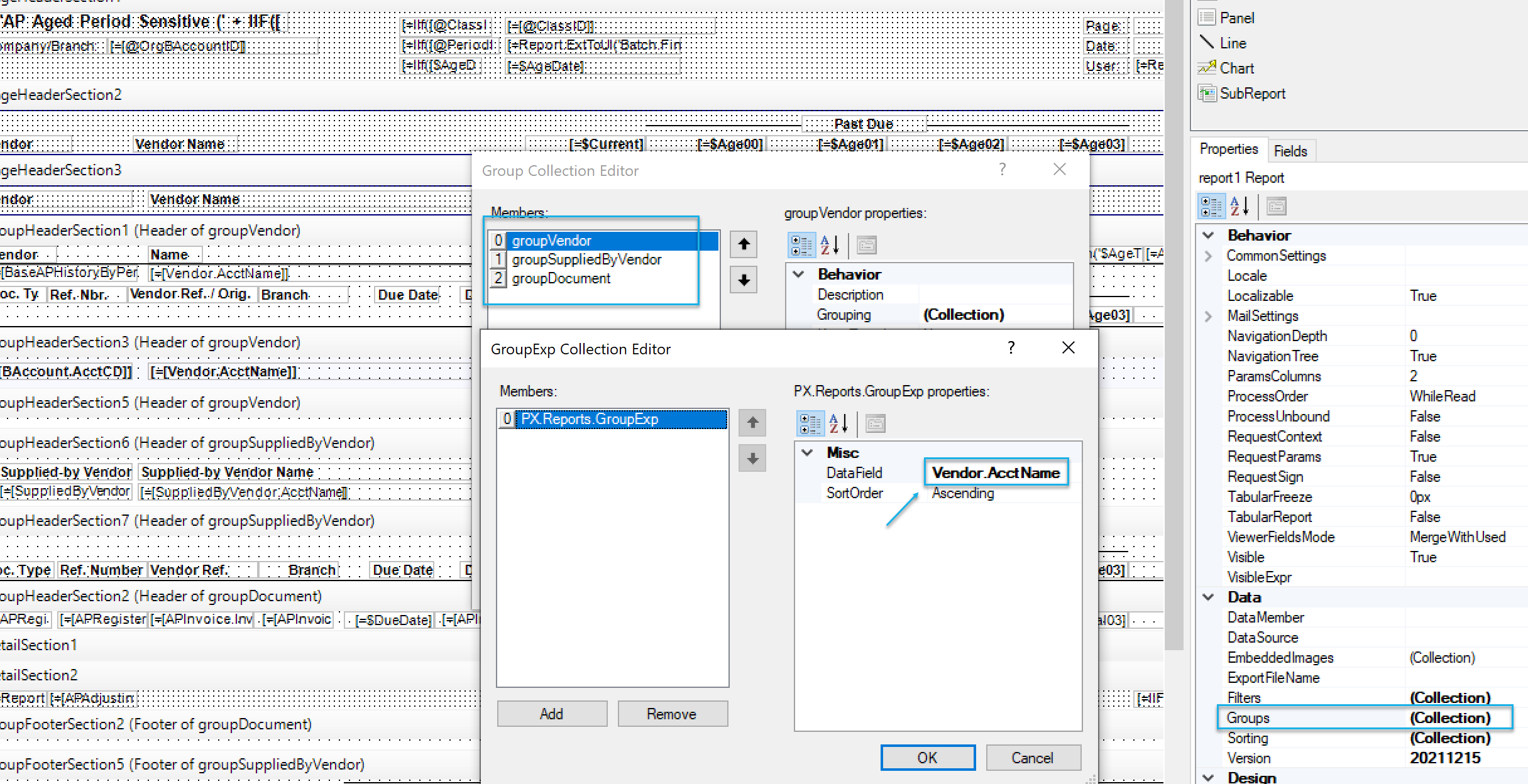
Hey all, So I’m having issues trying to implement this on an Aging report. (AR631010) My client just wants to sort this report by Client name instead of ID. Every time I change the document to match the screens above the report just errors out. Any idea what I could be doing wrong? Thanks!


Translate

Forum|alt.badge.img+1

Try this one

Translate

Foujan
Jr Varsity II
Forum|alt.badge.img
  • Jr Varsity II
  • February 8, 2024

Hello,

We have tried to ascend the AR Aging and AP Aging reports based on customer and supplier names.

In the grouping section of the report, both reports have a few grouping.


So, we had to change all ‘AccountCD’ fields to ‘AccName’.
And it worked perfectly! :)


Translate

Kandy Beatty
Captain II
Forum|alt.badge.img+18

Try this one

I need this and it worked perfectly! Thank you @dboes14 

Translate