Solved

how to display total, value column by formula IIF?

  • February 10, 2025
  • 5 replies
  • 205 views
  • Translate All

snapitupulu55
Freshman I

i am trying to setup Total row in ARM, after set formula in column. 

How do I display the total that I have created in the row set? I was asked to create a Trial Balance with an ending balance of Debit and Credit, as a result the column uses a fairly long formula. My guess is that because of the formula, the total row set cannot display the sum. or maybe because I am using a subaccount 
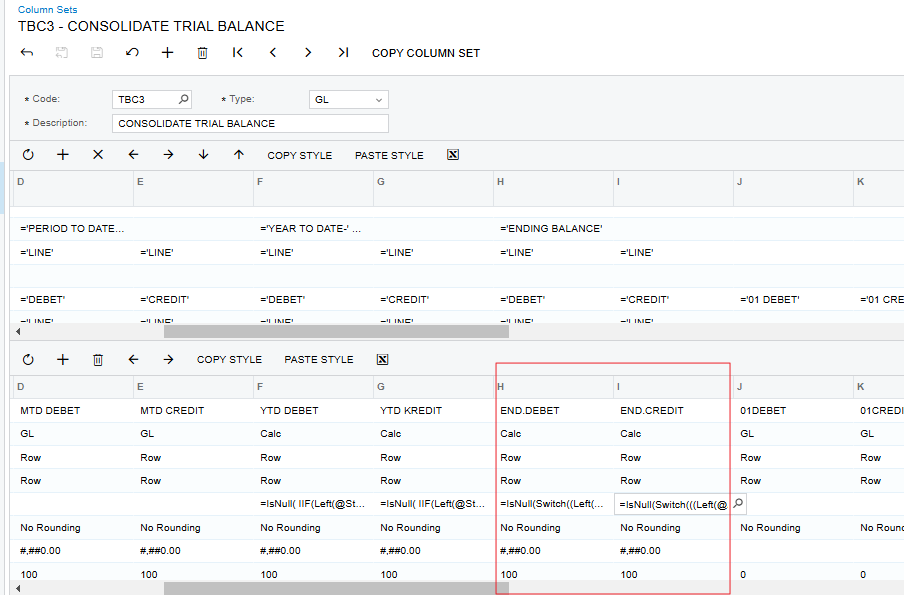
Row Set
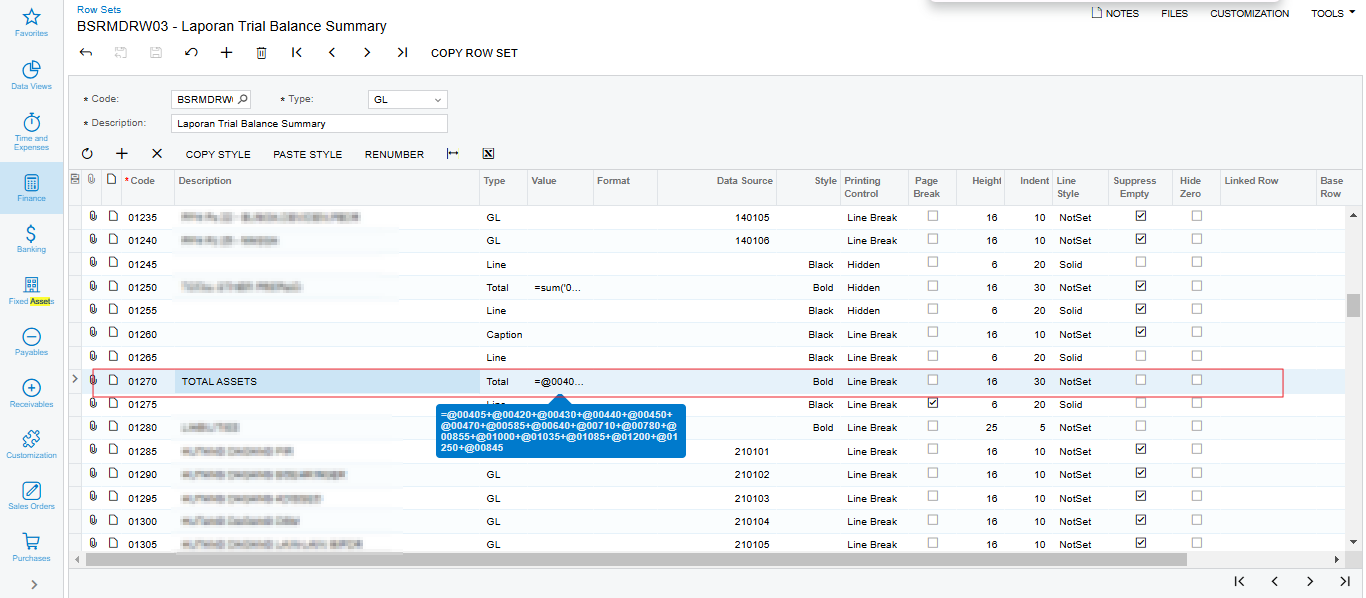
 

the total row set cannot display the sum.

 

Thank you,

Jefri

Best answer by DasunPerera91

Hi ​@snapitupulu55 

Can you try setting the Cell Evaluation Order on Column Set to ‘Column’ in H & I columns?

If this does not work, the issue might be in Column Set formula used.

View original

5 replies

nhatnghetinh
Captain II
Forum|alt.badge.img+14

Hi ​@snapitupulu55 

The total in the Row Sets is simply the sum of the rows that you want to sum.
Your problem may be because the formula to retrieve data for columns in Column Sets is not correct.


Best Regards,

NNT

Translate

dcomerford
Captain II
Forum|alt.badge.img+16

​@snapitupulu55 Agree with ​@nhatnghetinh Would suggest to trouble shoot start with a simple formula of just two rows and then keep adding to it

Translate

snapitupulu55
Freshman I

Thank you ​@nhatnghetinh I'm still having trouble making a simple example, because with a simple scenario there is no problem, the total row appears.

Translate

nhatnghetinh
Captain II
Forum|alt.badge.img+14

Hi ​@snapitupulu55 

Please attach your ARM report and some screenshots describing the problem you are having.


Best Regards,

NNT

Translate

DasunPerera91
Acumatica Employee
Forum|alt.badge.img+2

Hi ​@snapitupulu55 

Can you try setting the Cell Evaluation Order on Column Set to ‘Column’ in H & I columns?

If this does not work, the issue might be in Column Set formula used.

Translate