Solved

how to disable the export to excel button on the customer generic list?

  • November 11, 2021
  • 6 replies
  • 909 views
  • Translate All

Forum|alt.badge.img

Hello everyone,


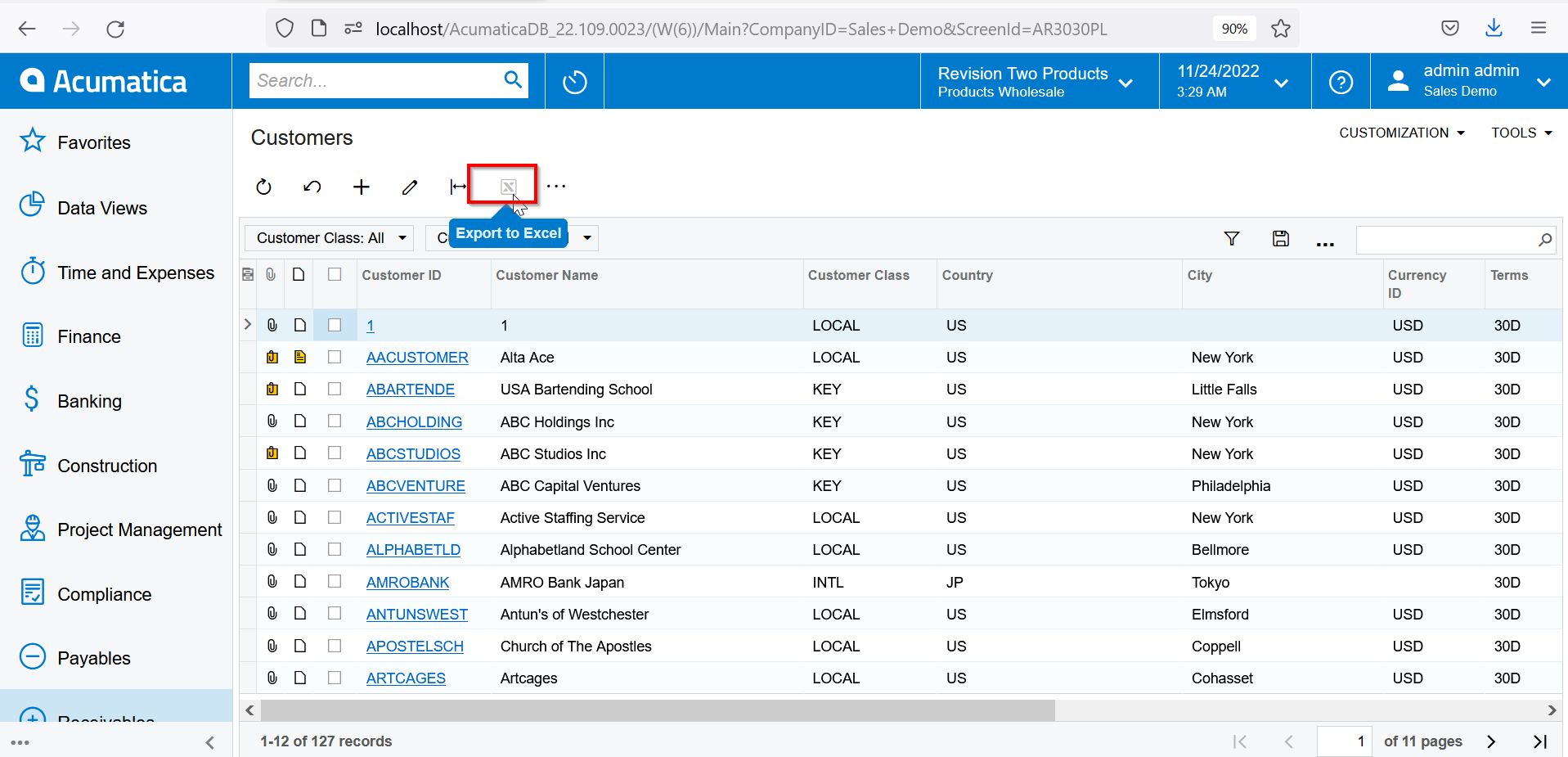
with the rising trend on data privacy, how can I disable the ‘export to excel’ button on the customer generic list for most users? Thank you.


Kind regards,

mrivera67

Best answer by Naveen Boga

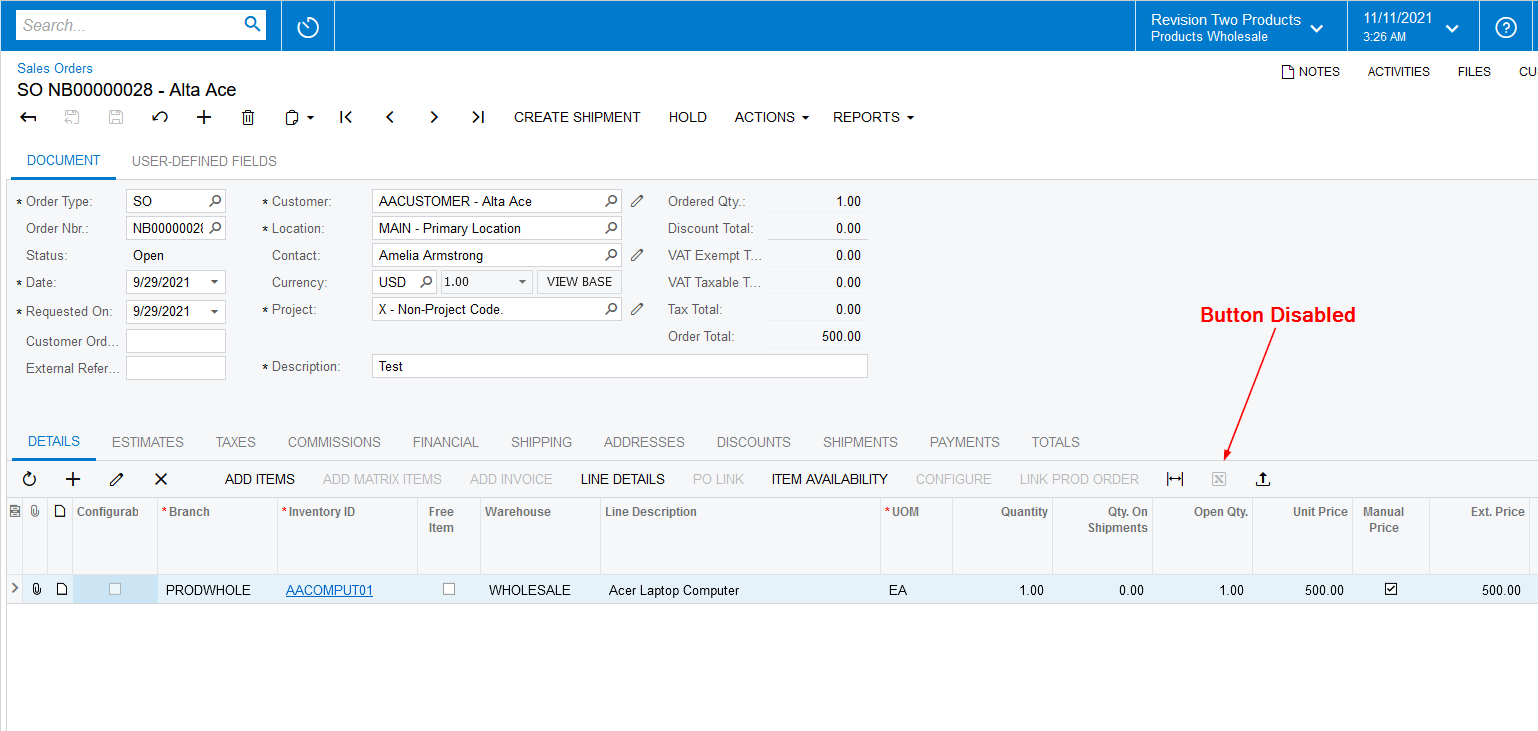
Hi @mrivera67  I just worked on the Sales Orders screen, Document Details grid, I can able to disable the export excel button using below code.

Action Name: ExportExcel


   <px:PXToolBarButton Text="" CommandSourceID="ds" CommandName="ExportExcel" Enabled="false" />


View original

6 replies

Naveen Boga
Captain II
Forum|alt.badge.img+20
  • Captain II
  • Answer
  • November 11, 2021

Hi @mrivera67  I just worked on the Sales Orders screen, Document Details grid, I can able to disable the export excel button using below code.

Action Name: ExportExcel


   <px:PXToolBarButton Text="" CommandSourceID="ds" CommandName="ExportExcel" Enabled="false" />


Translate

Vinay Koppula
Semi-Pro II
Forum|alt.badge.img+1

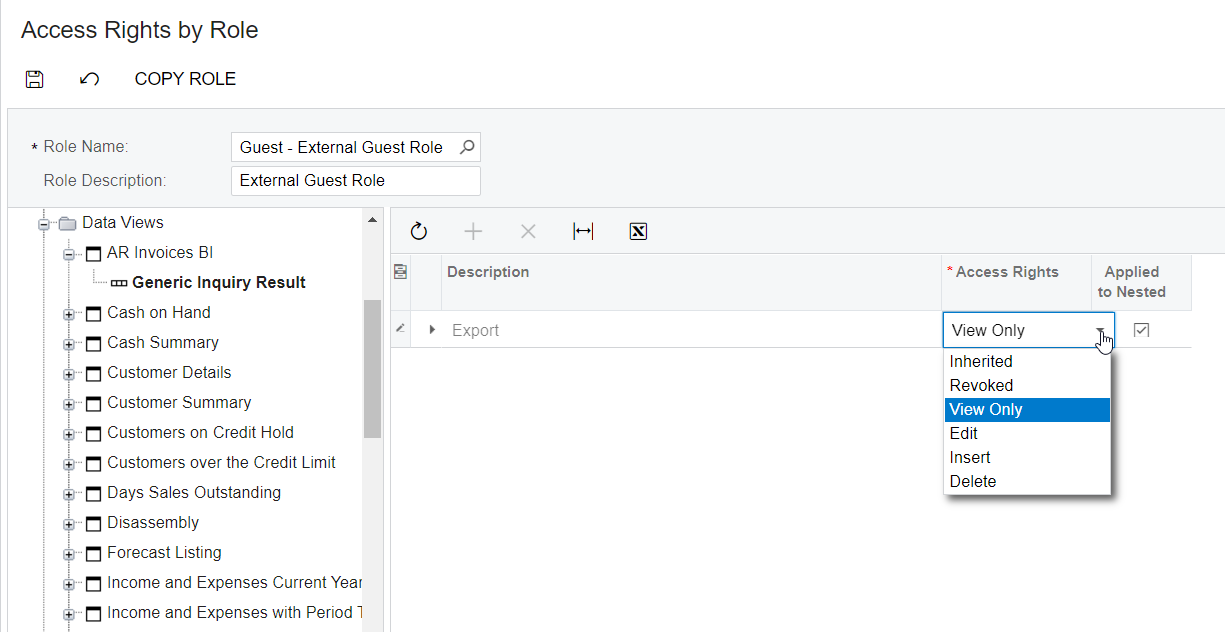
@mrivera67 You can set the access rights using the  Access rights by role or Access rights by user to disable the export option. 
Below is the reference to set the access rights by role. 


Happy Coding!

Translate

Forum|alt.badge.img
  • Author
  • Freshman I
  • December 1, 2021

@Naveen B , where do I exactly put the code you shared?


Thank you!

Translate

Naveen Boga
Captain II
Forum|alt.badge.img+20

Hi @mrivera67  I have disabled the Export Excel button in Sales Order screen → Document Details tab.


Can you please let me know, in which screen do you want to disable this Export Excel button? 

Translate

Forum|alt.badge.img
  • Author
  • Freshman I
  • November 12, 2022

Why is this still not working on my instance? I am running 2021 r2.

Translate

Yasas Withanage
Acumatica Employee
Forum|alt.badge.img+5

@mrivera67 

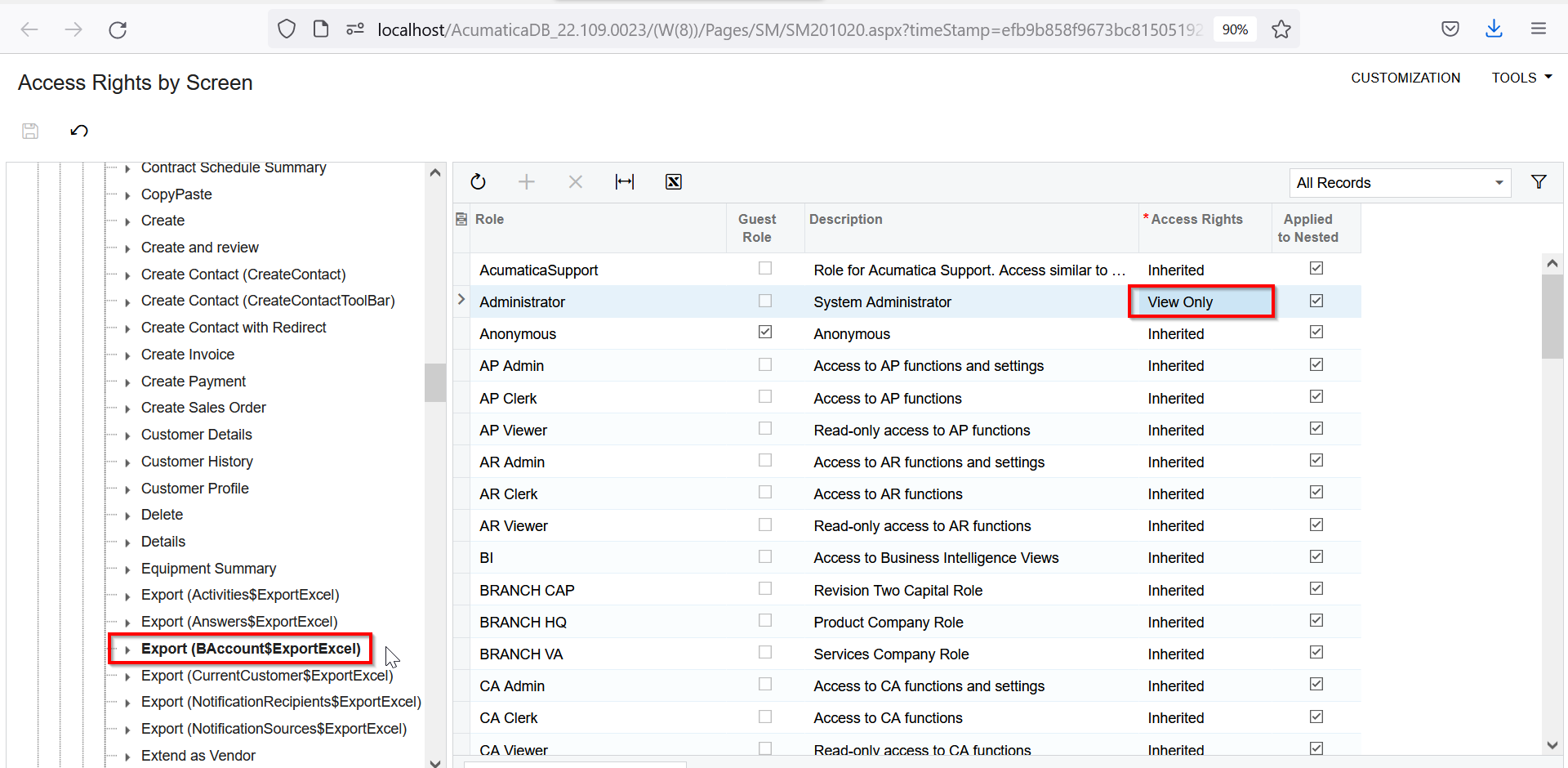
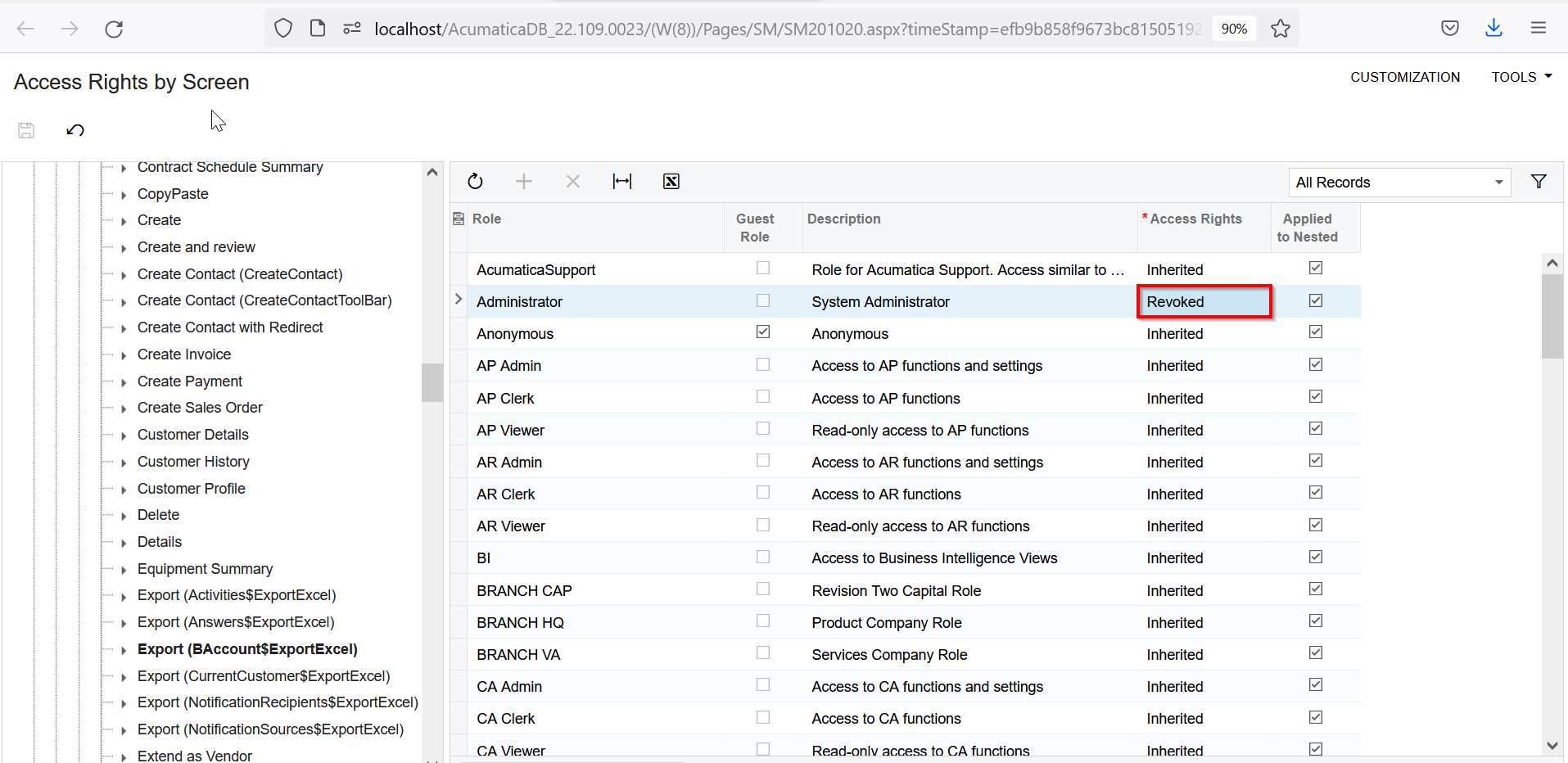
You can try to revoke the access to export option in the GI.

Navigate to the access rights screen and then navigate according to the below path.

Receivables > Customers > Customer > Export (BAccount$ExportExcel) and select view only.


Translate