Answer

How to check who create a journal in the system?

  • December 28, 2023
  • 5 replies
  • 149 views

Forum|alt.badge.img

Hi,

Is there a way to check which user create a journal in the system and when it was created?


Thank you.


Regards,


Raymond

Best answer by Laura03

Hello,

Click Column Configurator button to expose hidden Created, Created by fields to the Journal Transactions Preview List.
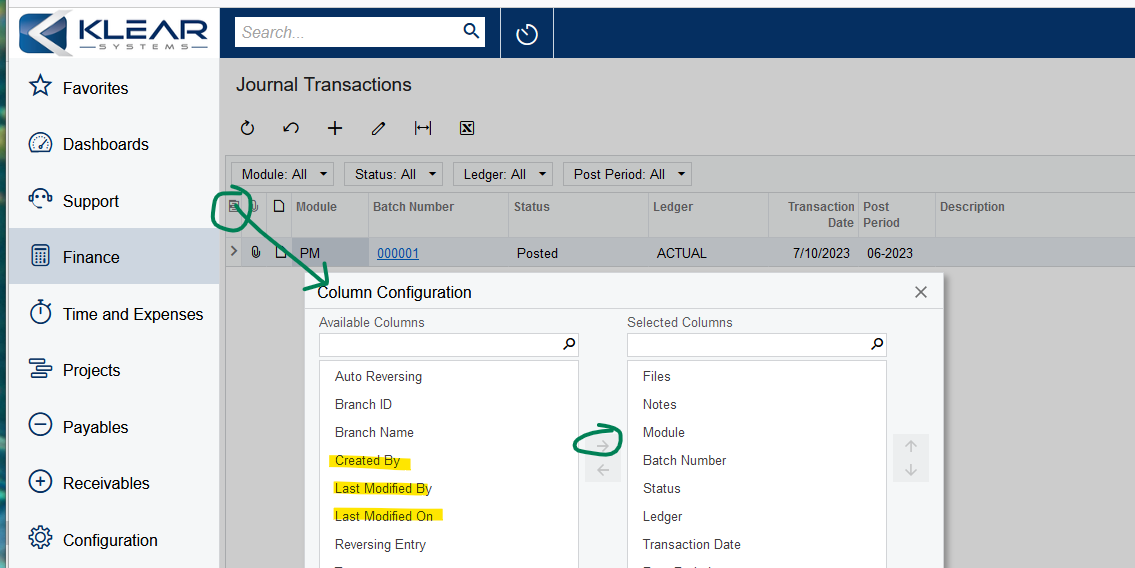
Laura

5 replies

Laura03
Captain II
Forum|alt.badge.img+19
  • Captain II
  • Answer
  • December 28, 2023

Hello,

Click Column Configurator button to expose hidden Created, Created by fields to the Journal Transactions Preview List.

Laura


Forum|alt.badge.img
  • Author
  • Jr Varsity III
  • December 29, 2023

Thanks a lot!


Kandy Beatty
Captain II
Forum|alt.badge.img+17
  • Captain II
  • December 29, 2023

HI @Rmak0501 

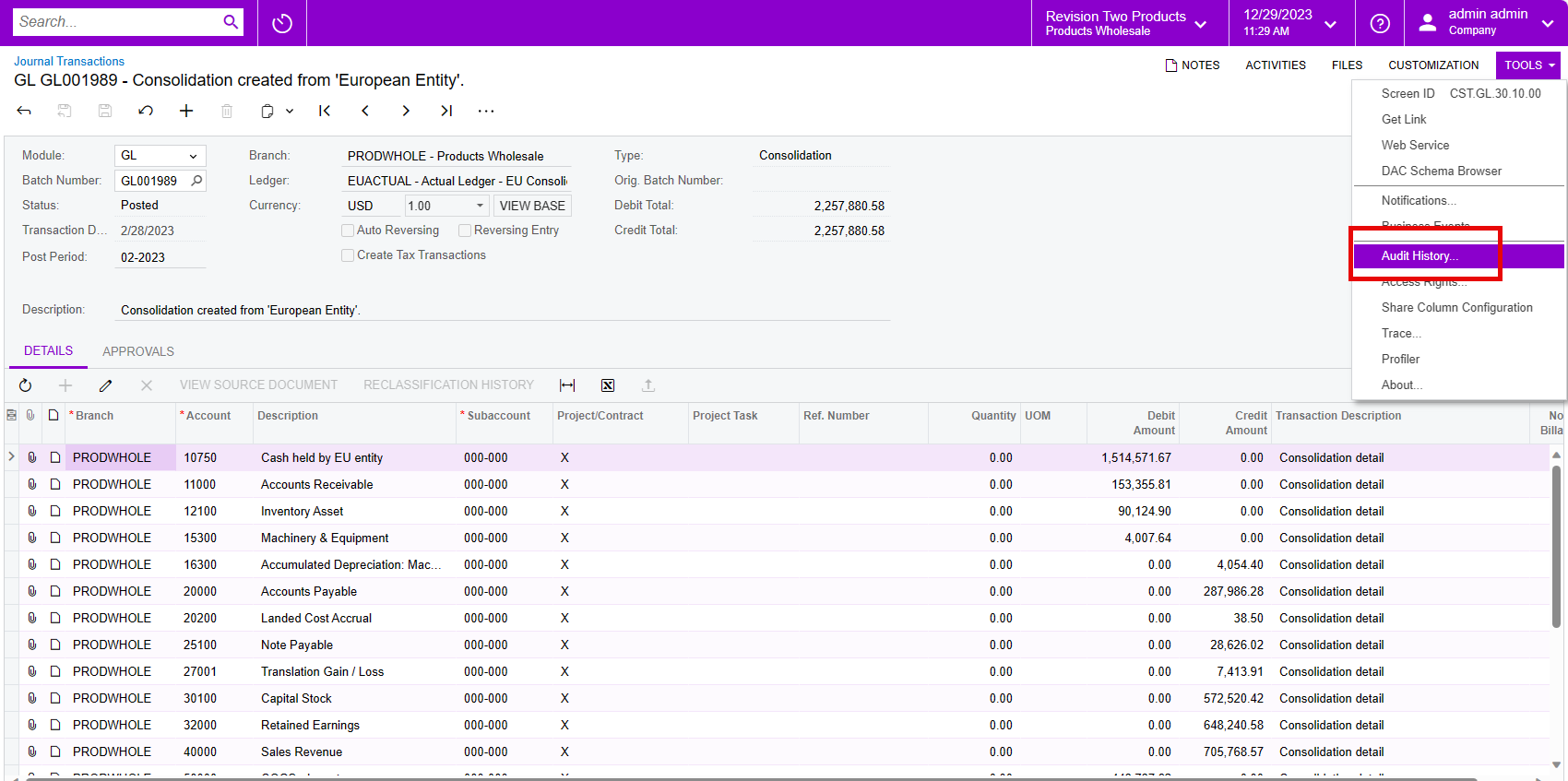
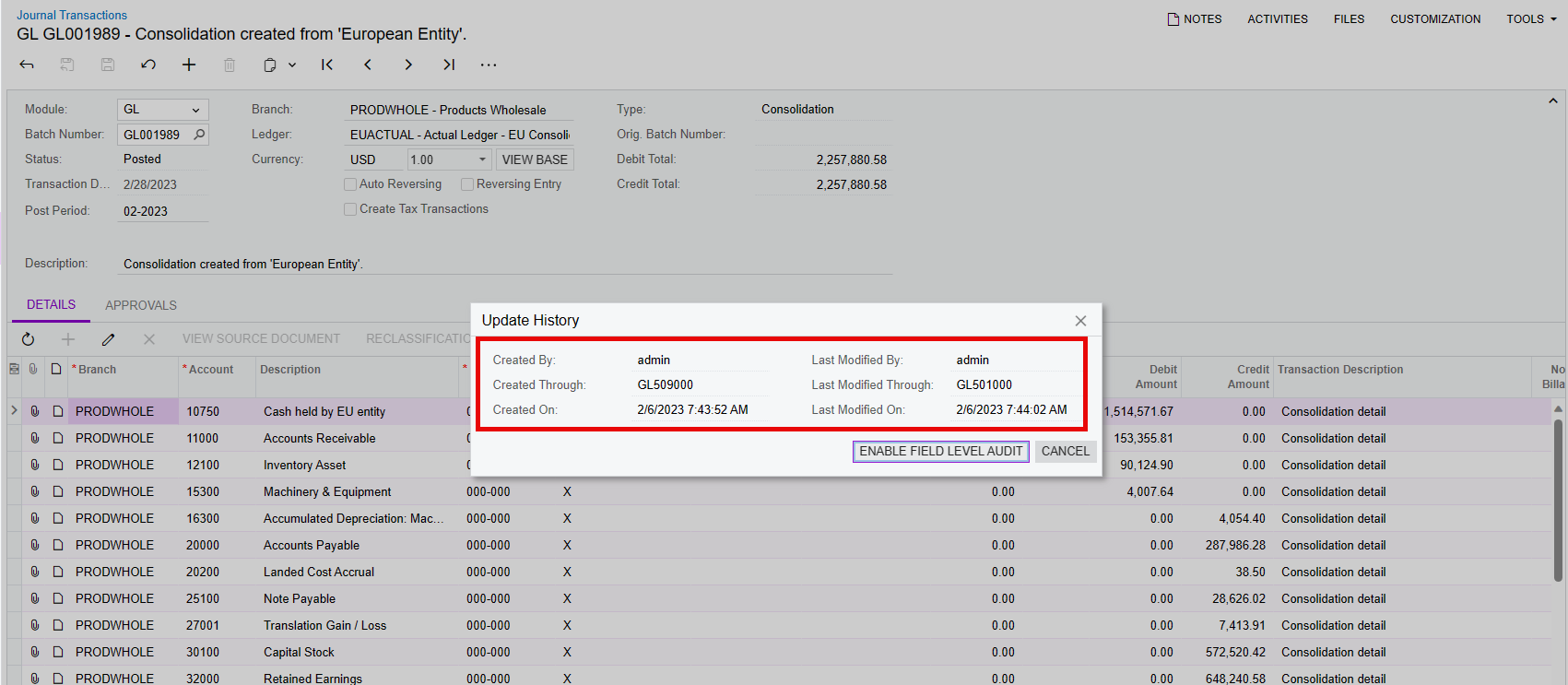
Along with what @Laura02  stated, I like to use the Audit history, it will show you who created a transaction and last modified it. This can be used in other areas than journal transactions also should you ever need it. 

You do need the Field Level Audit Role, but once you have that, you can go to Tools > Audit History


Forum|alt.badge.img
  • Author
  • Jr Varsity III
  • December 29, 2023

Thank you!


Manikanta Dhulipudi
Captain II
Forum|alt.badge.img+15

https://community.acumatica.com/develop-customizations-288/does-acumatica-has-any-method-to-identify-how-a-record-has-been-created-16653Hi @Rmak0501 

There are two ways to see the informations. 

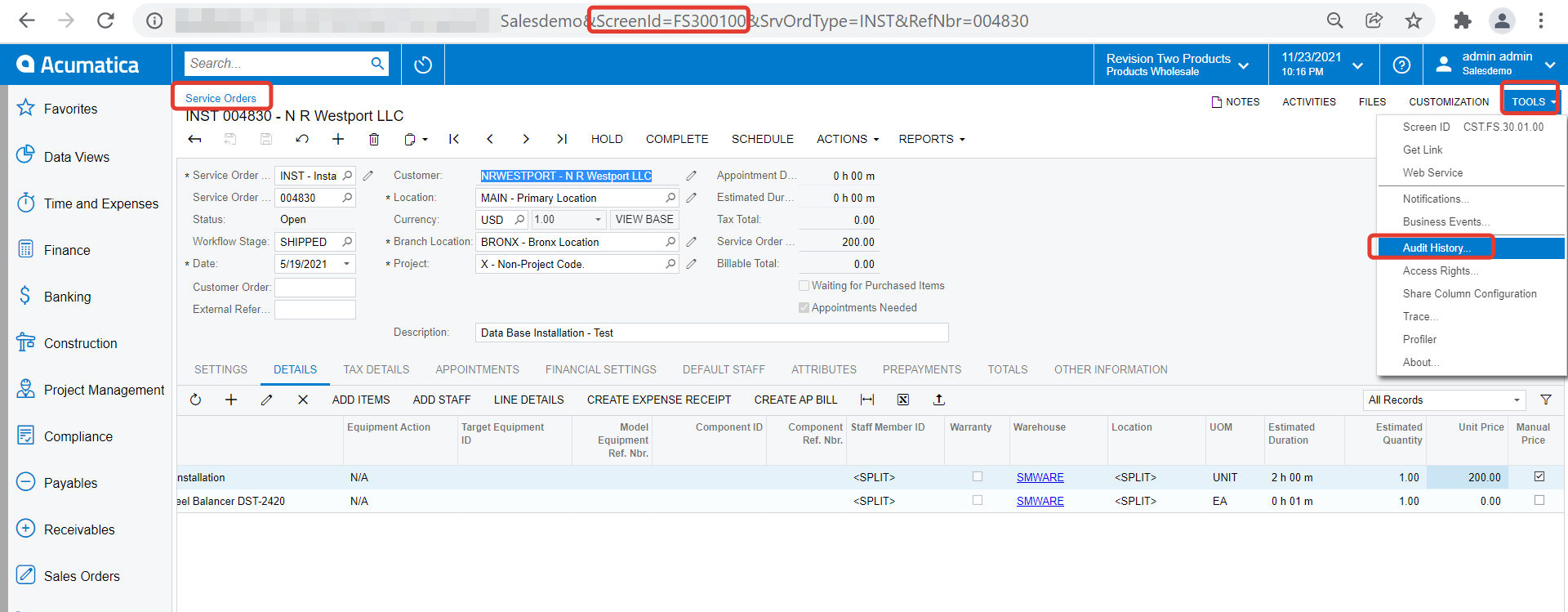
  1. Enable the Audit History, which will provide the detailed information of what was edited and who or from which screen the values were edited/created/Deleted. 
  2. Create a GI having Audit fields, where you can see the details of Created/modified date and CreatedBy and ModifiedBy                                                                                                                                                    

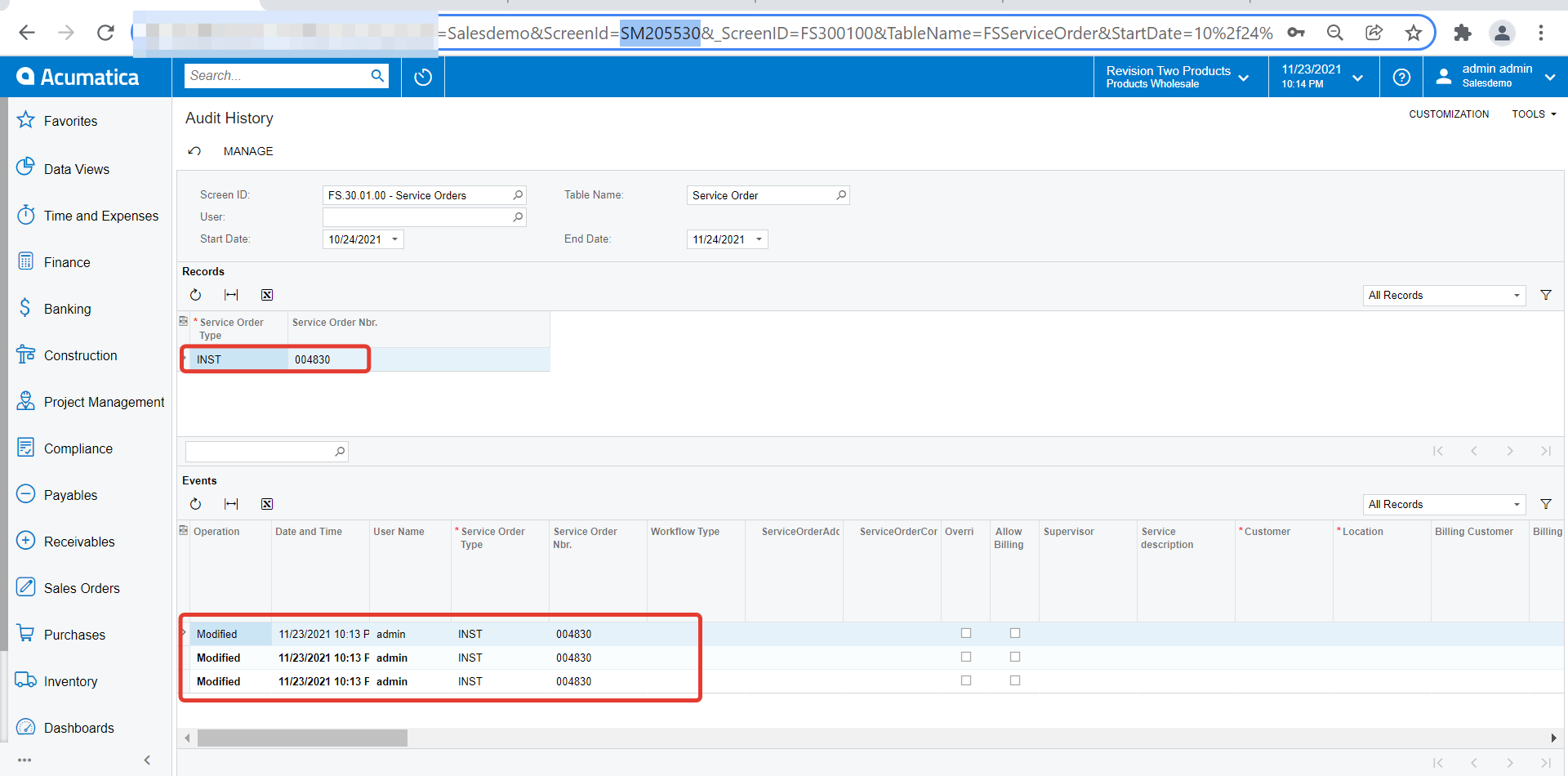
    once you enable Audit history for specific screen, you can also use our default Inquiry  ‘Audit History’ (ScreenID: SM205530) to view the details. Here are two screenshots which elaborates this.

  3. Out of the box Inquiry ‘Audit History’
  4. You can scroll right to find nature of modification