Answer

How to add a surcharge

  • September 9, 2021
  • 4 replies
  • 702 views

Forum|alt.badge.img+1

Hi everyone,


I want to add a 8% surcharge to the invoice. I tried to apply a -8% discount. It’s working but the problem is this surcharge will not apply to every customer. I want to know anyway to apply a surcharge by percentage ? like non-stock item or others.  
Best answer by vkumar

Hi @larryly 

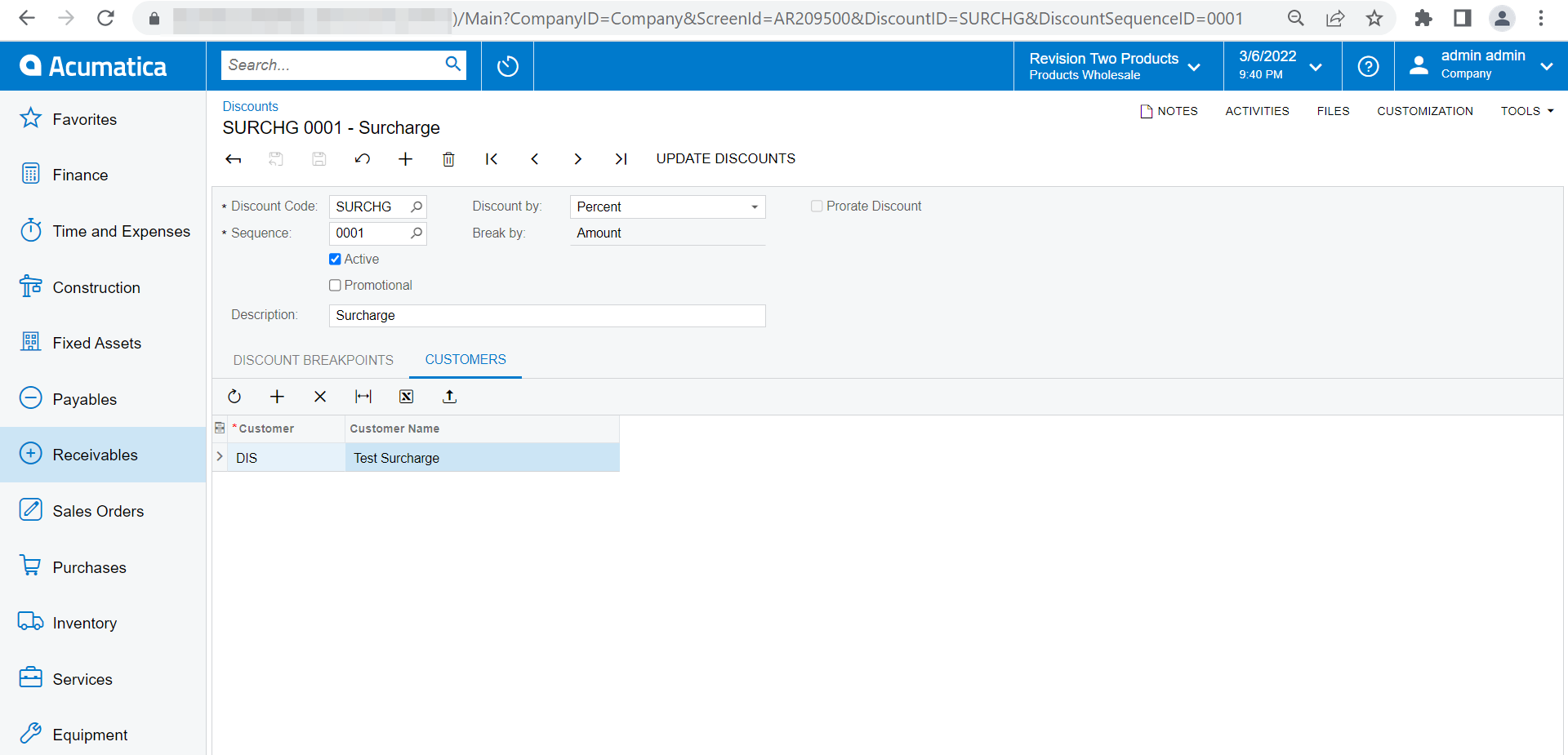
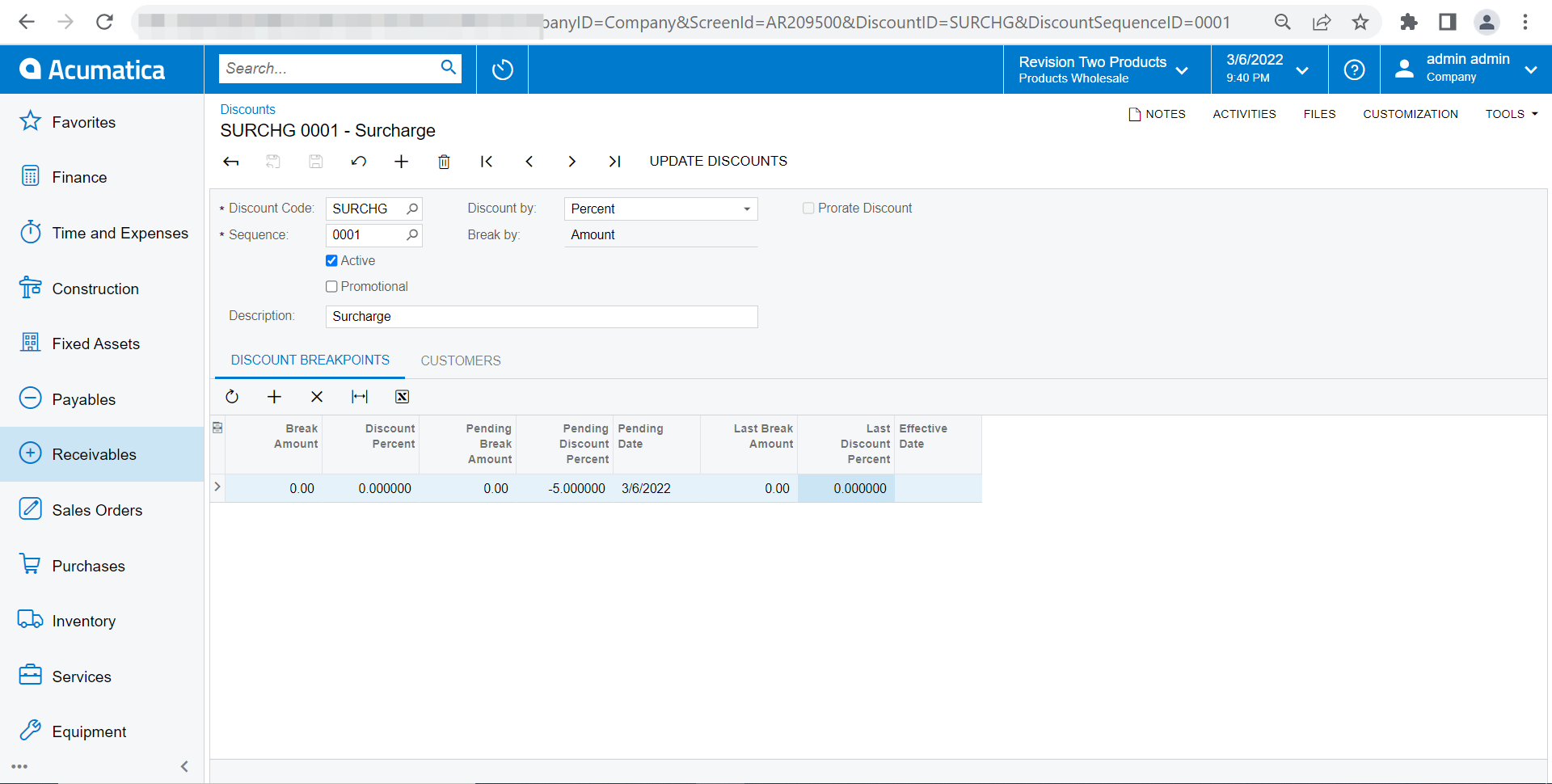
Since the discount approach is working, you can set a discount for specific customer. I have tried and it works fine. 

Setup a discount for specific customer

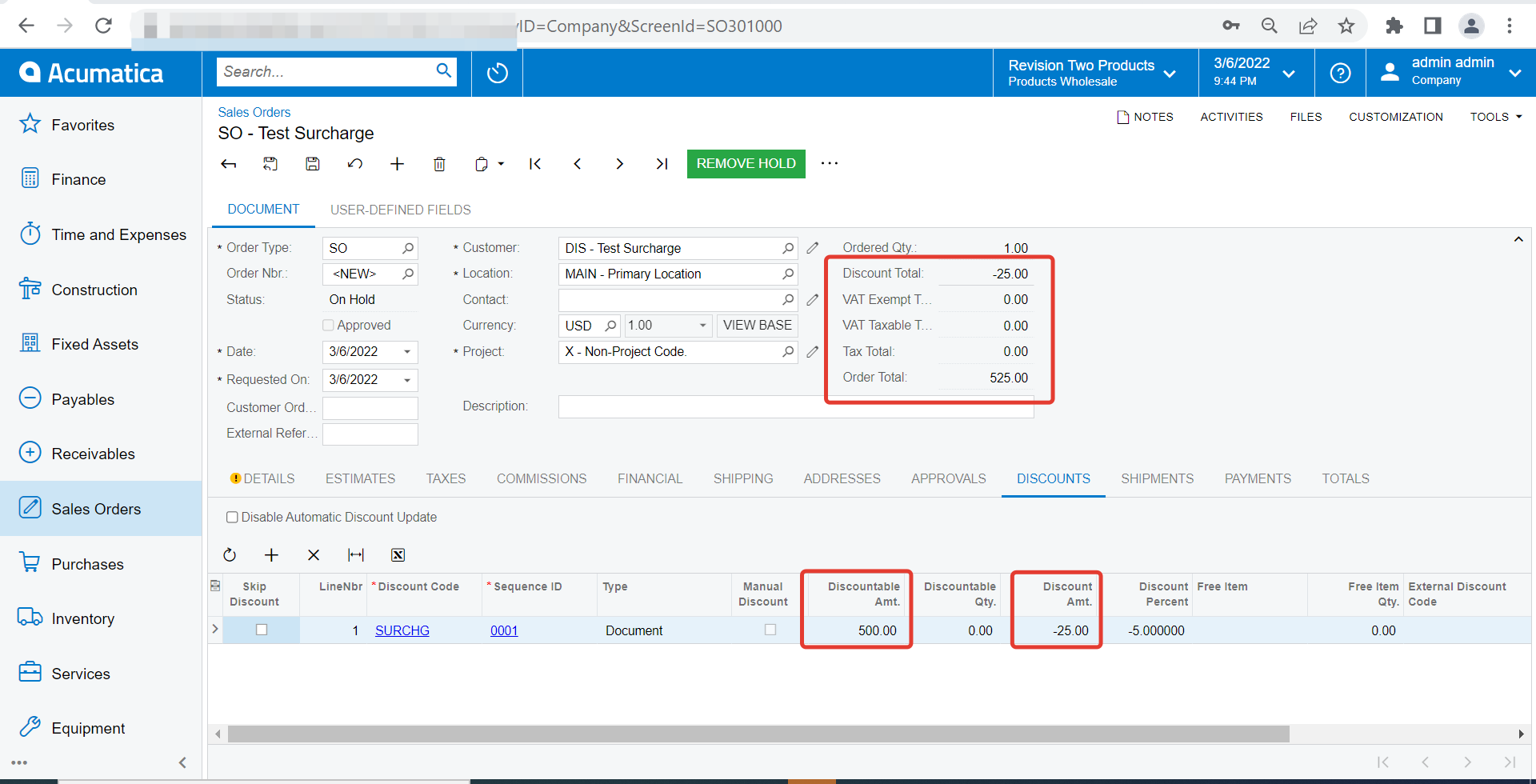
The discount amount gets added to the document since the rate is -ve


Hope this helps,

Regards,

4 replies

Hi, I have exactly the same problem. Did you find a way to do it via non-stock item?


Forum|alt.badge.img+12
  • Acumatica Support Team
  • Answer
  • March 7, 2022

Hi @larryly 

Since the discount approach is working, you can set a discount for specific customer. I have tried and it works fine. 

Setup a discount for specific customer

The discount amount gets added to the document since the rate is -ve


Hope this helps,

Regards,


Forum|alt.badge.img+1
  • Author
  • Semi-Pro II
  • March 7, 2022

@vkumar Thank you. That’s what I did in the system. Acumatica has no choice on discount. We changed a lot of reports to display the discounts. 


Forum|alt.badge.img+1
  • Author
  • Semi-Pro II
  • March 7, 2022

@primefoodus60   Please check @vkumar ‘s answer. I did same thing in my system.