Answer

GL Budget Access Restriction

  • October 26, 2023
  • 2 replies
  • 84 views

Forum|alt.badge.img

Hi All, 

I have setup the GL Budget Access restrictions [ScreenId=GL105030]. It works as expected but when I try to do a budget comparison on the previous years, the user that has been restricted to some accounts are able to see it because it was included into the previous budget configuration.

This is the current access the user have. 
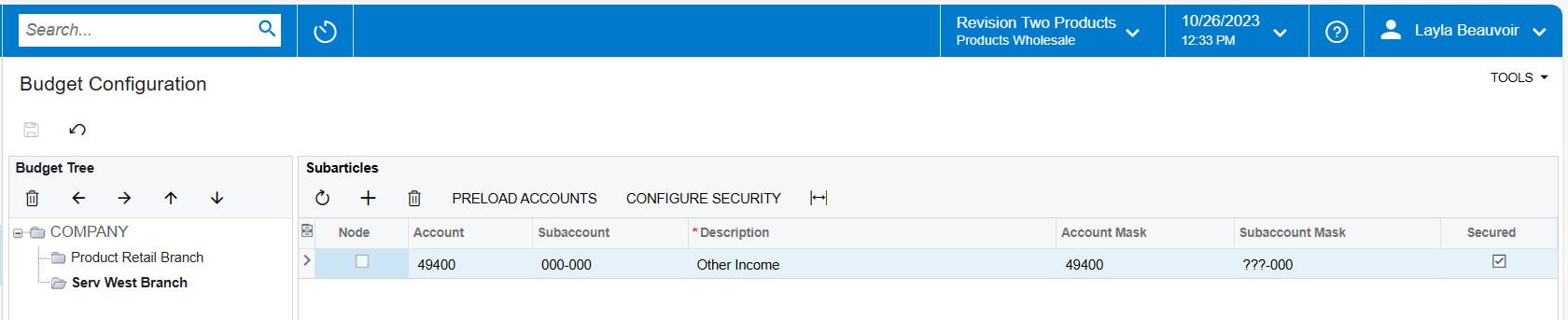
If you are doing current budget the system able to restrict the account. 

But if I try to check 2022 budget, it shows the account that the user has been restricted. 
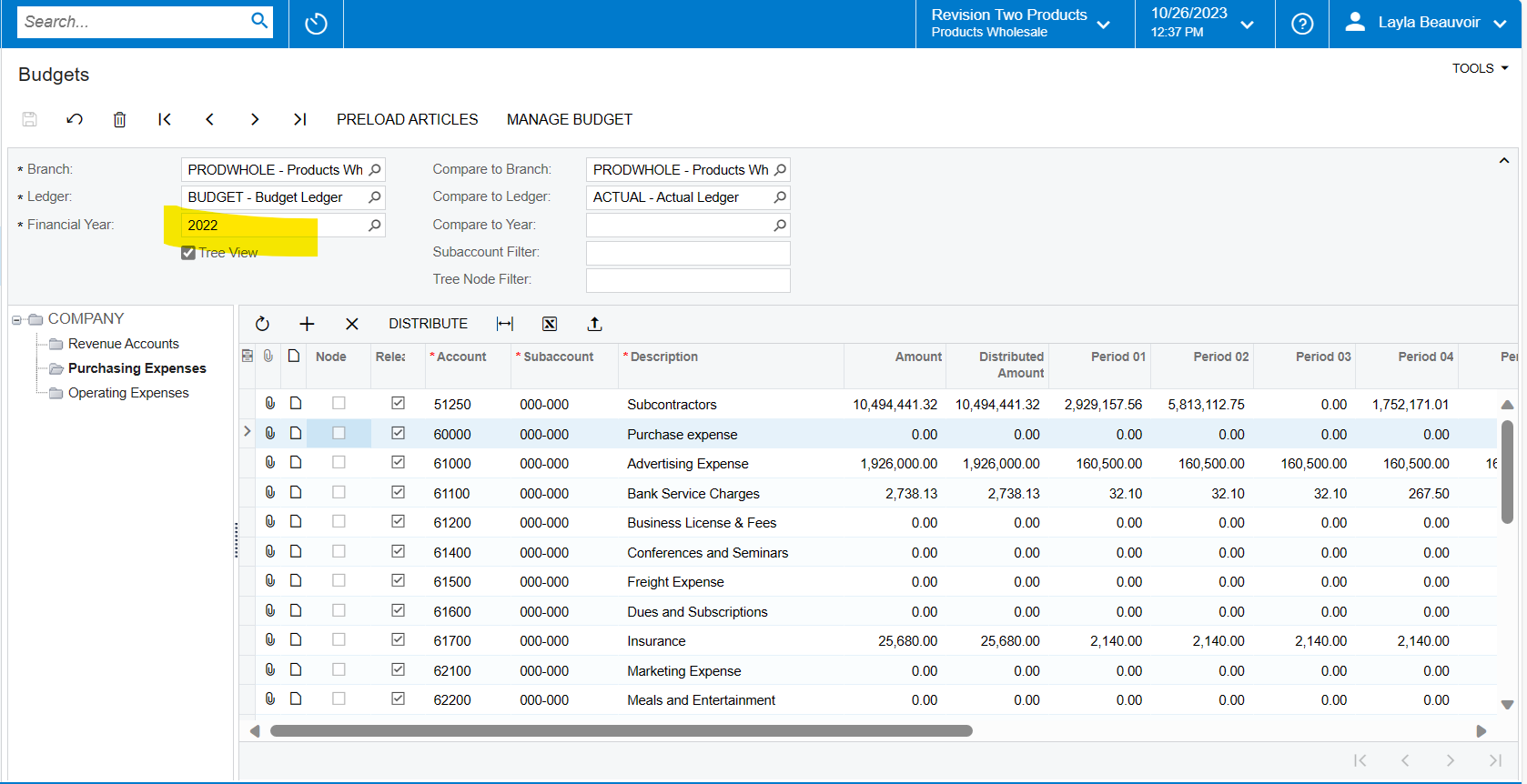
I am expecting that the system will restrict the account that the user doesn’t have access to regardless of the year I want to compare the budget with. 

Is there any way to restrict the previous budget based on the current GL Budget Access that has been assigned to the user?

Any help would be highly appreciated. 

Thank you very much. 

Anne Samson

 

Best answer by Kandy Beatty

HI @ASamson21 

You can not restrict by year, it is accounts only. 

2 replies

Kandy Beatty
Captain II
Forum|alt.badge.img+17
  • Captain II
  • Answer
  • October 26, 2023

HI @ASamson21 

You can not restrict by year, it is accounts only. 


Laura03
Captain II
Forum|alt.badge.img+19
  • Captain II
  • October 26, 2023

Hello @ASamson21 ,

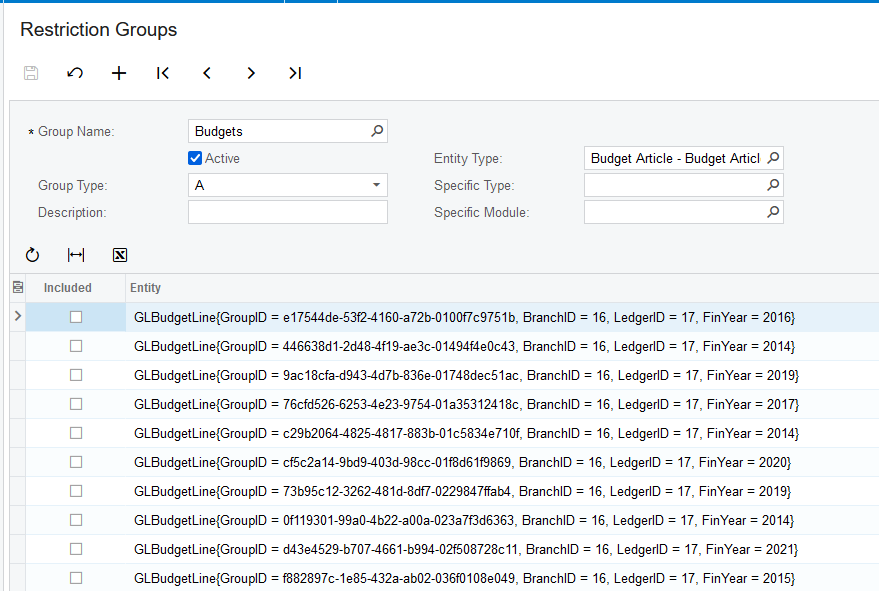
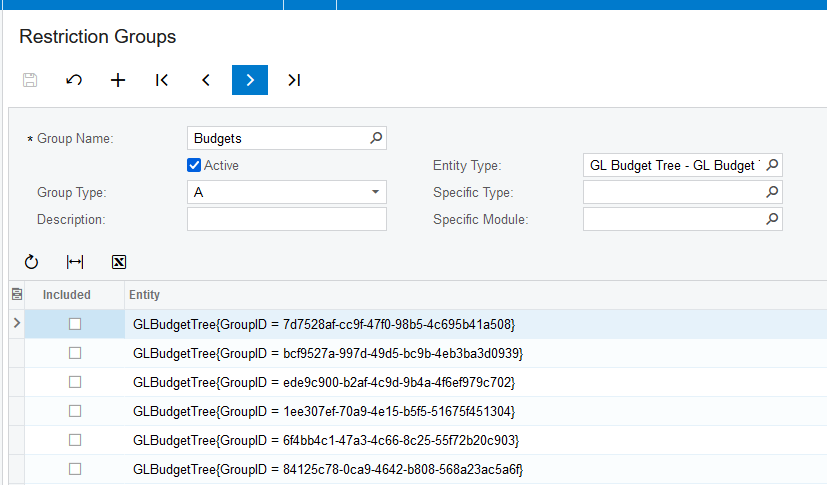
It looks like Budget Articles can be restricted by year, but not Budget Trees:

What’s weird is - how do we identify the budget articles from the group ID codes shown above??  Budget Tree option is even harder to identify:

Can someone explain this ^ ?

It seems like Access is given to the Articles (groups of accounts, potentially) on the Left Side of Budget Configuration, not to individual accounts. I expect in your demo, year 2022 and 2023 have very different articles, leading to the user seeing more in year 2022 than you expected.

Are you seeing the same thing in Restriction Groups as I’ve shown above?  I am showing Sales Demo version 2022 R2.


Laura