



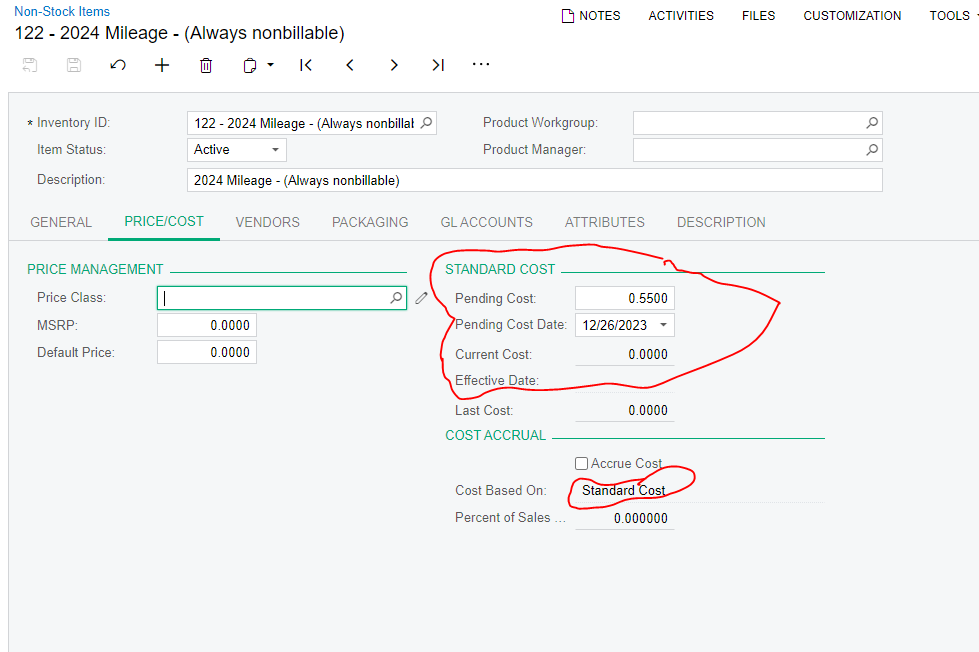
I created a new Non-stock item to use for expense claims, but the “Current Cost” is not updating even though I saved the item with the new cost and current date. (see screen shot). Why did that not update the current cost?
I created a new Non-stock item to use for expense claims, but the “Current Cost” is not updating even though I saved the item with the new cost and current date. (see screen shot). Why did that not update the current cost?
Best answer by Robert Sternberg
In the screen please click the ellipsis button (...) followed by clicking the ‘Update Cost’ button which will change the pending cost to the current cost.
Enter your E-mail address. We'll send you an e-mail with instructions to reset your password.




