Solved

Can not Upload the Employee using Import scenario

  • February 19, 2022
  • 6 replies
  • 318 views
  • Translate All

NAthukorala47
Jr Varsity III
Forum|alt.badge.img

Hi, 

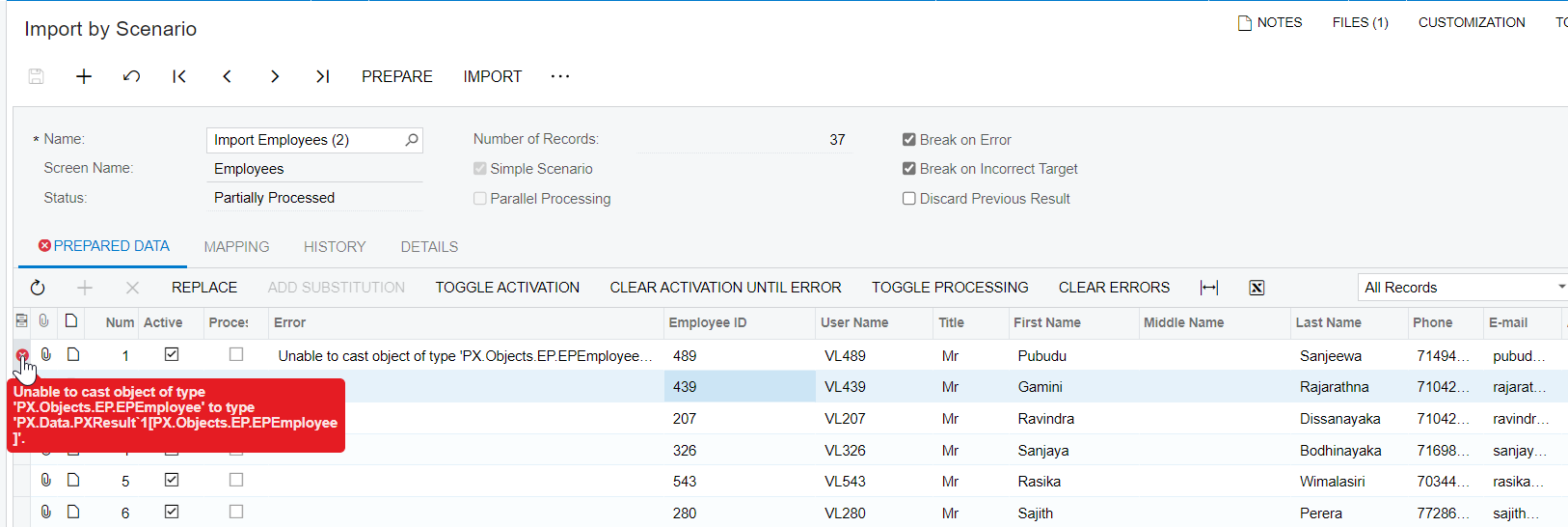
There was an error while we are uploading the Employee. 
 

Regards

Best answer by vkumar

Hi @NAthukorala47 

Made few changes. Try this out and let me know if it works.

Regards,

View original

6 replies

Forum|alt.badge.img+12
  • Acumatica Support Team
  • February 20, 2022

Hi @NAthukorala47 

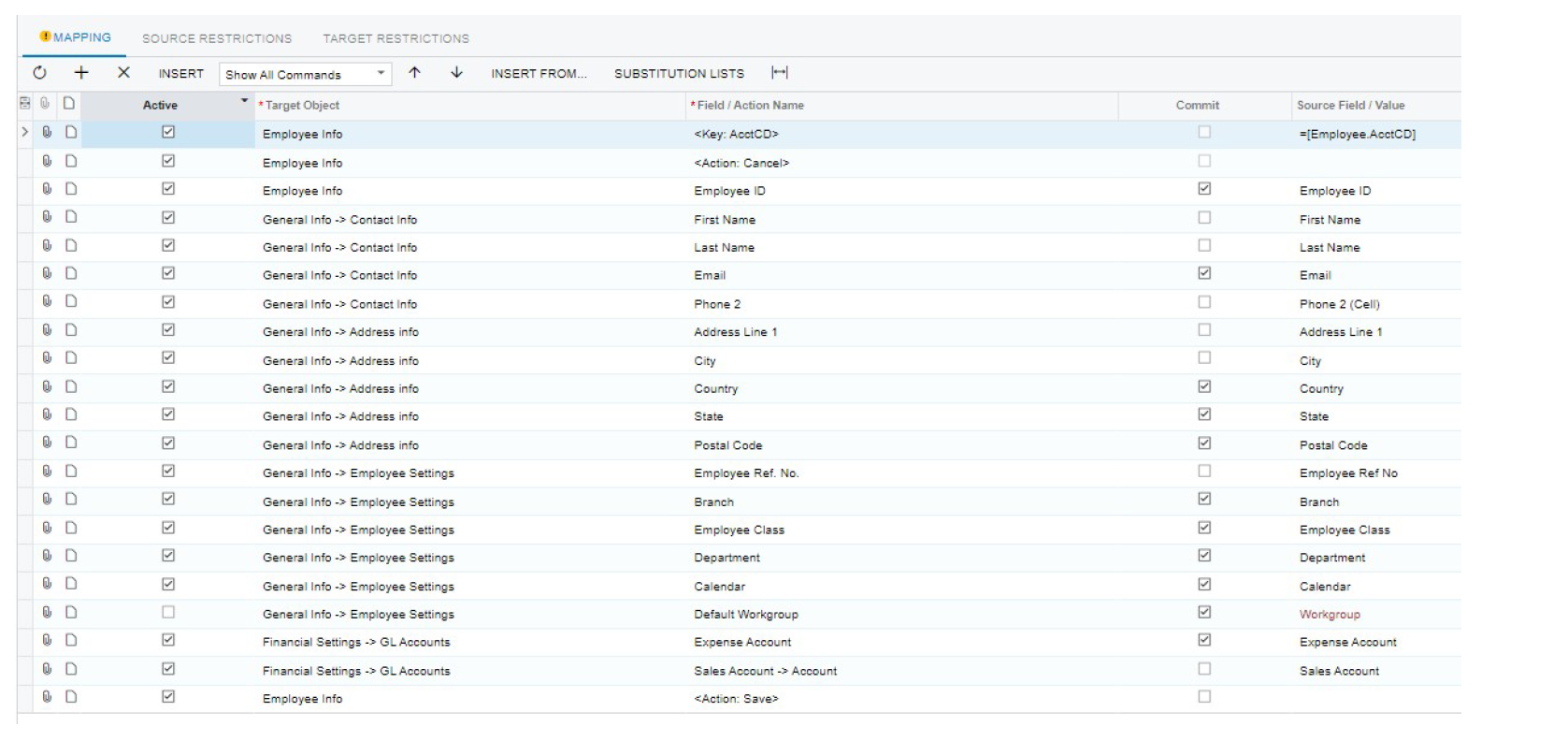
Here is  a screenshot of working Employee import scenario. I don't have an XML file. Compare your mapping with this and let us know if you could get your scenario to work. If you still get error, do attach your import scenario XML file.


Hope this helps,

Regards,


Translate

NAthukorala47
Jr Varsity III
Forum|alt.badge.img

Hi, 

We have attached the Employee Xml file and upload file. 


Regards

Nethupul

Translate

Forum|alt.badge.img+12
  • Acumatica Support Team
  • Answer
  • February 21, 2022

Hi @NAthukorala47 

Made few changes. Try this out and let me know if it works.

Regards,

Translate

Forum|alt.badge.img+12
  • Acumatica Support Team
  • February 24, 2022

Hi @NAthukorala47 

Did the import scenario work at your end?

Regards,

Translate

NAthukorala47
Jr Varsity III
Forum|alt.badge.img

Dear Vijay, 

Thanks for the update and it was success. 


Regards

Nethupul


Translate

Forum|alt.badge.img+12
  • Acumatica Support Team
  • February 24, 2022

Hi @NAthukorala47 

You are most welcome.

Regards,

Translate