

Solved

Bulk reversal of GL subledger batches

  • October 4, 2024
  • 9 replies
  • 265 views
  • Translate All

Forum|alt.badge.img+1

Good day community

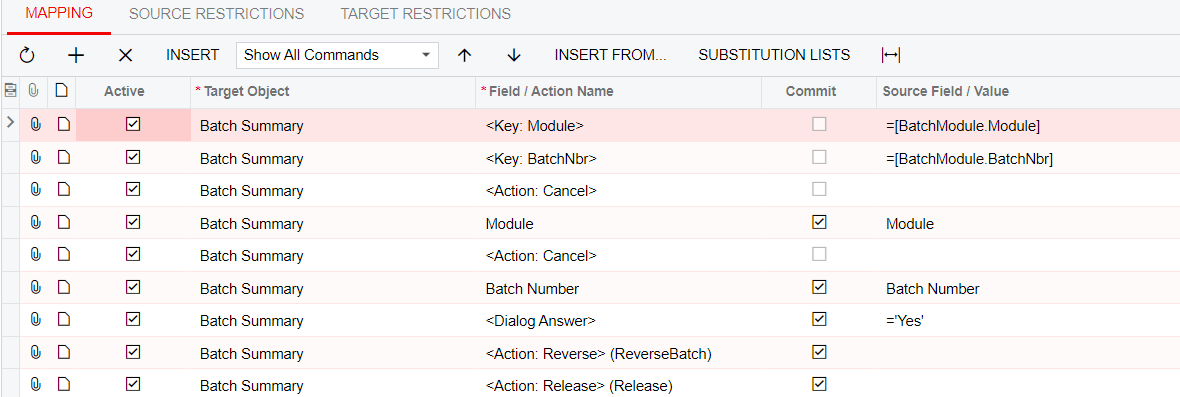
I need to do a bulk reversal of batches created by FA which can’t be deleted. I have posted all the batches and created an import scenario to reverse. Error message is “Batch Status invalid for processing.” Can anyone help?
 

Thank you
 

Best answer by Laura03

Hello @BarbaraPietersen23 ,

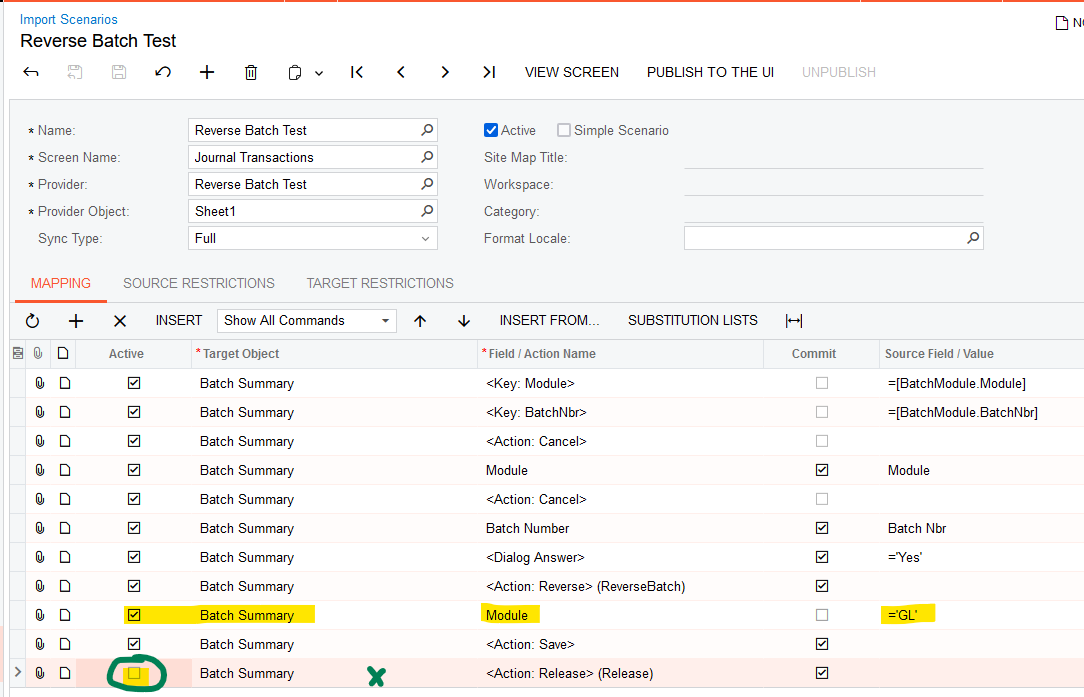
I was able to import a reversal of the Journal Transactions for IN and AR batches using this import scenario. (I don’t have any FA transactions in my testing tenant right now.)

When I added the Release action, it didn’t work - but you can easily release Balanced Batches in Finance → Release Transactions screen.  Or you could import Release process alone as a second import.

I hope this works for you.


Laura

View original

9 replies

Eric Ratté
Jr Varsity I
Forum|alt.badge.img+2

Hi,

When you reverse a batch manually, is the new batch status on Hold?

If the status is on Hold, you won’t be able to release it (last action).

You either temporarily change the GL Preferences to deactivate the On Hold on entry option or add an action in the import scenario to remove from hold before releasing.

Translate

Forum|alt.badge.img+8
  • Semi-Pro I
  • October 7, 2024

@BarbaraPietersen23 Assuming, you are Saving the Batch after the Reverse action. If not, please try.

Translate

Forum|alt.badge.img+1

Thanks to both for the responses.

@Eric Ratté - the status is not on Hold when creating a reversal batch

@ChandraM  - I modified the scenario to include saving the batch before reversal. Still doesn’t work.

When reversing manually I see that I need to open the batch first and reverse from inside the batch but there doesn’t seem to be a command for that.

Any other ideas? I really don’t want to have to reverse all these batches manually.

Thanks 

Translate

Laura03
Captain II
Forum|alt.badge.img+20
  • Captain II
  • Answer
  • October 7, 2024

Hello @BarbaraPietersen23 ,

I was able to import a reversal of the Journal Transactions for IN and AR batches using this import scenario. (I don’t have any FA transactions in my testing tenant right now.)

When I added the Release action, it didn’t work - but you can easily release Balanced Batches in Finance → Release Transactions screen.  Or you could import Release process alone as a second import.

I hope this works for you.


Laura

Translate

Forum|alt.badge.img+1

Hi Laura

Thank you so much. It worked! You have saved me hours. 😁

Translate

Forum|alt.badge.img+8
  • Semi-Pro I
  • October 7, 2024

Hi @Laura02 Thats a great fix!

Translate

Hey ​@Laura02 

Is your scenario works with 24R2, I tried and its throwing an error. If you can give me some light, please.


Translate

Forum|alt.badge.img

Hi ​@wimalendranrajendran92 ,

I’ve never tried to reverse an Unposted-status batch. Can you reverse a batch with Unposted status manually, in Journal Transactions screen? I expect Posting may be required, before we can reverse.


Also, I notice you are reversing a batch that came from AR. I recommend Reversing or Voiding the original document in the AR module versus reversing in GL.


Laura


Translate

HI ​@Laura02 ,

I have successfully revered the unposted batch manually, i test before starting the import. thanks for noticing that.

Yes, the original transection is from AR, but we need to nullify the GL effect. So, we are trying to do this. thanks for coming back quickly.


Translate


