Solved

Branch-specific quote form

  • March 21, 2023
  • 5 replies
  • 222 views
  • Translate All

aborisova37
Semi-Pro I
Forum|alt.badge.img+1

We are adding another branch that has a very different quote form that they want to stay with. Grouping& sorting conditions are not the same as for other branches.

What would you recommend as the best way to get Acumatica use a branch-specific quote, SO or invoice? Please share your advice. Thank you!

Best answer by Kandy Beatty

Hi @aborisova37 

Here is an older thread that may give you some ideas:

https://community.acumatica.com/distribution-6/different-forms-for-different-branches-which-are-very-different-8769

View original

5 replies

Kandy Beatty
Captain II
Forum|alt.badge.img+18

Hi @aborisova37 

Here is an older thread that may give you some ideas:

https://community.acumatica.com/distribution-6/different-forms-for-different-branches-which-are-very-different-8769

Translate

miguel80
Semi-Pro III
Forum|alt.badge.img+3
  • Semi-Pro III
  • March 24, 2023

Hi!

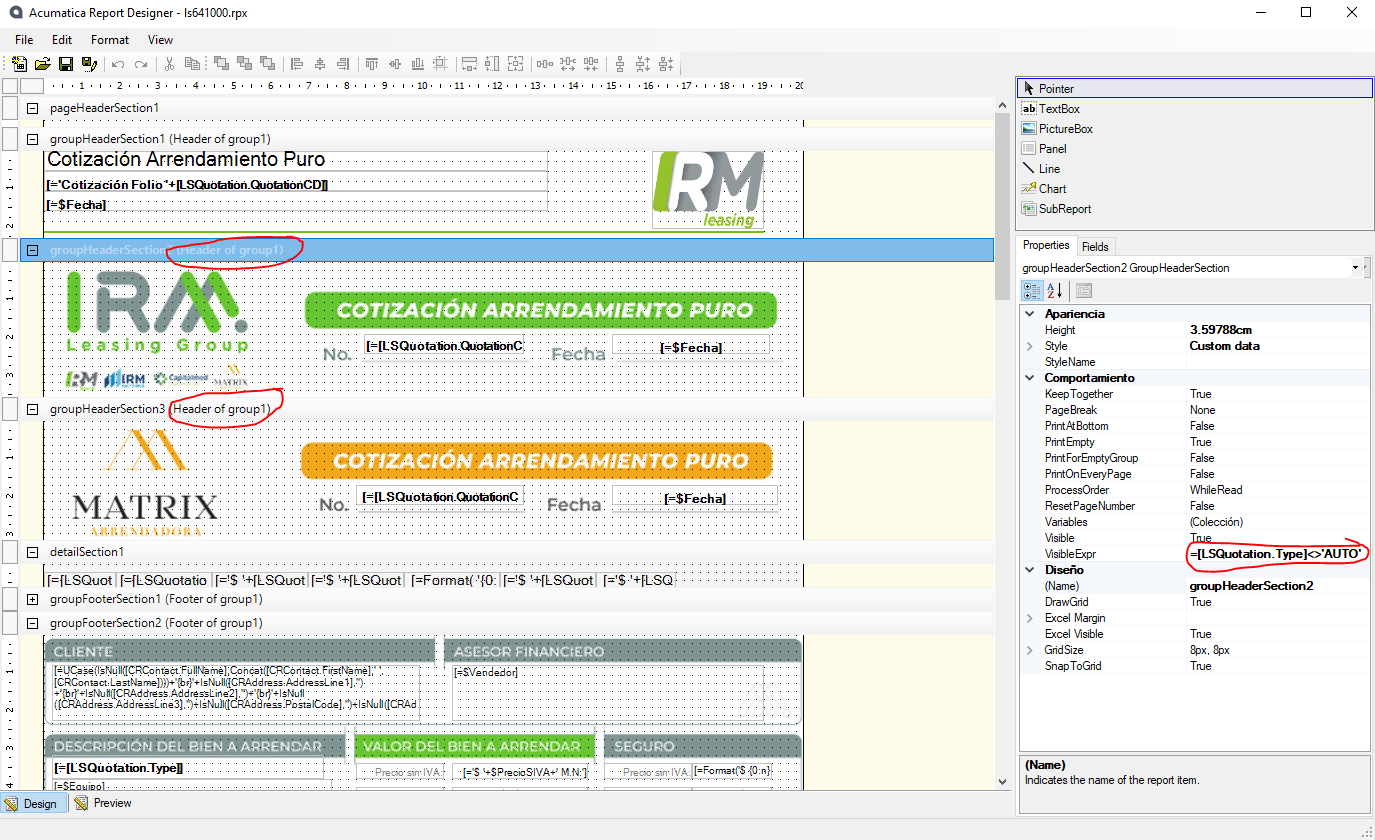
The way I have managed it is to duplicate the groups and detail sections on the report, for example, in this report I have the group headers and footers duplicated but with different visible conditions depending on the opportunitty type:

You can have as many duplicates of each section as you need and only show the sections relevant to your Branch.

Is this what you’re looking for?

Translate

miguel80
Semi-Pro III
Forum|alt.badge.img+3
  • Semi-Pro III
  • March 24, 2023

Sorry! Just read that the grouping and sorting conditions are different for each one. But I think I have a way:

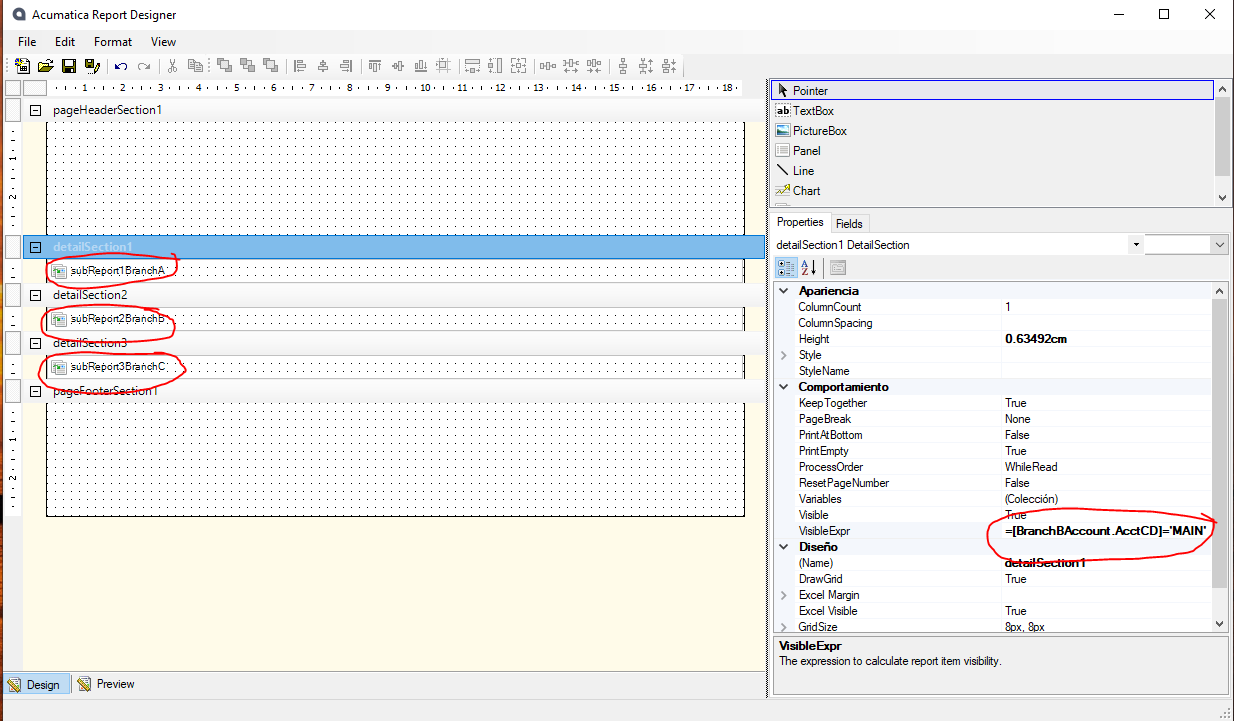
Use the original Quote Report to call subReports and control which of the subReports you’re going to print using the visible conditions. Each subreport will then have it’s own grouping and sorting conditions and will only share the page header and footer:

Hope this helps.

Translate

aborisova37
Semi-Pro I
Forum|alt.badge.img+1

We ended up using Customer Mailing Settings for the form. Thank you @kandybeatty49 


Translate

Kandy Beatty
Captain II
Forum|alt.badge.img+18

We ended up using Customer Mailing Settings for the form. Thank you @kandybeatty49 


Thanks for updating! 

Translate