Solved

Bills and Adjustments - Add PO

  • January 16, 2024
  • 5 replies
  • 397 views
  • Translate All

Forum|alt.badge.img

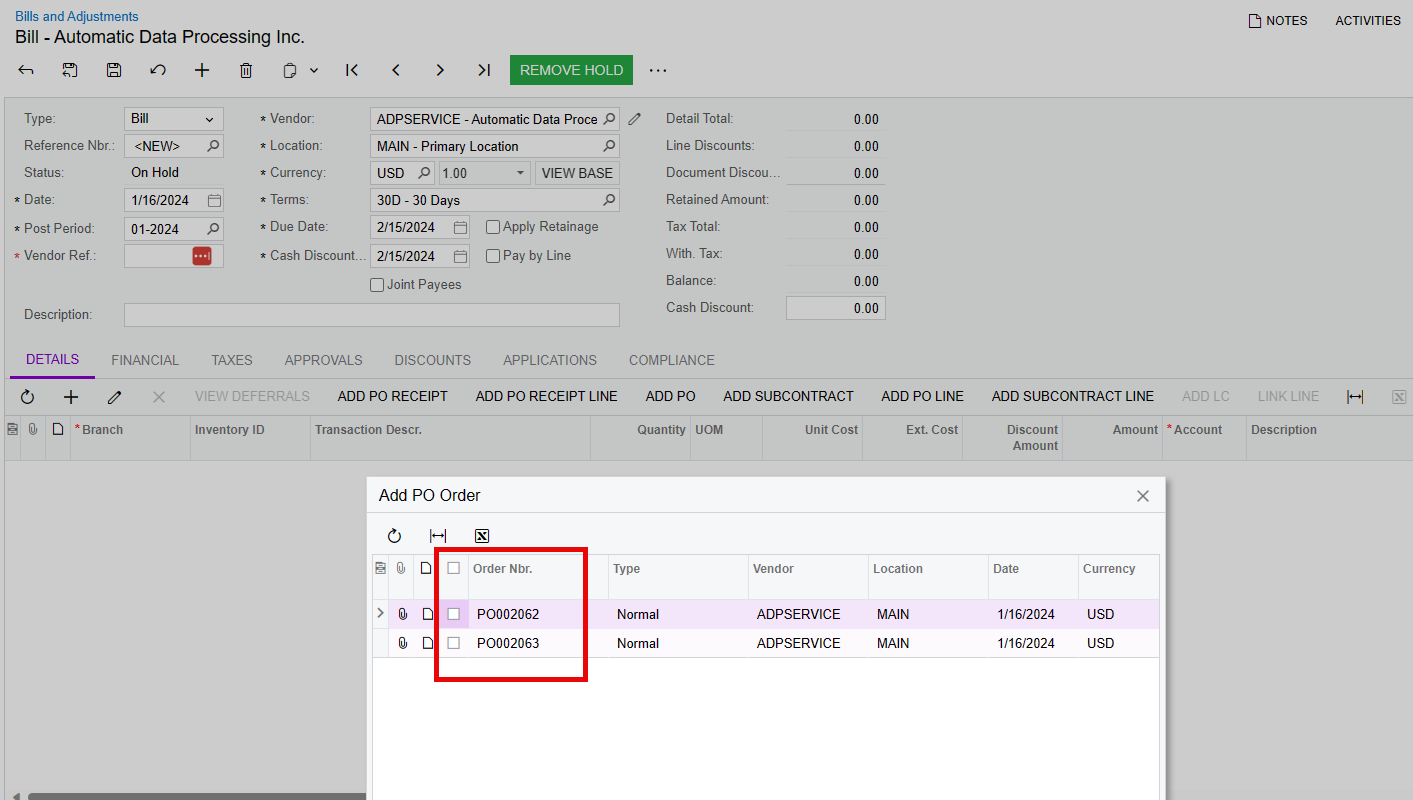
When I click ‘Add PO’ or ‘Add Receipt’ nothing shows up even when there are received POs for this Vendor and Stock Item.

Best answer by Kandy Beatty

HI @josborn 

For this it’s a combo of things:

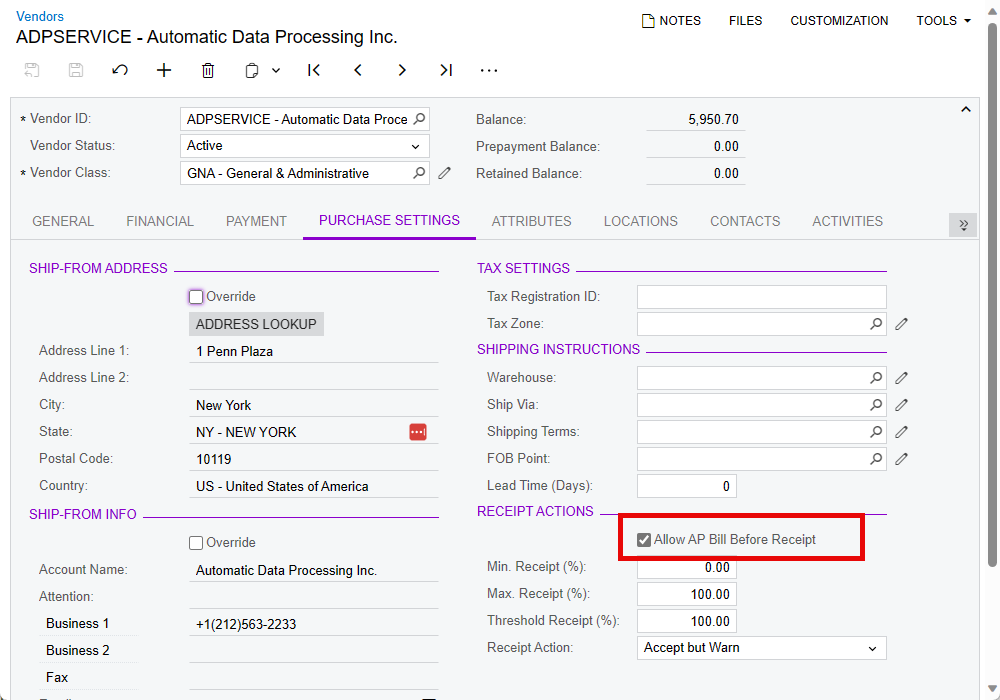
  1. The vendor needs to be marked as Allow AP Bill before Receipt
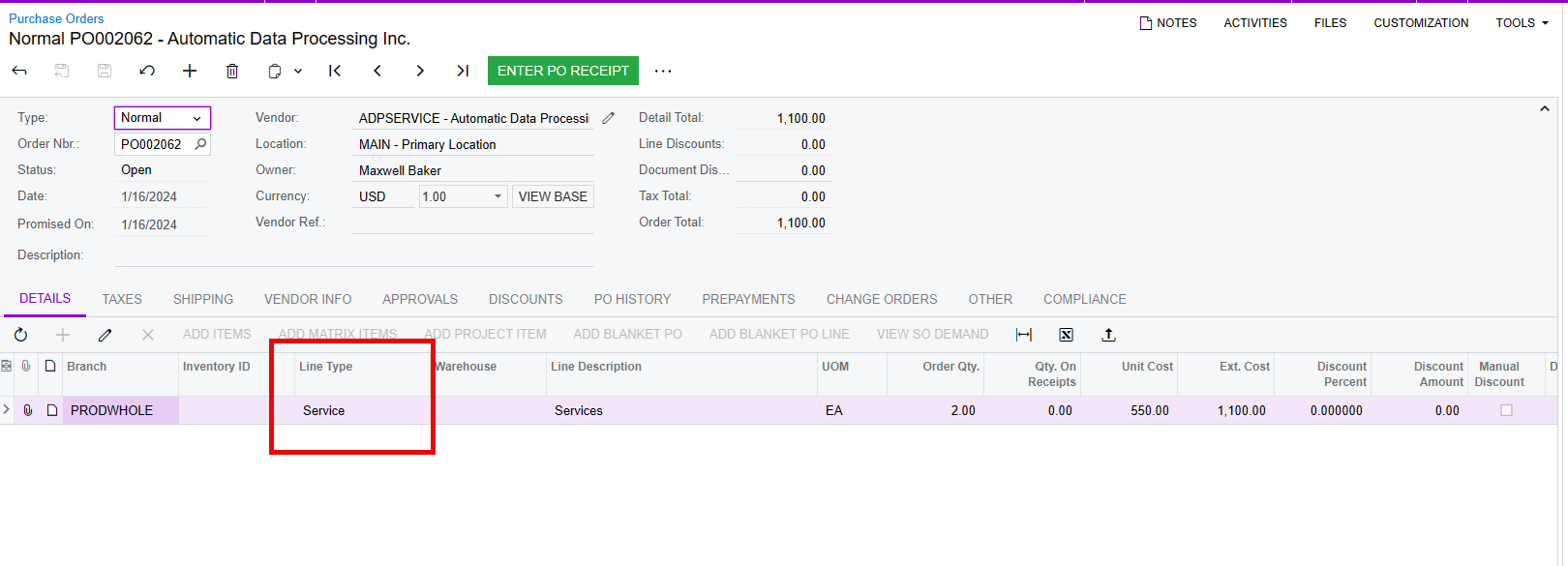
  1. The line Types on the PO need to be Non-Stock type items (even if they have no Inventory ID)
  1. Then you can add your PO’s


View original

5 replies

dcomerford
Captain II
Forum|alt.badge.img+16

Are you able to go to the Purchase Receipt and select the option Create Bill for one of these receipts

Translate

Forum|alt.badge.img
  • Author
  • Freshman I
  • January 16, 2024

Yes, I can create a bill but the PO still doesn’t show up when I click ‘Add PO’

Translate

Samvel Petrosov
Jr Varsity III
Forum|alt.badge.img+9

Can you share an example of the PO Receipt that you can’t add to the AP Bill? Add PO won’t show the record unless the Vendor is configured to  “Allow AP Bill Before Receipt”.

Translate

Kandy Beatty
Captain II
Forum|alt.badge.img+18

HI @josborn 

For this it’s a combo of things:

  1. The vendor needs to be marked as Allow AP Bill before Receipt
  1. The line Types on the PO need to be Non-Stock type items (even if they have no Inventory ID)
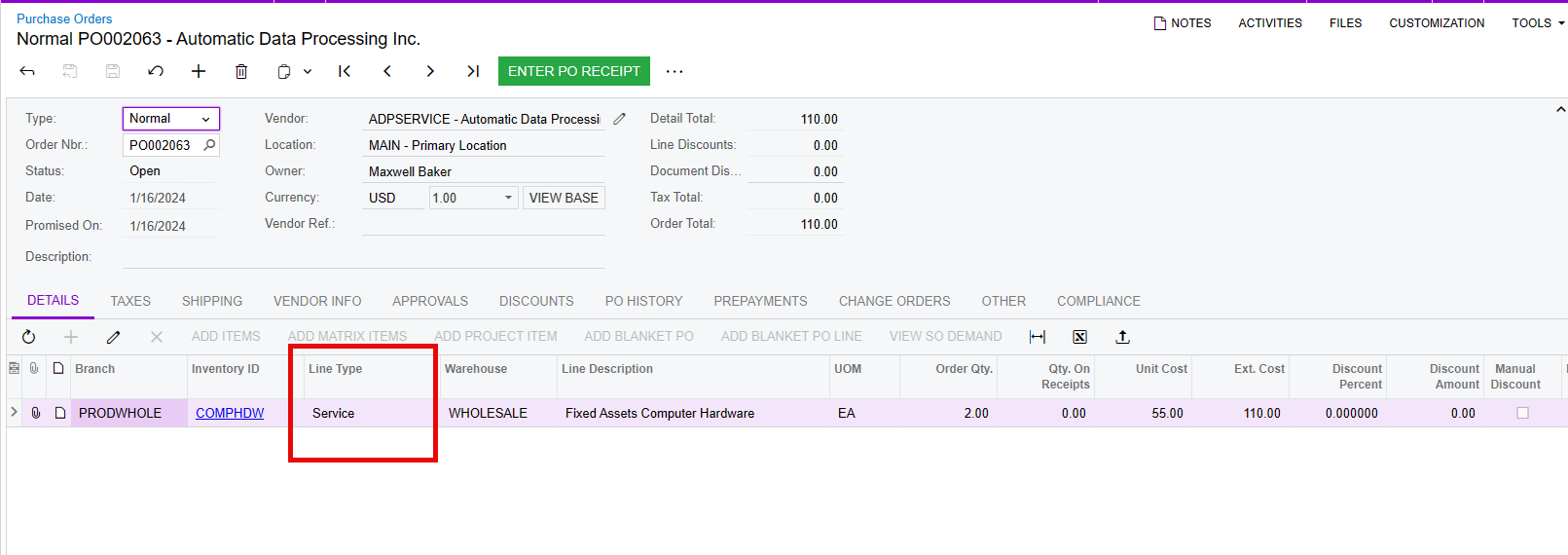
  1. Then you can add your PO’s


Translate

Forum|alt.badge.img

​@Kandy Beatty  if some of the POs have already been received how it will works


Translate