Question

Banking Funds Transfers Reversal Error

  • May 18, 2026
  • 3 replies
  • 32 views

Forum|alt.badge.img

When calculating the amount of daily bank funds transfers, sometimes mistakes are made.  The most easy fix would be to reverse the entire entry and start over.  However, Acumatica will not allow us to reverse a funds transfer entry.  Here is the error message:
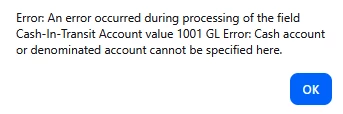
In the G/L #1001 is designated as a Cash Account as we use it for cash clearing.  Appreciate any ideas about what is stopping even our Admin from reversing a funds transfer.

We only have 1 branch within Acumatica.
3 replies

Laura03
Captain II
Forum|alt.badge.img+20
  • Captain II
  • May 18, 2026

Hello,

How are you reversing the Funds Transfer?

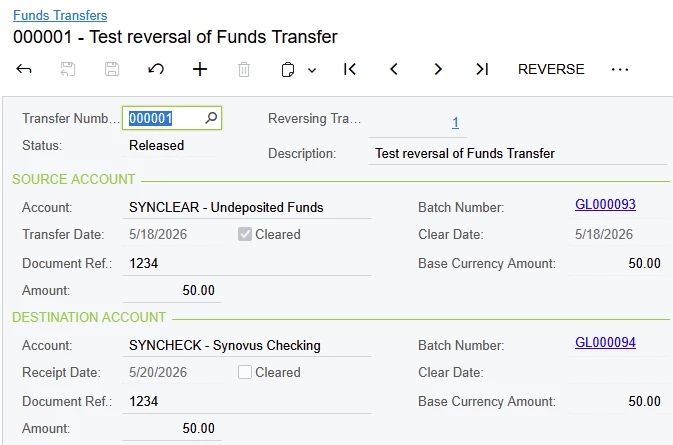
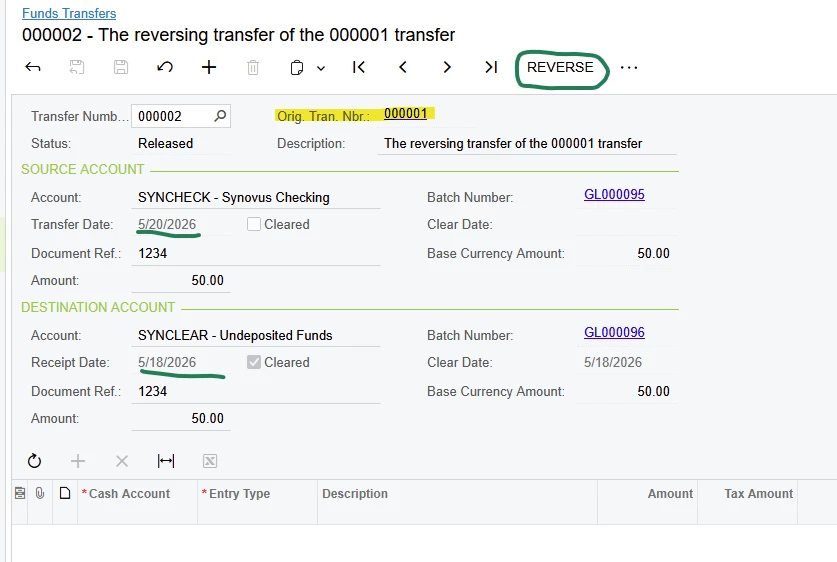
I entered a Funds Transfer as a test (in version 2025 R1), and then I successfully reversed it in Funds Transfer screen using [...] menu, Reverse action. 

Notice, I used a 2-day delay between the original Transfer Date and Receipt Date (the Cash-In-Transit account is part of this transaction because of the delay).

Original:

Reverse:


Forum|alt.badge.img

I’m sorry for not making it clear that I was attempting to use the REVERSE option within Acumatica to reverse the transfer we entered.  Just as in your picture it shows at the top of the screen as the next available option for processsing.  Considering that the original entry was a mistake, we were looking to undo it entirely.  Our original entry is dated for the same day transfer.  However, having tried several funds transfer entries posted to different g/l accounts and with more than one date within the entry and not one of them will generate a reverse entry using the REVERSE command, going forward, we will abandon such options and manually key in a brand new entry to undo our original entry. 


Laura03
Captain II
Forum|alt.badge.img+20
  • Captain II
  • May 19, 2026

Hi,

Do not worry; I’m still trying to figure it out.

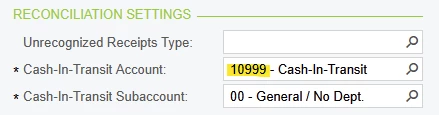
Please check Banking → Cash Management Preferences  Cash-In-Transit Account shown here:

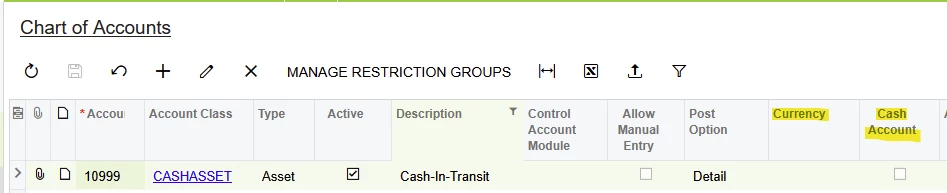
In the Chart of Accounts, the Currency and Cash Account settings should be blank/unchecked:

If the Cash in Transit account you see in Reconciliation settings of Cash Management Preferences has a currency and/or Cash Account Linked in the Chart of Accounts, please try setting up a new Cash in Transit Asset account in the Chart of Accounts, then link your new Account to the Reconciliation setting highlighted above.

Then I think your Fund Transfer reversals will work.


Best of luck. 🙂