Solved

Audit vendor profile

  • August 12, 2021
  • 8 replies
  • 166 views
  • Translate All

Forum|alt.badge.img

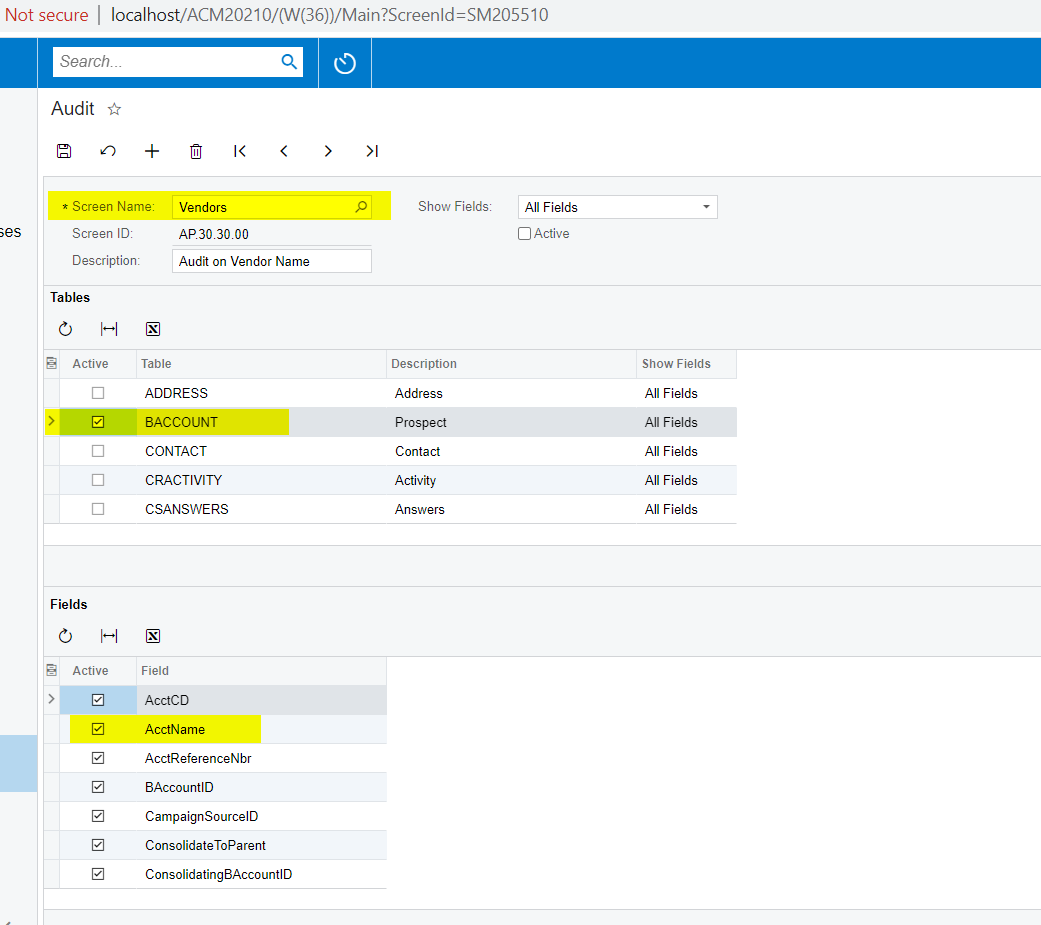
I would like to setup an audit on the Vendor name.  Does anyone know where I locate the field on the Audit Setup?

I am working in 2020R2

Best answer by Naveen Boga

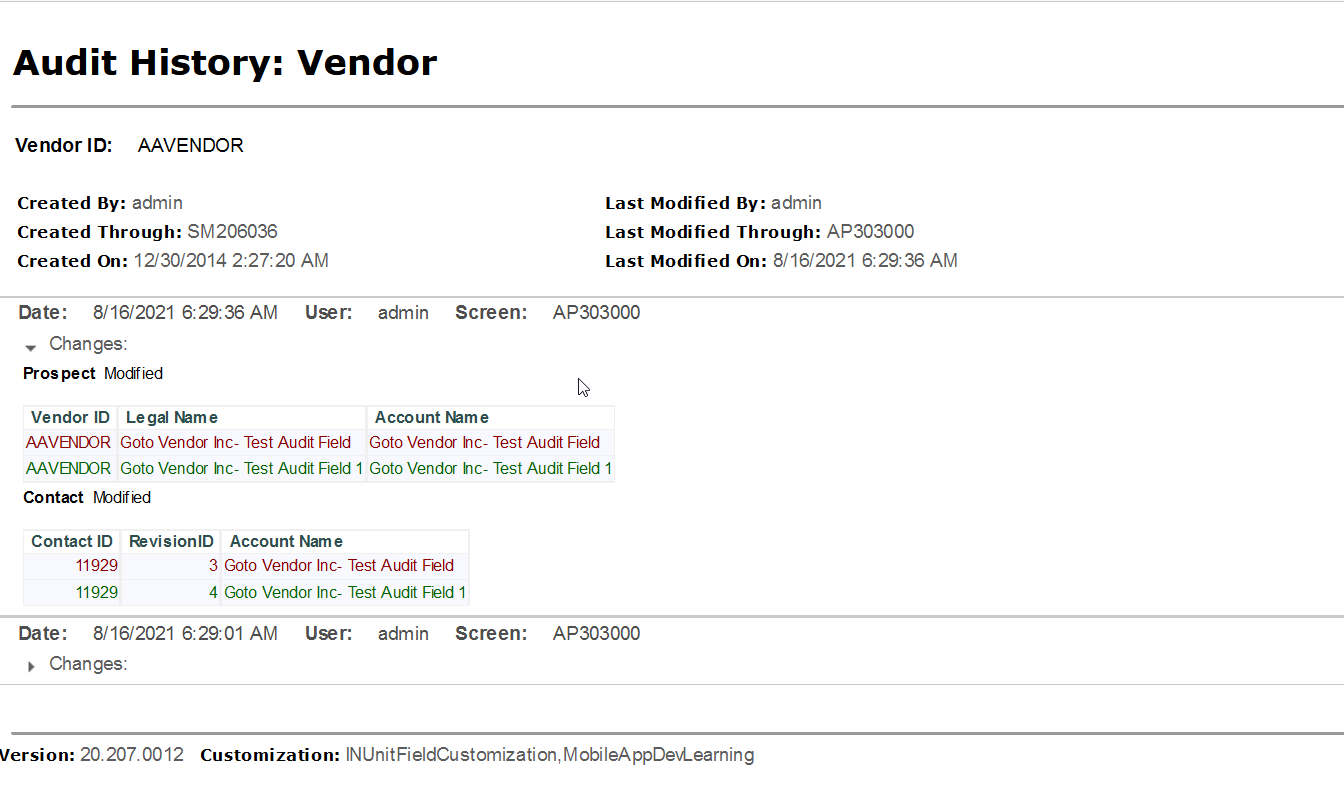
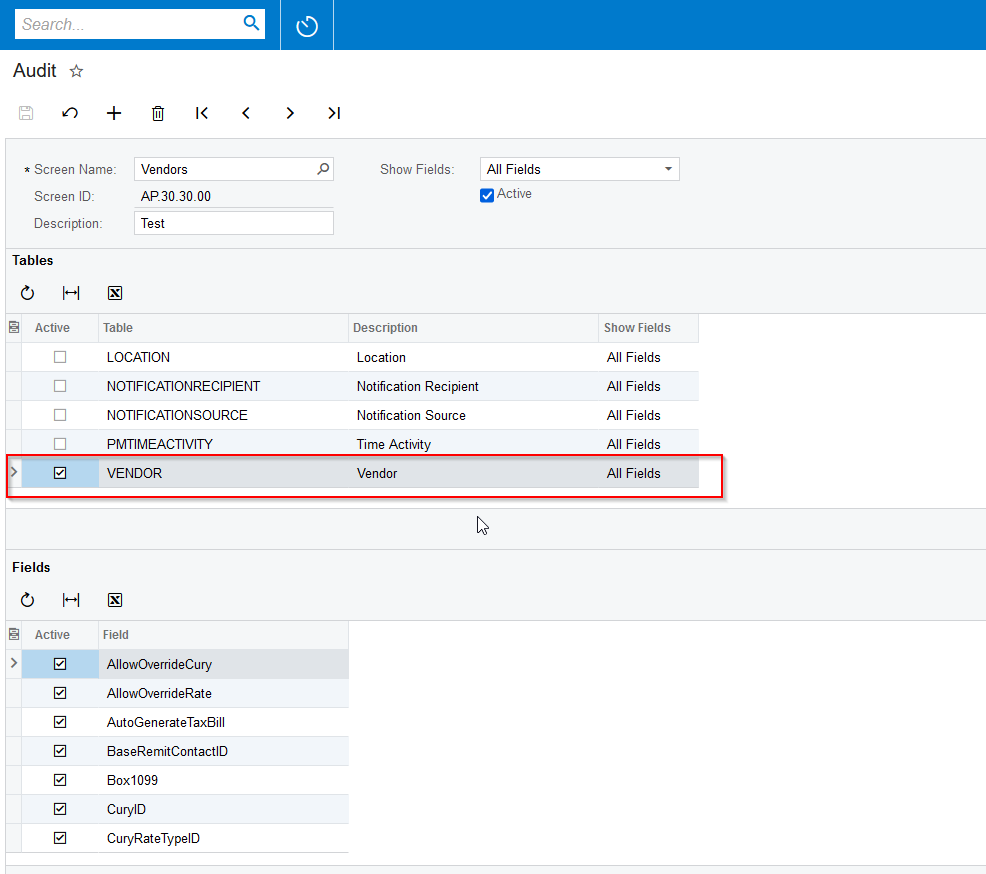
Hi @coleenmcnally22  Along with ADDRESS and BACCOUNT table, please also add VENDOR table then you can see the Audit changes for Customer Name.


Please find the screenshot for reference.


View original

8 replies

Forum|alt.badge.img+8
  • Semi-Pro I
  • August 13, 2021

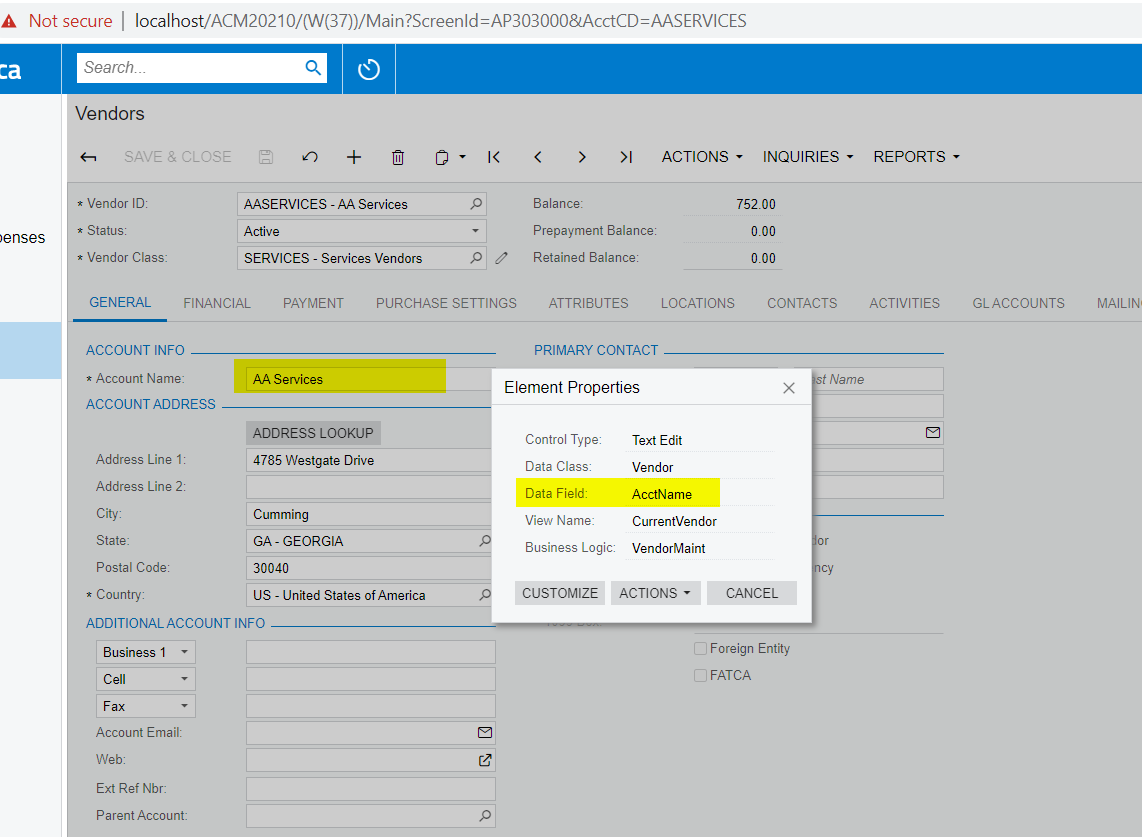
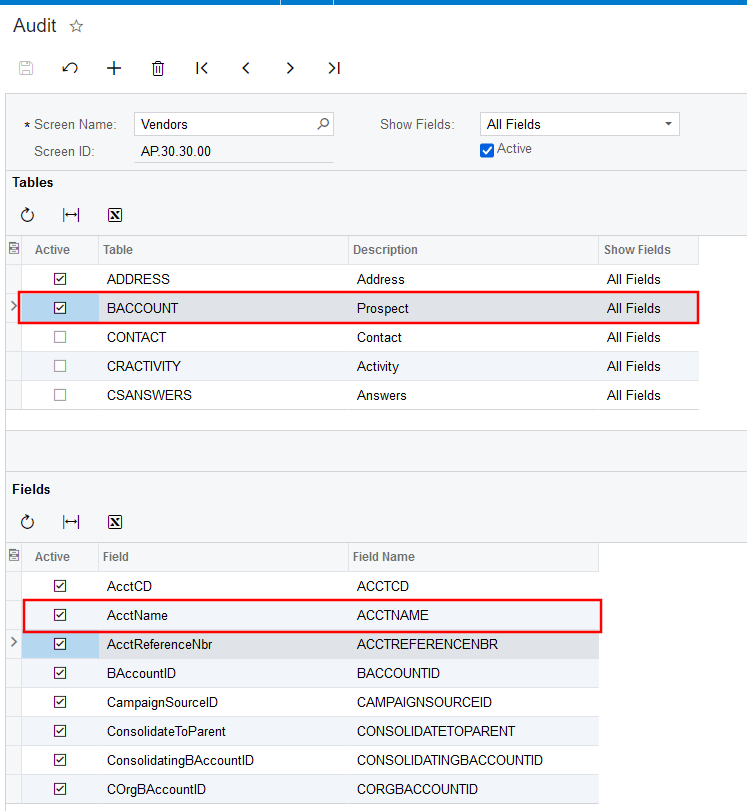
Hi @coleenmcnally22 You can use the “AcctName” field. Please find the below screenshot showing the field.

Thanks


Translate

Forum|alt.badge.img+8
  • Semi-Pro I
  • August 13, 2021

Hi @coleenmcnally22 In future, you can find the field by using the option  - Customization menu - > “Inspect Element” (Shortcuts Ctrl+Alt+Click). You should have have “Customizer” role assigned to you to view the field name.


Thanks

Translate

Forum|alt.badge.img


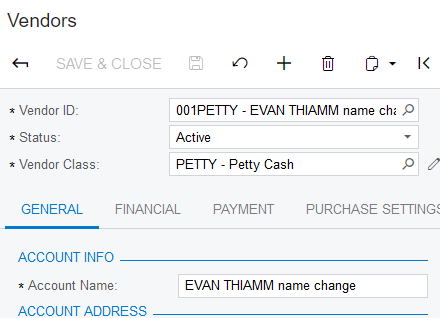
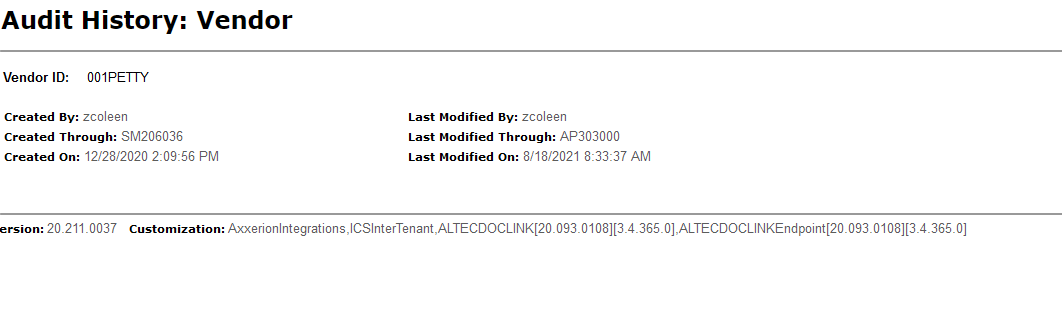
@ChandrasekharM I have done this but there is no record of the change to the vendor name.

Translate

Naveen Boga
Captain II
Forum|alt.badge.img+20

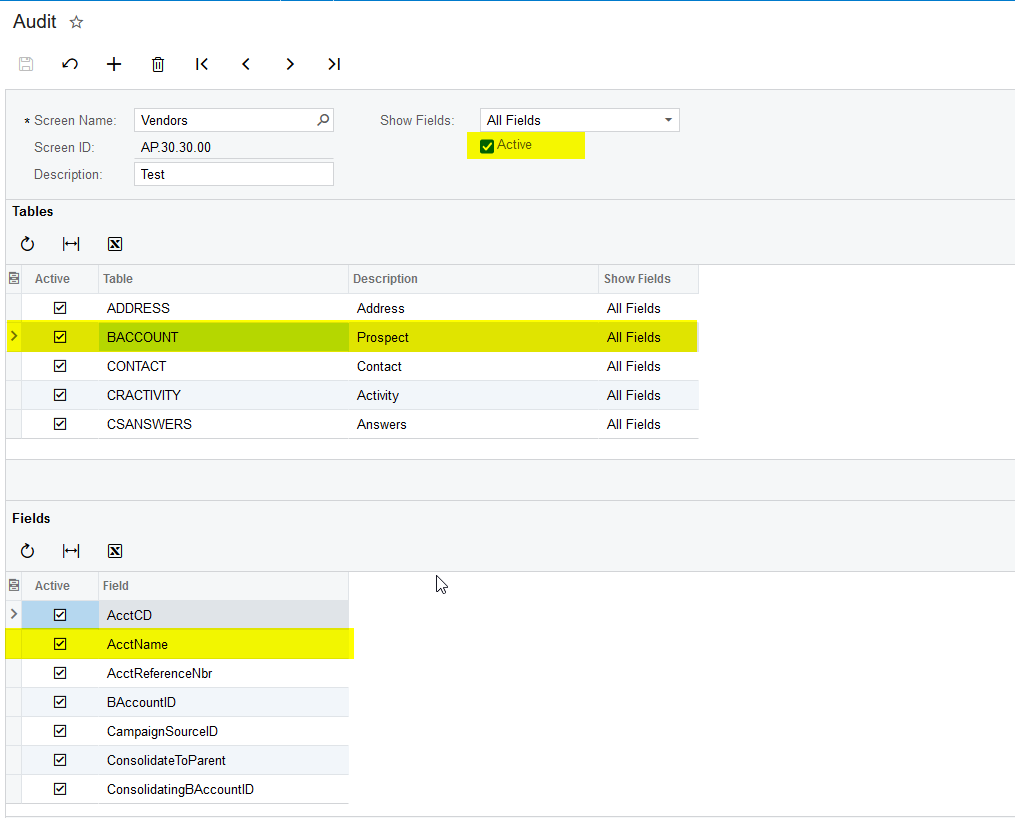
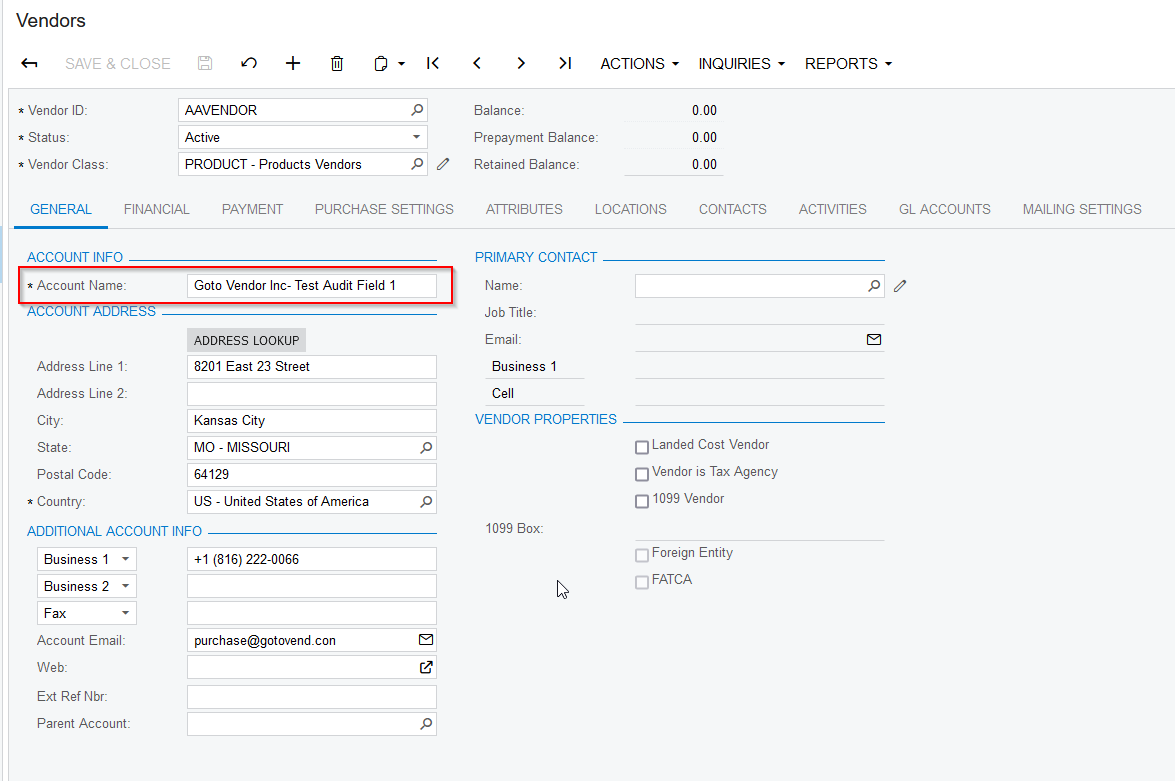
Hi @coleenmcnally22 I have verified this and working as expected. Please find the screenshot for reference.


Translate

Forum|alt.badge.img

I have my audit setup the same way but it is not tracking changes, and when I look at the audit report I don't see any changes.


Translate

Naveen Boga
Captain II
Forum|alt.badge.img+20
  • Captain II
  • Answer
  • August 18, 2021

Hi @coleenmcnally22  Along with ADDRESS and BACCOUNT table, please also add VENDOR table then you can see the Audit changes for Customer Name.


Please find the screenshot for reference.


Translate

Forum|alt.badge.img

@Naveen B added the vendor table and that worked. 

Thank you.

Translate

Naveen Boga
Captain II
Forum|alt.badge.img+20

@coleenmcnally22   Great :) Thanks a lot for sharing the update

Translate