Solved

Add branches to detailed Trial Balance report

  • Nov 3, 2026 11:44 AM UTC
  • 7 replies
  • 44 views
  • Translate All

Forum|alt.badge.img+1

Hi Community

My client has requested that I add the 2 branches in the company to the detailed Trial Balance, to give them a consolidated detailed TB by subaccount. It sounded pretty straight forwtd to me, so I created a new report and added a Brnach column, but I am missing something as all the detail is missing.

Can any of you clever people assist please? I have attached the RPS file in DOC format. Please rename the report before you try and open it.

You help is much appreciated.

Regards 
Best answer by nhatnghetinh

Hi ​@BarbaraPietersen23 

On the "Trial Balance Detailed" report:
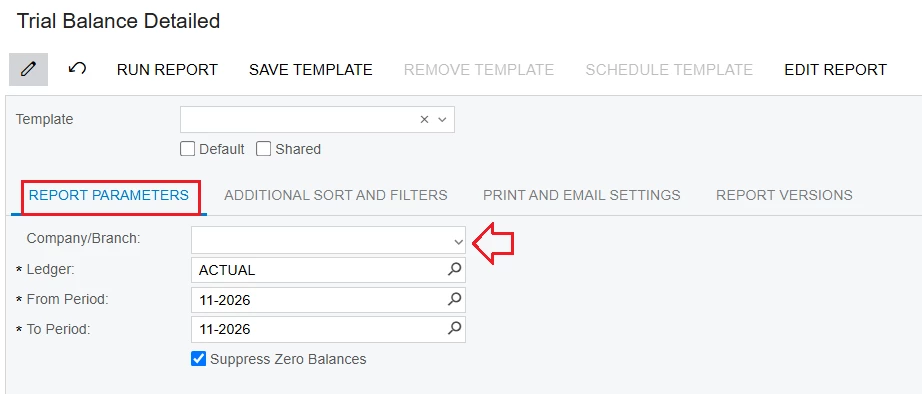
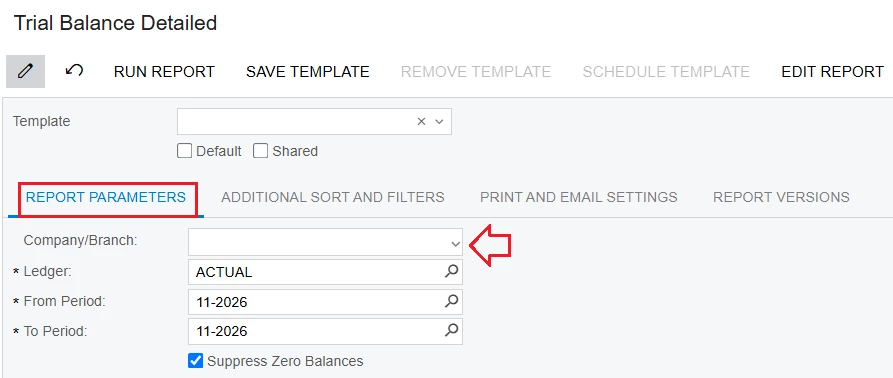
+ REPORT PARAMETER Tab > Company/Branch: field blank (do not select anything).


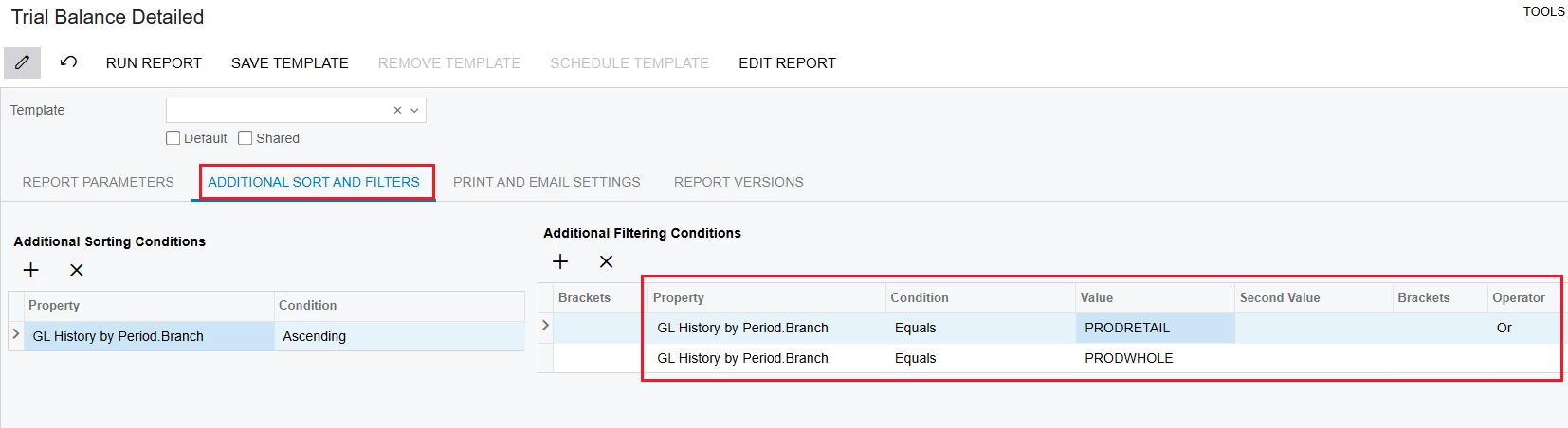
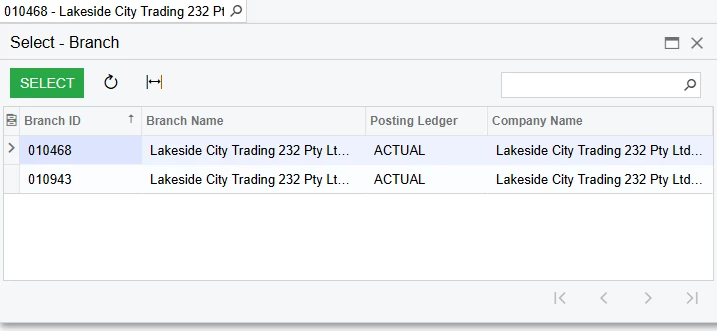
+ ADDITIONAL SORT AND FILTERS Tab: set the filters to include the two Branches you wish to view, as shown below.


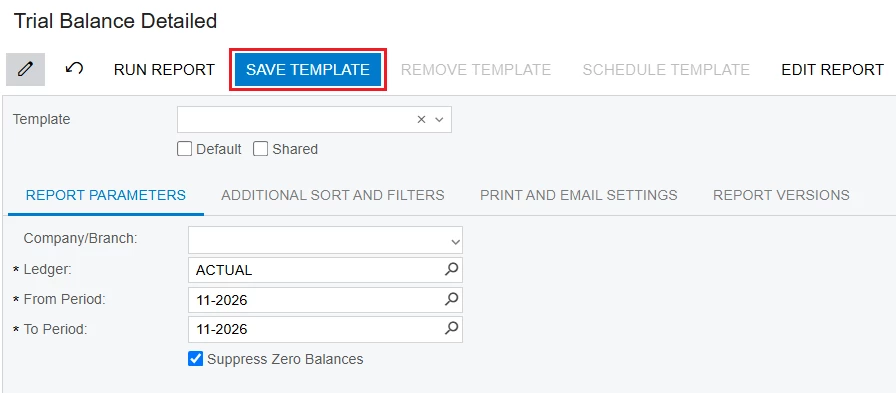
+ You can click "Save Template" to store these settings for future use.


Best Regards,

NNT

View original

7 replies

Laura03
Captain II
Forum|alt.badge.img+20
  • Captain II
  • Nov 3, 2026 3:52 PM UTC

Hello ​@BarbaraPietersen23 ,

I’m confused by your question. When I print the Trial Balance Detailed standard report in a multi-branch environment, the Branch appears by default in the first column of the report: 

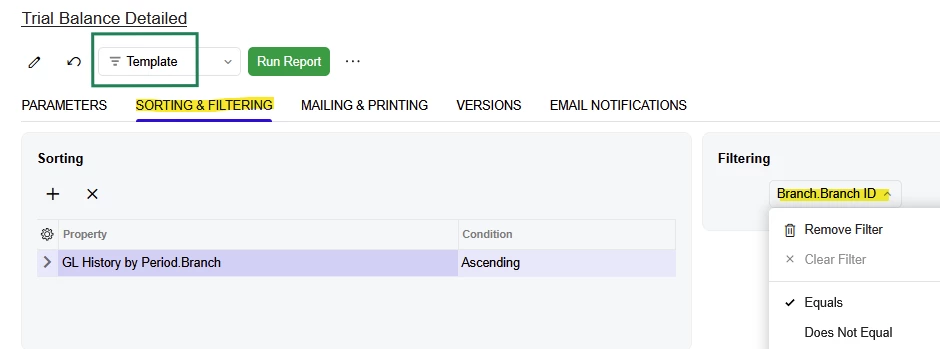
Subaccounts also appear in the report’s 4th column.  If you want one Subaccount at a time, or one Branch at a time, consider adding Filters by Branch and/or Subaccount and saving the filtered versions of your report as Templates:


If I’m missing something, an example of what you’re looking for may help me. Thanks!


Laura

Translate

Yasas Withanage
Acumatica Employee
Forum|alt.badge.img+5

Hello ​@BarbaraPietersen23 

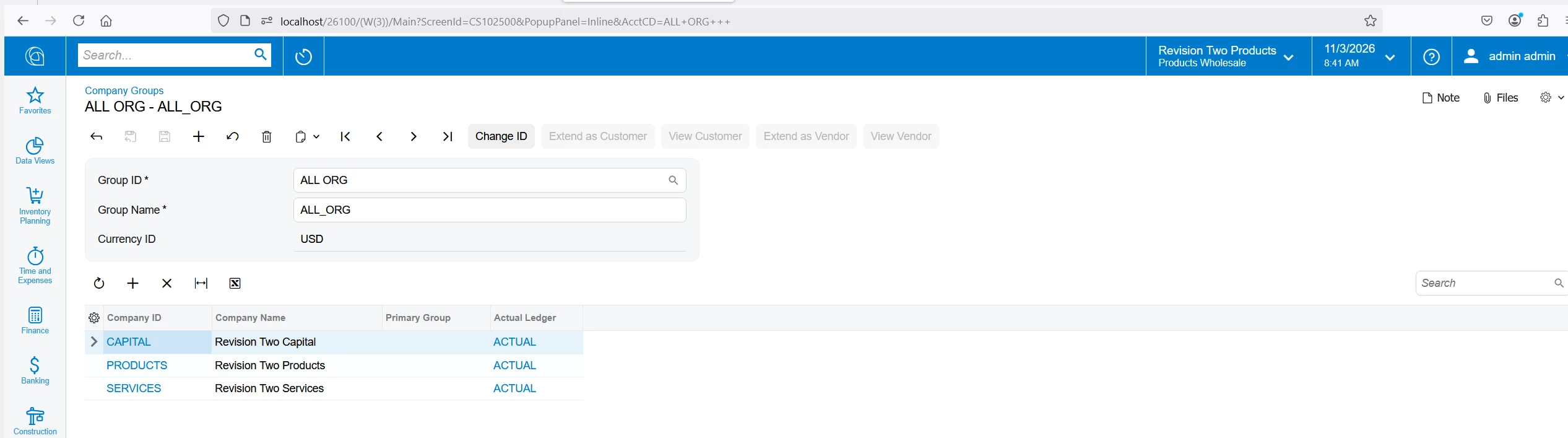
In addition to the above solution, if you need to run TB for multiple companies, you can try Company Groups (if they have the same base currency).In addition to the above solution, if you need to run TB for multiple companies, you can try Company Groups (if they have the same base currency).


Thanks

Translate

Forum|alt.badge.img+1

Thanks for the responses.

​@Yasas Withanage - I am not looking for a multi-company report, but amulti-branch one.

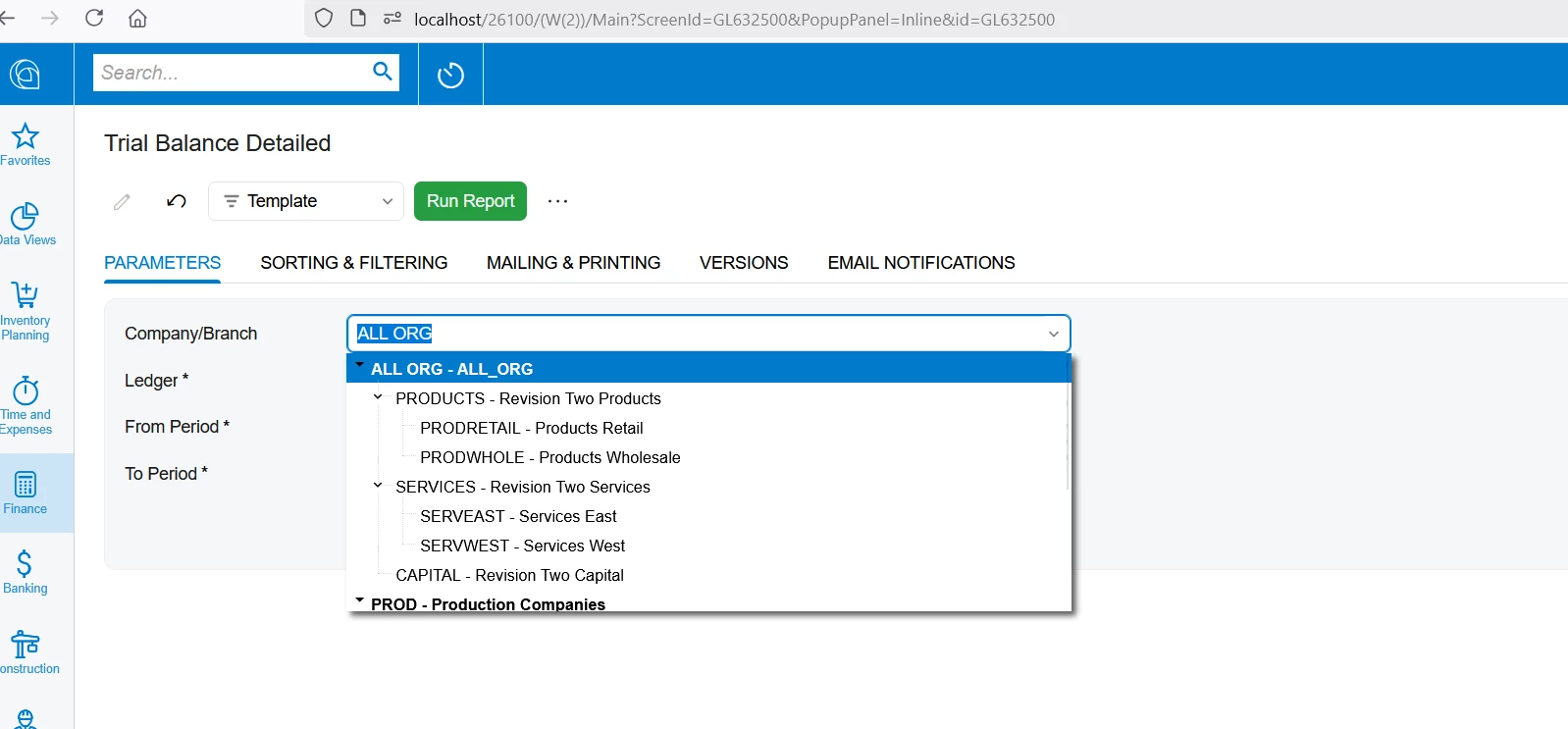
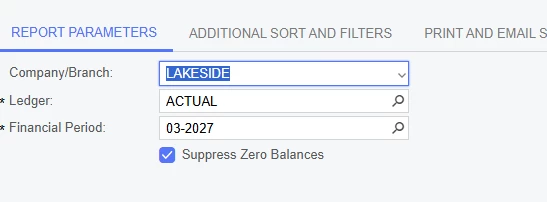
​@Laura03 - when I want to run the detailed TB, these are my selections options


I want to be able to run both branches together, e.g. both branches together. I have amended the selection criteria to include both and added the relevant tables.

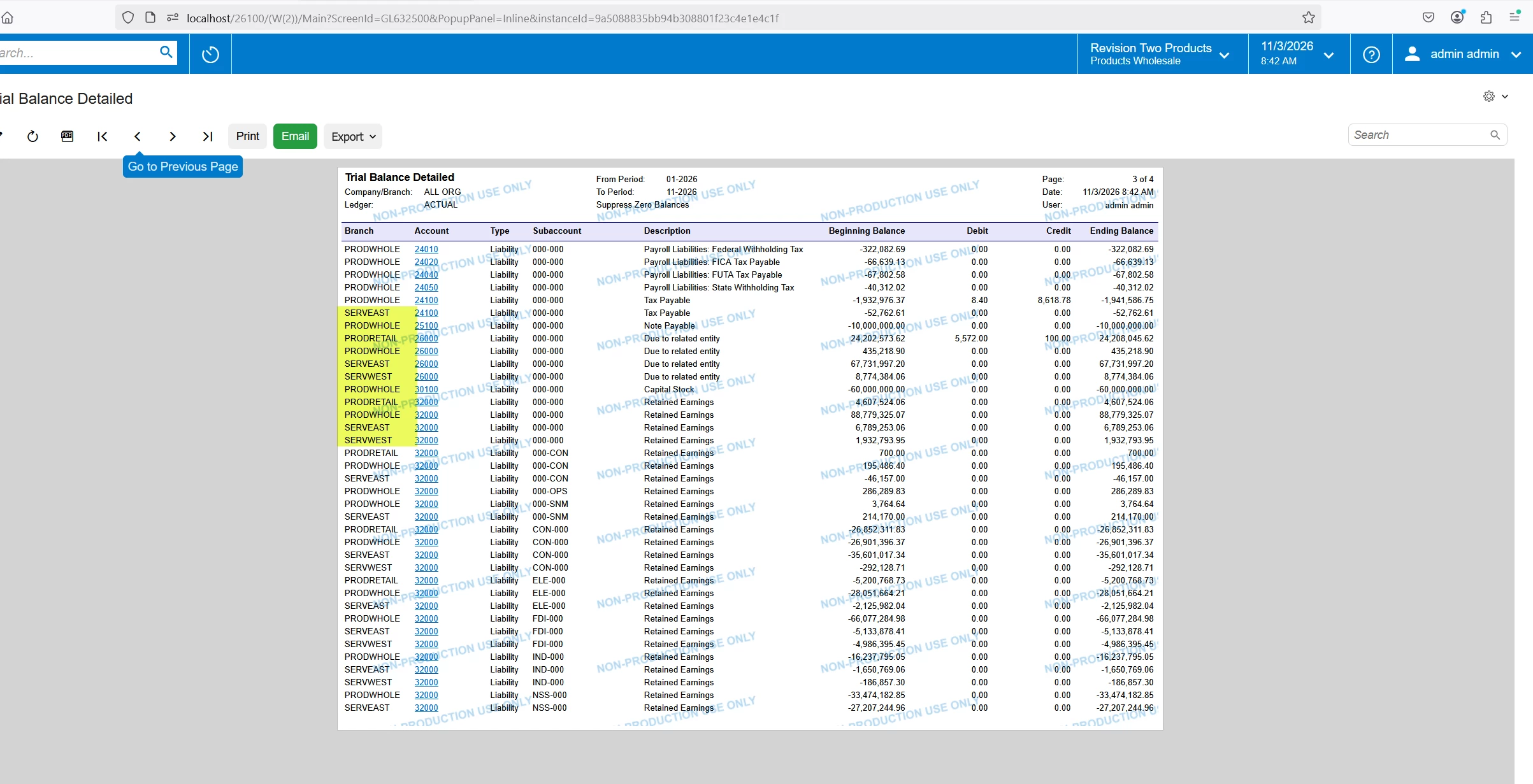
I want the report to look like the example below, which is a summary TB, but detailed for both branches.

Many thanks for your help.

Regards

Barbara

Translate

nhatnghetinh
Captain II
Forum|alt.badge.img+15

Hi ​@BarbaraPietersen23 

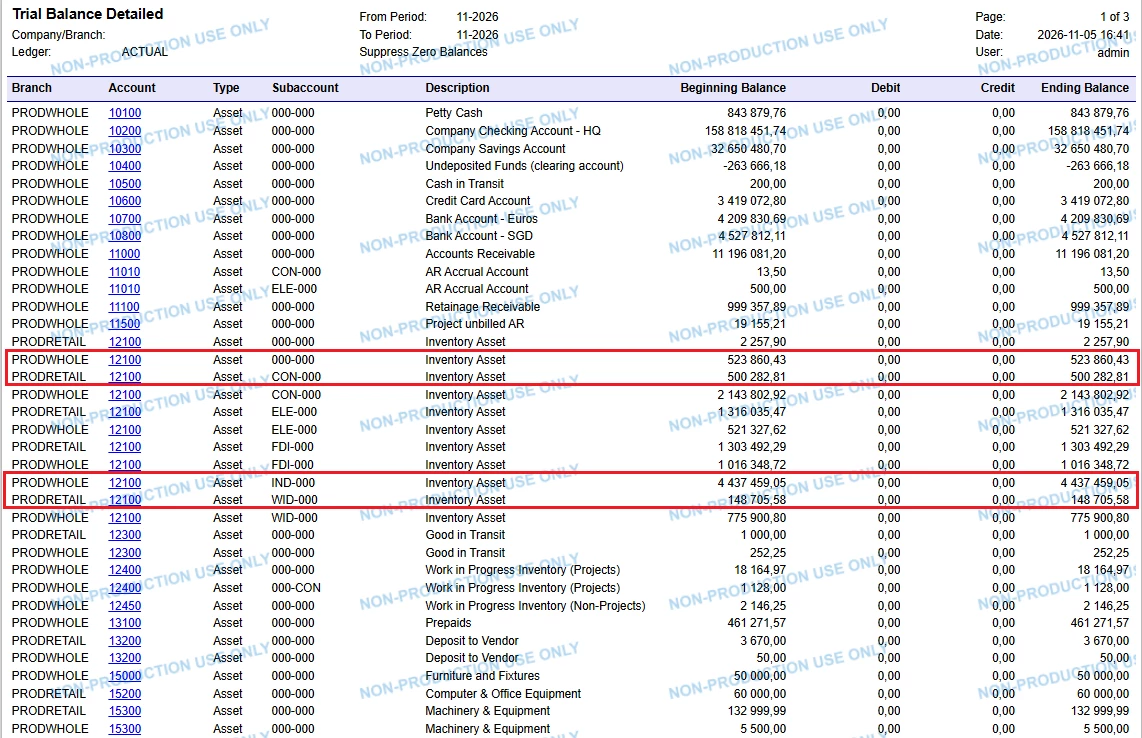
Do you want the Trial Balance report to show detailed information for both Branches, as shown in the image below?


Best Regards,

NNT

Translate

Forum|alt.badge.img+1

Hi ​@nhatnghetinh

Yes! that’s exactly what I am looking for. 

Can you help?

Many thanks

Barbara


Translate

nhatnghetinh
Captain II
Forum|alt.badge.img+15
  • Captain II
  • Answer
  • Nov 5, 2026 10:10 AM UTC

Hi ​@BarbaraPietersen23 

On the "Trial Balance Detailed" report:
+ REPORT PARAMETER Tab > Company/Branch: field blank (do not select anything).


+ ADDITIONAL SORT AND FILTERS Tab: set the filters to include the two Branches you wish to view, as shown below.


+ You can click "Save Template" to store these settings for future use.


Best Regards,

NNT

Translate

Forum|alt.badge.img+1

Thank you so much. Simple solution really - I obviously didn’t think it through.

Regards

Barbara

Translate