



Hi,
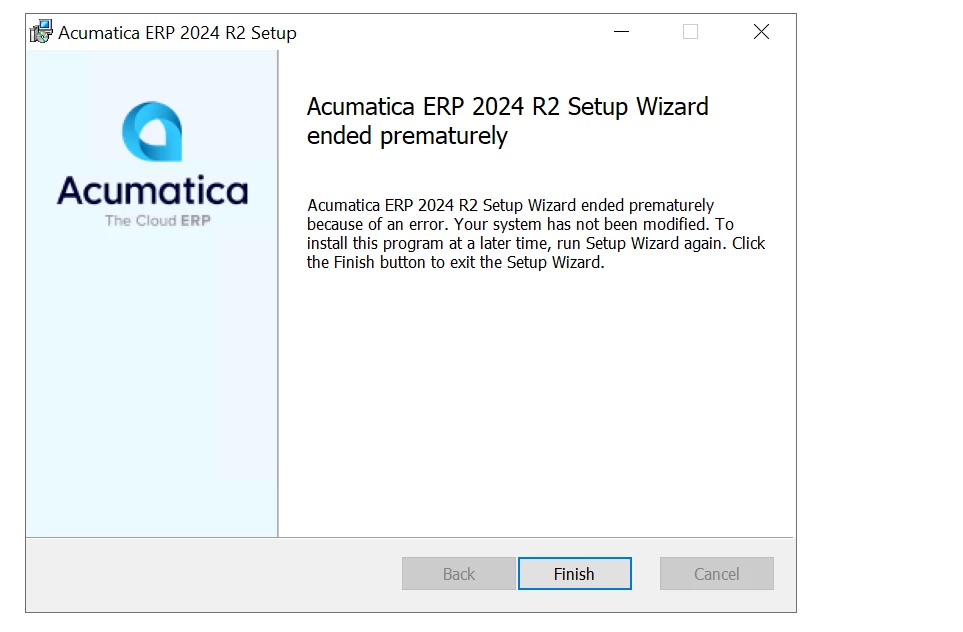
I am trying to install device hub but idk why installer is showing me this error again and again. I tried to fix it but did work out. Any suggestion please?
Hi,
I am trying to install device hub but idk why installer is showing me this error again and again. I tried to fix it but did work out. Any suggestion please?
Best answer by prachodayabagade65
Hi
If you're repeatedly seeing the “Acumatica ERP 2024 R2 Setup Wizard ended prematurely because of an error” message during Device Hub installation, this is typically caused by insufficient permissions, a missing prerequisite, or a leftover partial installation from a previous attempt.
Please try the following steps :
Run the installer as Administrator
Right-click the Device Hub installer and select Run as Administrator.
Verify .NET Framework 4.8
Confirm that .NET Framework 4.8 is installed on the server. If newly installed, restart the machine before retrying.
Remove any existing Device Hub service
Open services.msc and check for Acumatica Device Hub.
If it exists, stop and delete the service, reboot the machine, and then reinstall.
Confirm version compatibility
Ensure the Device Hub installer matches your exact Acumatica ERP build (2024 R2 in your case).
Check Event Viewer
Navigate to Event Viewer → Windows Logs → Application, filter by source MsiInstaller, and review errors logged at the time of failure. This will help identify the exact root cause.
For full prerequisites and installation steps, refer to the Device Hub Installation Guide available in the Acumatica Help Portal.
Hope this helps!
Enter your E-mail address. We'll send you an e-mail with instructions to reset your password.




