

Answer

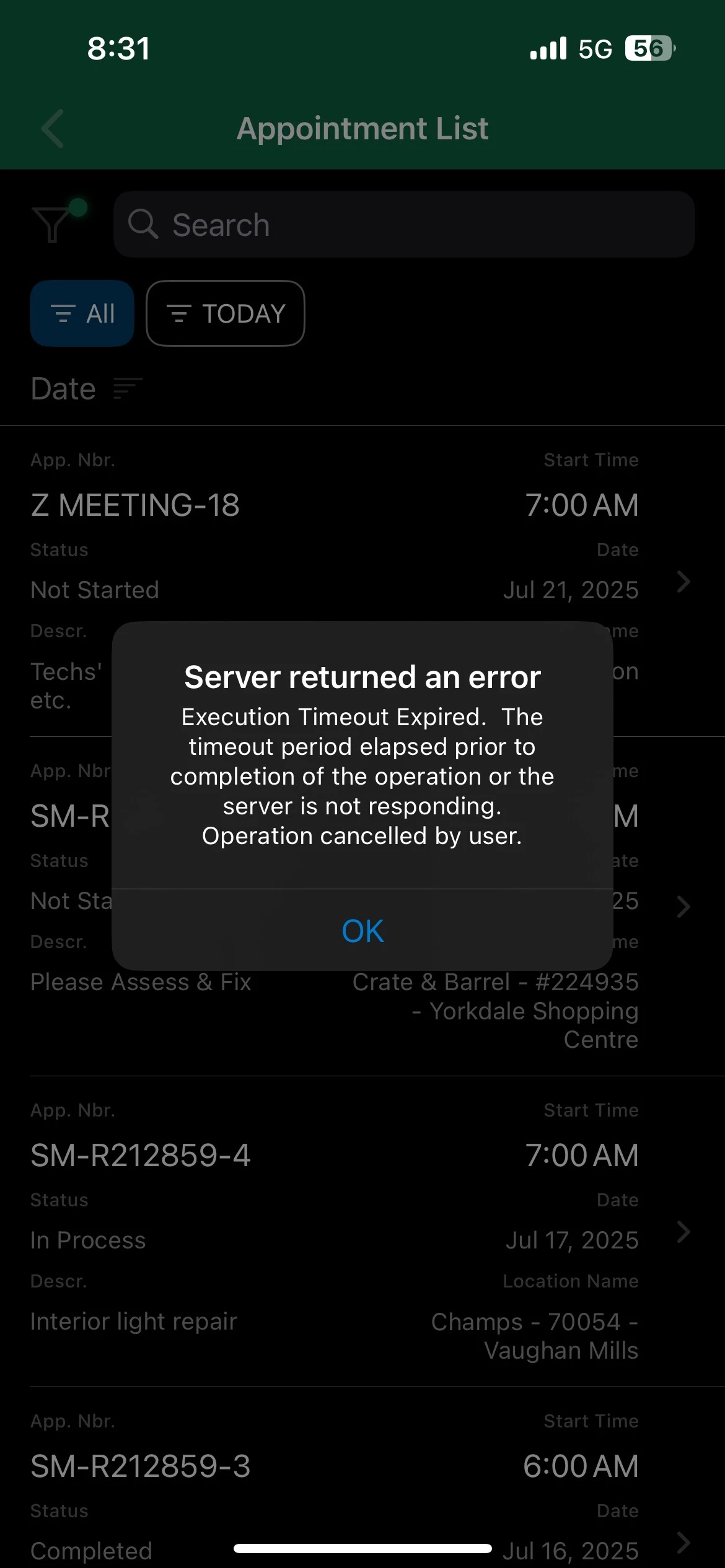
Issue on Acumatica Mobile APP _Appointment screen

  • July 17, 2025
  • 3 replies
  • 60 views

Forum|alt.badge.img

Hi Team,


Please refer to the photo of issue I'm having with acumatica App.


Fails to open work order says not connected to server.


I have closed and reinstalled the app.
 

Best answer by gowrishankarsk32

Hi Team,

@Manikanta Dhulipudi ​@NadeeshaFernando42 
I had raised a support case, but the issue no longer persists. So we have closed the ticket.

It is now working properly.

Thanks.

3 replies

@gowrishankarsk32 Could you please have this issue raised with Acumatica Support so they can investigate further?


Manikanta Dhulipudi
Captain II
Forum|alt.badge.img+15

@gowrishankarsk32 Could you please confirm if this issue is happening recently? what changes are recently applied.


Are you ableto open the same screen in Acumatica,

f you have recently imported lots of transactions or did any Tenant maintenance such as Copy Company Restore Snapshot and … there is a chance you need to update the Statistics on SQL side or you can do it on Apply Updates (ScreenId=SM203510).

If none of mentioned above applied to your case and error happens approximately 1.5 min of loading, the query time out is expired.

You may increase it using below article: (make sure plan the change out of business hours as it will cause a system restart)

https://help.acumatica.com/(W(4))/Help?ScreenId=ShowWiki&pageid=62b4944b-22d6-48d6-955d-f672b8ba1057


Forum|alt.badge.img
  • Author
  • Jr Varsity II
  • Answer
  • July 30, 2025

Hi Team,

@Manikanta Dhulipudi ​@NadeeshaFernando42 
I had raised a support case, but the issue no longer persists. So we have closed the ticket.

It is now working properly.

Thanks.


