Answer

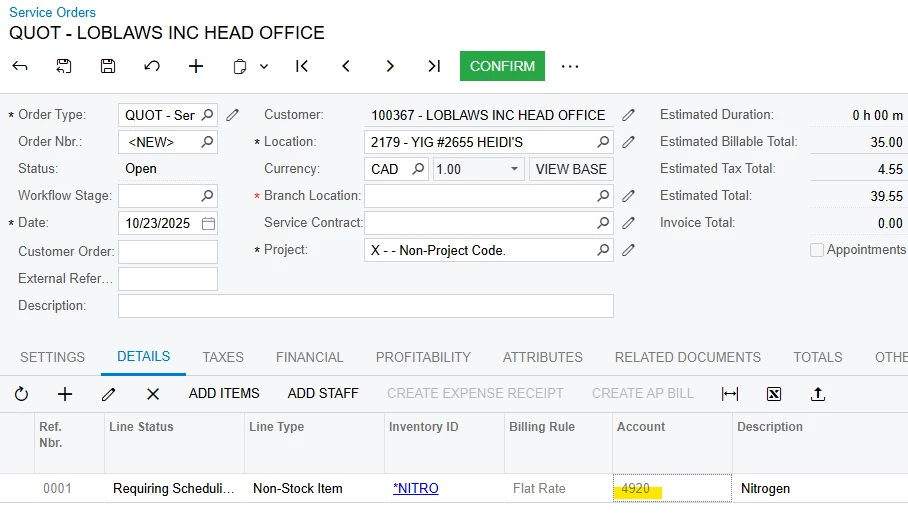
How can i change the GL account on an inventory line in QUOT order type.

  • October 23, 2025
  • 2 replies
  • 26 views

I am unable to alter the default GL account for line items in a QUOT order type. If i then copy and paste this over to a new order type obviously it stays the same account number. I need the account number to match to the mapped GL for the inventory ID. Does anyone know how to fix this or have any experience with this. I want it to default to Sales account from inventory item not from the customer info. 


Best answer by vdiaz

@MacSims ​@andrestamour43 

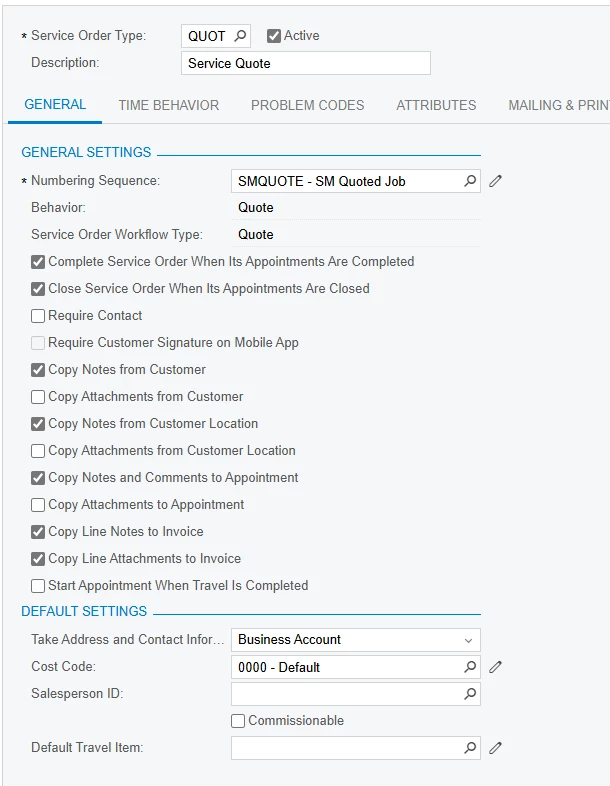
You’re absolutely right to notice that the Accounts column on Quote Service Orders (service order type behavior = Quote) didn’t have any functionality, since quotes themselves cannot be billed.

Starting with 2025 R2, we removed the Account and Subaccount columns from quote-type service orders to simplify the user experience and avoid confusion. You can find more details in the release notes (page 48, under AC-256396).

Additionally, when you copy a quote to create a regular service order, the system now correctly respects the settings defined for the new service order type.

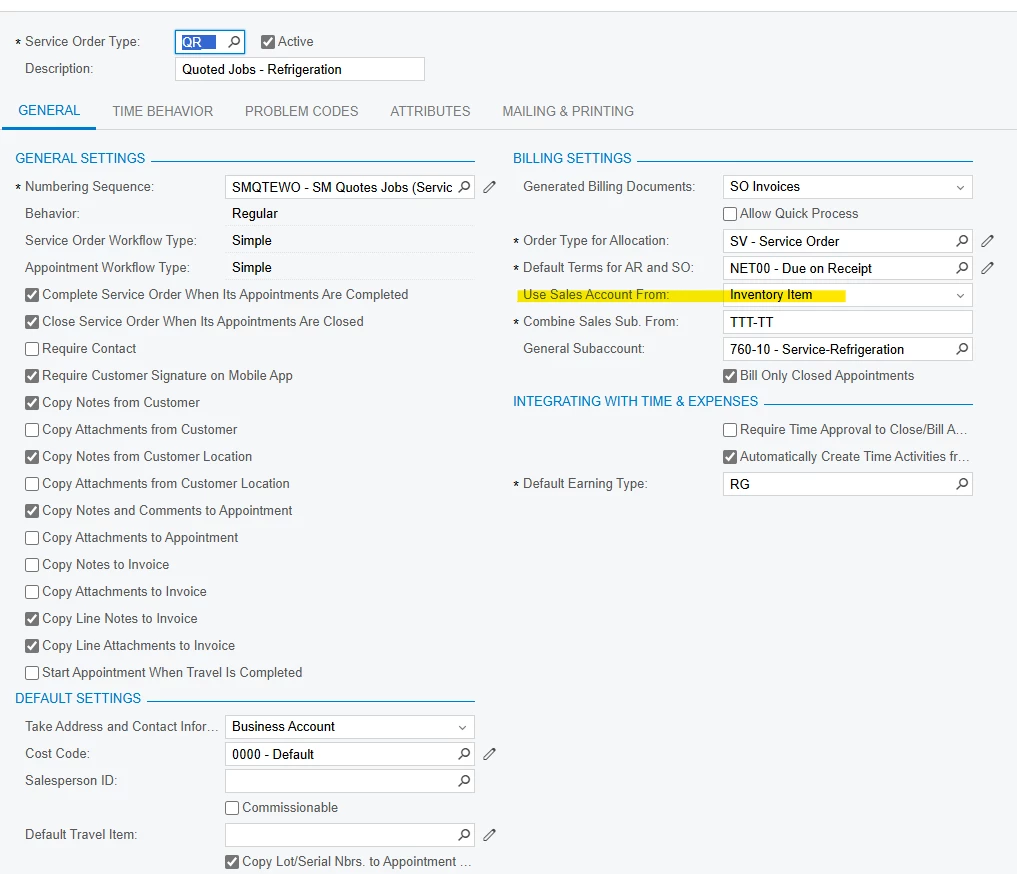
To ensure your setup behaves as expected, double-check that the Use Sales Account From option is correctly selected on your regular service order type.

Hope this clarifies things and makes your workflow smoother!

2 replies

Forum|alt.badge.img+3
  • Acumatica Employee
  • October 23, 2025

@MacSims

I am not experiencing any issue in 2025R2 - what version are you on and can you show the GL account setup for your item? 

Also does the desired sub account and account combination exist prior to creating the service order?


vdiaz
Acumatica Moderator
Forum|alt.badge.img+2
  • Acumatica Moderator
  • Answer
  • October 24, 2025

@MacSims ​@andrestamour43 

You’re absolutely right to notice that the Accounts column on Quote Service Orders (service order type behavior = Quote) didn’t have any functionality, since quotes themselves cannot be billed.

Starting with 2025 R2, we removed the Account and Subaccount columns from quote-type service orders to simplify the user experience and avoid confusion. You can find more details in the release notes (page 48, under AC-256396).

Additionally, when you copy a quote to create a regular service order, the system now correctly respects the settings defined for the new service order type.

To ensure your setup behaves as expected, double-check that the Use Sales Account From option is correctly selected on your regular service order type.

Hope this clarifies things and makes your workflow smoother!