Solved

Calendar board - trouble

  • June 28, 2023
  • 9 replies
  • 387 views
  • Translate All

Forum|alt.badge.img+1

Hi,

after some row in the calendar, the data isnt readable.

Is it a known issue? How to resolve that?
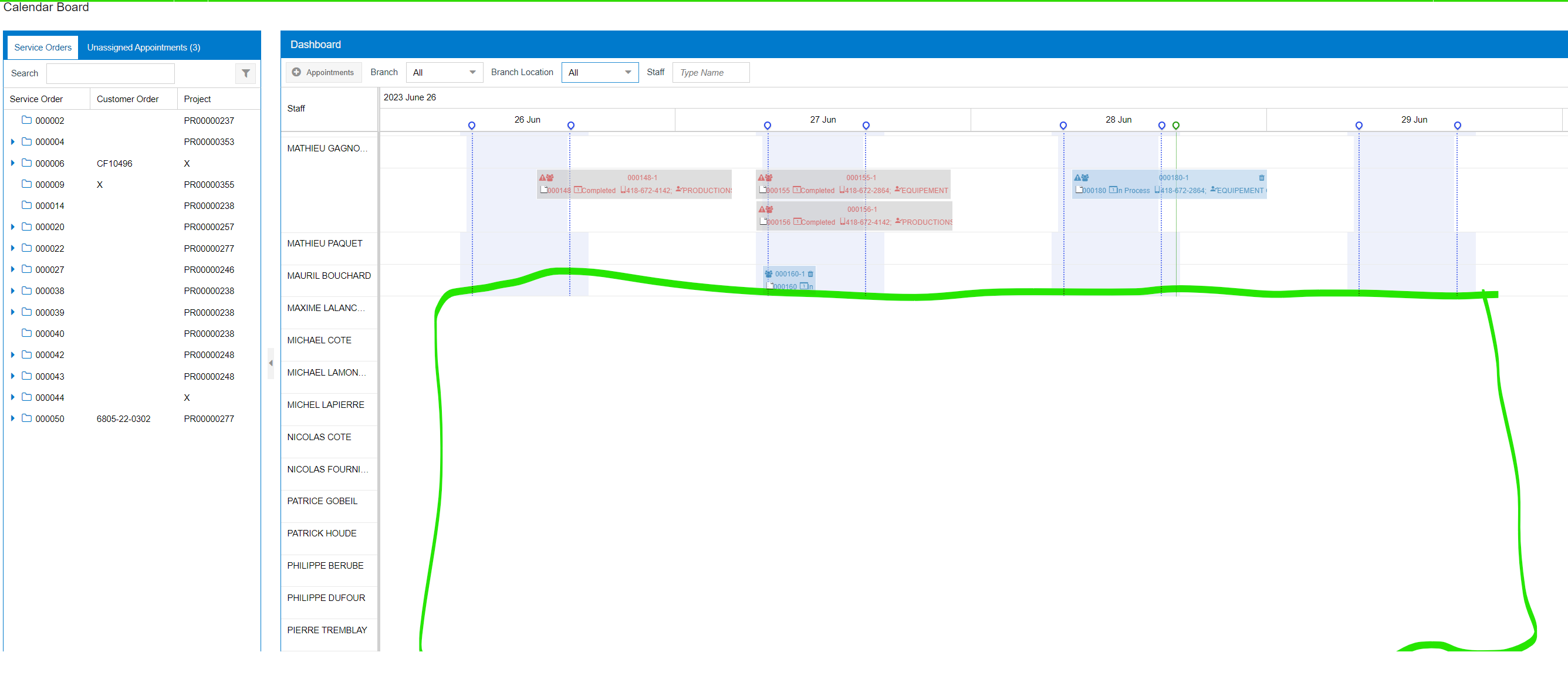
 

after scrolling to the top
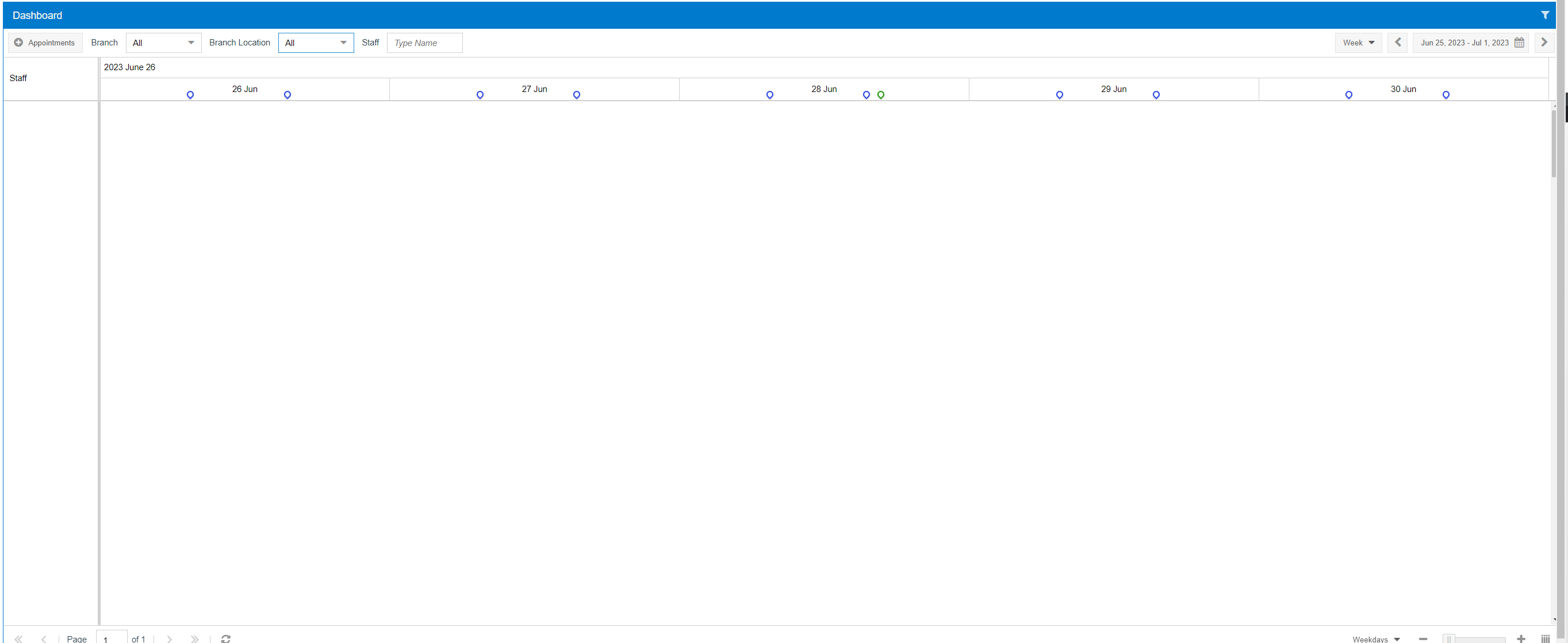
 

Best answer by raphrf

Hi ! I got the answer this morning from Acumatica, below is the reason and the correction. Ticket closed  Thanks 😎


To do so:

1. Navigate to Calendar Preferences (FS100500)

2. Open Appointment Box tab

3. Select the row with 'LongDesc' (the 2nd from the bottom)

4. Change 'LongDesc' to something else, or just remove the row

5. Click on the 'Save' button.
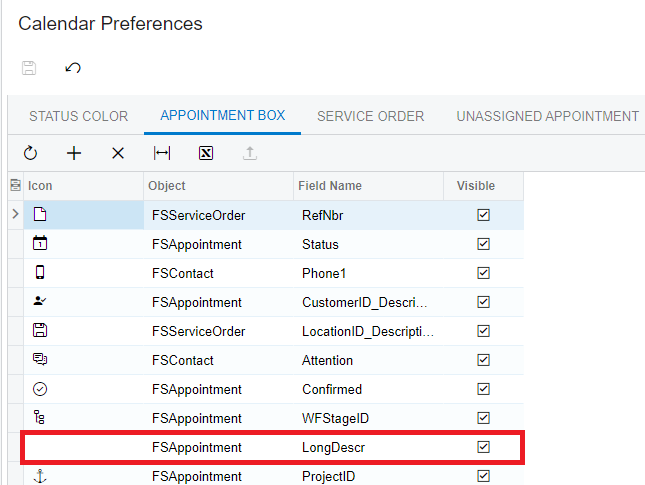
 

View original

9 replies

RaphaelPfaff12
Semi-Pro III

Hi @raphrf have you tried with different browsers?

Translate

Forum|alt.badge.img+1
  • Author
  • Captain I
  • June 29, 2023

Hi I have the same result with Edge or Chrome.

Translate

Forum|alt.badge.img+9
  • Semi-Pro III
  • June 29, 2023

Hi @raphrf ,

You can get help from the below link.


Regards,

Sweta

Translate

Forum|alt.badge.img+1
  • Author
  • Captain I
  • June 29, 2023

yes I did the help, it’s not exactly my problem, and it’s not changed the behavior

Translate

Anacarina Calvo
Pro I
Forum|alt.badge.img+4

Hi @raphrf , I suggest creating a case for this

Translate

Chris Hackett
Community Manager
Forum|alt.badge.img
  • Acumatica Community Manager
  • July 13, 2023

Hi @raphrf were you able to find a solution? Thank you!

Translate

aaghaei
Captain II
Forum|alt.badge.img+11
  • Captain II
  • July 14, 2023

Raph, Edge and Chrome are in fact the same browsers with slightly different interface. Can you try on Firefox to see does it make any difference. If didn’t please create a ticket because it looks like a bug to me.

Translate

Forum|alt.badge.img+1
  • Author
  • Captain I
  • Answer
  • July 14, 2023

Hi ! I got the answer this morning from Acumatica, below is the reason and the correction. Ticket closed  Thanks 😎


To do so:

1. Navigate to Calendar Preferences (FS100500)

2. Open Appointment Box tab

3. Select the row with 'LongDesc' (the 2nd from the bottom)

4. Change 'LongDesc' to something else, or just remove the row

5. Click on the 'Save' button.


Translate

aaghaei
Captain II
Forum|alt.badge.img+11
  • Captain II
  • July 14, 2023

Thanks for sharing the solution with the community @raphrf 

Translate