Solved

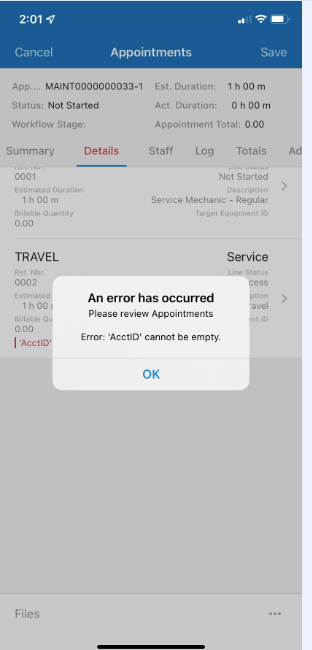
AcctID cannot be empty

  • September 1, 2022
  • 5 replies
  • 956 views
  • Translate All

Forum|alt.badge.img

Going from one appointment to the next, he clicks Depart, and gets the warning


 “AcctID cannot be empty”

I’ve gone through everything in the appointment, can’t find what’s missing.


Please help, thanks.

Best answer by amajors

Make sure it is saved before trying to depart. It seems like the system might not be pulling in the customer account information or something.

I think @DConcannon might have the solution.

View original

5 replies

Kandy Beatty
Captain II
Forum|alt.badge.img+18

HI @bhyland 

Can you share a screenshot of what you are seeing?

Translate

DConcannon
Varsity II
Forum|alt.badge.img+2
  • Varsity II
  • September 1, 2022

Check the Travel item (and its associated labor item) for the service order type. These items may be missing an account in their setup

Translate

Forum|alt.badge.img
  • Author
  • Jr Varsity II
  • September 1, 2022


Translate

Forum|alt.badge.img+2
  • Semi-Pro I
  • Answer
  • September 1, 2022

Make sure it is saved before trying to depart. It seems like the system might not be pulling in the customer account information or something.

I think @DConcannon might have the solution.

Translate

DConcannon
Varsity II
Forum|alt.badge.img+2
  • Varsity II
  • September 1, 2022

@bhyland I just tried to recreate the error and was not able to. Can you try the same procedure from a browser and see if there is additional information in the trace? Is the service order connected to a project? A screen shot of the preferences tab of the service order type would be helpful. There are quite a few configuration paths that specify from where AcctIDs are chosen.

Translate