Solved

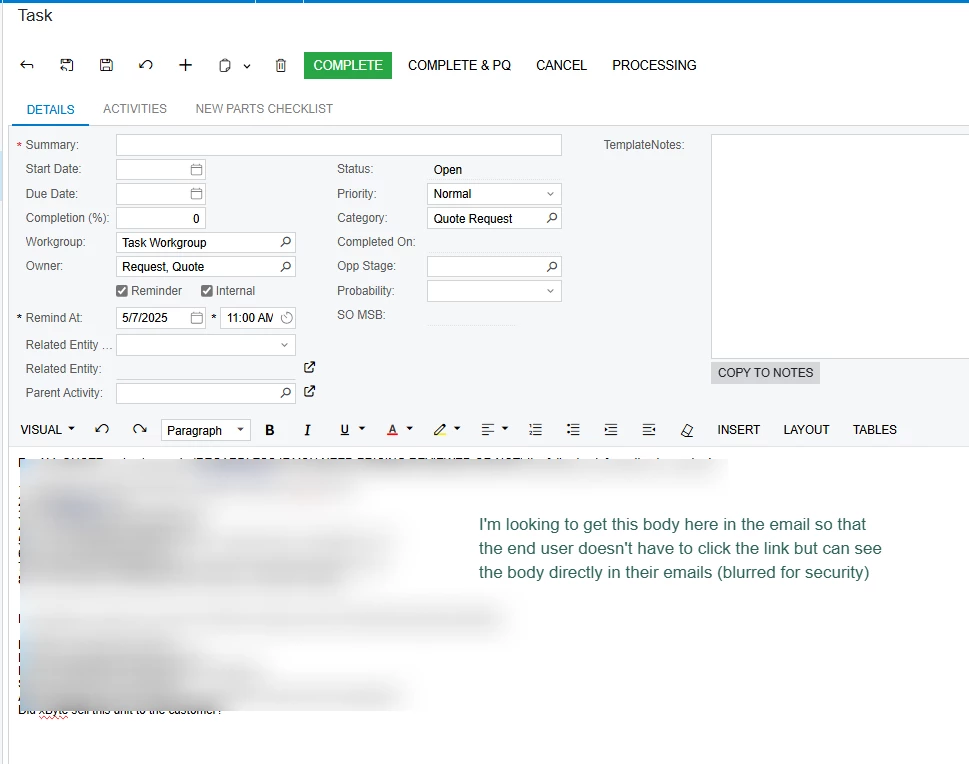
Task Body (CRActivity-Body) in Email Template

  • May 7, 2025
  • 4 replies
  • 115 views
  • Translate All

Forum|alt.badge.img

Hi all,


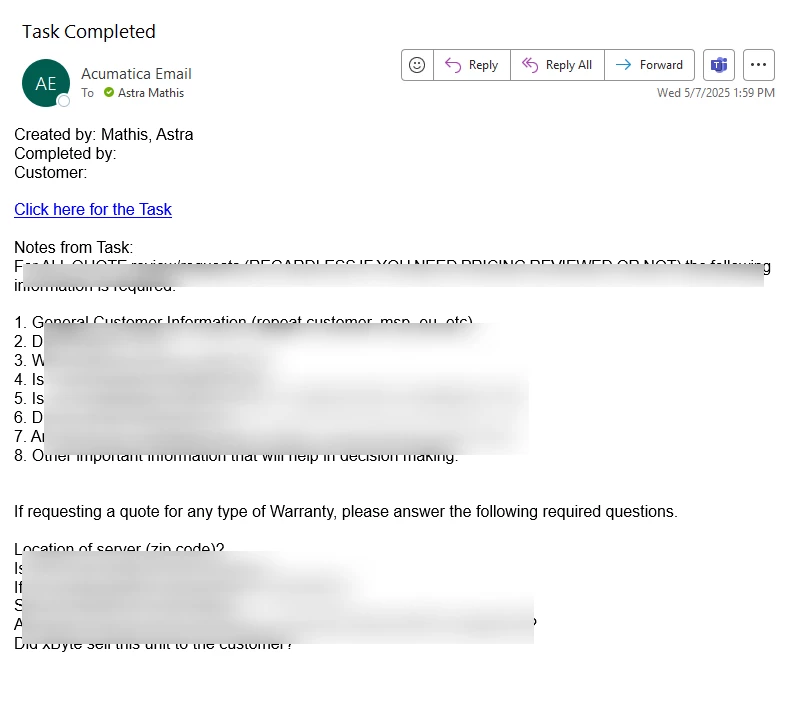
Does anyone know how to get the Task Body (where often we have a template that populates it) into the Email Notification sent to the assigned group/user?

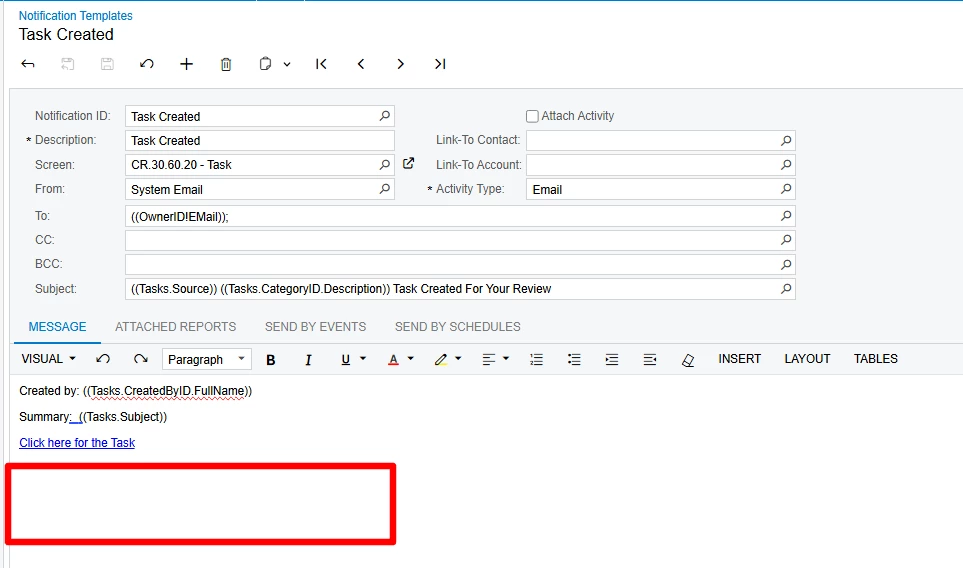
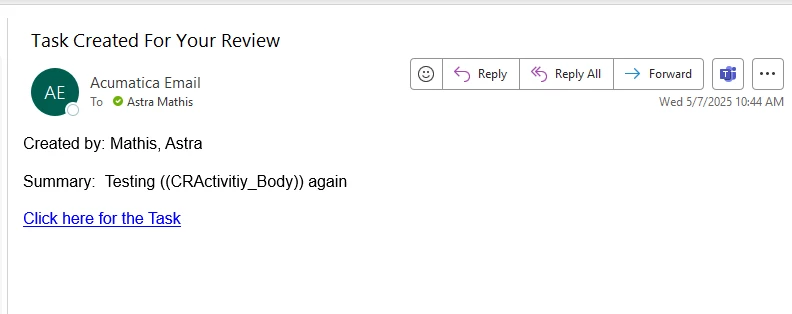
I’ve tried ((Activities.Body)) from the Data Field dropdown and ((CRActivitiy_Body)) here but it doesn’t yield anything in the Email received. The Email Template is sent via a Business Event for “trigger by record change” and not an Automation Schedule.


Best answer by astramathis30

​@hkabiri So, it turns out it is possible with this below and it works. It was in the “Task Completed” Email template the whole time. Not sure why I didn’t try that before LOL:


Notes from Task:

((Tasks.Body))


View original

4 replies

hkabiri
Acumatica Moderator
Forum|alt.badge.img+8
  • Acumatica Support Team
  • May 7, 2025

​@astramathis30 Given the field is not available to select when you Insert >Data Field it means not available on the DAC. The Body field content is Rich Text and value on DB is different from what you see on the Tasks or Activities. Normally notification contains the link and subject of changed/created document.

Translate

Forum|alt.badge.img

​@hkabiri That makes sense. Not great, but glad there is a reason.

Translate

Forum|alt.badge.img

​@hkabiri So, it turns out it is possible with this below and it works. It was in the “Task Completed” Email template the whole time. Not sure why I didn’t try that before LOL:


Notes from Task:

((Tasks.Body))


Translate

Chris Hackett
Community Manager
Forum|alt.badge.img

Thank you for sharing your solution with the community ​@astramathis30!

Translate