

Answer

sitemap error

  • December 12, 2022
  • 3 replies
  • 394 views

Forum|alt.badge.img

I’m getting the following error when trying to access one specific Tenant:
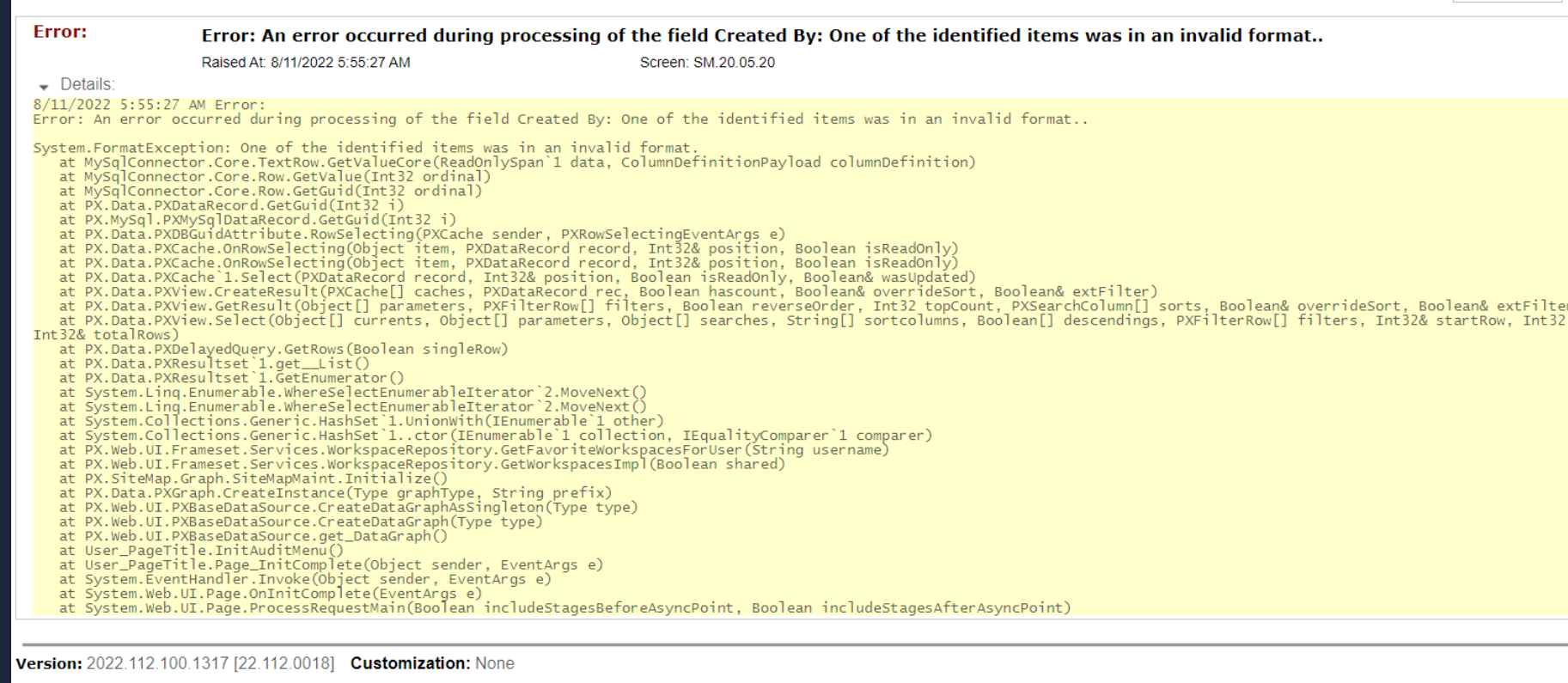
 

The message is displayed right after doing the logging and this issue started after upgrading to a new version(2022R1), does anyone know how can I investigate this issue and fix it ? Thanks

Best answer by jeffersonmacedo

Thanks @manikantad18 and @laura01 for your reply. 


The application has been restarted and the issue still persisted, also I wasn’t doing any search the issue was showing right after trying to get logged to the site. After some further investigation I found the issue, a few records had the column CreatedByID empty from favoriteWorkspace table. For some reason it was erased or after the upgrade it started validating this.

3 replies

Manikanta Dhulipudi
Captain II
Forum|alt.badge.img+15

Hi @jeffersonmacedo 


Please restart your application, This is a Known Issue in Acumatica.

Thanks


Laura03
Captain II
Forum|alt.badge.img+19
  • Captain II
  • December 13, 2022

Hello @jeffersonmacedo ,

I read the suggested link “How to resolve the issue when a full-text search is not working.”  Are you trying to use the Global Search feature when you see the error?  The article suggests that full-text search is “disabled on the server”.  I expect an incorrect server setting would affect all of your tenants, not just one as you describe.

I am suggesting Plan B in case the above solution does not solve your problem.

Because the error references as “Created By” field, I wonder if the error is related to a user being deleted out of the system, on one tenant only.  Are you able to see the Users lists and compare a working tenant to the ‘problem’ tenant? Are you able to “add back” any users who left the company? Perhaps this error is caused by deleting a user instead of disabling them.


Forum|alt.badge.img
  • Author
  • Jr Varsity III
  • Answer
  • December 18, 2022

Thanks @manikantad18 and @laura01 for your reply. 


The application has been restarted and the issue still persisted, also I wasn’t doing any search the issue was showing right after trying to get logged to the site. After some further investigation I found the issue, a few records had the column CreatedByID empty from favoriteWorkspace table. For some reason it was erased or after the upgrade it started validating this.

