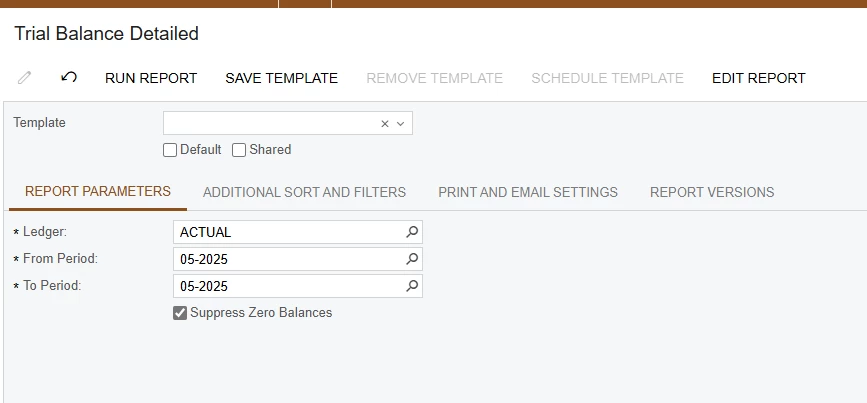
I am trying to setup a few financial reports to email weekly out of the system, and I know I need to save the template and then schedule the template. The issue I am running into are the financial period parameters.
Is there a way to set a template that dynamically pulls in the current financial period so that I can then put that template on a schedule? Otherwise, I don’t see a way around having to create a template for each period which wouldn’t work in the long run.
Thank you,
RJ
Best answer by rkenna
Hi Community,
I was able to figure this out. I created a new Screen ID for emailing purposes, and I saved the same report to that new Screen ID. This way the original report and version is untouched. From there, I made the parameters invisible in Report Designer, so I am able to save a template without designating the Financial Period. The Financial Period default still exists on the backend of the report.
From there, I can create the schedule to email the report.
I was able to figure this out. I created a new Screen ID for emailing purposes, and I saved the same report to that new Screen ID. This way the original report and version is untouched. From there, I made the parameters invisible in Report Designer, so I am able to save a template without designating the Financial Period. The Financial Period default still exists on the backend of the report.
From there, I can create the schedule to email the report.
I am trying to setup a few financial reports to email weekly out of the system, and I know I need to save the template and then schedule the template. The issue I am running into are the financial period parameters.
Is there a way to set a template that dynamically pulls in the current financial period so that I can then put that template on a schedule? Otherwise, I don’t see a way around having to create a template for each period which wouldn’t work in the long run.
Thank you,
RJ
Hi Community,
I was able to figure this out. I created a new Screen ID for emailing purposes, and I saved the same report to that new Screen ID. This way the original report and version is untouched. From there, I made the parameters invisible in Report Designer, so I am able to save a template without designating the Financial Period. The Financial Period default still exists on the backend of the report.
From there, I can create the schedule to email the report.
Hi rkenna, This is exactly what I am trying to do…but failing miserably…
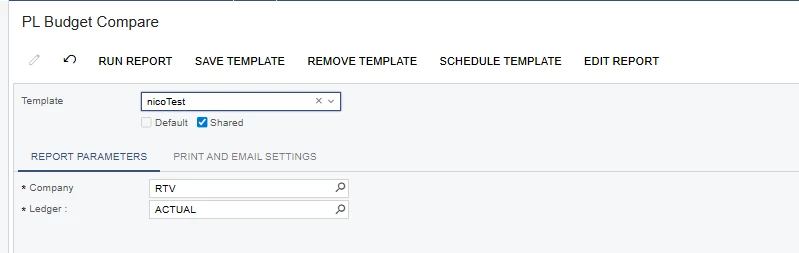
I created the report (It's an ARM Report) and removed the Period Parameters:
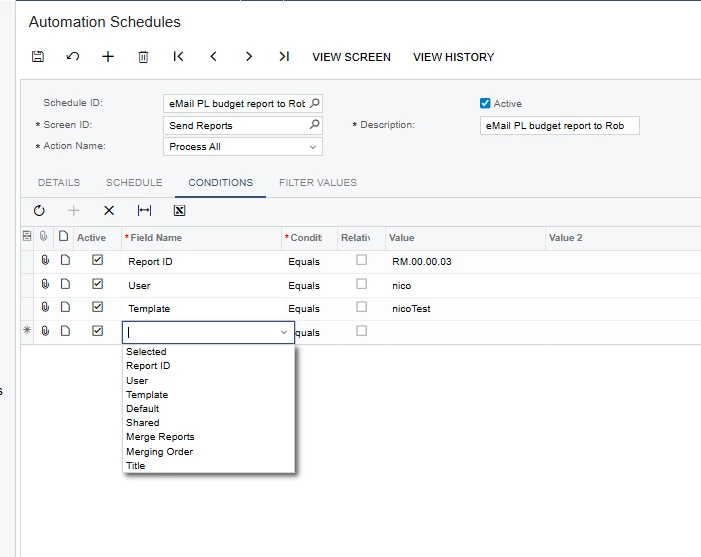
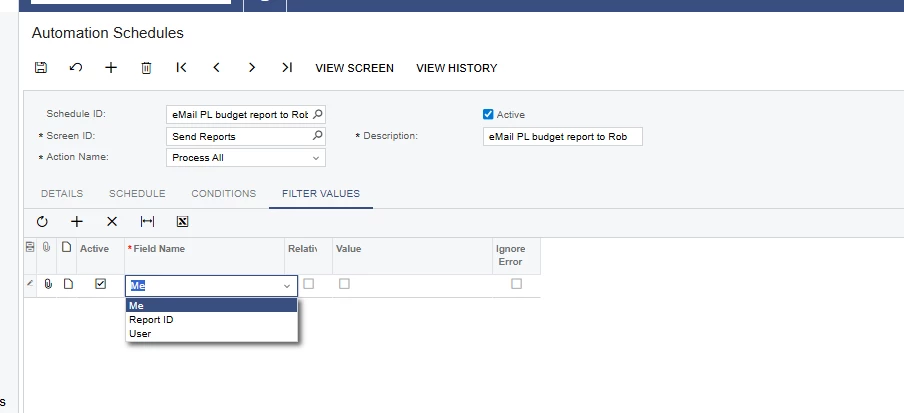
but there’s no fields in Conditions or Filter Values…. to run the period with @PeriodStart or @Today