Answer

Can't find where this is stored "VendorLocationMain".

  • December 21, 2022
  • 3 replies
  • 162 views

Forum|alt.badge.img

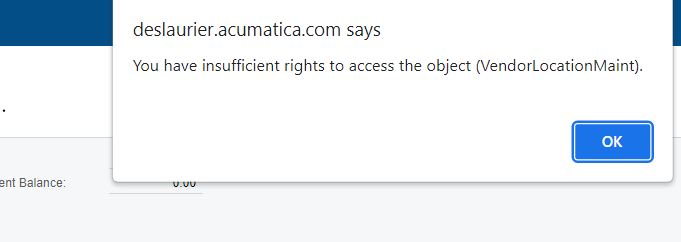
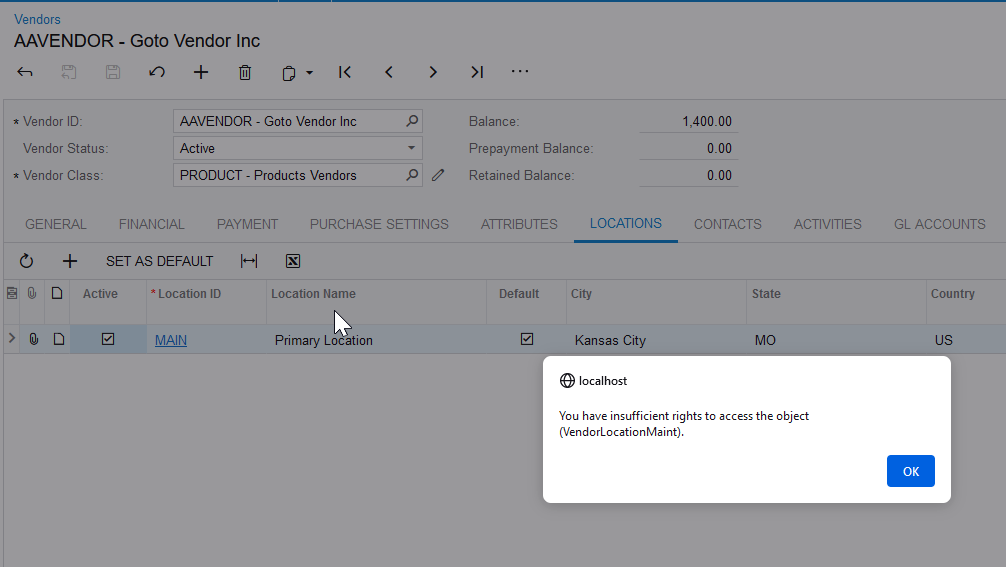
Trying to provide access to a user for adding vendor locations. Receiving this error. 


Anyone know where I can find this on Access Rights?

Best answer by ed.goodman

Hello @jwarren!

I set up a test role and got the same error message.
Here are the steps taken to resolve.
  • Logged in as admin, then went into Payables > Profiles > Vendors
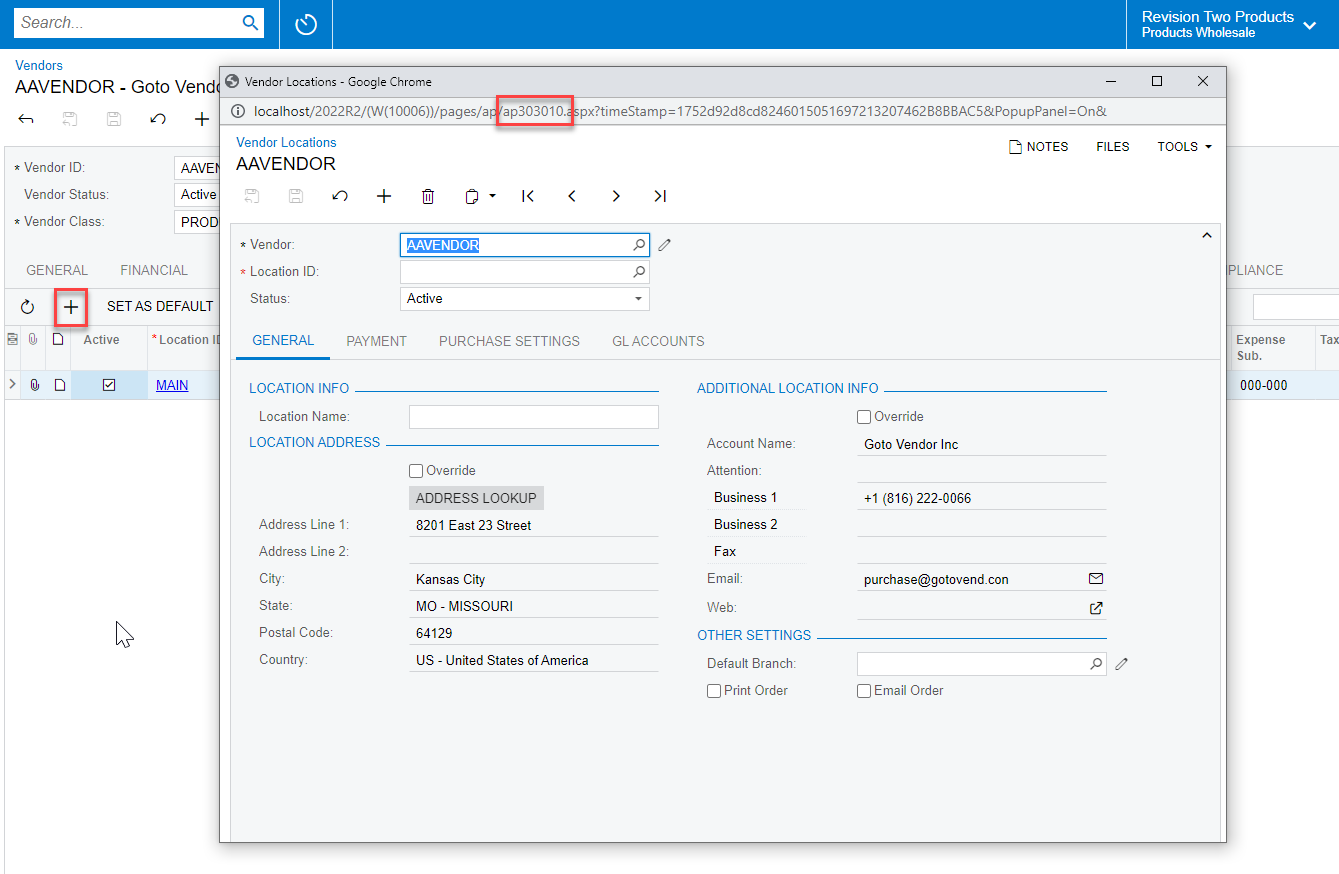
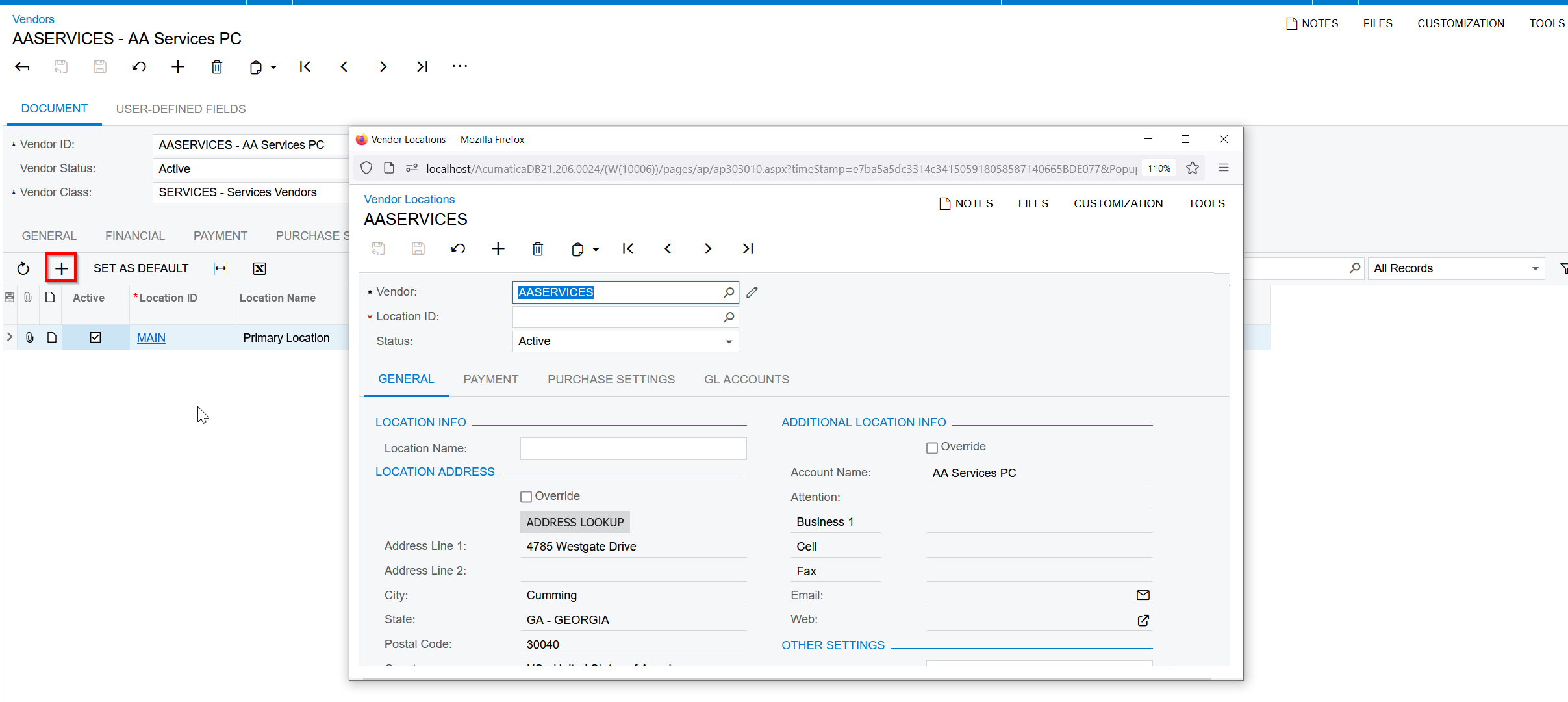
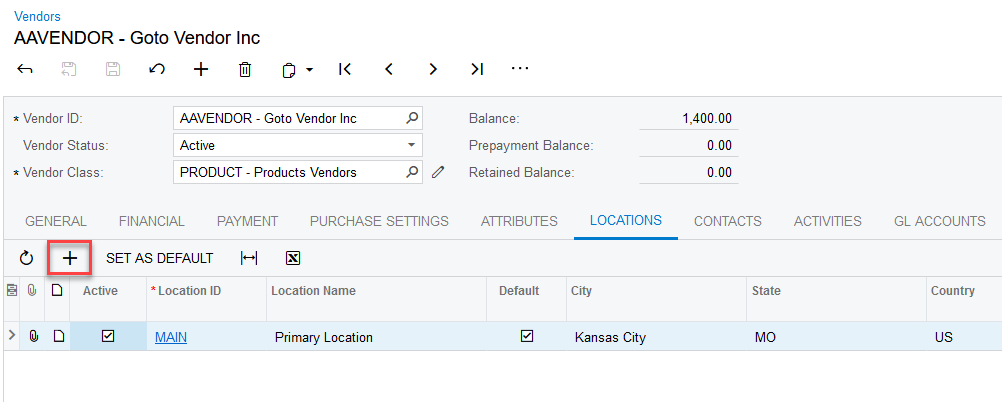
  • Clicked on one of the vendors, went into the Locations tab, then clicked the + sign to add a new location
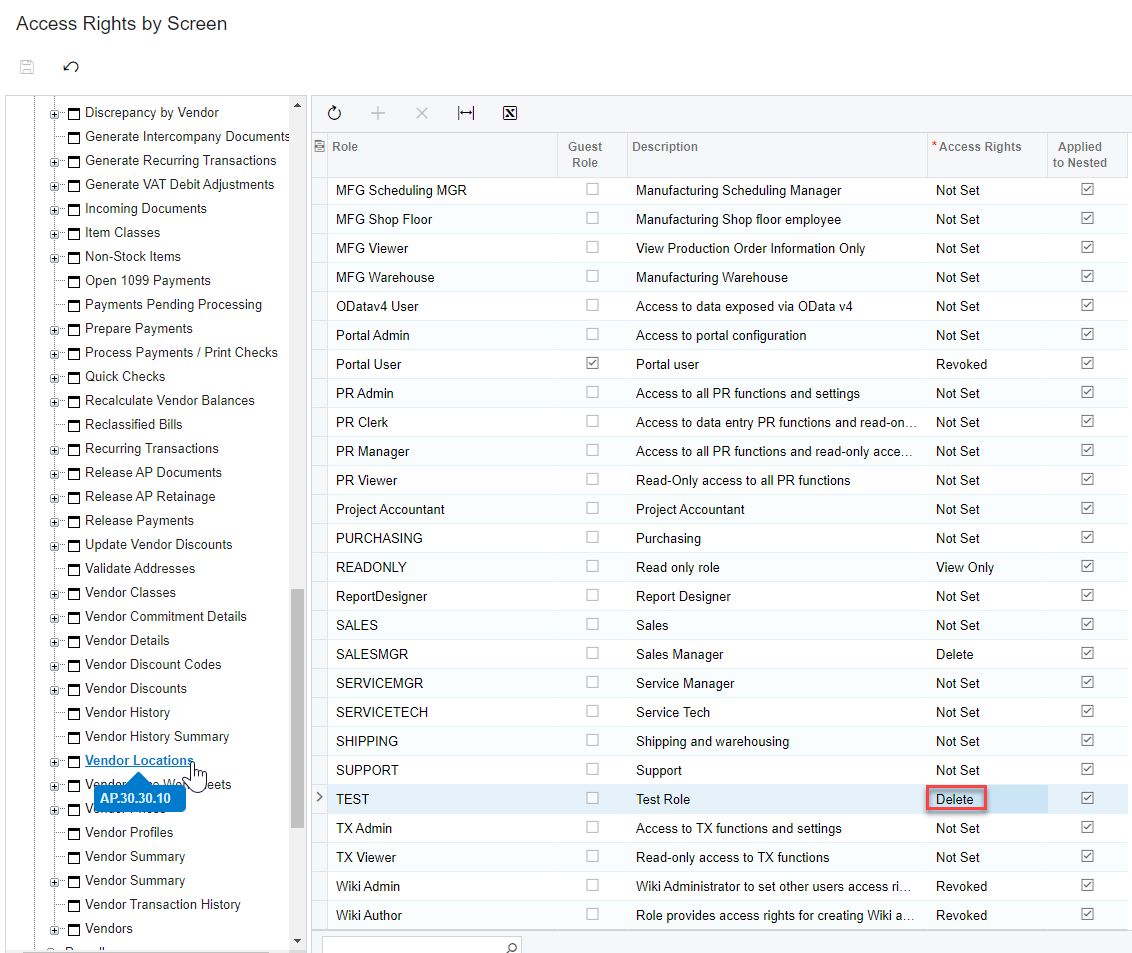
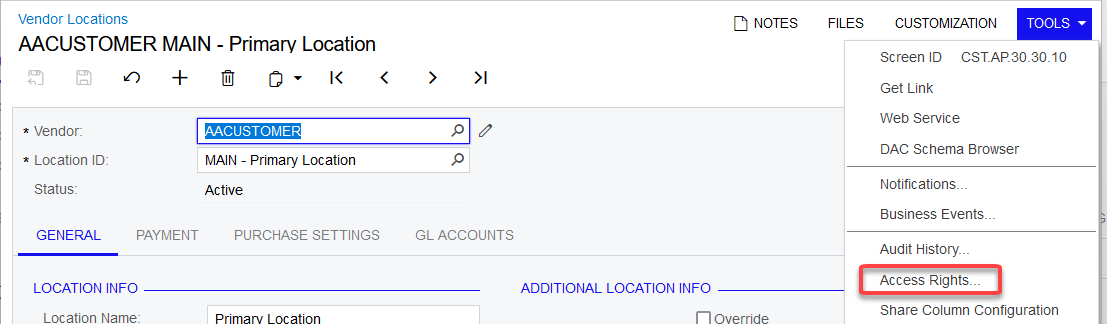
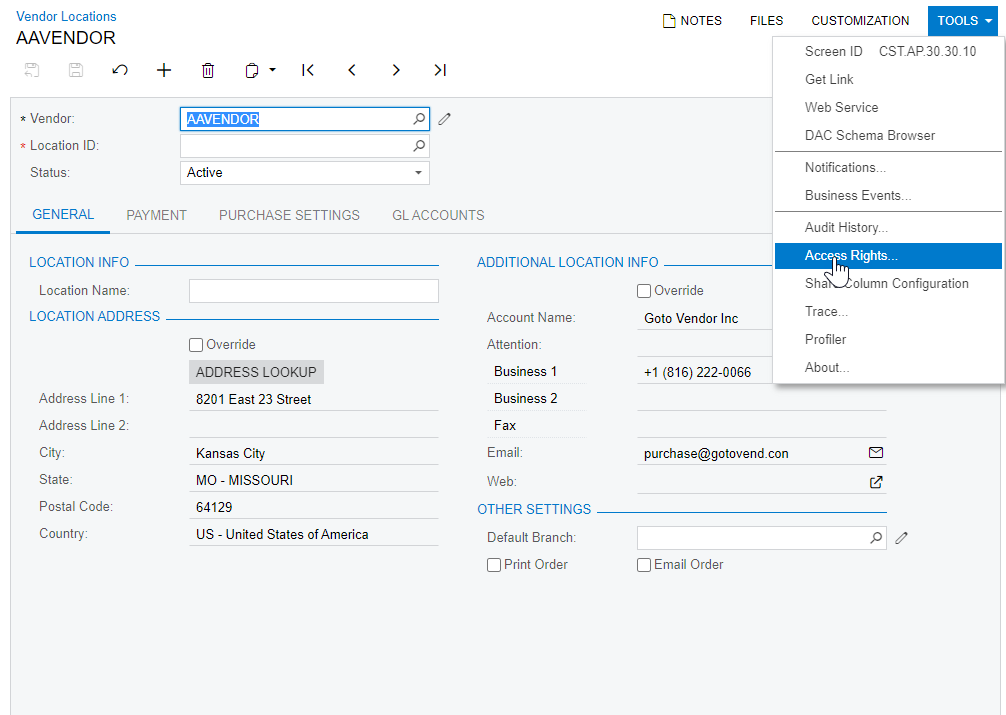
  • This brought up the Vendor Locations (AP303010) screen where I clicked Tools > Access Rights
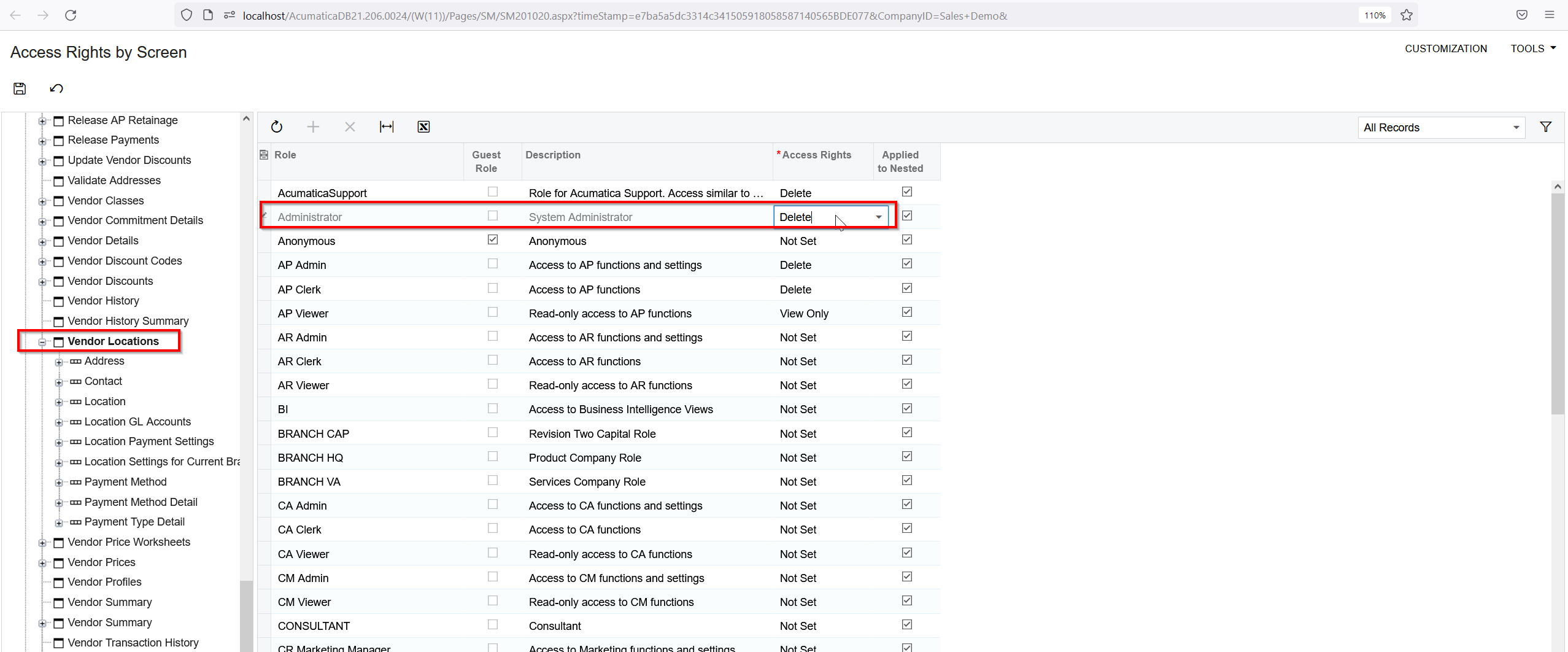
  • This brought up Access Rights by Screen in a new tab where I was able to determine the appropriate access node for this
  • If you hover the mouse over these access nodes, the screen id will show, enabling you to verify you are in the right access node
  • As shown in the screen shot above, I gave the TEST role Delete access to Vendor Locations … Insert access would probably work there as well
  • Test user can now add vendor locations without error


3 replies

Forum|alt.badge.img+1
  • Jr Varsity II
  • December 21, 2022

I have found that the easy way to grant security is going to the screen as an admin and then using the Access Rights


YasasWithanage76
Acumatica Employee
Forum|alt.badge.img+4

Hello @jwarren 

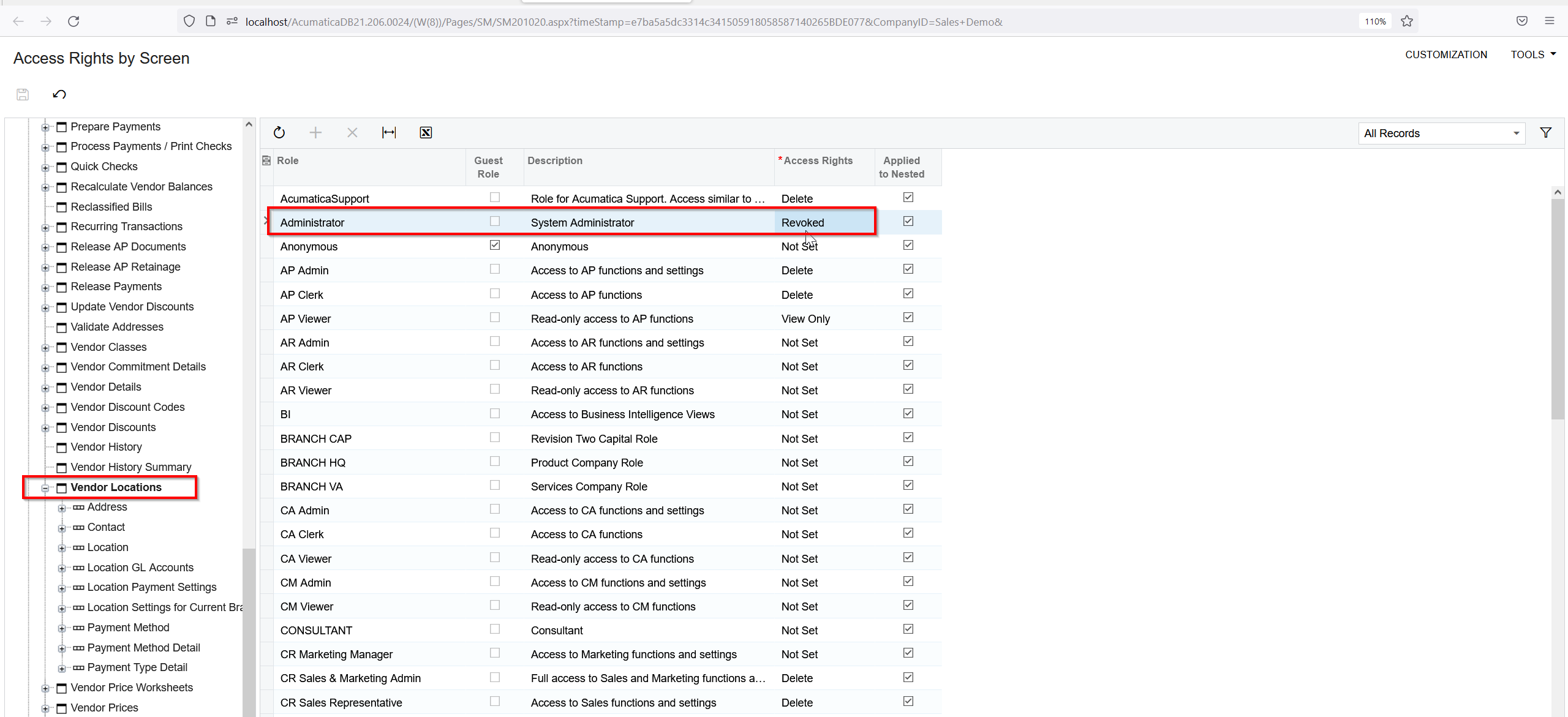
As @dboes14  suggested you can grant the relevant access for the user role in the below path

Access Rights by Screen > Payables > Vendor Location

Before


After


ed.goodman
Acumatica Employee
Forum|alt.badge.img+4
  • Acumatica Employee
  • Answer
  • December 30, 2022

Hello @jwarren!

I set up a test role and got the same error message.

Here are the steps taken to resolve.
  • Logged in as admin, then went into Payables > Profiles > Vendors
  • Clicked on one of the vendors, went into the Locations tab, then clicked the + sign to add a new location
  • This brought up the Vendor Locations (AP303010) screen where I clicked Tools > Access Rights
  • This brought up Access Rights by Screen in a new tab where I was able to determine the appropriate access node for this
  • If you hover the mouse over these access nodes, the screen id will show, enabling you to verify you are in the right access node
  • As shown in the screen shot above, I gave the TEST role Delete access to Vendor Locations … Insert access would probably work there as well
  • Test user can now add vendor locations without error