Solved

Business Event to Trigger Prepare Invoice on Sales Order

  • August 12, 2026
  • 2 replies
  • 65 views
  • Translate All

Forum|alt.badge.img+1

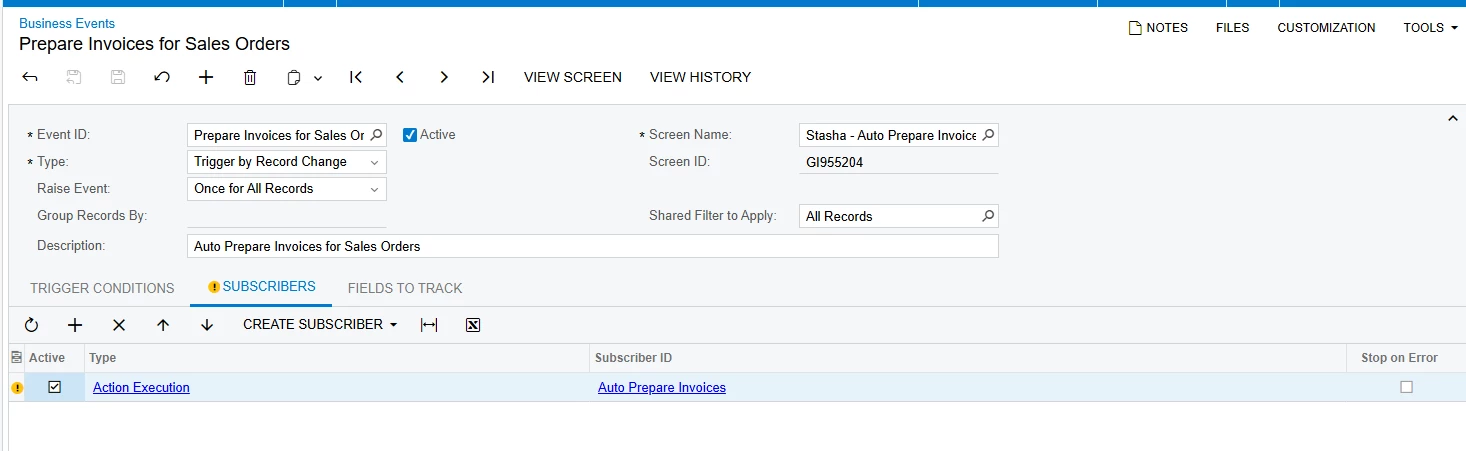
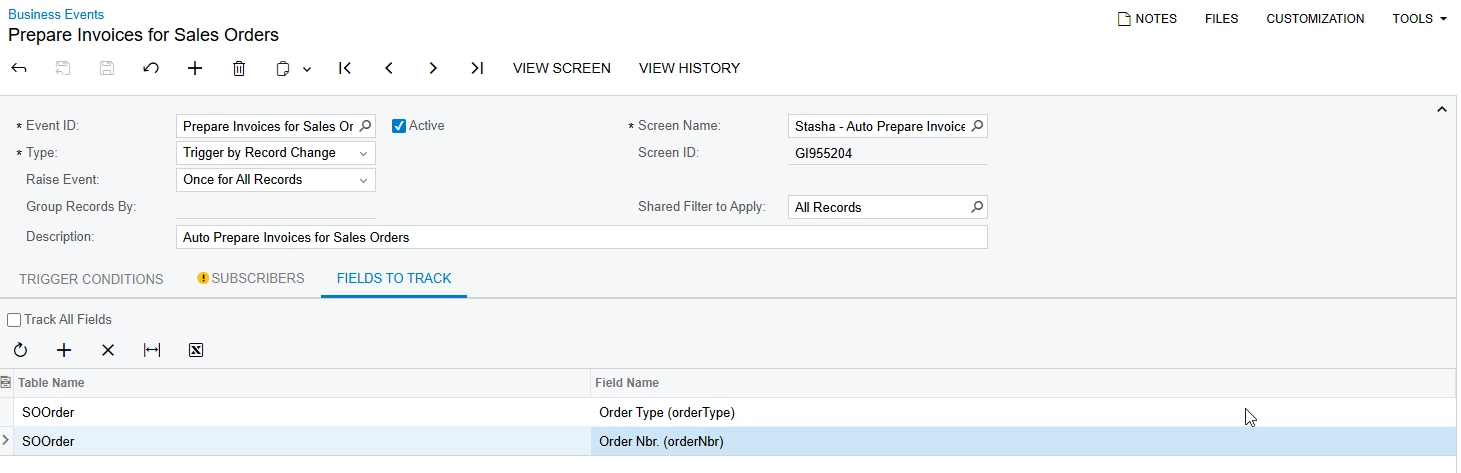
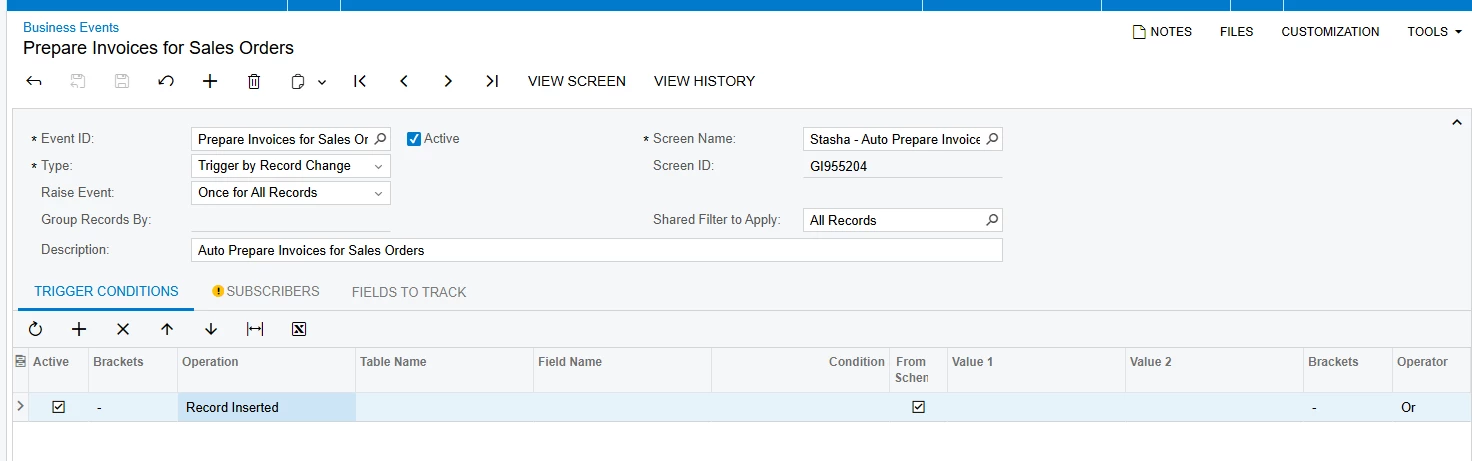
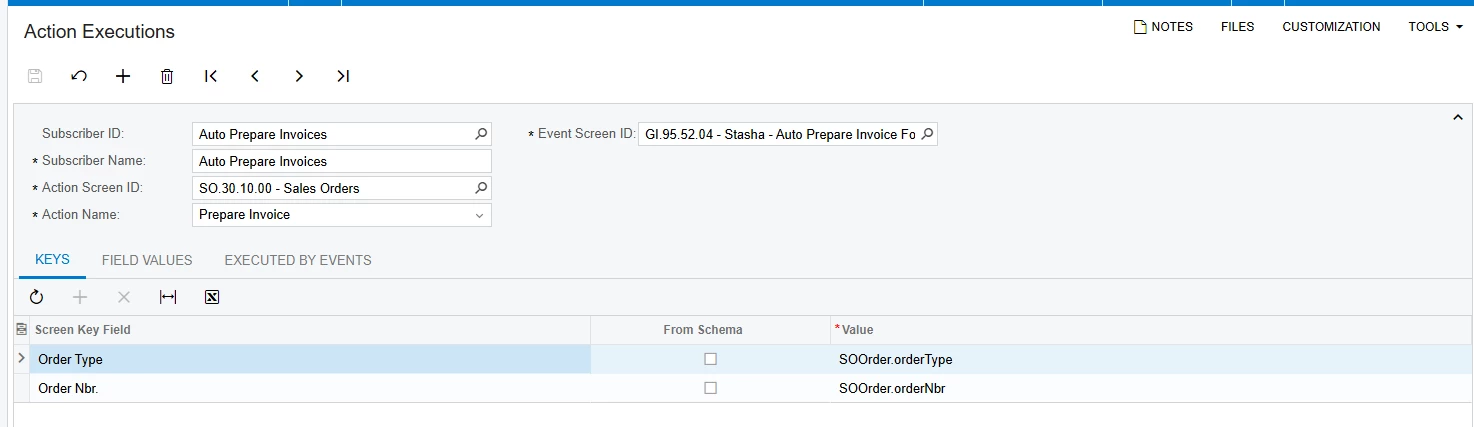
I’m looking to confirm that the following business event and subscriber should indeed trigger the “prepare invoice” button on a sales order. This business event is based on a generic inquiry that only shows sales orders with a specific ship zone and a status of open (so once the sales order is invoiced it will no longer be shown on the GI)

XML To the GI is attached
 

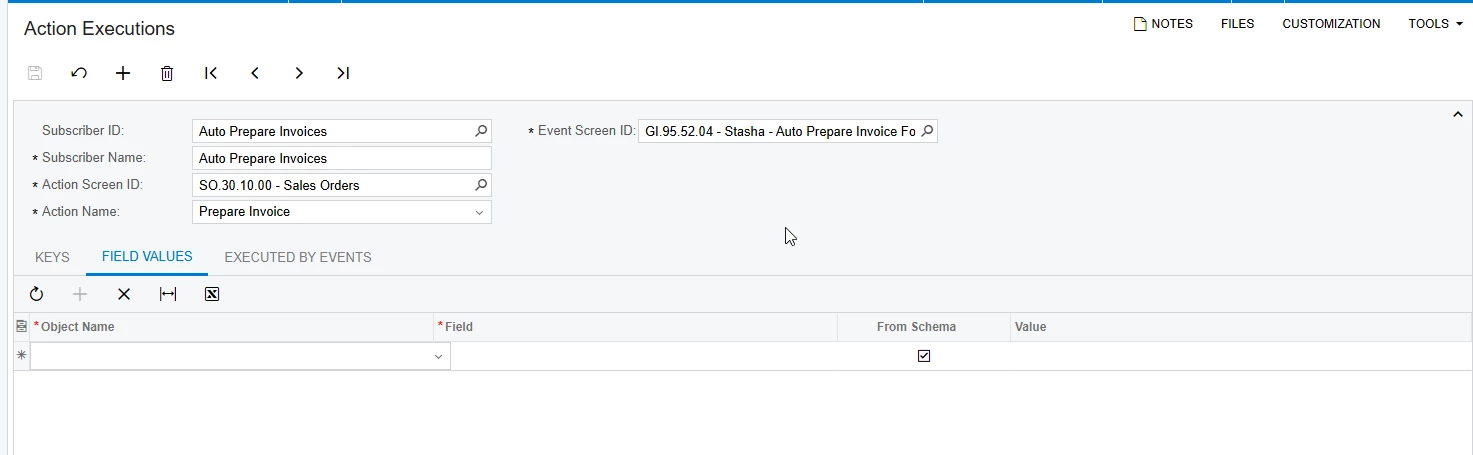
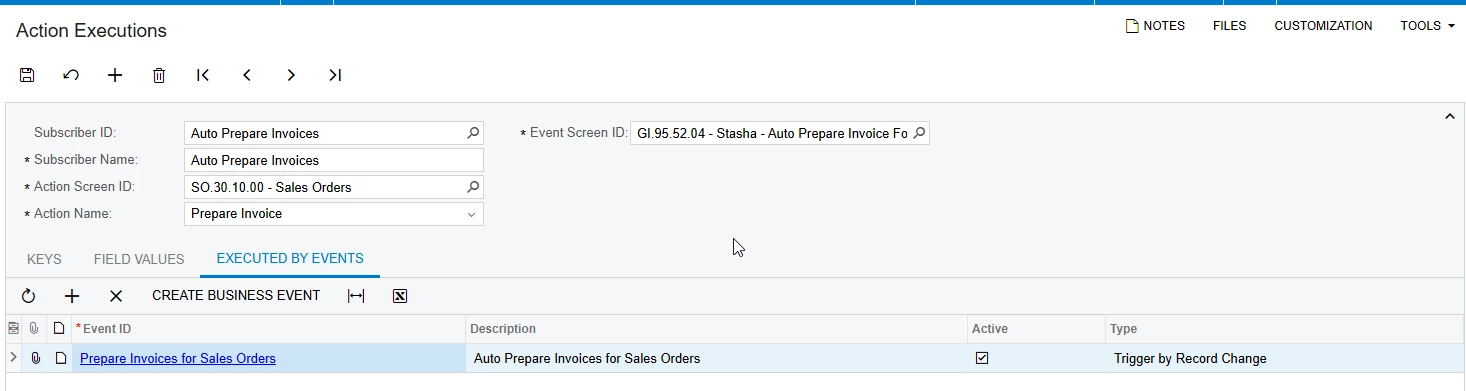
Action Execution:
 

I can’t seem to get the business event to trigger for all of the records that already exist. I’m not sure when a new record will be added. 

Business event XML is added as well.

Note I have tried the Raise Event: be “For Each Record” as well and wasn’t able to get it to initially run. 

Another thing I tried was counter filtering my GI so there were no records and then remove the counter filters so records would appear and that did not trigger the business event either. 
Best answer by bwhite49

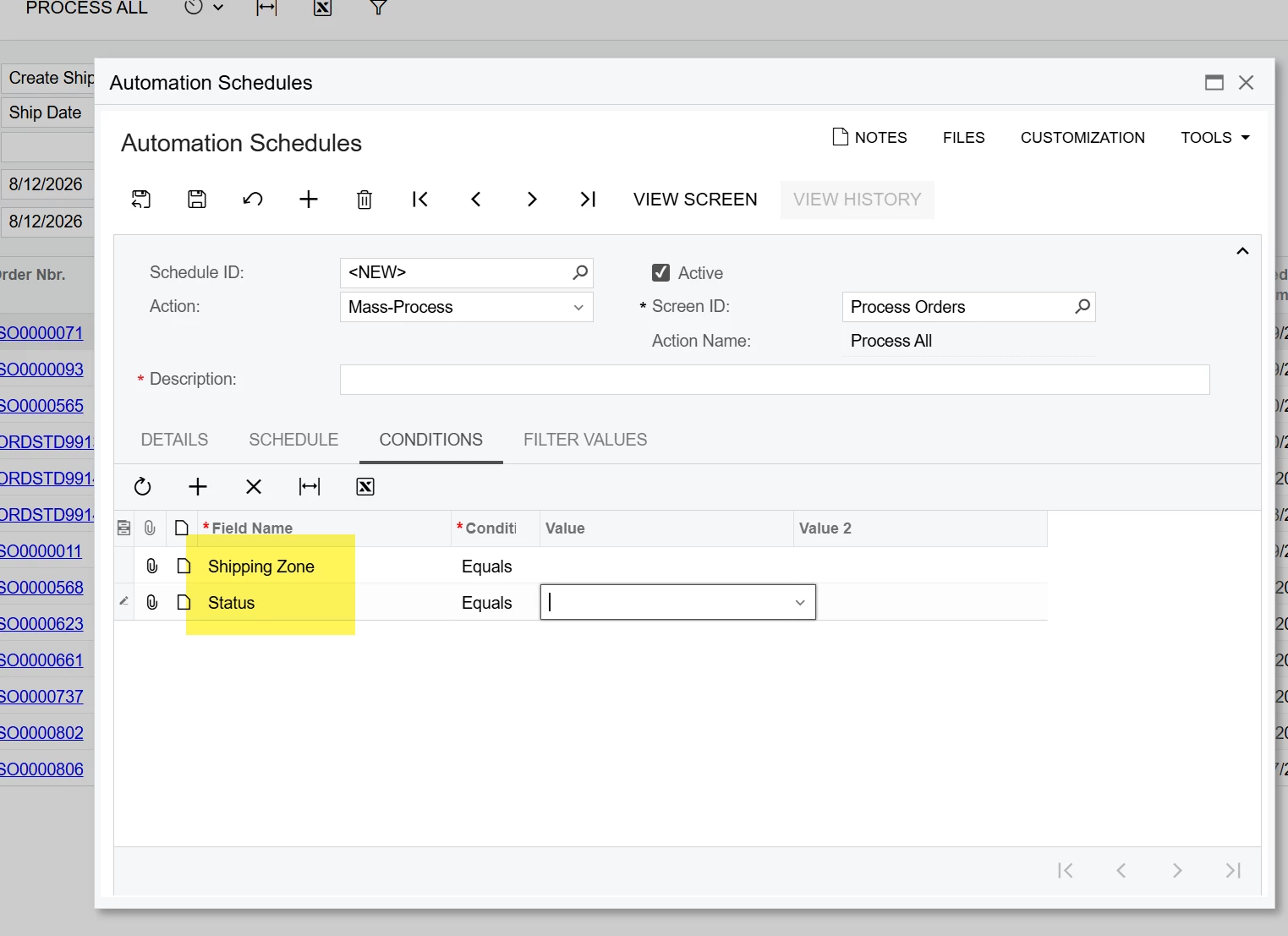
For this scenario I don’t believe you need a business event. Both those fields are available in the conditions of the automation schedule on the “Process Orders” screen

So I think you only need to add a schedule to the process orders screen for the invoice action.


View original

2 replies

bwhite49
Captain II
Forum|alt.badge.img+12
  • Captain II
  • Answer
  • August 12, 2026

For this scenario I don’t believe you need a business event. Both those fields are available in the conditions of the automation schedule on the “Process Orders” screen

So I think you only need to add a schedule to the process orders screen for the invoice action.


Translate

Forum|alt.badge.img+1
  • Author
  • Semi-Pro I
  • August 13, 2026

For this scenario I don’t believe you need a business event. Both those fields are available in the conditions of the automation schedule on the “Process Orders” screen

So I think you only need to add a schedule to the process orders screen for the invoice action.


That seems like a great idea thank you! 

Translate