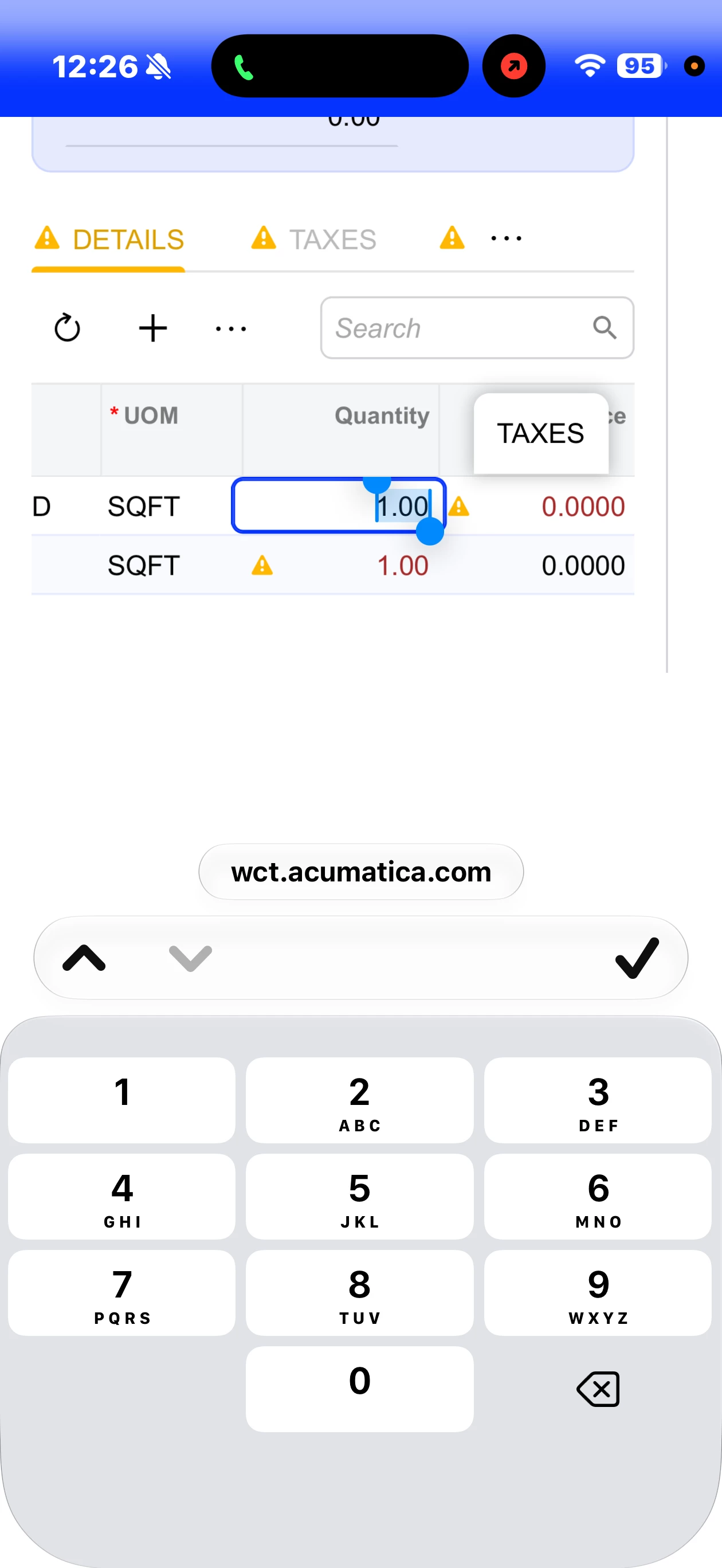


Since the upgrade to 2026R1, if you view the ERP via http (some functionality isn’t available in the app, such as SO copying, etc), the decimal is now missing (used to show up next to the zero) from the numeric keyboard to enter cents into the field. This makes the web interface difficult for any currency transactions the aren’t whole numbers. There is a workaround in that you can enter a number into the field and when you leave the field it will add the decimalization to the whole number (.00) (to make 1 into 1.00) and then you can use your finger to go back into it to edit the cents and/or remove the whole number. Hoping this is fixed in an update!